
@darshanpatel2608/claude-dash
v2.1.3
Published
Local dashboard for Claude Code usage, sessions, tokens and cost — run via `npx claude-dash`

Maintainers
 darshanpatel2608
Readme
Claude Dash



Ever wonder how much your Claude Code sessions are actually costing you, or want to revisit a past chat transcript in full? Claude Dash is a local dashboard that turns Claude Code's own session logs into live cost, token, and usage analytics — plus a full, searchable replay of every chat.
Requires that you already use the Claude Code CLI — Claude Dash reads its local session logs (~/.claude by default) and doesn't collect or send any data anywhere.
Quick start
npx @darshanpatel2608/claude-dash@latestThat's it — it starts a local server and opens the dashboard in your browser.
Installation
The npx command above works with no install. If you'd rather have it as a standing command, install it globally and run it as claude-dash:
npm i -g @darshanpatel2608/claude-dash@latest
claude-dash
Either way, it starts a local server, reads Claude Code's session logs from ~/.claude (or $CLAUDE_CONFIG_DIR), and opens the dashboard in your browser.
What it shows
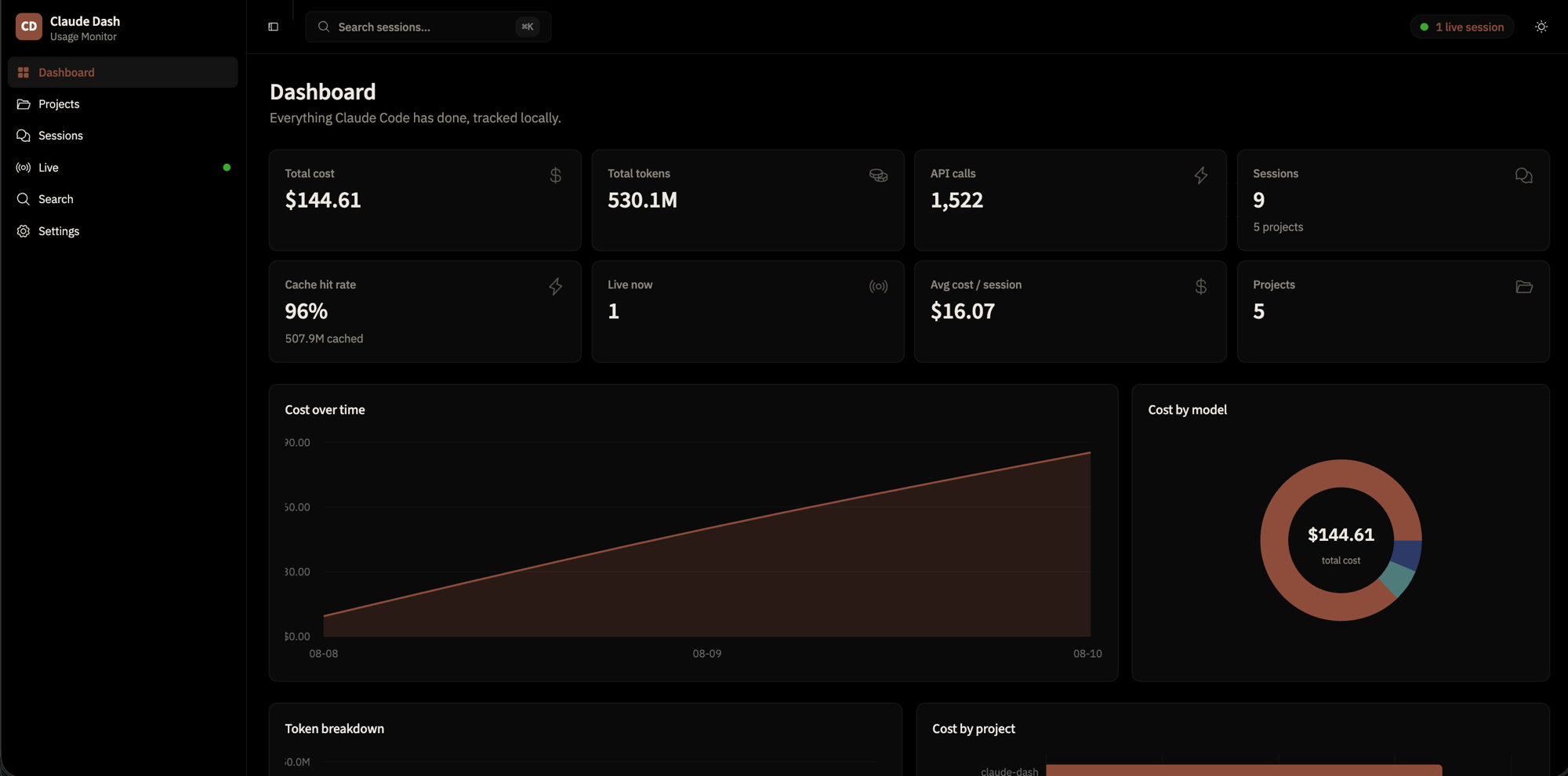
- Dashboard — total cost, tokens, API calls, cache hit rate, cost over time, model/project/tool breakdowns
- Projects & Sessions — every session, past and currently running, filterable and searchable, with each session's UUID visible so it matches its
~/.claude/.../<uuid>.jsonlfile on disk - Live — sessions with recent activity, updating in near real time
- Session detail — full chat transcript (user, assistant, thinking, tool calls, MCP, sub-agents, errors), toggle-filterable by message kind, with tool-specific views (Bash stdout/stderr, Edit diffs, Read file contents, sub-agent threads inline)
- Agent transcripts — every sub-agent has its own first-class page (
/sessions/:id/agents/:agentId), reachable from the session detail sidebar and inline tool-call expander, with a back-link to the parent when the parent is in scope - Search — full-text search across every transcript
- Cost accounting — exact per-token cost using live LiteLLM pricing, correctly deduped across multi-block turns and forked/resumed sessions
- Settings — see which log directories are indexed, index stats, and manually refresh pricing data
- Secure sharing — share the dashboard (or one specific session or agent) through a Cloudflare quick tunnel behind an 8-character access code — no account, no install on the visitor's side
Everything runs locally. No data leaves your machine unless you start a share.
Sharing
Drop the dashboard onto a teammate's screen without a deploy, an account, or an install on their side. From the Share page, click Start sharing — a Cloudflare quick tunnel comes up, an 8-character access code is generated, and the visitor gets a single URL plus the code to type in. The local-only path is completely unaffected when sharing is off.
Two modes:
- Whole dashboard — the default. The visitor lands on the full Dashboard, Projects, Live, and Search views. Settings and the share controls themselves are hidden from the visitor UI.
- Specific session or agent — click the share icon on a session detail header (or on an agent transcript). That single session, or just that one agent, becomes the visitor's entire world. Anything else under
/api/*returns 403 to a scoped visitor, so unshared data never leaks through a filtered list.
If a whole-dashboard share is already running and you click share on a specific session, a confirm dialog explains the trade-off (replacing global with scoped, same tunnel, same access code) — and the server enforces the same rule with a 409 if anyone bypasses the UI.
Security, in one paragraph: the visitor's browser hits the tunnel, sees a gate page, and must type the code (case-insensitive, hyphen-tolerant) before any API route replies. Codes are compared in constant time, the wrong-code path is delayed and locks out after 10 misses from the same IP for 5 minutes, the access cookie is HttpOnly + SameSite=Lax + Secure only over the tunnel, and the host allow-list keeps DNS-rebinding attempts out of the API. Sharing off means the gate object is present but inactive, so local use is exactly the same as before.
Options
claude-dash [options]

  --port <n>            Port to listen on (default 4317)
  --host <s>            Host to bind (default 127.0.0.1)
  --claude-dir <path>   Override ~/.claude location (repeatable)
  --no-open              Don't open the browser automatically
  --poll                  Use polling for file watching (WSL/NFS/Docker)
  --json                  Print an index summary as JSON and exit
  -h, --help
  -v, --version
Requirements
Node.js >=20.19.0.
Development
bun install
bun run dev      # Vite (5173) + API server (4317) with hot reload
bun run build    # typecheck, build web + server
bun run test     # run unit tests