
@dc-bgeo/react-native-background-geolocation
v0.7.0
Published
Reliable background geolocation for React Native (iOS & Android) — New Architecture, native HTTP upload, motion-based tracking.

Maintainers
 dc-bgeo
Readme
@dc-bgeo/react-native-background-geolocation


Background geolocation for React Native & Expo that keeps tracking when the app is backgrounded, killed, force-quit, or rebooted. iOS & Android, New Architecture (TurboModule), with a native offline queue and HTTP uploader — no JavaScript runs in the background.
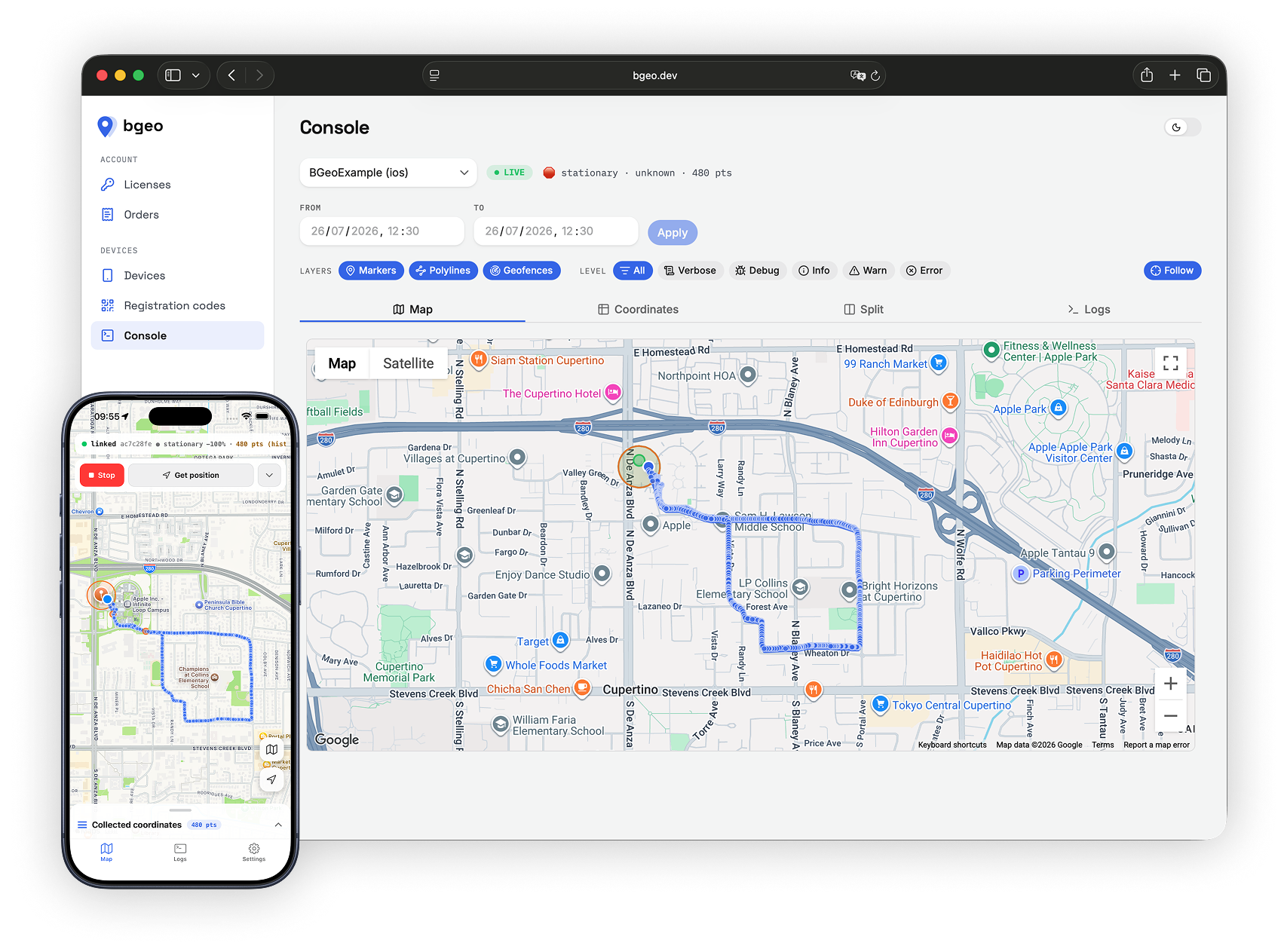
Free to use — no license key, no registration, no payment. Every feature works in debug and release builds alike.
Why this one
- It survives. iOS uses the modern session engine (
CLBackgroundActivitySessionCLLocationUpdate.liveUpdates) with a wake region and significant-change monitoring as backup; Android uses a foreground service with boot + task-removal restart. Device-verified: force-quit mid-drive resumes in ~1 s, a reboot relaunches tracking with no user interaction, an overnight OS eviction wakes on the morning departure.
- Battery-sane. Motion state machine with activity recognition, adaptive
speed-elastic
distanceFilter, and a coarse keep-alive while parked — GPS sleeps when the device does. - Uploads from native code. Locations go into a SQLite queue and are POSTed by the engine itself, with batching, exponential backoff, JWT auth + token refresh, and poison-record handling. Offline points survive app death and are drained later; JS never has to be awake.
- Clean fixes. Kalman smoothing, accuracy gate, and teleport rejection before a point ever reaches your server.
- Familiar API. Transistorsoft-shaped (
ready/start/onLocation/…), so existing integrations and docs knowledge carry over. - Geofences. ENTER/EXIT/DWELL with proximity slicing, well past the OS region limits, riding the same offline upload queue.
Requirements
- React Native ≥ 0.76 (New Architecture only)
- iOS ≥ 15.5, Android minSdk 24
- Expo SDK 54+ via the bundled config plugin (development build — not Expo Go)
Install
npm install @dc-bgeo/react-native-background-geolocationAndroid
The closed engine ships as an AAR in a local Maven repo inside this package.
Add it to your project's android/build.gradle:
allprojects {
  repositories {
    maven { url("$rootDir/../node_modules/@dc-bgeo/react-native-background-geolocation/android/libs") }
  }
}
Declare background location yourself (Google Play requires the app to own this
declaration + the Play Console disclosure) in android/app/src/main/AndroidManifest.xml:
<uses-permission android:name="android.permission.ACCESS_BACKGROUND_LOCATION" />iOS
cd ios && pod installAdd NSLocationAlwaysAndWhenInUseUsageDescription, NSMotionUsageDescription,
and the location background mode (UIBackgroundModes) to your Info.plist.
Expo
Everything above is written for you by the bundled config plugin — add it to
app.json and run npx expo prebuild:
{
  "expo": {
    "plugins": [
      ["@dc-bgeo/react-native-background-geolocation", {
        "locationAlwaysAndWhenInUsePermission": "Keep tracking your route while the app is closed.",
        "motionPermission": "Detect when you start and stop moving.",
        "fullAccuracyPurpose": "Precise location is required to track your route accurately."
      }]
    ]
  }
}
| Option | Default | Effect |
| --- | --- | --- |
| locationWhenInUsePermission | generic string | NSLocationWhenInUseUsageDescription |
| locationAlwaysAndWhenInUsePermission | generic string | NSLocationAlwaysAndWhenInUseUsageDescription |
| motionPermission | generic string | NSMotionUsageDescription |
| fullAccuracyPurpose | unset | DeliverFullAccuracy — required for requestTemporaryFullAccuracy() |
| isIosBackgroundFetchEnabled | false | adds fetch to UIBackgroundModes (location is always added) |
| isAndroidBackgroundLocationEnabled | true | ACCESS_BACKGROUND_LOCATION |
The plugin also points the generated android/build.gradle at the engine's local
Maven repo. Every other Android permission, service and receiver merges in from the
engine AAR — nothing else to declare.
Requires Expo SDK 54+ and a development build: this is custom native code, so
Expo Go cannot run it. Use npx expo run:ios / npx expo run:android, or
eas build --profile development.
Android headless tasks need registerHeadlessTask to run at module scope of the
entry file, before React renders. With Expo Router, point main at your own entry:
// index.js  →  "main": "index.js" in package.json
import BackgroundGeolocation from '@dc-bgeo/react-native-background-geolocation';

BackgroundGeolocation.registerHeadlessTask(async (event) => {
  console.log('[headless]', event.name, event.params);
});

import 'expo-router/entry';
Usage
import BackgroundGeolocation from '@dc-bgeo/react-native-background-geolocation';

const sub = BackgroundGeolocation.onLocation(location => {
  console.log('[location]', location.coords);
});

await BackgroundGeolocation.ready({
  distanceFilter: 10,
  stopTimeout: 5,
  url: 'https://your-server.example/locations',
  autoSync: true,
});

await BackgroundGeolocation.requestPermission();
await BackgroundGeolocation.start();
That is the whole integration. No license key is needed — not in debug, not in release.
A runnable console app lives in example/ — settings screen for
every config key, live map, log viewer, geofence editor.
Compass heading
For a map arrow (or anything else that has to point somewhere), watchHeading
streams the device compass, smoothed natively on the unit circle so 0/360 never
flips and the rate is independent of the sensor's own:
BackgroundGeolocation.watchHeading(
  ({ heading, accuracy, isTrue }) => {
    setBearing(heading); // degrees, 0-360, 0 = north, clockwise
  },
  { minIntervalMs: 100, minDeltaDeg: 1 },
);

// when the screen goes away
await BackgroundGeolocation.stopWatchHeading();
Event:
| Field | Type | Meaning |
| --- | --- | --- |
| heading | number | Smoothed heading in degrees, 0–360 (0 = north, clockwise). |
| accuracy | number | Platform-specific. iOS: maximum deviation in DEGREES (negative = reading invalid). Android: magnetometer CALIBRATION LEVEL, 0–3 (0 unreliable … 3 high). Not harmonized — the two scales mean different things. |
| isTrue | boolean | true when heading is true north (declination applied from the last known fix), false when it is magnetic north. |
Options (all optional):
| Option | Default | Effect |
| --- | --- | --- |
| minIntervalMs | 40 | Emission floor: minimum gap between events (40 ms caps the feed at 25 Hz). |
| minDeltaDeg | 0.5 | Emission floor: minimum change since the last emitted heading. |
| smoothingTauMs | 120 | Time constant of the smoother — larger is steadier and laggier. |
Notes:
- Foreground-only by design. When the app goes to the background both engines drop the sensor subscription and restore it on foreground, with the smoothing window reset — a compass ray is a UI affordance and the sensors are pure battery burn behind a hidden app. No events arrive while backgrounded.
- Calling
watchHeadingagain replaces the previous listener and restarts the feed with the new tuning (no smoothing state survives). BackgroundGeolocation.stop()tears the feed down on both platforms; after astop()/start()cycle callwatchHeadingagain.stopWatchHeading()detaches your callback before it asks the engine to stop, so no event ever arrives after it.- A device with no usable magnetometer produces a silent feed — no events, no
error. On iOS
getState().headingAvailablesays so up front; Android has no equivalent probe.
API
Transistorsoft-shaped:
- Lifecycle —
ready,setConfig,start,stop,getState,changePace - Position —
getCurrentPosition,watchPosition,stopWatchPosition,getOdometer,setOdometer,resetOdometer - Compass —
watchHeading,stopWatchHeading - Queue / HTTP —
sync,getLocations,getCount,insertLocation,destroyLocation,destroyLocations,getAuthState - Geofences —
addGeofence(s),removeGeofence(s),getGeofences,geofenceExists - Permissions / device —
requestPermission,requestTemporaryFullAccuracy,getProviderState,isPowerSaveMode - Logger —
logger.error/warn/info/debug/verbose,getLog,destroyLog,uploadLog - Events —
onLocation,onMotionChange,onHeartbeat,onProviderChange,onGeofence,onGeofencesChange,onHttp,onConnectivityChange,onPowerSaveChange,onAuthorization - Android headless —
registerHeadlessTask
See src/types.ts for the full Config reference.
License
The bridge (everything in src, lib, android/src, the podspec and gradle
glue) is MIT — see LICENSE.
The precompiled engine (ios/BGeoCore.xcframework, the dev.bgeo:bgeo-android
AAR) is closed-source but free to use, including in commercial apps — no
license key is required. See LICENSE-BINARY.md.
The LICENSE_* error constants are deprecated: they are never emitted and will be
removed in the next major version. The Expo plugin's licenseKey option is
ignored and can be removed from your app config.
Support
Questions and bug reports: GitHub Issues.