
@denysvuika/ng-bpmn
v0.0.3
Published
Standalone BPMN components for your Angular applications.


Readme
Angular BPMN
Standalone BPMN components for your Angular applications.
Getting Started
Install the dependency:
npm i @DenysVuika/ng-bpmnBPMN
<ng-bpmn [url]="diagramUrl" />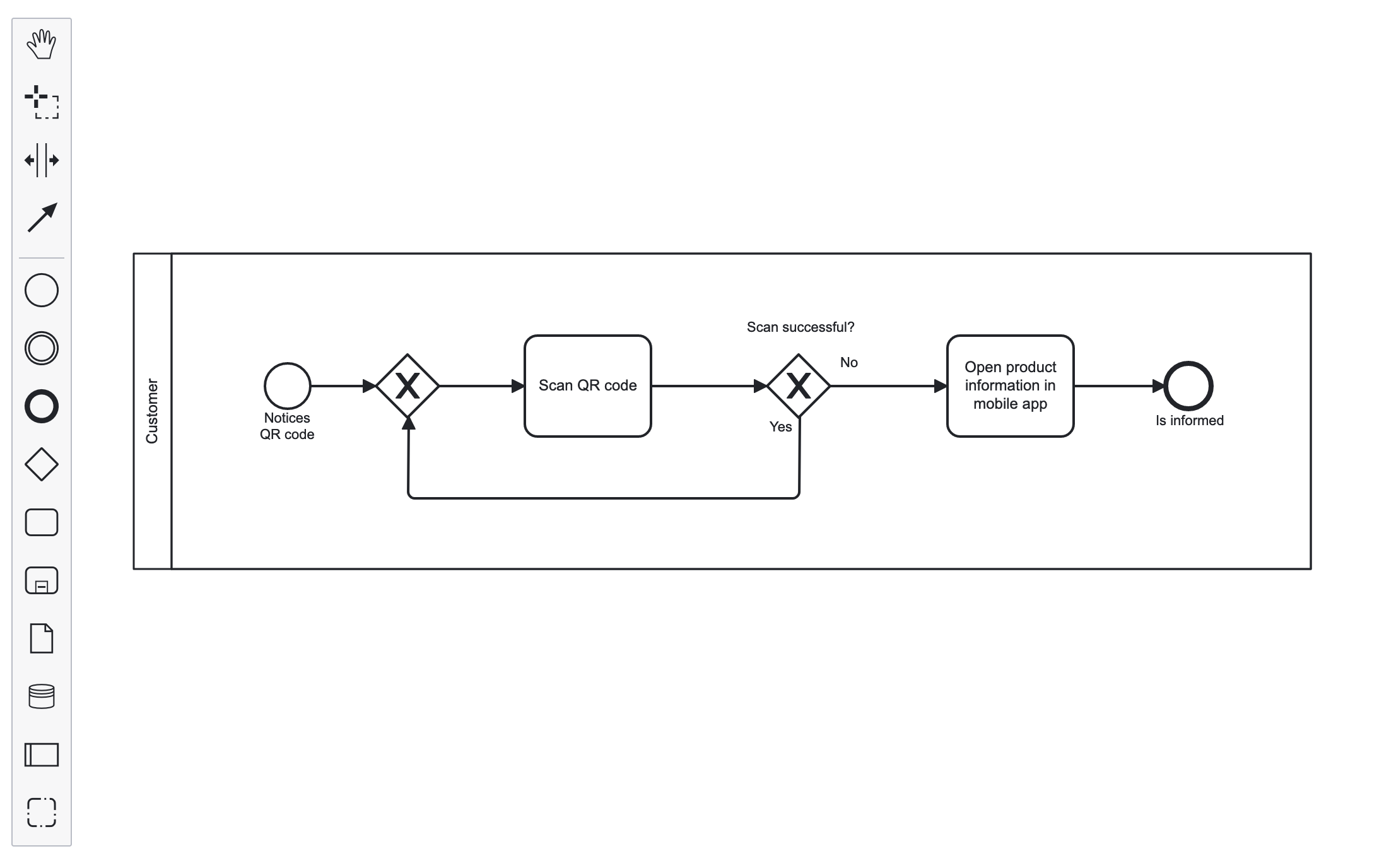
Keyboard Hotkeys
<ng-bpmn [url]="diagramUrl" [hotkeys]="true" />Supported hotkeys:
| Keys | MacOS | Action |
| --- | --- | --- |
| Ctrl+a | Command+a | select all |
| e | e | direct editing |
| h | h | hand tool |
| l | l | lasso tool |
| s | s | space tool |
| c | c | global connect tool |
| Ctrl+= | Command+= | zoom in |
| Ctrl+- | Command+- | zoom out |
| Ctrl+0 | Command+0 | reset zoom |
| Ctrl+9 | Command+9 | zoom to fit |
| Ctrl+z | Command+z | undo |
| Ctrl+Shift+z | Command+Shift+z | redo |
| Backspace | Backspace | remove selection |
| Ctrl+c | Command+c | copy selection |
| Ctrl+v | Command+v | paste |
| Ctrl+x | Command+x | cut selection |
| Ctrl+f | Command+f | find |
Invoking Component API
You can get the reference to the ng-bpmn component, and pass to the underlying application code.
For the sake of simplicity, some of the code was omitted.
app.component.html
<ng-bpmn #bpmn [url]="diagramUrl" />
<button (click)="exportSVG(bpmn)">Export SVG</button>
app.component.ts
import { saveAs } from 'file-saver';

export class AppComponent {
  exportSVG(bpmnComponent: NgBpmnComponent) {
    bpmnComponent.saveXML().then((content) => {
      if (content) {
        const blob = new Blob([content]);
        saveAs(blob, 'diagram.xml');
      }
    });
  }
}
Properties Panel
<ng-bpmn [url]="diagramUrl" [showProperties]="true" />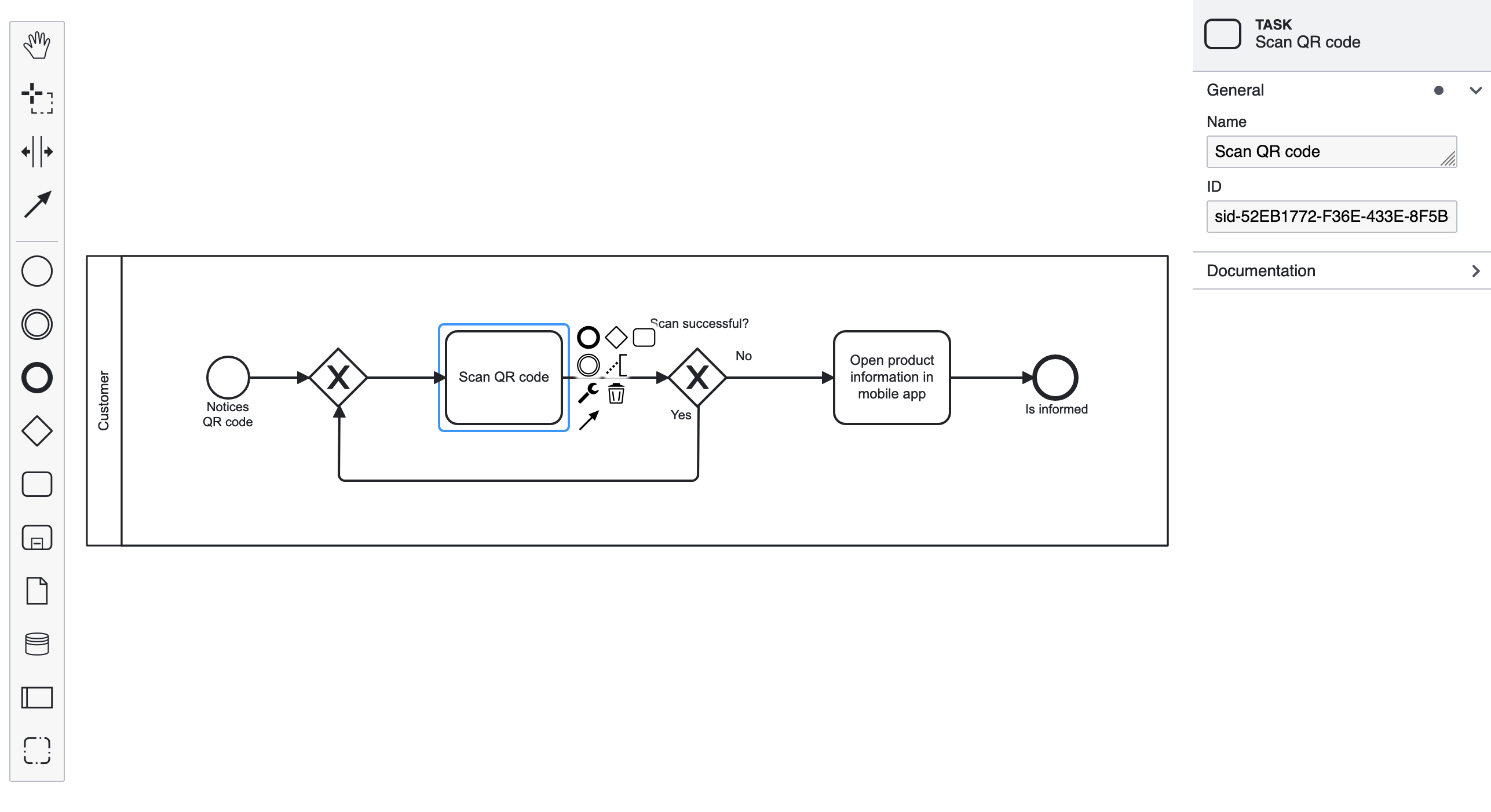
Minimap
<ng-bpmn [url]="diagramUrl" [showProperties]="true" [showMinimap]="true" />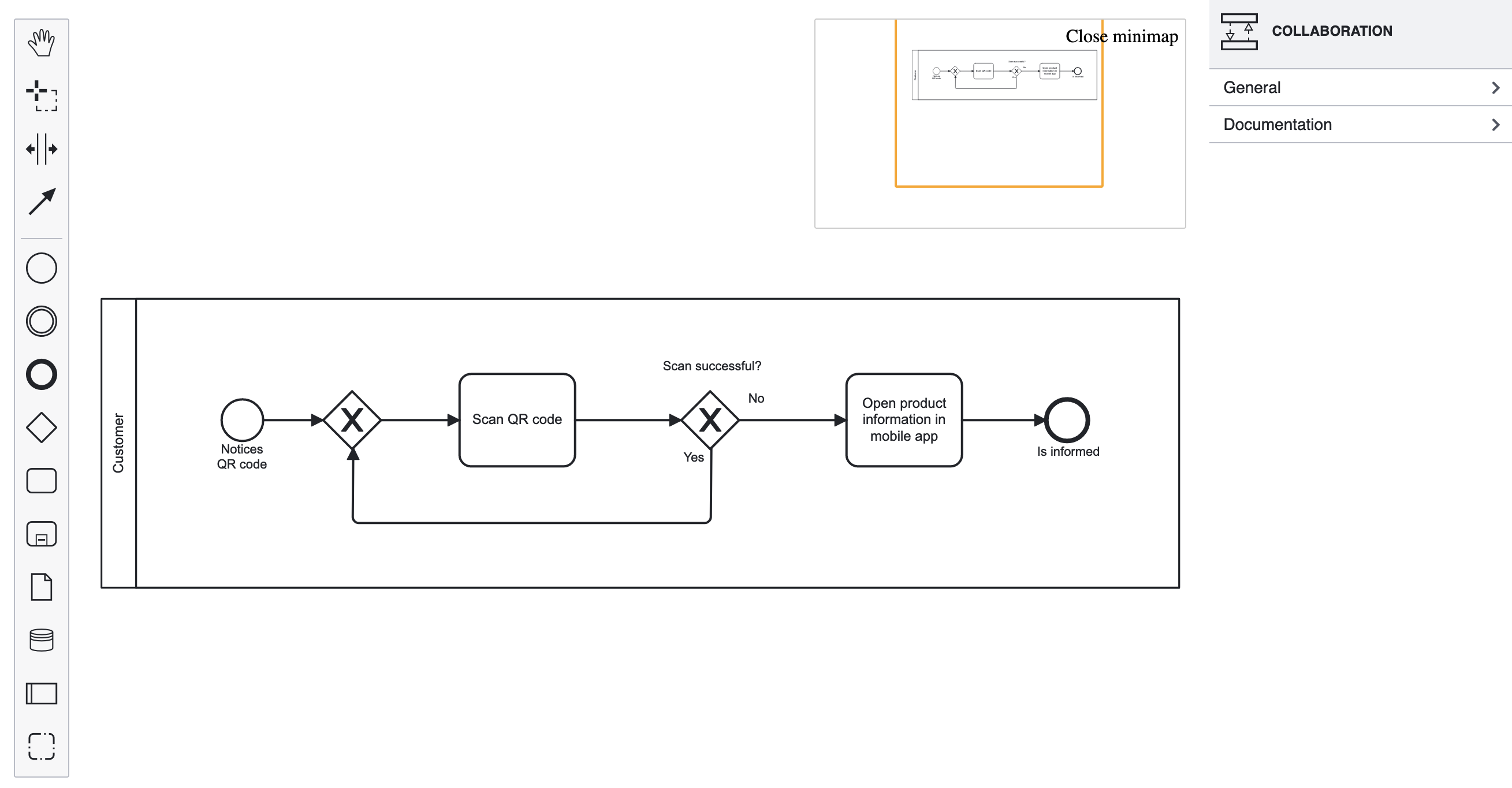
DMN
<ng-dmn [url]="diagramUrl" />Properties Panel
<ng-dmn [url]="diagramUrl" [showProperties]="true" />Keyboard Hotkeys
<ng-dmn [url]="diagramUrl" [hotkeys]="true" />Supported hotkeys:
| Keys | MacOS | Action |
| --- | --- | --- |
| Ctrl+a | Command+a | select all |
| e | e | direct editing |
| h | h | hand tool |
| l | l | lasso tool |
| Ctrl+= | Command+= | zoom in |
| Ctrl+- | Command+- | zoom out |
| Ctrl+0 | Command+0 | reset zoom |
| Ctrl+9 | Command+9 | zoom to fit |
| Ctrl+z | Command+z | undo |
| Ctrl+Shift+z | Command+Shift+z | redo |
| Backspace | Backspace | remove selection |
CMMN
<ng-cmmn [url]="diagramUrl" />Properties Panel
<ng-cmmn [url]="diagramUrl" [showProperties]="true" />Keyboard Hotkeys
<ng-cmmn [url]="diagramUrl" [hotkeys]="true" />Supported hotkeys:
| Keys | MacOS | Action |
| --- | --- | --- |
| Ctrl+a | Command+a | select all |
| e | e | direct editing |
| h | h | hand tool |
| l | l | lasso tool |
| c | c | global connect tool |
| Ctrl+= | Command+= | zoom in |
| Ctrl+- | Command+- | zoom out |
| Ctrl+0 | Command+0 | reset zoom |
| Ctrl+9 | Command+9 | zoom to fit |
| Ctrl+z | Command+z | undo |
| Ctrl+Shift+z | Command+Shift+z | redo |
| Backspace | Backspace | remove selection |
| Ctrl+f | Command+f | find |