
@dhtmlx/tree
v9.4.0
Published
DHTMLX Tree - JavaScript tree view library. GPL v2 edition for GPL-compatible open-source projects; commercial licenses are available for proprietary and production use.
Downloads
252


Readme
DHTMLX Tree — JavaScript Tree View Component (GPL Edition)




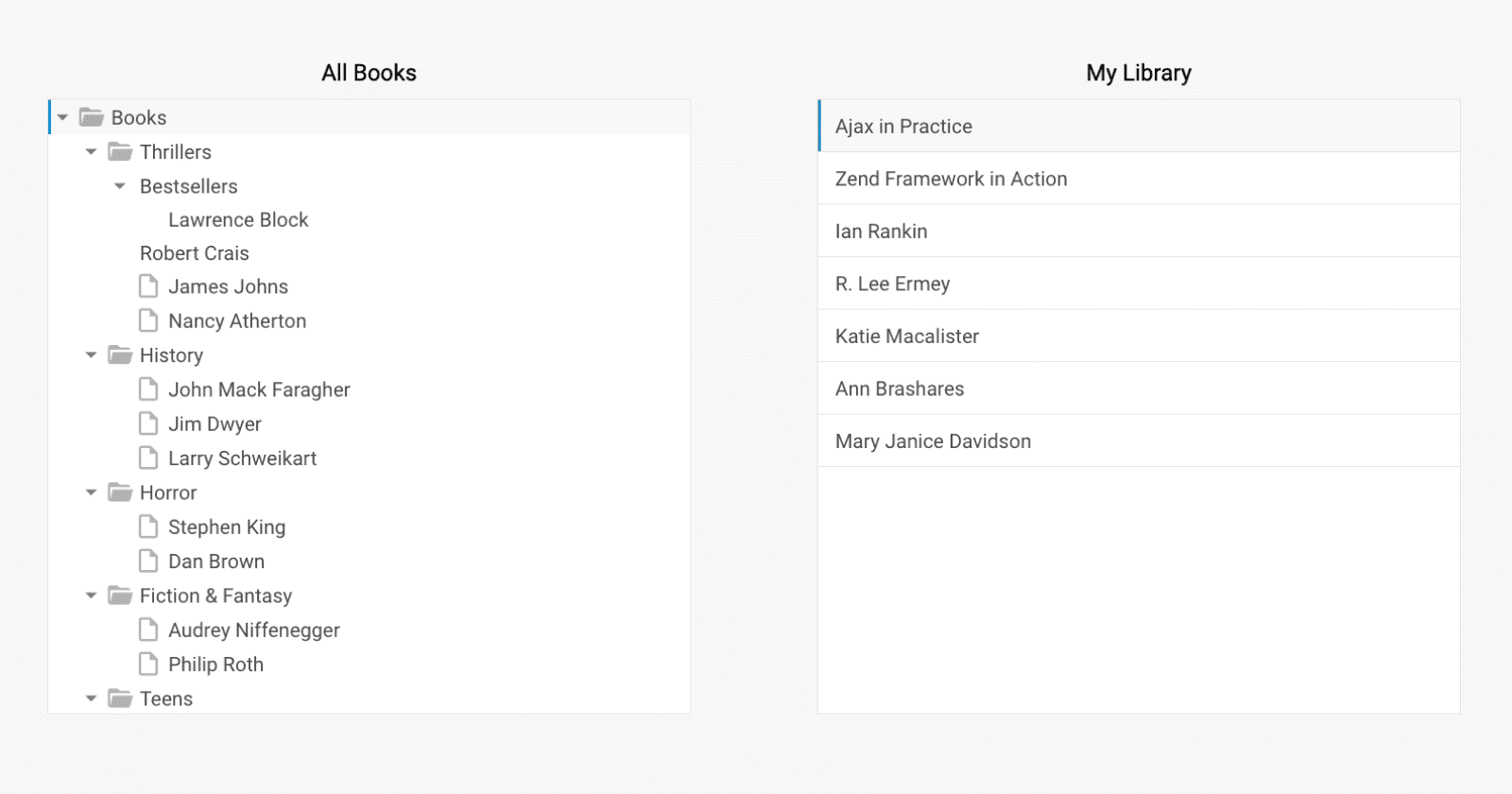
@dhtmlx/tree is a JavaScript tree view component for building hierarchical navigation interfaces with drag-and-drop reordering, inline editing, checkboxes, filtering, sorting, custom item templates, and keyboard navigation.
It is a framework-agnostic component that works with plain JavaScript and integrates with React, Angular, Vue, and Svelte.
It is ideal for prototyping file browsers, navigation menus, category trees, and other hierarchical UI structures in open-source projects or evaluating DHTMLX Tree's core features under the GPL v2 license.
License
This edition of DHTMLX Tree is licensed under the GNU General Public License v2.0 (GPL v2).
You can redistribute this package and/or modify it under the terms of the GPL v2.
GPL v2 requires that any project using this package also be open source under a GPL-compatible license.
You may NOT use this package in closed-source, proprietary, or commercial applications without a separate commercial license. For commercial use, please obtain a commercial license of DHTMLX Tree (PRO edition).
This package is distributed in the hope that it will be useful, but WITHOUT ANY WARRANTY; without even the implied warranty of MERCHANTABILITY or FITNESS FOR A PARTICULAR PURPOSE. See the GPL v2 for more details.
Using DHTMLX Tree in a commercial or closed-source project?
You need a commercial license. DHTMLX offers Individual, Commercial, Enterprise, and Ultimate license tiers.
- Compare licenses and pricing
- Download a free 30-day trial of DHTMLX Tree
- Download 30-day trial versions of all DHTMLX components
- Contact us regarding licensing: [email protected]
Copyright © 2026 XB Software Ltd.
What is DHTMLX Tree
DHTMLX Tree is a JavaScript tree view component for rendering hierarchical data structures in web applications. It supports unlimited nesting depth, dynamic data rendering for large datasets, drag-and-drop reordering within and between trees, inline item editing, two-state and three-state checkboxes, item filtering and sorting, and custom HTML templates per node. The component exposes a TreeCollection API for adding, updating, removing, filtering, and sorting items programmatically at runtime.
This is the GPL (open source) edition of DHTMLX Tree, distributed as the @dhtmlx/tree npm package. It is part of the DHTMLX Suite family of UI components and can be used standalone or alongside other Suite widgets such as DHTMLX Grid, Layout, or Toolbar.
Use this GPL edition when you want to prototype hierarchical navigation, integrate a tree view into an open-source project, or evaluate DHTMLX Tree's core features before obtaining a commercial license.
Quick Start
Install the package, import the styles, and initialize the tree in a container element.
Install
npm install @dhtmlx/treeInclude in your project
import { Tree } from "@dhtmlx/tree";
import "@dhtmlx/tree/tree.css";
Or via CDN as part of DHTMLX Suite:
<link rel="stylesheet" href="https://cdn.dhtmlx.com/suite/edge/suite.css" />
<script type="text/javascript" src="https://cdn.dhtmlx.com/suite/edge/suite.js"></script>
Or with script tags pointing to local files:
<script src="path/to/tree.js"></script>
<link rel="stylesheet" href="path/to/tree.css">
The CSS import is required for default tree styling and layout.
Initialize
import { Tree } from "@dhtmlx/tree";
import "@dhtmlx/tree/tree.css";

const tree = new Tree("tree_container", {
    checkbox: true,
    keyNavigation: true
});

tree.data.parse([
    {
        value: "Books",
        id: "books",
        items: [
            { value: "Fiction",     id: "fiction" },
            { value: "Non-fiction", id: "nonfiction" }
        ]
    },
    {
        value: "Magazines",
        id: "magazines",
        items: [
            { value: "Science",  id: "science" },
            { value: "Business", id: "business" }
        ]
    }
]);
Add a container element to your HTML:
<div id="tree_container" style="height: 400px; width: 300px;"></div>Basic Usage — DHTMLX Tree
Initialize DHTMLX Tree with drag-and-drop, inline editing, and a custom tooltip template:
import { Tree } from "@dhtmlx/tree";
import "@dhtmlx/tree/tree.css";

const tree = new Tree("tree_container", {
    editable: true,         // enable inline editing on double-click
    checkbox: true,         // show checkboxes on all items
    keyNavigation: true,    // enable arrow-key navigation
    tooltip: item => {
        const childCount = item.items ? ` (${item.items.length} children)` : "";
        return item.value + childCount;
    }
});

tree.data.parse([
    {
        value: "Documents",
        id: "docs",
        items: [
            { value: "Reports",   id: "reports" },
            { value: "Contracts", id: "contracts" }
        ]
    },
    {
        value: "Images",
        id: "images",
        items: [
            { value: "Photos",      id: "photos" },
            { value: "Screenshots", id: "screenshots" }
        ]
    }
]);

// Get all checked item IDs after user interaction
tree.events.on("itemClick", () => {
    const checked = tree.getChecked();
    console.log("Checked items:", checked);
});
The editable: true option enables double-click inline editing of item labels. The dragMode: "both" option allows users to reorder items within the tree and drag items between two separate tree instances. The tooltip function receives the data item and returns a string for the hover tooltip.
DHTMLX Tree Features
DHTMLX Tree includes the following main features in the GPL edition.
| Feature | Details |
| :---- | :---- |
| Unlimited nesting depth | Render hierarchical data with any number of nested levels |
| Dynamic data rendering | Efficiently renders large datasets without loading all nodes upfront |
| Drag-and-drop reordering | Reorder items within a tree or drag items between two tree instances |
| Inline editing | Edit item labels directly in the tree via double-click |
| Two-state checkboxes | Attach checkboxes to items; check/uncheck programmatically via API |
| Three-state checkboxes | Intermediate state shown when only some children of a parent are checked |
| Filtering | Display items matching specified criteria using the TreeCollection filter API |
| Sorting | Sort items in ascending or descending order via the TreeCollection sort API |
| Expand and collapse | Expand or collapse individual nodes or all nodes at once |
| Save and restore state | Serialize and restore the full expand/collapse state of the tree via getState() / setState() |
| Custom item templates | Render custom HTML content inside tree nodes via the template configuration option |
| Custom icons | Replace default folder and item icons with any icon font pack |
| Tooltips | Custom tooltip content per item via tooltip function |
| Key navigation | Arrow-key navigation through tree items |
| Selection API | Programmatic selection management via the Selection object |
| TreeCollection API | Add, update, remove, filter, and sort items at runtime |
| Event system | Rich API events for click, double-click, drag, check, expand, and more |
| Themes and high-contrast mode | Multiple built-in themes including high-contrast for accessibility |
| Accessibility | WCAG-compliant; keyboard navigation and screen reader support |
This table highlights key features. For the complete and up-to-date feature list, see the DHTMLX Tree documentation.
Framework Integration
DHTMLX Tree works with popular front-end frameworks including React, Angular, Vue, and Svelte. These integration guides apply to both the GPL edition and the commercial editions of DHTMLX Tree.
Documentation and Resources
- Product page – overview, screenshots, and key features.
- Documentation – getting started, guides, and configuration options.
- API reference – full JavaScript API.
- Live demos and samples – interactive examples of DHTMLX Tree features.
- Support forum – community Q&A and discussions for DHTMLX Suite.