
@diegopetrucci/pi-minimal-footer
v0.1.11
Published
A minimal custom footer for pi.

Maintainers
 diegopetrucci
Readme
minimal-footer
A minimal custom footer for pi.
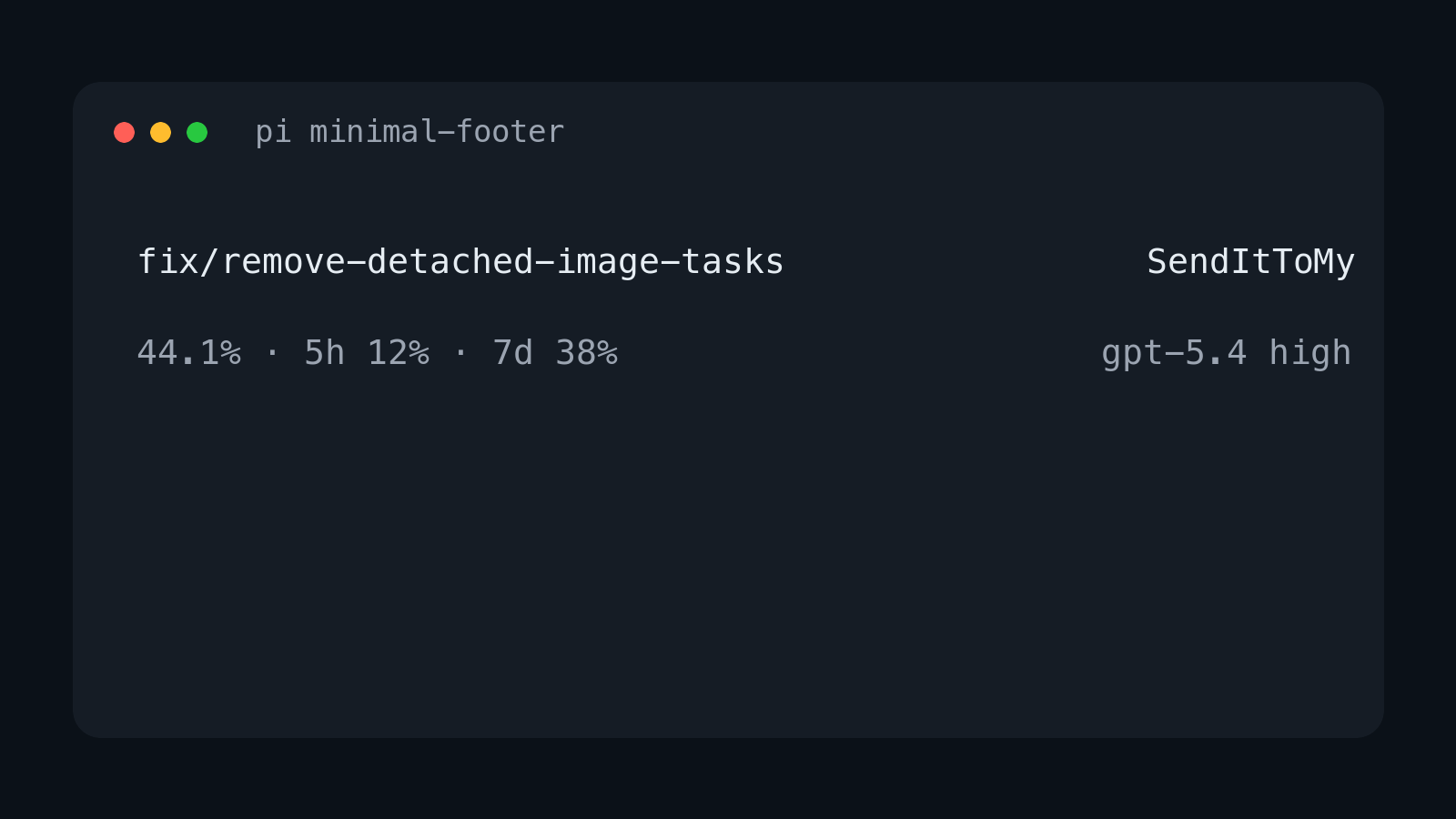
It replaces pi's built-in footer with a cleaner two-line layout that focuses on the information I care about most:
- current git branch
- TLH-style git dirty counts, ahead/behind counts, and optional PR number
- current repo name
- current context percentage
- red
DUMB ZONEindicator when context usage is above 200k tokens - current model and thinking level
- OpenAI Codex 5-hour and 7-day usage when available
xpmarker when Pi experimental features are enabled
Layout
On wide terminals it renders two lines:
<git-branch> · <git-status>                          <repo-name>
<context-%>                                     <model> <thinking>
Example:
fix/remove-detached-image-tasks                     SendItToMy
44.1%                                              gpt-5.4 high
When the project is trusted and the repo has local or remote git state, the top-left line includes the same cached summary as git-footer:
main · +1 ~2 ?3 ↑1 • PR #42The markers are ! conflicts, + staged, ~ unstaged, ? untracked, ↑ ahead, and ↓ behind. PR numbers are fetched best-effort with gh pr view. Git polling is skipped until Pi reports that the project is trusted, and git status is run with fsmonitor disabled.
When context usage is above 200k tokens, the bottom-left line includes a red warning:
44.1% · DUMB ZONEWhen using openai-codex, the bottom-left line also includes subscription usage:
44.1% · 5h 12% · 7d 38%When PI_EXPERIMENTAL=1, the bottom-left line also includes an experimental marker:
44.1% · xpOn narrow terminals it falls back to one item per line.
Install
Standalone npm package
pi install npm:@diegopetrucci/pi-minimal-footerCollection package
pi install npm:@diegopetrucci/pi-extensionsGitHub package
pi install git:github.com/diegopetrucci/pi-extensionsThen reload pi:
/reloadConfiguration
Config files are merged, with project config overriding global config:
~/.pi/agent/extensions/minimal-footer.json<project>/.pi/minimal-footer.json
Project config is only read after Pi reports that the project is trusted.
A ready-to-copy sample file is included at minimal-footer.example.json.
Example:
{
  "context": {
    "showPercent": true,
    "dumbZone": {
      "enabled": true,
      "thresholdTokens": 200000,
      "label": "DUMB ZONE",
      "color": "error"
    }
  },
  "codexUsage": {
    "enabled": true,
    "cacheTtlMs": 300000,
    "requestTimeoutMs": 10000,
    "windows": {
      "primary": {
        "enabled": true,
        "label": "5h"
      },
      "secondary": {
        "enabled": true,
        "label": "7d"
      }
    }
  },
  "experimentalMarker": {
    "enabled": true,
    "label": "xp",
    "color": "warning"
  },
  "gitStatus": {
    "enabled": true,
    "refreshIntervalMs": 8000,
    "gitTimeoutMs": 1500,
    "ghTimeoutMs": 3000
  }
}
Disable DUMB ZONE:
{
  "context": {
    "dumbZone": {
      "enabled": false
    }
  }
}
Disable OpenAI Codex session-limit usage entirely:
{
  "codexUsage": {
    "enabled": false
  }
}
Disable one session-limit window:
{
  "codexUsage": {
    "windows": {
      "secondary": {
        "enabled": false
      }
    }
  }
}
Disable the experimental-features marker:
{
  "experimentalMarker": {
    "enabled": false
  }
}
Disable git dirty/ahead/PR status:
{
  "gitStatus": {
    "enabled": false
  }
}
Config fields
context.showPercent: show the context percentagecontext.dumbZone.enabled: showDUMB ZONEwhen context tokens exceed the thresholdcontext.dumbZone.thresholdTokens: token threshold forDUMB ZONEcontext.dumbZone.label: warning textcontext.dumbZone.color: theme color for the warning (error,warning,accent,text, ordim)codexUsage.enabled: show OpenAI Codex session-limit usage when usingopenai-codexcodexUsage.cacheTtlMs: in-memory usage cache durationcodexUsage.requestTimeoutMs: usage request timeoutcodexUsage.windows.primary.enabled: show the primary usage windowcodexUsage.windows.primary.label: label for the primary usage windowcodexUsage.windows.secondary.enabled: show the secondary usage windowcodexUsage.windows.secondary.label: label for the secondary usage windowexperimentalMarker.enabled: show the marker whenPI_EXPERIMENTAL=1experimentalMarker.label: marker textexperimentalMarker.color: theme color for the marker (error,warning,accent,text, ordim)gitStatus.enabled: show cached git dirty counts, ahead/behind counts, and optional PR number for trusted projectsgitStatus.refreshIntervalMs: background git status refresh intervalgitStatus.gitTimeoutMs: timeout forgit status --porcelain=v2 --branchgitStatus.ghTimeoutMs: timeout for best-effortgh pr view
What it shows
- Top left: current git branch plus dirty/ahead/PR status when available
- Top right: current repo directory name
- Bottom left: current context usage percentage, plus red
DUMB ZONEabove 200k context tokens - Bottom left on
openai-codex: current context usage percentage plus 5-hour and 7-day Codex usage - Bottom left with
PI_EXPERIMENTAL=1: current context usage percentage plusxp - Bottom right: model id and thinking level
Publishing notes
This extension also lives inside the broader pi-extensions collection, but it is set up to be publishable as its own npm package too.
Notes
- Replaces pi's built-in footer entirely.
- Uses pi footer data for git branch updates, plus background cached git/gh checks for dirty counts and PR number after project trust is granted.
- Shows only context percentage, not context window size.
- Shows
DUMB ZONEonly while context usage is above 200k tokens. - Shows the model id rather than a provider-specific display label.
- Shows
xpwhenPI_EXPERIMENTAL=1. - For
openai-codex, reads pi's stored OAuth login and fetches usage from ChatGPT's backend usage endpoint. - Usage is cached briefly in memory and refreshed after turns.