
@directus-labs/collaborative-editing
v1.1.2
Published
A realtime extension that enables data synchronization and collaborative editing across collections.


Readme
Collaborative Editing
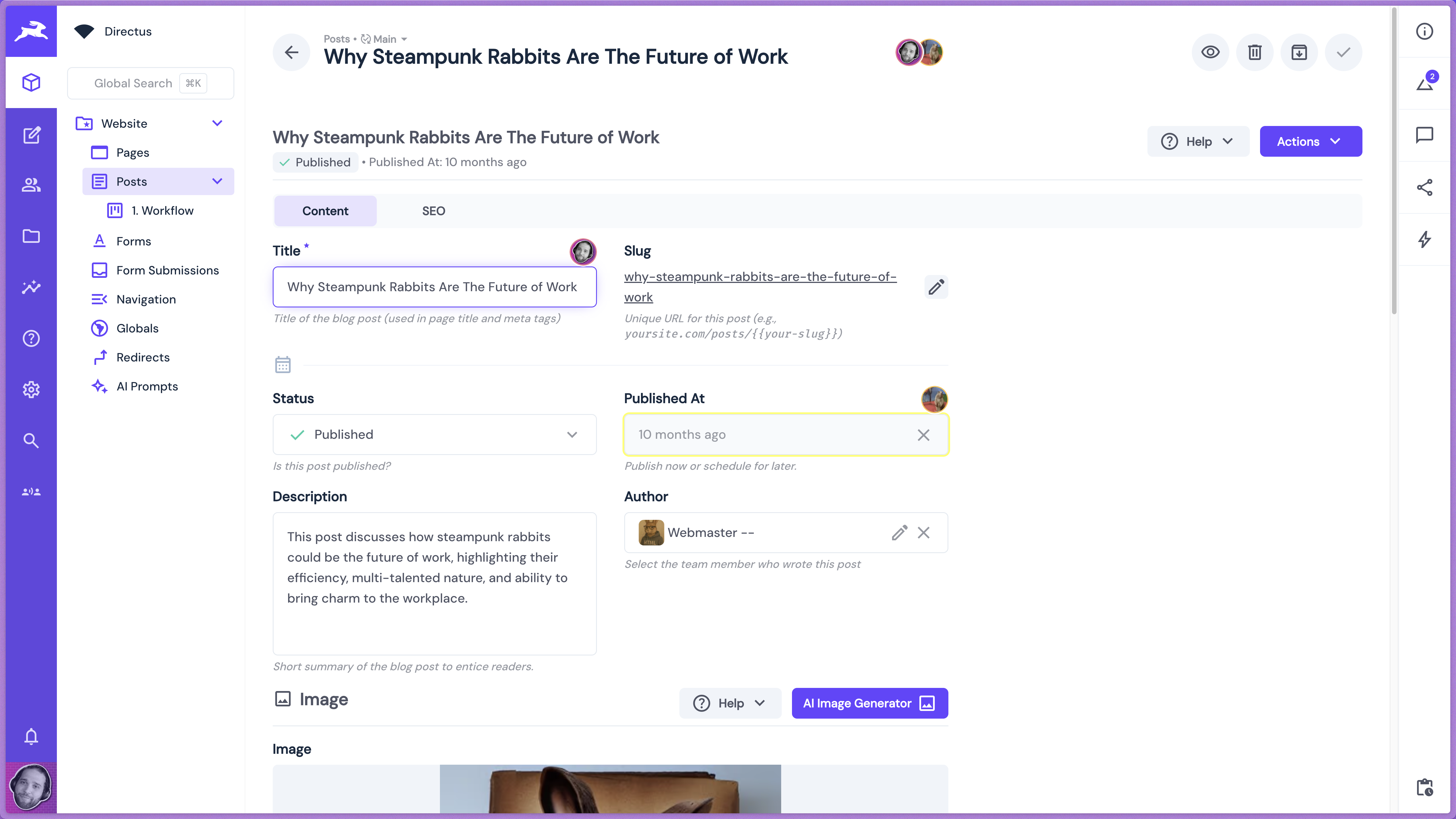
A powerful realtime collaboration extension that enables simultaneous data editing and synchronization across collections in Directus. Experience seamless collaborative editing with real-time user awareness, conflict resolution, and visual indicators showing who's editing what.
Features
- Real-time collaborative editing with instant synchronization across multiple users
- Smart field locking prevents conflicts by locking fields when someone else is editing them
- Visual user awareness with avatars showing who's currently editing
- Relationship support works seamlessly with relational fields and page builders
- Universal compatibility functions in collections, file library, and user directory
- Flexible deployment with global or selective collection-based enabling
- Permission-aware respects user access controls and field-level permissions
- Conflict-free editing using Y.js CRDT technology for seamless collaboration
- Professional interface with clean visual indicators and smooth user experience
Overview Video
Installation
To install the extension, follow the Official Guide for installing extensions from the Marketplace or manually.
Important Note: While this extension is developed by our Directus core team, it is not sandboxed.
If you want to install from the Directus Marketplace, set the MARKETPLACE_TRUST variable in your Directus Configuration to all.
Be extremely careful about installing any extensions from untrusted sources. Learn more about extensions and the sandboxed extensions.
Requirements
- Directus 11.8.0+ - This extension requires Directus version 11.8.0 or higher
- WebSockets enabled - WebSocket support must be configured in your Directus instance for real-time functionality. Verify the
WEBSOCKETS_ENABLED=trueenvironment variable is set
Usage
Initial Setup
Install the Extension:
- Install the Realtime Collaboration extension through the Directus Marketplace or manually with NPM.
@directus-labs/collaborative-editing
- Install the Realtime Collaboration extension through the Directus Marketplace or manually with NPM.
Enable the Module within Settings:
Navigate to the Settings -> Module Bar and enable the Collaborative Editing module.
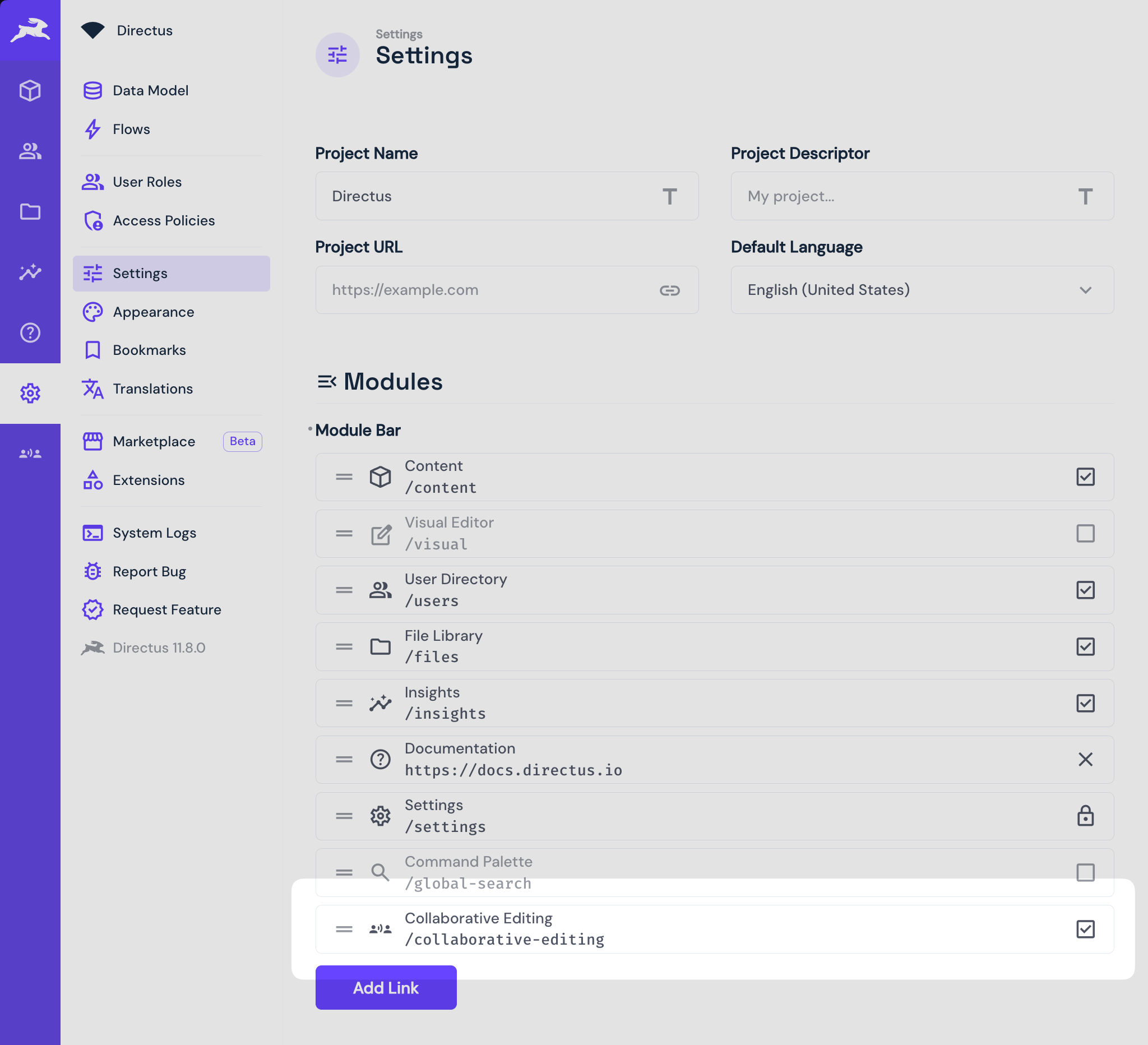
Don't forget to save the settings.
Configure Collaborative Editing:
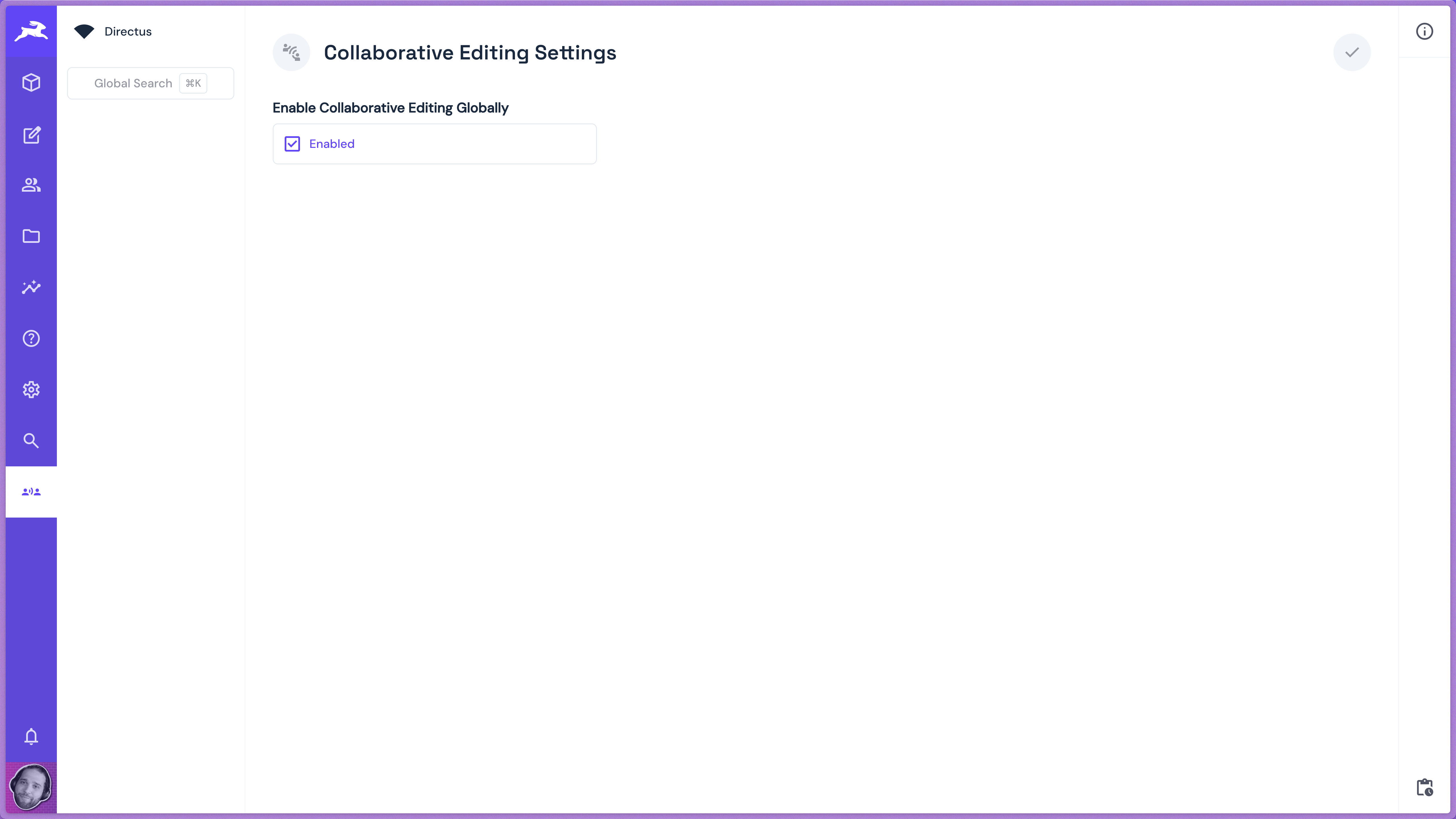
Navigate to the Collaborative Editing module. If collaborative editing settings haven't been added to Directus yet, the extension will prompt to create them automatically for you.
By default, collaborative editing is enabled globally, which is the easiest approach and will work across all collections, including the file library and user directory.
How It Works
Once enabled, the extension provides seamless collaborative editing:
- Real-time User Awareness: See other users' avatars when they're editing the same item
- Field-Level Locking: Users are automatically locked out of fields that others are actively editing, preventing conflicts
- Live Updates: All changes appear instantly across all connected users
- Relationship Support: Works seamlessly with relational fields and complex structures like page builders
- Visual Indicators: Avatar indicators and field highlighting show who's editing what and when
- Automatic Integration: The extension automatically injects collaboration interfaces into your collections
Configuration Options
The extension automatically creates necessary settings fields, injects collaboration interfaces into new collections, configures WebSocket message handlers, and sets up user awareness tracking.
Enabling Collaborative Editing
There are two approaches to enable collaborative editing:
Global Approach (Recommended)
- Enable Collaborative Editing Globally - Toggle to enable collaboration across all collections, file library, and user directory
- This is the default and easiest method
- Works immediately across your entire Directus instance
Selective Approach
- Disable global collaboration in the module settings
- Add the Collaboration interface to specific collections where you want collaborative editing
- Navigate to your collection's data model settings
- Search for and add the "Collaboration" interface to enable it for that collection only
- Might be better approach for instances with sensitive data or anytime where you want more granular control
Hide Current User Avatar
You can choose to hide your avatar (the current logged in user) from the collaborative editing indicators over the invidual fields you're editing.
Local Development
Installation
Clone the directus-labs/extensions repo if you don't already have it locally available.
git clone [email protected]:directus-labs/extensions.gitSetup Development Environment
# Navigate to your local Directus core repository
cd PATH_TO_DIRECTUS_CORE
git checkout main
git pull

# Navigate to your local extensions repository
cd PATH_TO_DIRECTUS_LABS_EXTENSIONS
git checkout main
git pull
Create Symlink
# Navigate to your core extensions directory
cd PATH_TO_DIRECTUS_CORE/api/extensions

# Create a symlink to the collaborative-editing extension
# On Linux/macOS:
ln -s PATH_TO_DIRECTUS_LABS_EXTENSIONS/packages/collaborative-editing collaborative-editing
Development Build
# Navigate to the root of directus core
pnpm i && pnpm build

# Run the extension in dev mode so it watches changes
cd PATH_TO_DIRECTUS_CORE/api/extensions/collaborative-editing
pnpm i && pnpm dev
Logging and Debugging
To enable detailed logging, add the REALTIME_LOGS_ENABLED=true environment variable to your .env file.
The extension provides logging for WebSocket connections, user join/leave events, field activation/deactivation, save coordination events, and error handling.
Notes
- The extension automatically creates necessary database fields and configurations
- Real-time features require active WebSocket connections
- Save operations are coordinated to prevent conflicts during simultaneous editing
- User permissions are respected and enforced at the field level
- The extension is optimized for performance with efficient message filtering and room management