
@directus-labs/field-comments
v1.0.1
Published
Write comments at the field level


Readme
Directus Field Comments
Leave comments on individual fields
Usage
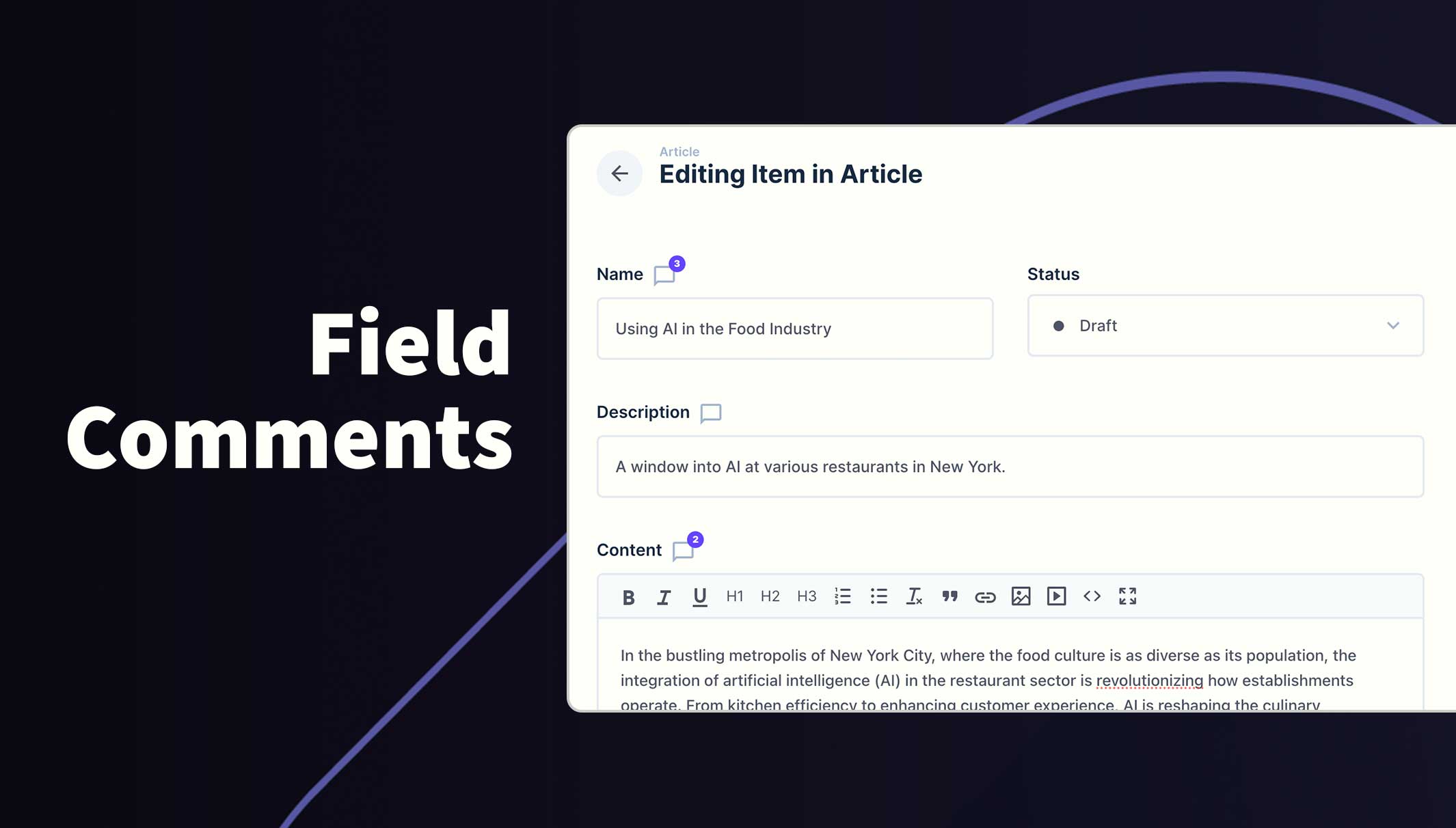
Once installed and configured, all included fields will show the comment icon next to the field label to identify which fields can accept comments. A badge will appear on this icon when comments have been left for that field.
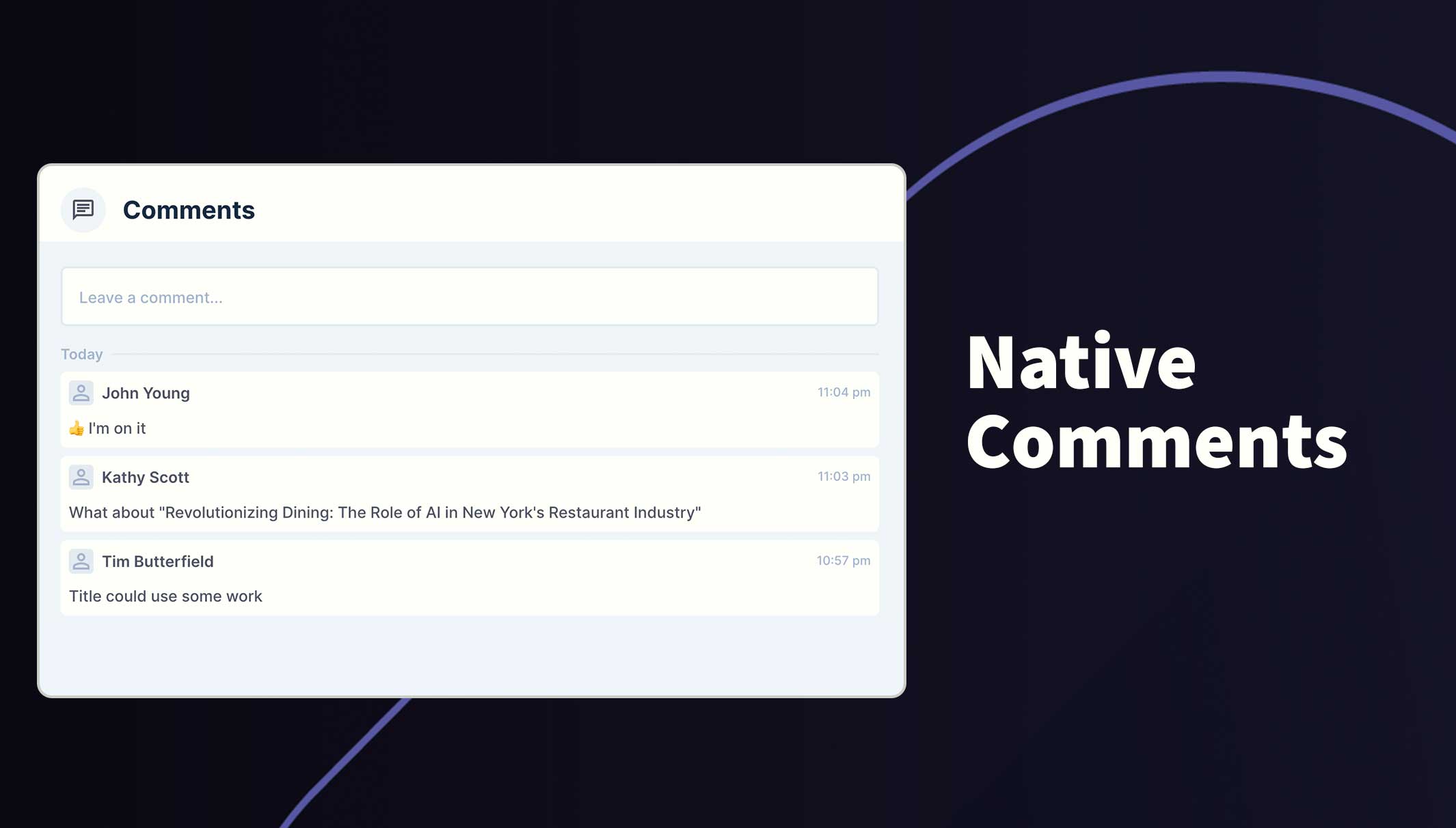
Click on this icon to open the comments feed where you can read through the comments or leave a new comment of you own. You can use the @ symbol to tag and notify other users and also use emojis.
Please note, comments do not appear when creating a new item. It must be saved first, before comments can be added.
Requirements
- Directus 11.1.2+
- Admin user to initialize module
- Permissions added to the new system table for participants
Installation
Refer to the Official Guide for details on installing the extension from the Marketplace or manually.
How to configure this module
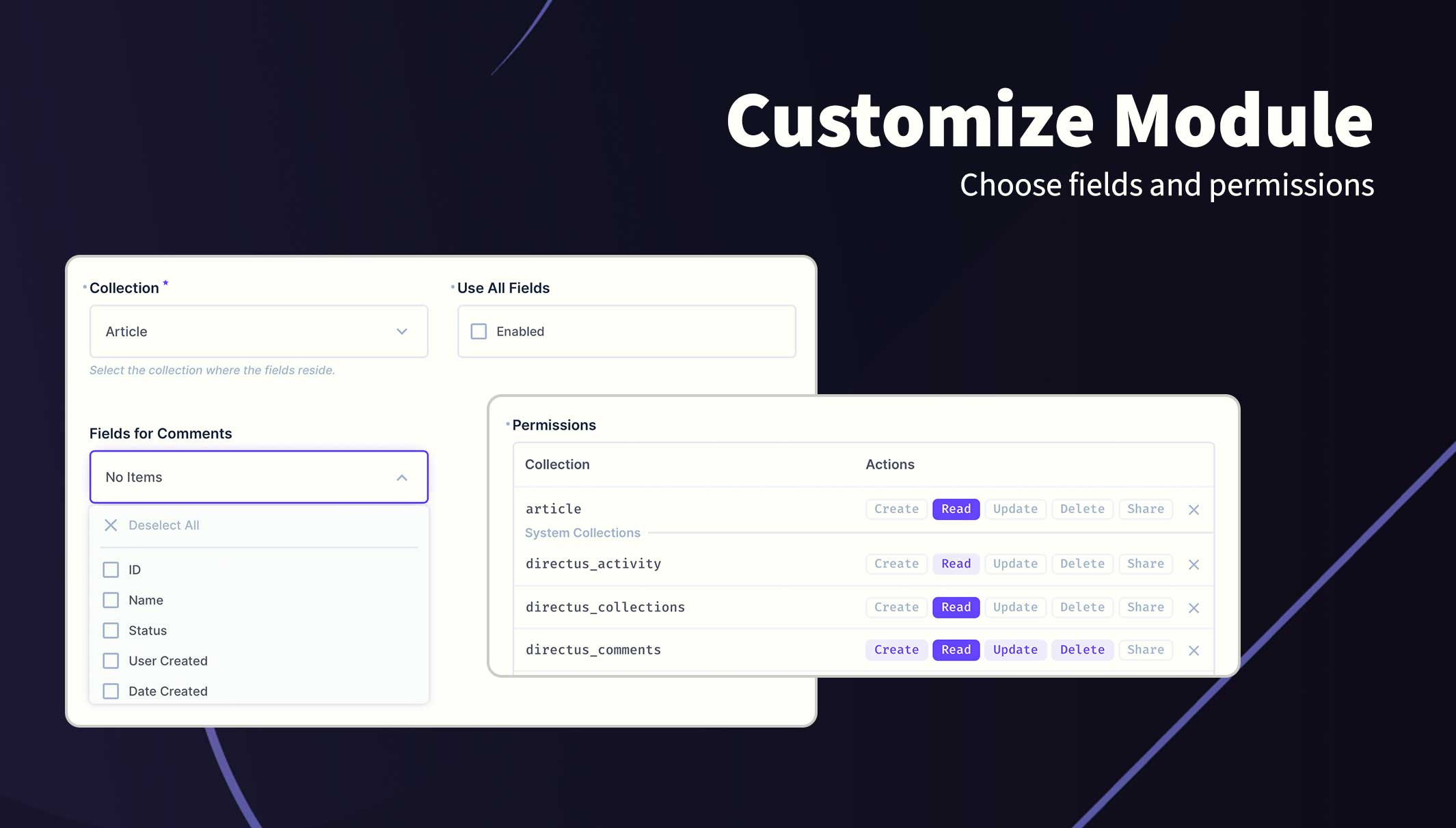
- Go to the project settings
/admin/settings/projectand scroll to the bottom - Click Add Collection
- Choose a collection from the dropdown field
- Save changes
- Open the Access Policies and configure permissions for
directus_comments. See Permissions section below.
When opening the project settings for the first time, the module will automatically add the new field at the bottom of the page and create the required system fields. Admin permissions are required during this step.
Permissions
This extension uses the current user's policy/role permissions and will only show the permitted data. Please refer to your Access Policies to ensure your users have required access.
Recommended Permissions
| Collection | create | read | update | delete |
|------------|----------|--------|----------|----------|
| directus_comments | Full | Full | Custom* | Custom* |
(*) The custom update and delete has the following item permissions. It's important these settings as they prevent user's from updating or deleting comments of other users.
Item Permissions (Update & Delete)
{
    user_created: {
        "_eq": "$CURRENT_USER"
    }
}
Field Permissions (Update)
["comment","user_updated"]