
@directus-labs/seo-plugin
v1.1.1
Published
SEO plugin for Directus


Readme
SEO Plugin
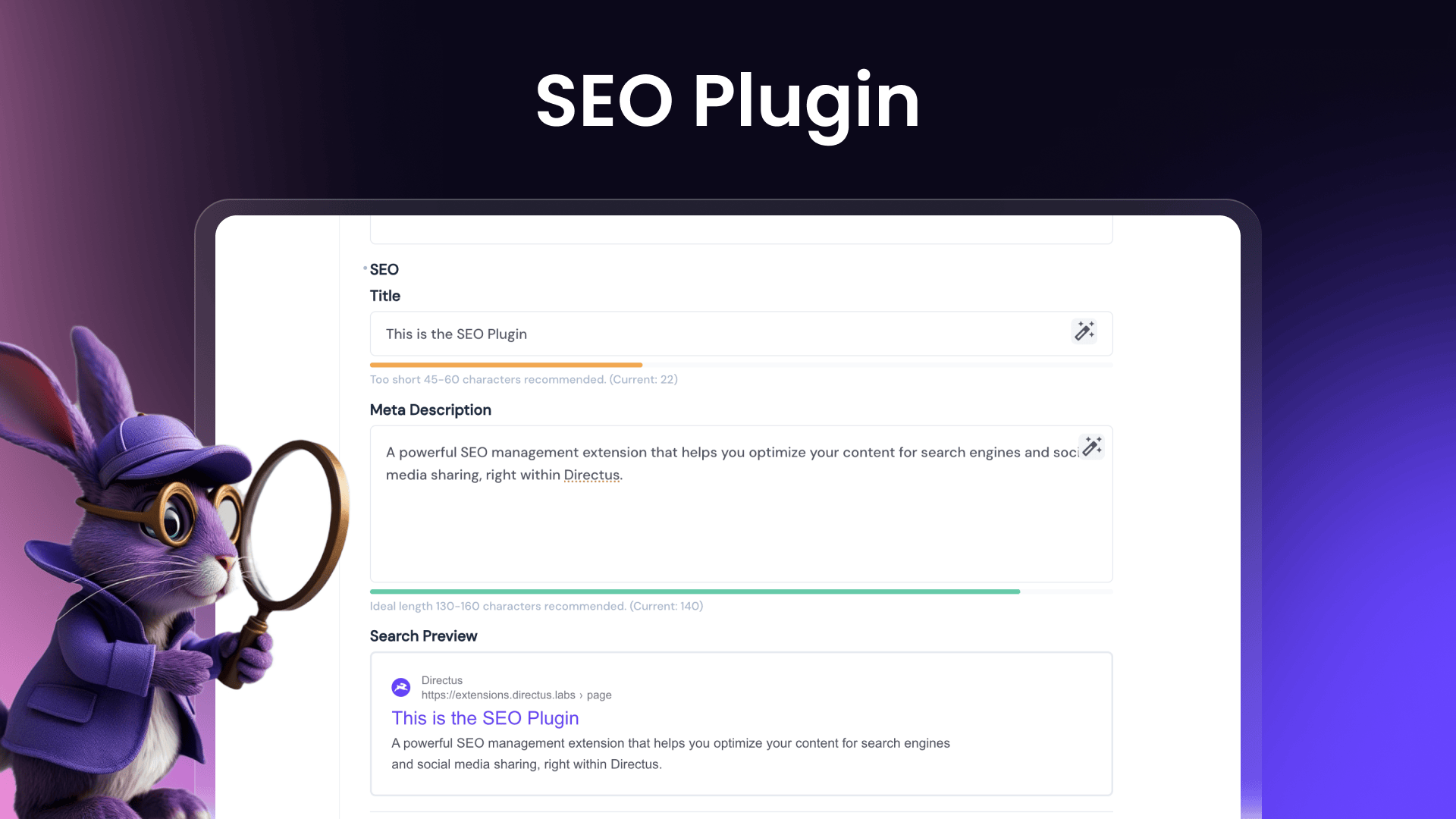
A powerful SEO management extension that helps you optimize your content for search engines and social media sharing, right within Directus. It includes a comprehensive interface for managing metadata and a display component for monitoring SEO status.
Key Features 🔑
- Title and meta description (with template support)
- Visual search result previews
- Focus keyphrase analysis (new!)
- Social media image and previews (new!)
- Sitemap configuration
- Search engine indexing controls
- Custom SEO fields support (like canonical URLs, custom meta tags, JSON-LD, etc.)
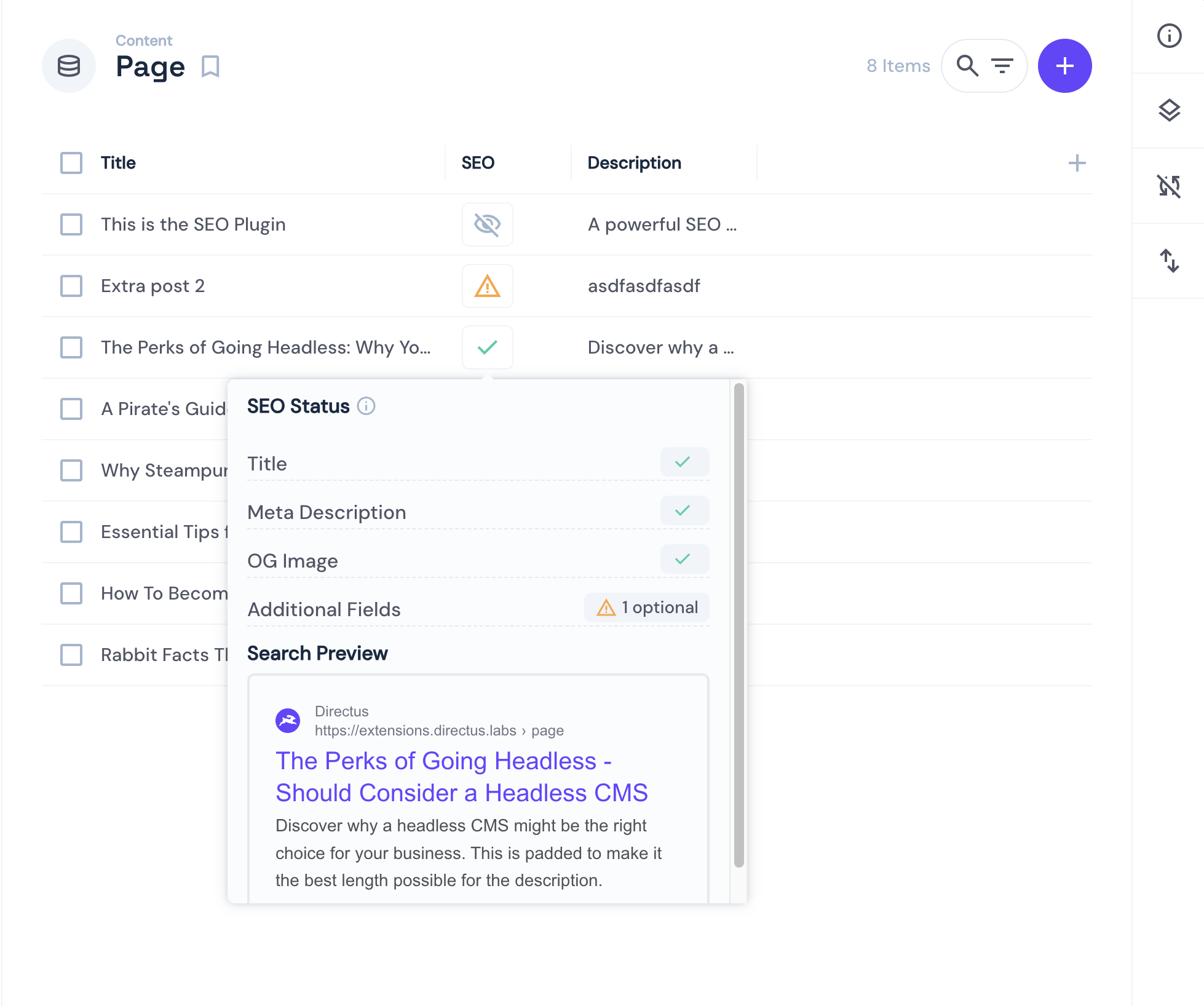
- SEO status monitoring with hover preview from the layout view
Interface (shown in the item view)
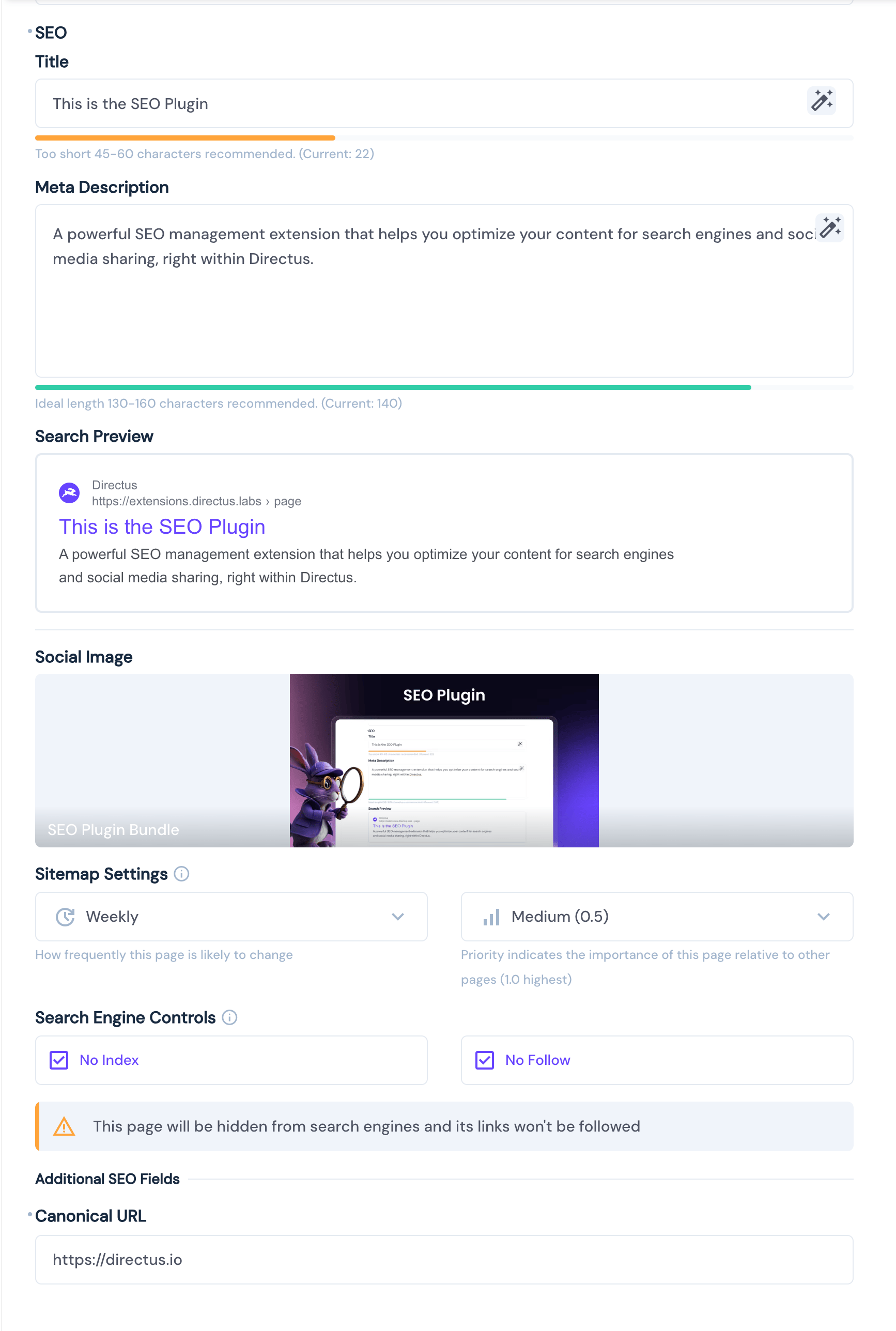 Note: The interface now uses tabs for better organization (Basic, Advanced, Custom Fields, Keyphrase).
Display (shown in the layout view)
SEO Data 📝
- Title: The most crucial SEO element. Should be compelling and include your main keyword (recommended length: 45-60 characters)
- Meta Description: Your page's summary in search results. Make it engaging to improve click-through rates (recommended length: 130-160 characters)
Keyphrase Analysis (New!)
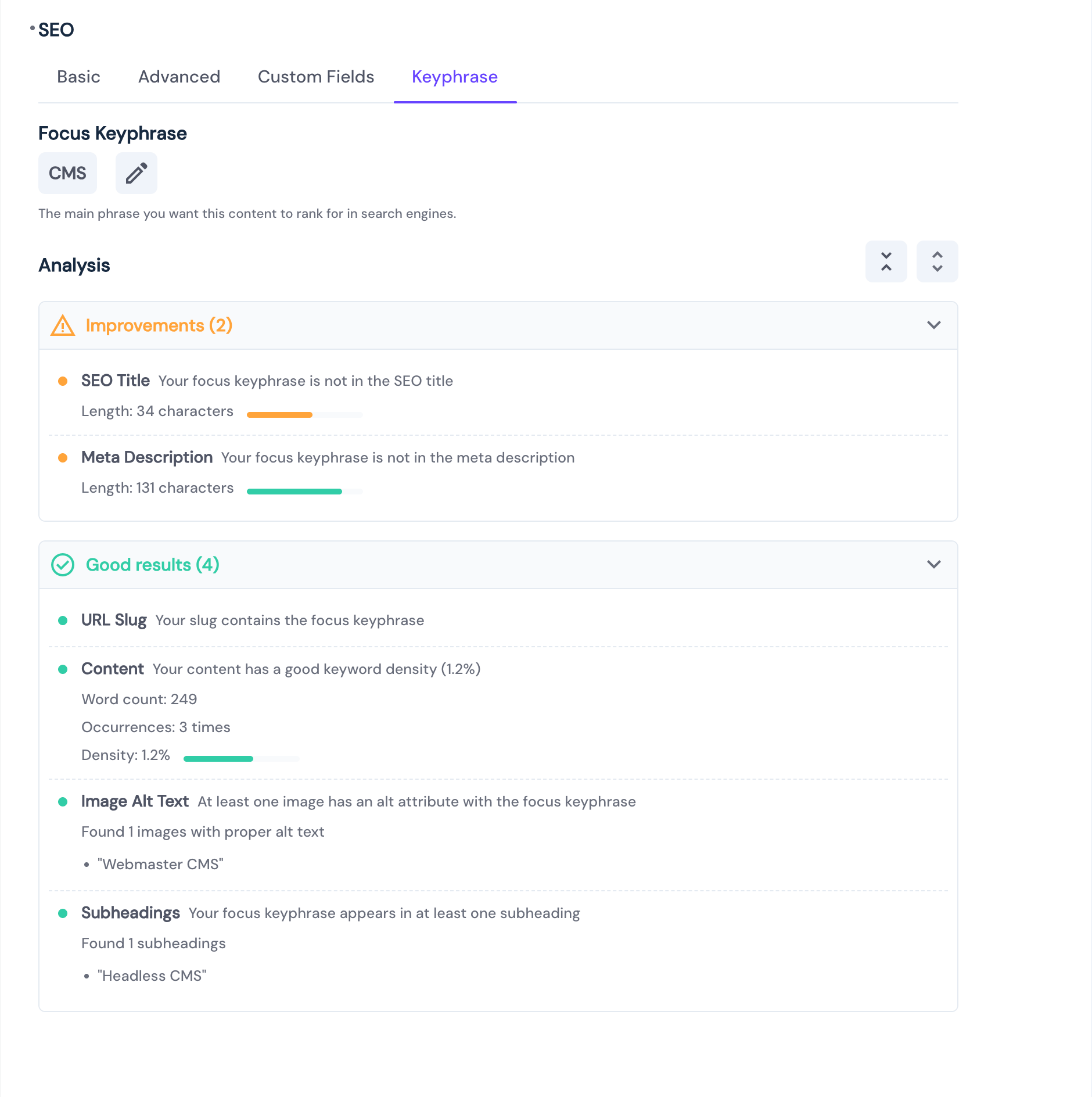
- Focus Keyphrase: The primary keyword or phrase you want the page to rank for.
- Analysis: Provides feedback on the keyphrase's presence and usage in the title, meta description, URL slug, and main content fields. Highlights problems, improvements, and good results.
Social Media
- OG Image: The image that appears when your page is shared on social media. Crucial for increasing social engagement.
- Social Previews: Visualizes how the content will look when shared on different platforms.
Search Engine Controls
- No Index: Tells search engines not to show this page in search results
- No Follow: Prevents search engines from following links on the page
Sitemap Settings
- Change Frequency: How often the page is updated (options: always, hourly, daily, weekly, monthly, yearly, never)
- Priority: Page importance relative to other pages (0.0 to 1.0, default: 0.5)
Additional Fields
- Additional Fields: Custom SEO fields for specific needs (like canonical URLs, custom meta tags, JSON-LD, etc.)
Data Structure 📦
SEO data is stored as JSON for simplicity and flexibility.
OG Image stores the UUID of the uploaded image. You'll want to make sure your frontend is configured to display the image correctly.
{
	"title": "This is the Directus SEO Plugin.",
	"meta_description": "A powerful SEO management extension that helps you optimize your content for search engines and social media sharing, right within Directus. It includes a comprehensive interface for managing metadata and a display component for monitoring SEO status.",
	"og_image": "f5d20d13-e86a-4aaa-ab1c-241925b89ea3",
	"focus_keyphrase": "Directus SEO",
	"additional_fields": {
		"canonical_url": "https://directus.io/",
		"custom_meta_tag": "This is a custom meta tag"
	},
	"sitemap": {
		"change_frequency": "monthly",
		"priority": "0.5"
	},
	"no_index": false,
	"no_follow": false
}
Usage
The SEO plugin consists of two components:
1. SEO Interface
The interface provides a comprehensive form, organized into tabs, for managing SEO metadata:
- Basic Tab:
- Page Title field with character count and optimal length validation (45-60 characters)
- Meta description with validation (130-160 characters)
- Search result preview
- Social media Open Graph (OG) image upload
- Social media share previews (new!)
- Advanced Tab:
- Search engine visibility controls (No Index, No Follow)
- Sitemap configuration options
- Custom Fields Tab:
- Support for adding custom SEO-related fields (e.g., canonical URL, custom meta tags)
- Keyphrase Tab (new!):
- Input for the focus keyphrase
- Detailed analysis of keyphrase usage in title, description, slug, and content
- Feedback categorized into Problems, Improvements, and Good results
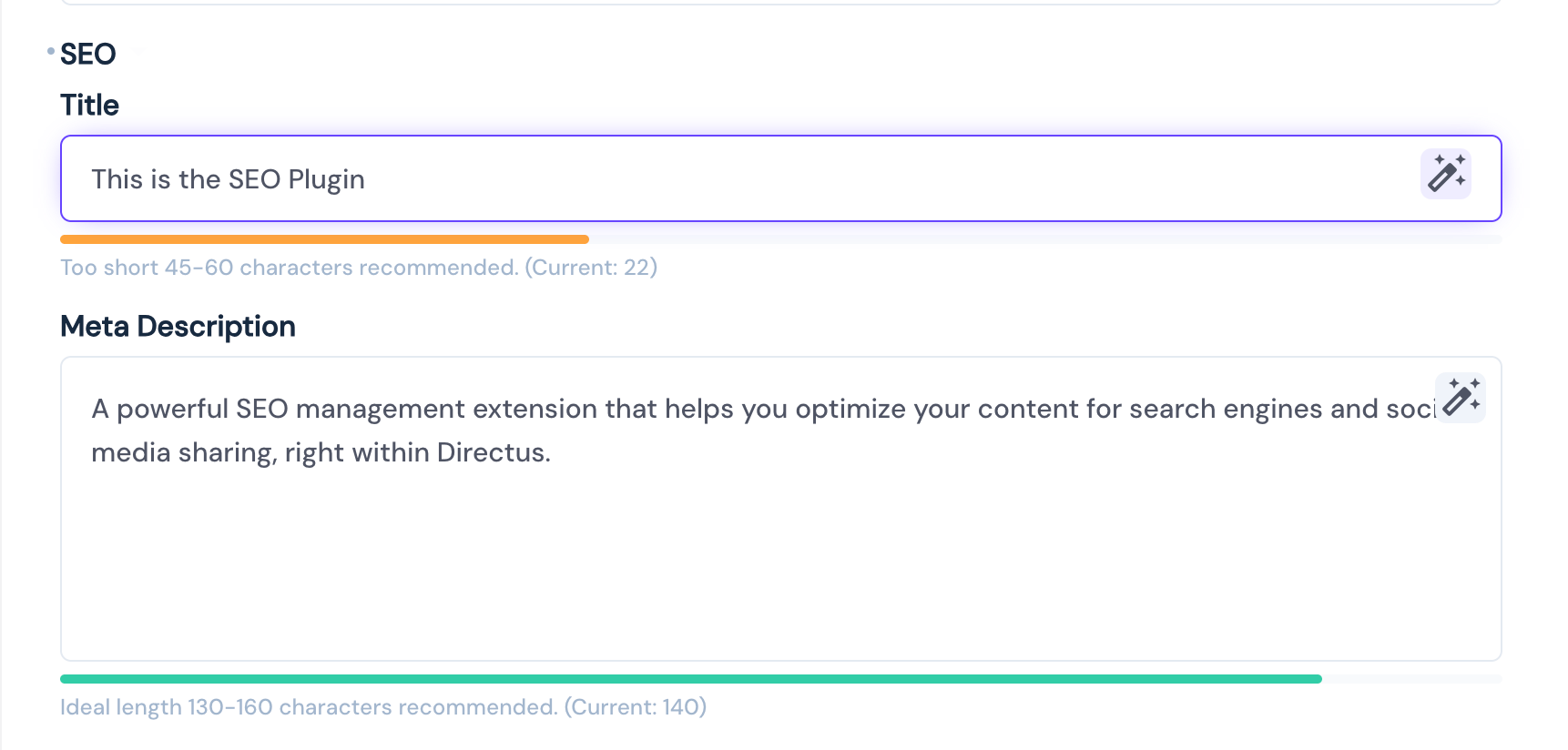
The Page Title and meta description fields show a progress bar to help you keep track of the character count and optimal length according to the SEO best practices.
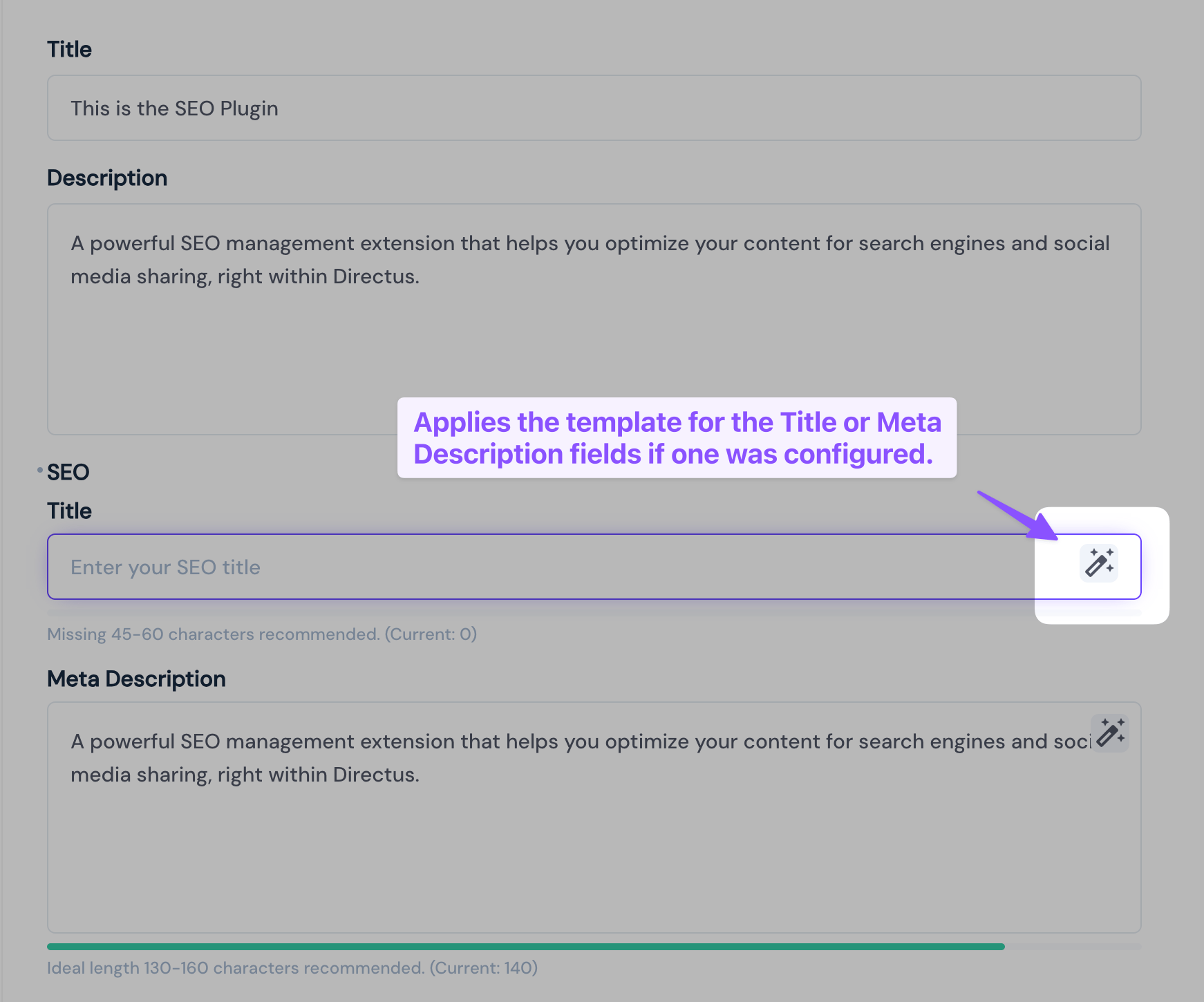
To populate the title or meta description fields, with the template, use the Apply Template button to apply the template to the field.
2. SEO Display
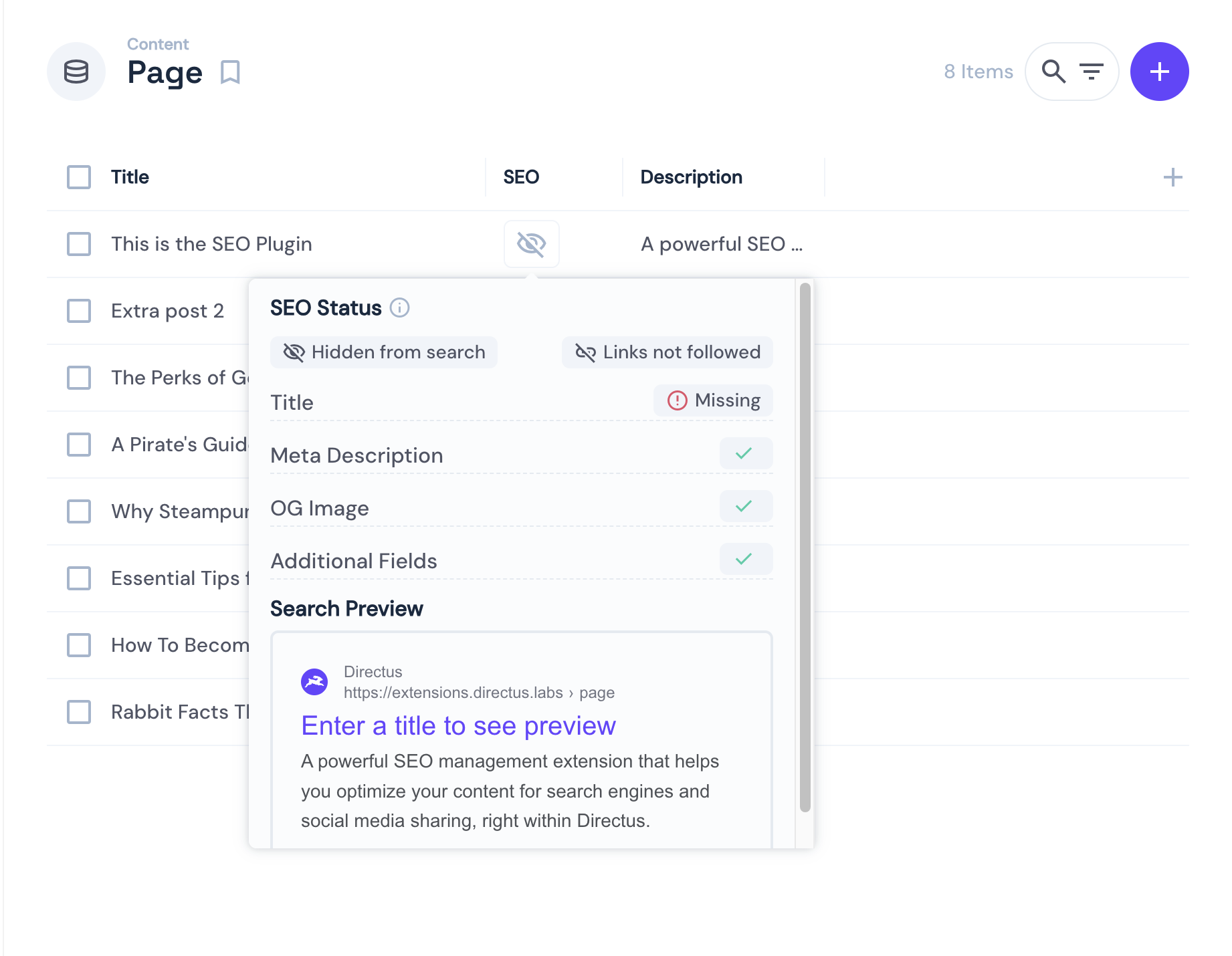
A compact status indicator that shows:
- Overall SEO health status
- Quick overview of missing or invalid fields
- Search preview on hover (optional)
- Status of required and optional fields
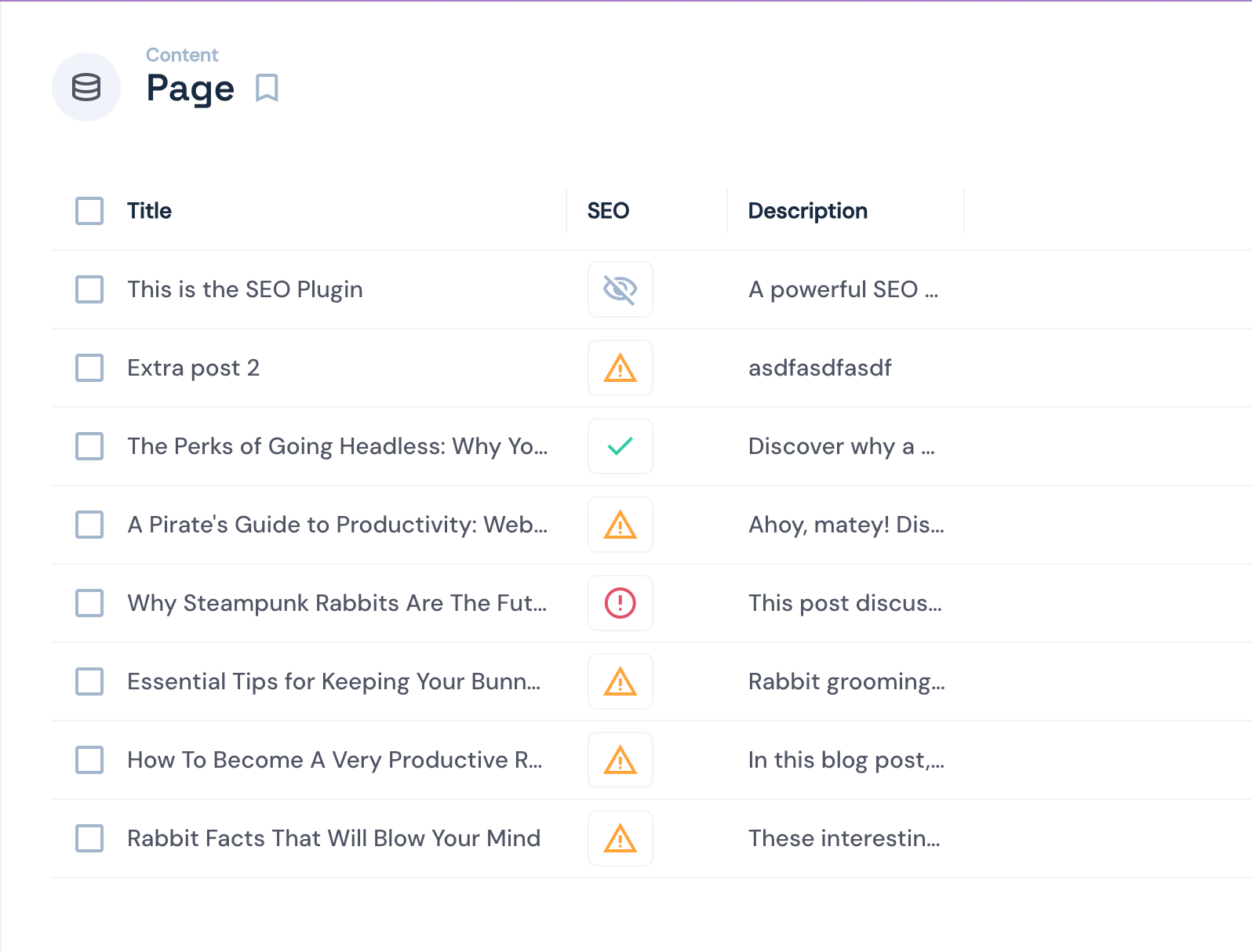
Explanation of Icons:
- Green checkmark: All configured fields are valid.
- Yellow warning: Some of the configured fields are invalid.
- Red error: At least one required fields is missing (this includes additonal fields that are marked as required.)
- Gray eye with slash icon: No index field is enabled for this item hiding it from search engines
Configuration 🔧
To use the SEO plugin, add a new field to any (and all) collections you want to manage the SEO (for example posts, articles, or pages). The field type should be json. The recommended key for the field is simply seo but you can use any key you want.
Interface Options
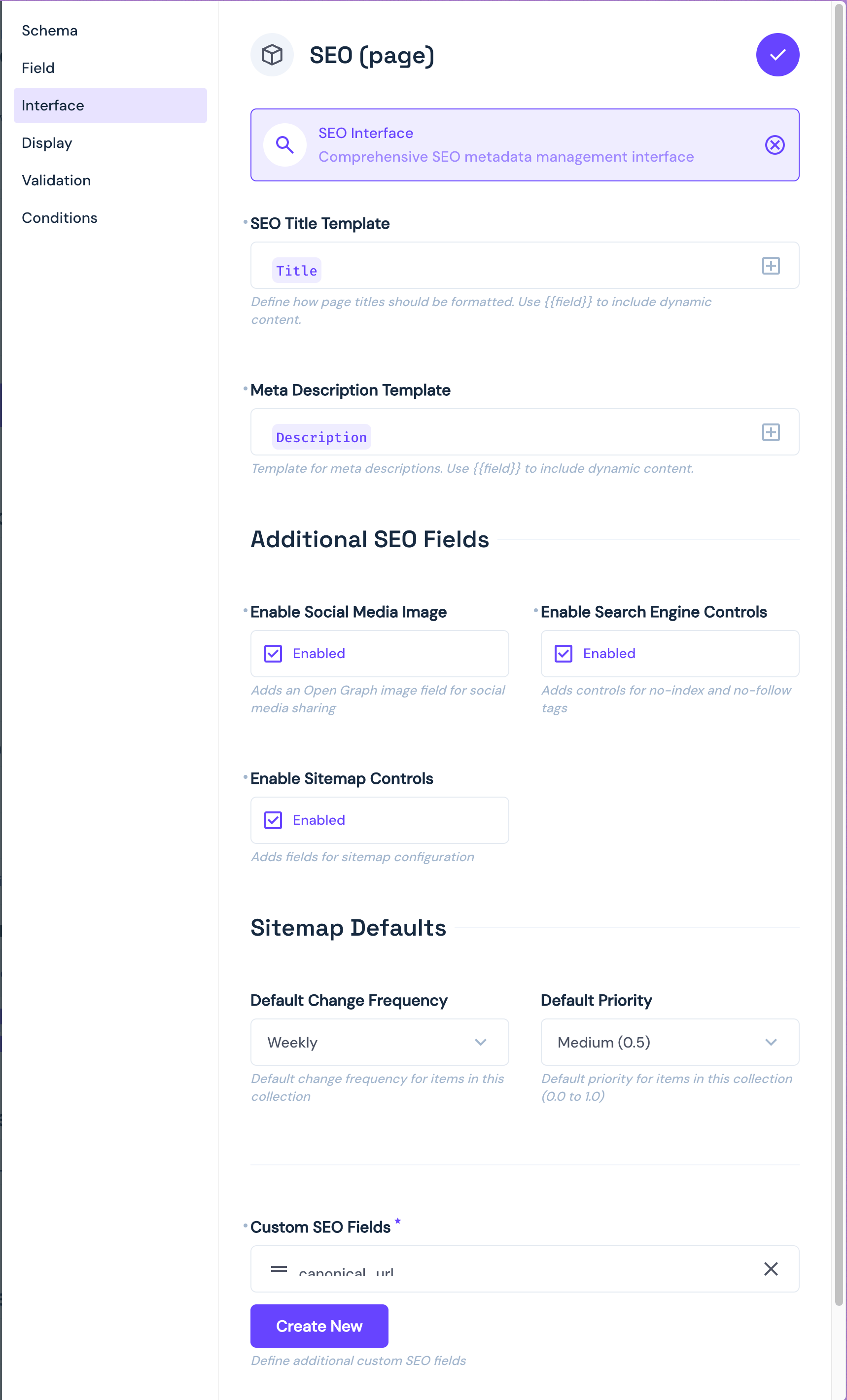
- Type:
json - Group:
standard - Options: Configurable templates, OG image, sitemap settings, custom fields, and focus keyphrase settings (new!)
The interface can be configured with the following options:
Title Template
- Configures the pattern for SEO titles so you can use fields from the item to generate the title
- Supports dynamic field values using
{{fieldName}}syntax
Description Template
- Configures the pattern for meta descriptions so you can use fields from the item to generate the description
- Supports dynamic field values using
{{fieldName}}syntax
Social Media Image
- Toggle to enable/disable the Open Graph image upload and social media previews.
- Disabled by default
Focus Keyphrase
- Toggle to enable/disable the Keyphrase analysis tab.
- Disabled by default
- Slug Field: Select the field in your collection that contains the URL slug for analysis.
- Content Fields: Select one or more fields containing the main content for analysis (e.g., WYSIWYG, Markdown).
Search Engine Controls
- Toggle to show/hide noindex/nofollow options in the Advanced tab.
- Disabled by default
Sitemap Controls
- Toggle to enable/disable sitemap configuration in the Advanced tab.
- When enabled, includes:
- Default change frequency (preset to 'weekly')
- Default priority (preset to '0.5')
- Disabled by default
Custom SEO Fields
- Toggle to enable/disable the Custom Fields tab.
- Disabled by default
Display Options
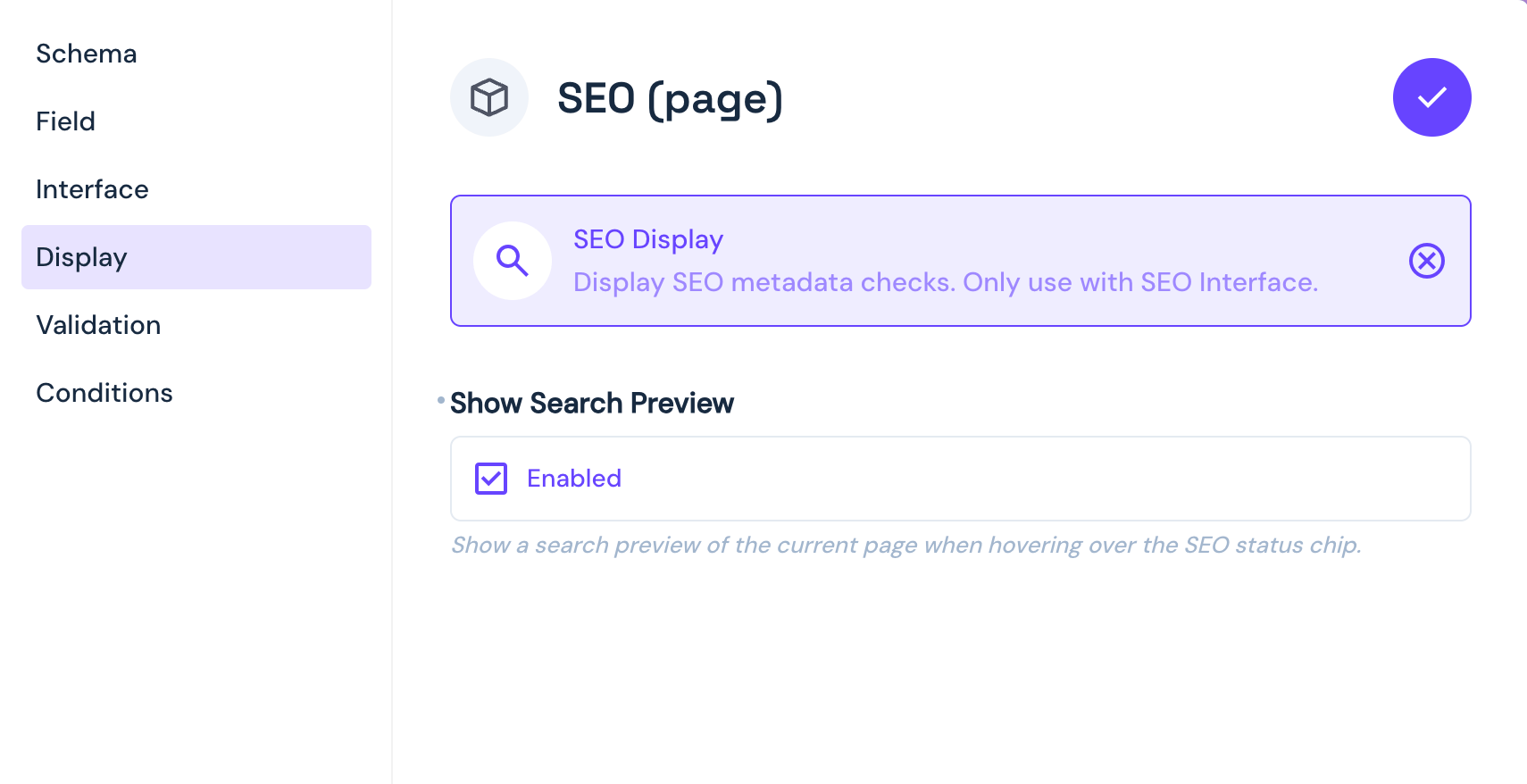
- Type:
json - Icon:
search - Options: Search preview toggle
The display component can be configured with:
- Show Search Preview
- Toggle to enable/disable search result preview on hover
- Shows how the page might appear in search results
- Disabled by default
Installation
Install the extension from the Directus Marketplace. See the Official Guide for more information.
or if you prefer to install manually:
npm install @directus-labs/seo-pluginRoadmap 🗺️
Planned:
- Support for translating the title and meta description fields
- Field label and description translations
Maybe:
- Add support for relational fields in the template
Contributing 🤝
Contributions are welcome! Please add an issue describing the feature you'd like to add before submitting a PR.