
@donney521/n8n-nodes-xiaohongshu
v1.2.1
Published
n8n node for Xiaohongshu (小红书) API

Maintainers
 donney521
Readme

n8n-nodes-xiaohongshu
小红书支持二维码登录(扫描登录不用担心账号密码泄露),笔记搜索,笔记发布等功能.
已完成功能:
- 1.笔记发布
- 2.笔记搜索(支持筛选条件参考下方说明)
- 3.笔记点赞
- 4.笔记收藏
- 5.笔记评论
- 6.获取笔记基本信息
- 7.获取笔记互动数据(点赞数、收藏数、评论数)
- 8.获取笔记图片
- 9.获取笔记视频
- 10.搜索用户
- 11.获取用户笔记
- 12.支持代理ip隔离,一机多账号登录
笔记筛选条件说明
| 参数 | 可选值 | 说明 |
|------|--------|------|
| sort | 综合、最新、最多点赞、最多评论、最多收藏 | 搜索结果排序方式 |
| type | 不限、视频、图文 | 笔记内容类型筛选 |
| time | 不限、一天内、一周内、半年内 | 发布时间范围筛选 |
| scope | 不限、已看过、未看过、已关注 | 查看状态筛选 |
| distance | 不限、同城、附近 | 地理位置距离筛选 |
代理配置参数
| 环境变量 | 默认值 | 说明 |
|---------|-------|------|
| PROXY_ENABLED | false | 是否启用代理总开关 |
| PROXY_TYPE | http | 代理类型:http/https/socks5 |
| PROXY_HOST | - | 代理服务器地址 |
| PROXY_PORT | - | 代理服务器端口 |
| PROXY_USERNAME | - | 代理认证用户名 |
| PROXY_PASSWORD | - | 代理认证密码 |
| PROXY_URL | - | 完整代理URL(优先级最高) |
代理配置示例
#方式一使用PROXY_URL配置代理
docker run -d \
 --name mcp-proxy \
 -p 3000:3000 \
 -e PROXY_ENABLED=true \
 -e PROXY_URL="http://user:passwd@ip:port" \
 donney521/xhs-tools-amd64

#方式二使用代理环境变量配置代理
 docker run -d \
 -p 3008:3000 \
 -e PROXY_ENABLED=true \
 -e PROXY_USERNAME=xxx \
 -e PROXY_PASSWORD=xxx \
 -e PROXY_HOST=ip \
 -e PROXY_PORT=port \
 donney521/xhs-tools-amd64
使用流程
1.docker中安装小红书api服务
x86系统下载:
docker pull donney521/xhs-tools-amd64
docker run -itd -p 3000:3000 donney521/xhs-tools-amd64

mac系统下载:
docker pull donney521/xhs-tools-arm64
docker run -itd -p 3000:3000 donney521/xhs-tools-arm64
2.n8n中安装小红书节点
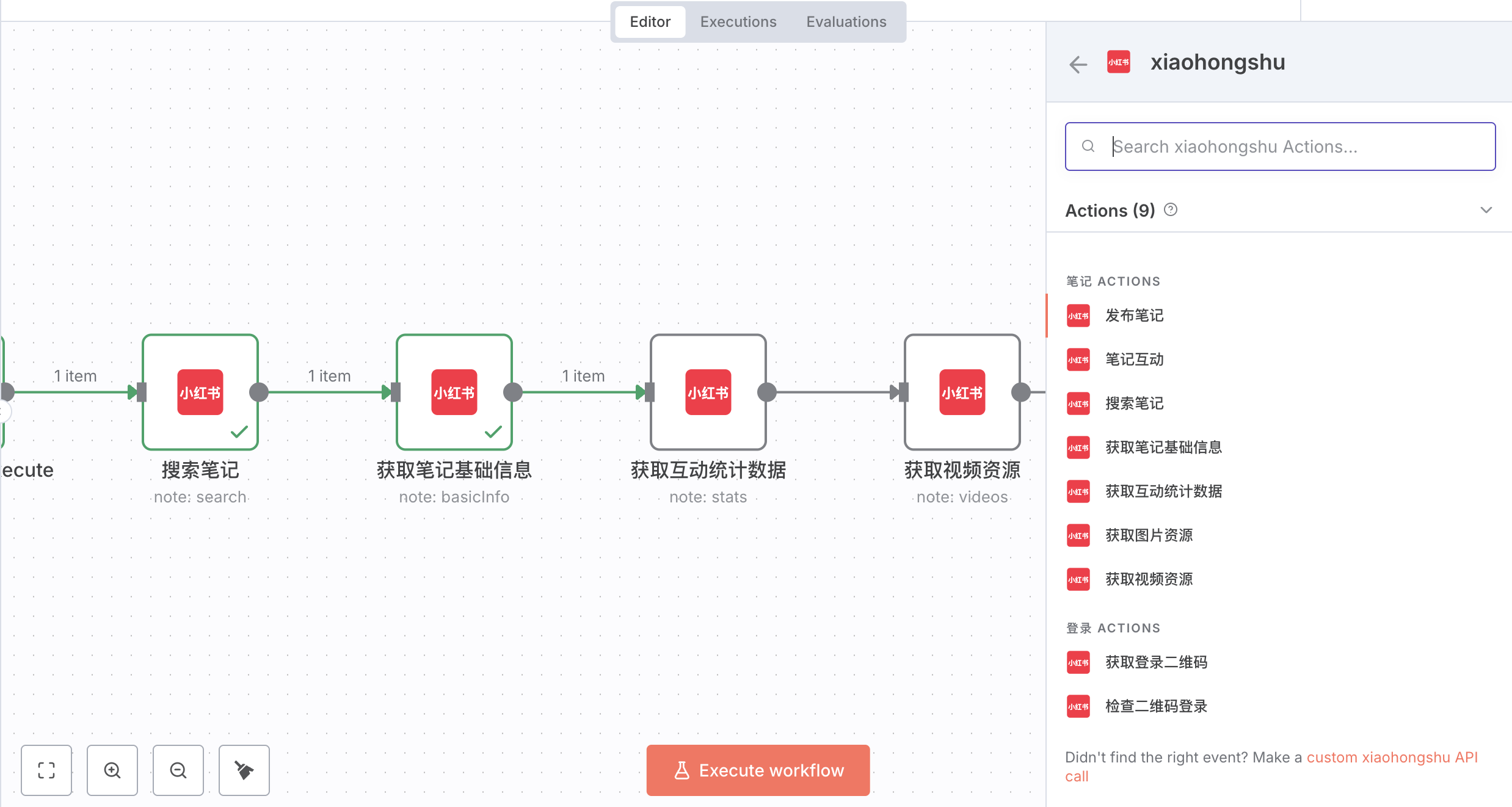
settings -> Community nodes -> install -> npm Package Name输入:@donney521/n8n-nodes-xiaohongshu安装完成后,就可以在节点中搜索:xiaohongshu
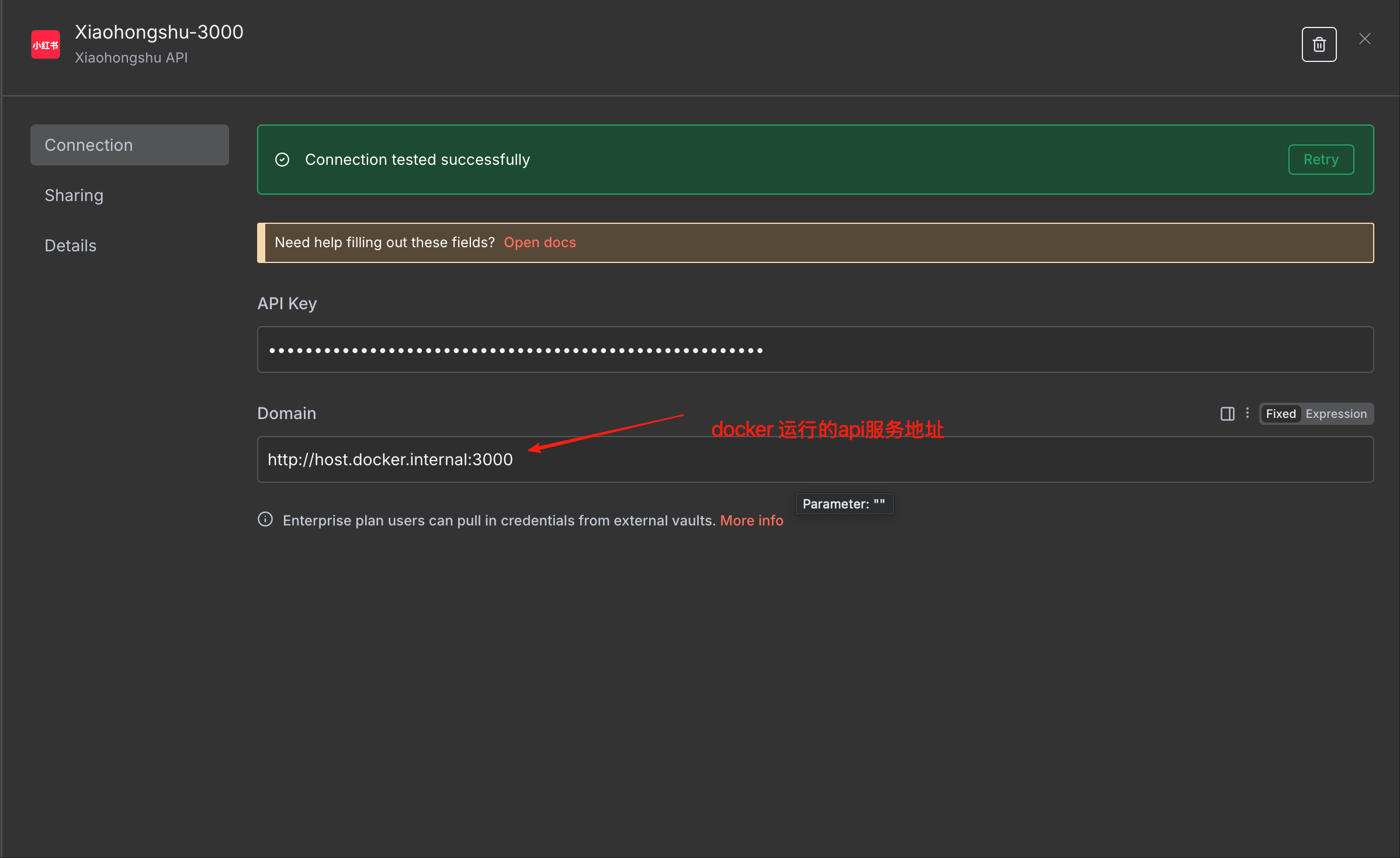
3.配置小红书节点apikey(联系作者获取)
注意⚠️注意️⚠️注意️⚠️Domain 不要填错!!! http://host.docker.internal:3000 或者 http://ip:3000 不要填localhost或者127.0.0.1
4.使用小红书扫码登录(注:登陆一次可以使用一两个月,无需每次操作都登陆)

- 登陆流程文件下载👉🏻 小红书登陆-v1.1.1-20250922.json
⚠️⚠️⚠️扫描一直登录不成功,可以使用上传cookies 文件登陆,扫描登录和上传cookies 登陆任选一种就行。
- 上传cookies登陆教程参考👉🏻飞书文档-cookies登录:
5.使用小红书搜索笔记、发布笔记
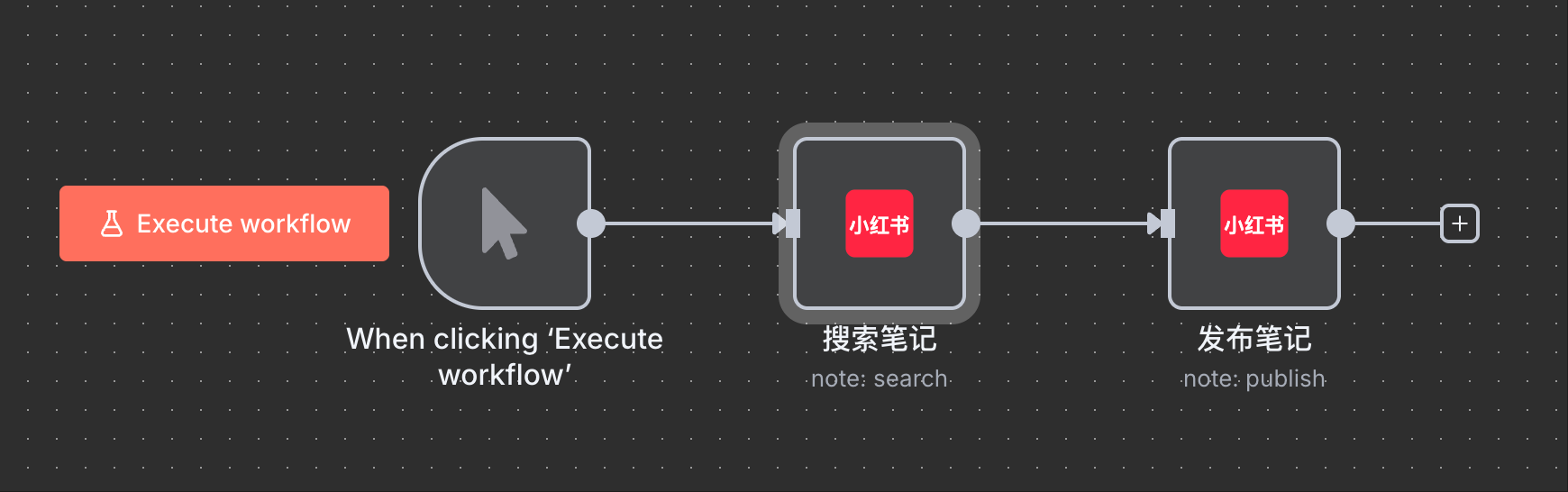
- 搜索笔记流程文件下载👉🏻 测试小红书.json
免责声明
本项目仅供学习和研究使用,请遵守小红书的服务条款和相关法律法规。使用本项目所产生的任何后果由使用者自行承担。
联系作者
vx:donney521
加vx备注:小红书插件,另外不提供n8n、docker等方面技术指导。