
@drdreo/heatmap
v1.4.1
Published
A lightweight heatmap library for visualizing data intensity

Maintainers
 drdreo
Readme
🔥 Heatmap
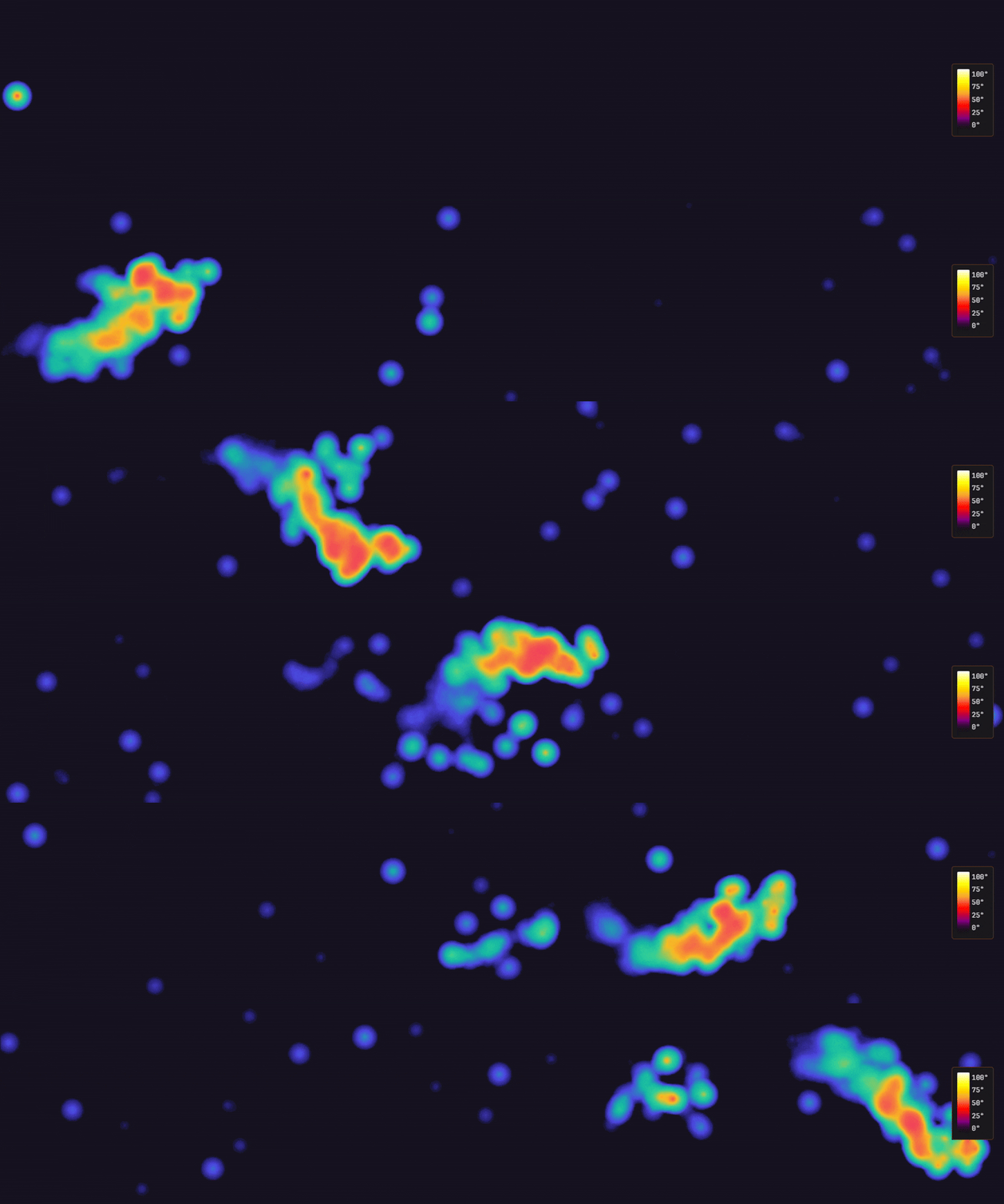
@drdreo/heatmap is a lightweight TypeScript library for visualizing data intensity as a heatmap on a HTML canvas.
The motivation is simple: create a neat-looking heatmap with zero dependencies that is built on modern technologies, easy to use, customizable and fast.
This project got to run since existing libraries walked. Unfortunately, some are no longer maintained.
Still big thanks for carrying heatmaps for so long:
- https://github.com/pa7/heatmap.js and the several forks.
Features
- Performant
- Customizable: composable features via
withXXX()pattern - ESM first
- Tree-shakable: only include what you use. Total is ~6kB gzipped
- Zero Dependencies: Pure TypeScript. Don't drag in the whole React ecosystem
- TypeScript, vite, vitest, rolldown inside.
Installation
npm install @drdreo/heatmapUsage
Basic Heatmap
import { createHeatmap } from "@drdreo/heatmap";

const heatmap = createHeatmap({
    container: document.getElementById("heatmap")!,
    data: [
        { x: 100, y: 150, value: 80 },
        { x: 200, y: 100, value: 50 }
    ]
});
With Tooltip
import { createHeatmap, withTooltip } from "@drdreo/heatmap";

const heatmap = createHeatmap(
    { container },
    withTooltip({
        formatter: (value, x, y) => `${value} clicks`,
        enforceBounds: true
    })
);
With Legend
import { createHeatmap, withLegend, GRADIENT_THERMAL } from "@drdreo/heatmap";

const heatmap = createHeatmap(
    { container, gradient: GRADIENT_THERMAL },
    withLegend({
        position: "bottom-right",
        orientation: "horizontal",
        labelCount: 5,
        formatter: (value) => `${value.toFixed(0)}°C`
    })
);
The legend automatically updates when data or gradient changes. Available positions: top, top-left, top-right, bottom, bottom-left, bottom-right, left, right.
With Animation
import { createHeatmap, withAnimation } from "@drdreo/heatmap";

// Option 1: Set temporal data directly in config
const heatmap = createHeatmap(
    {
        container,
        data: {
            startTime: 0,
            endTime: 60000,
            data: [
                { x: 100, y: 150, value: 80, timestamp: 1000 },
                { x: 200, y: 100, value: 50, timestamp: 2500 }
            ]
        }
    },
    withAnimation({
        fadeOutDuration: 2000,
        timeWindow: 5000,
        loop: true,
        onFrame: (time, progress) =>
            console.log(`${(progress * 100).toFixed(0)}%`)
    })
);

heatmap.play();

// Option 2: Set temporal data later
const heatmap2 = createHeatmap(
    { container },
    withAnimation({ fadeOutDuration: 2000, loop: true })
);

heatmap2.setTemporalData({
    startTime: 0,
    endTime: 60000,
    data: [
        { x: 100, y: 150, value: 80, timestamp: 1000 },
        { x: 200, y: 100, value: 50, timestamp: 2500 }
    ]
});

heatmap2.play();
Composing Features
import {
    createHeatmap,
    withTooltip,
    withLegend,
    withAnimation
} from "@drdreo/heatmap";

const heatmap = createHeatmap(
    { container },
    withTooltip(),
    withLegend(),
    withAnimation()
);
Custom Gradient
import { createHeatmap, type GradientStop } from "@drdreo/heatmap";

const gradient: GradientStop[] = [
    { offset: 0, color: "rgba(0, 0, 255, 0)" },
    { offset: 0.5, color: "rgba(0, 255, 0, 1)" },
    { offset: 1, color: "rgba(255, 0, 0, 1)" }
];

const heatmap = createHeatmap({ container, gradient });
Aggregation Modes
Control how multiple points in the same grid cell are combined for tooltip and legend values:
import { createHeatmap } from "@drdreo/heatmap";

const heatmap = createHeatmap({
    container,
    aggregationMode: "max" // 'max' | 'sum' | 'mean' | 'count'
});
| Mode | Description | Use Case |
| ------- | ------------------------------- | ------------------------------- |
| max | Use the maximum value (default) | Peak intensity visualization |
| sum | Add all values together | Click tracking, cumulative data |
| mean | Calculate the average | Normalized/density data |
| count | Count the number of points | Pure density visualization |
Note: Aggregation affects tooltip and legend values. Visual rendering uses radial gradient blending through canvas compositing. For additive visual effects, combine with
blendMode: 'lighter'.
API
HeatmapConfig
| Option | Type | Default | Description |
| -------------------- | -------------------------- | ---------------- | ------------------------------------------ |
| container | HTMLElement | required | Container element |
| width | number | container width | Canvas width in pixels |
| height | number | container height | Canvas height in pixels |
| radius | number | 25 | Point radius in pixels |
| blur | number | 0.85 | Blur factor (0 = solid, 1 = max blur) |
| maxOpacity | number | 0.8 | Maximum opacity (0-1) |
| minOpacity | number | 0 | Minimum opacity (0-1) |
| gradient | GradientStop[] | default palette | Color gradient stops |
| useOffscreenCanvas | boolean | true | Use offscreen canvas for performance |
| gridSize | number | 10 | Grid cell size for value lookups |
| blendMode | GlobalCompositeOperation | source-over | Canvas blend mode (lighter for additive) |
| intensityExponent | number | 1 | Intensity curve exponent |
| aggregationMode | AggregationMode | 'max' | How to combine overlapping points |
| valueMin | number | - | Fixed minimum value for consistent scales |
| valueMax | number | - | Fixed maximum value for consistent scales |
| data | HeatmapData | - | Initial data |
TooltipConfig
| Option | Type | Default | Description |
| --------------- | ------------------------------ | ------------------ | ----------------------------- |
| formatter | (value, x, y) => string | (v) => v | Tooltip text formatter |
| offset | { x, y } | { x: 15, y: 15 } | Offset from cursor |
| enforceBounds | boolean | false | Keep tooltip in container |
| className | string | - | CSS class for tooltip element |
| style | Partial<CSSStyleDeclaration> | - | Inline styles |
AnimationConfig
| Option | Type | Default | Description |
| ----------------- | ------------------------------- | ------- | ------------------------ |
| fadeOutDuration | number | 2000 | Point fade-out time (ms) |
| timeWindow | number | 5000 | Visible time window (ms) |
| playbackSpeed | number | 1 | Speed multiplier |
| loop | boolean | false | Loop animation |
| onFrame | (timestamp, progress) => void | - | Frame callback |
| onComplete | () => void | - | Completion callback |
LegendConfig
| Option | Type | Default | Description |
| ------------- | ------------------------------ | ---------------------- | -------------------------------------------------------------------------------------------------- |
| container | HTMLElement | - | Custom container element for the legend. Useful when using CSS transforms on the heatmap container |
| position | LegendPosition | 'bottom-right' | Position: top, top-left, top-right, bottom, bottom-left, bottom-right, left, right |
| orientation | 'horizontal' \| 'vertical' | 'horizontal' | Gradient bar orientation |
| width | number | 150 / 20 | Width in pixels (default varies by orientation) |
| height | number | 15 / 100 | Height in pixels (default varies by orientation) |
| labelCount | number | 5 | Number of value labels to display |
| showMinMax | boolean | true | Always include min/max in labels |
| formatter | (value, index) => string | (v) => Math.round(v) | Custom label formatter |
| className | string | 'heatmap-legend' | Custom CSS class name |
| style | Partial<CSSStyleDeclaration> | - | Custom inline styles |
Heatmap Methods
setData(data: HeatmapData): void
addPoint(point: HeatmapPoint): void
addPoints(points: HeatmapPoint[]): void
setGradient(stops: GradientStop[]): void
clear(): void
getValueAt(x: number, y: number): number
getDataURL(type?: string, quality?: number): string
getStats(): HeatmapStats
destroy(): void
AnimatedHeatmap Methods
setTemporalData(data: TemporalHeatmapData): void
play(): void
pause(): void
stop(): void
seek(timestamp: number): void
seekProgress(progress: number): void  // 0-1
setSpeed(speed: number): void
setLoop(loop: boolean): void
getAnimationState(): AnimationState   // 'idle' | 'playing' | 'paused'
getCurrentTime(): number
getProgress(): number                  // 0-1