
@echarts-x/custom-segmented-doughnut
v1.1.1
Published
Custom segmentedDoughnut series for Apache ECharts


Readme
@echarts-x/custom-segmented-doughnut
segmentedDoughnut is a custom series for Apache ECharts. It's typically used to show discrete progress of a task.
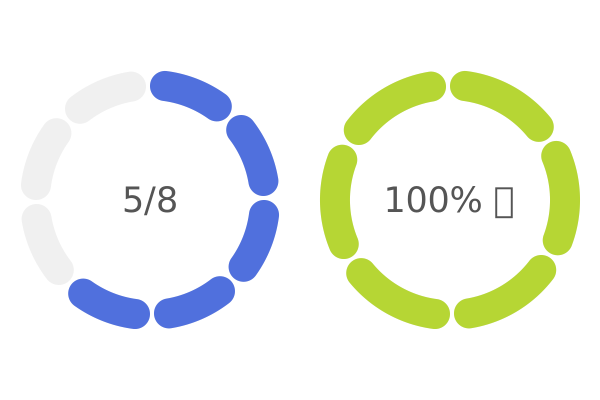
Usage
Browser Environment
For browser usage, use the auto-registration version that automatically installs the custom series when loaded:
<script src="./node_modules/echarts/dist/echarts.js"></script>
<script src="./node_modules/@echarts-x/custom-segmented-doughnut/dist/segmented-doughnut.auto.js"></script>
<script>
  // No need to call echarts.use(), automatically registered
  const chart = echarts.init(...);
  const option = {
    series: [{
      type: 'custom',
      renderItem: 'segmentedDoughnut',
      // ...
    }]
  }
  chart.setOption(option);
</script>
See examples for more details.
UMD (Universal Module Definition)
For environments that need manual registration or when using AMD/CommonJS loaders:
// CommonJS
const echarts = require('echarts');
const segmentedDoughnutInstaller = require('@echarts-x/custom-segmented-doughnut');
echarts.use(segmentedDoughnutInstaller);
const chart = echarts.init(...);

const option = {
  series: [{
    type: 'custom',
    renderItem: 'segmentedDoughnut',
    // ...
  }]
}
chart.setOption(option);
See examples for more details.
ESM (ES Modules)
For modern module bundlers or native ES module environments:
npm install @echarts-x/custom-segmented-doughnutimport * as echarts from 'echarts';
import segmentedDoughnutCustomSeriesInstaller from '@echarts-x/custom-segmented-doughnut';
echarts.use(segmentedDoughnutCustomSeriesInstaller);
const chart = echarts.init(...);
const option = {
series: [{
type: 'custom',
renderItem: 'segmentedDoughnut',
// ...
}]
}
chart.setOption(option);See examples for more details.
API
series.data
The data of the series is an array of arrays. Each sub-array represents a segment of the doughnut.
const data = [];series.itemPayload
The itemPayload is an object that contains the following properties:
| Property | Type | Default | Description | | -------- | ---- | ------- | ----------- |
series.encode
To make sure the value axis and tooltip take the correct range, encode should be set as follows:
encode: {
    x: 0,
    y: 1,
    tooltip: 2
}
See test for more details.