
@enotion/notify
v0.1.0
Published
A React tool for notifications

Maintainers
 clxrity
Readme
@enotion/notify
A simple and customizable notification system for React applications.
Features
- Easy to use hooks for triggering notifications
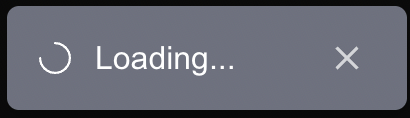
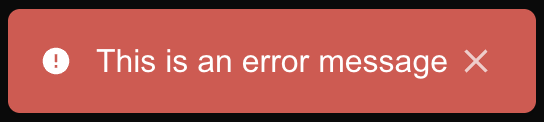
- Supports different notification types (success, error, info, warning, loading)
- Customizable duration and styles
- Dismissible notifications


Installation
npm install @enotion/notify
# or
yarn add @enotion/notify
# or
pnpm add @enotion/notify
Usage
Wrap your application with the NotificationProvider:
// layout.tsx
"use client";
import { NotificationProvider } from "@enotion/notify";

export default function App({ children }: { children: React.ReactNode }) {
  return (
    <NotificationProvider position="top-right">{children}</NotificationProvider>
  );
}
// page.tsx
"use client";
import { useNotify } from "@enotion/notify";
import "@enotion/notify/index.css"; // Import the CSS for notifications (optional)
export default function Page() {
const { notify, success, error, info, warning, loading, dismissAll } =
useNotify();
return (
<div>
<button onClick={() => notify("This is a default notification!")}>
Default Notification
</button>
<button onClick={() => success("This is a success notification!")}>
Success Notification
</button>
<button onClick={() => error("This is an error notification!")}>
Error Notification
</button>
<button onClick={() => info("This is an info notification!")}>
Info Notification
</button>
<button onClick={() => warning("This is a warning notification!")}>
Warning Notification
</button>
<button onClick={() => loading("This is a loading notification...")}>
Loading Notification
</button>
<button onClick={() => dismissAll()}>Dismiss All Notifications</button>
</div>
);
}