
@everygrid/grid
v0.6.4
Published
Config-driven React data grid with a Rust/WASM engine in a Web Worker — filter, sort and paginate millions of rows without blocking the UI.

Maintainers
 ilsansoftware
Readme
Everygrid
A config-driven React data grid. Filtering, sorting and paging over millions of rows run in a Rust - WASM engine inside a Web Worker, so the UI never blocks.
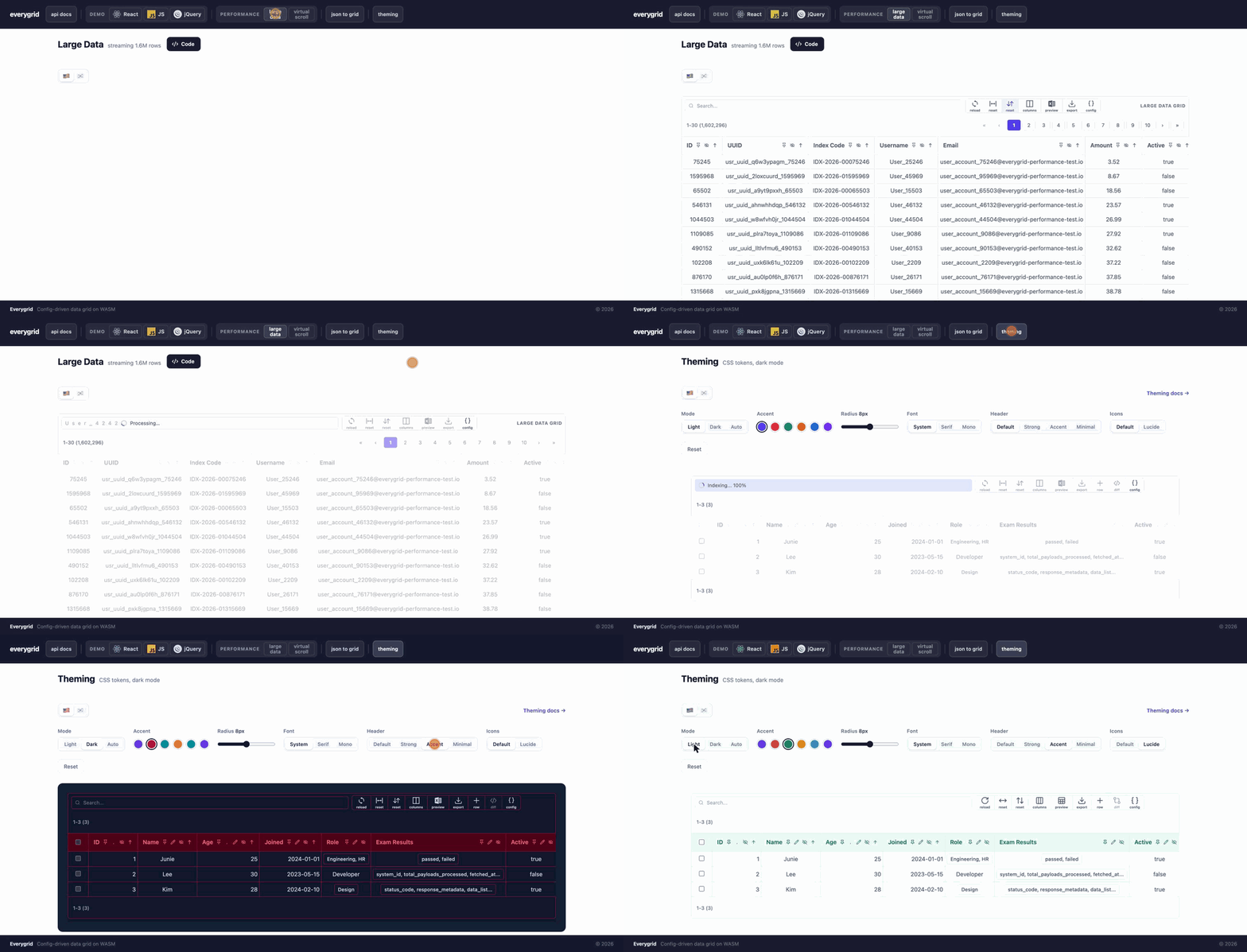
Benchmark
Sorting 1,000,000 rows: Everygrid takes 0.29 s and the page never drops a frame. AG Grid takes 2.7 s and TanStack Table 4.9 s, and the page is frozen throughout.
| 1,000,000 rows | Everygrid | AG Grid Community | TanStack Table | |---|---|---|---| | Sort: score desc | 292 ms (freeze 9 ms) | 2.73 s (freeze 2.71 s) | 4.86 s (freeze 4.85 s) | | Filter: text "busan" | 275 ms (freeze 9 ms) | 596 ms (freeze 585 ms) | 1.33 s (freeze 1.32 s) | | Filter "daegu" + sort joined desc | 799 ms (freeze 9 ms) | 1.04 s (freeze 1.03 s) | 2.29 s (freeze 2.28 s) | | Load rows | 2.82 s (freeze 9 ms) | 1.99 s (freeze 1.93 s) | 928 ms¹ (freeze 921 ms) |
- Time runs until the first page of the result is ready. Freeze is the longest stretch the page went without a frame: how long it could not repaint or answer a click. 9 ms is a single frame on the 120 Hz display these numbers were measured on.
- Each figure is a first run, with caches cold. Repeats are faster for everyone, and Everygrid's drop to ~8 ms because it keeps a per-column sort index.
- Everygrid is timed at the engine (no DOM). AG Grid includes rendering its visible rows. TanStack Table is headless, so ¹ is the row model alone, before any rendering.
- Sort at smaller sizes: 100k rows, 41 ms / 210 ms / 274 ms; 500k rows, 216 ms / 1.34 s / 2.28 s (Everygrid / AG Grid / TanStack).
- Measured with Chrome 155 on a 10-core Mac, using
@everygrid/grid0.6.3,ag-grid-community36.2 and@tanstack/table-core9.2, all on the same seeded rows.
Run it yourself → The tab shows its source under Code.
Installation
npm install @everygrid/gridReact 18+ is a peer dependency. For a plain <script> page with no bundler, see CDN Usage.
Quick Start
1. Install the library
npm install @everygrid/grid2. Import CSS
import '@everygrid/grid/css';Shortcut for steps 3 and 4: let the CLI write both files.
npx @everygrid/grid init                                        # public/everygrid.config.json, no grids yet
npx @everygrid/grid create-config user-grid                    # public/everygrid-config-user-grid.json + entry
npx @everygrid/grid create-config user-grid --data users.json  # also English column labels from your data
It writes into
./public(or--dir <dir>), adds the new file to an existingeverygrid.config.jsoninstead of replacing it, and never overwrites a grid config unless you pass--force. Nothing runs on install — only when you call it.npx @everygrid/grid --helplists the options.
3. Create your grid config file
Create a JSON file anywhere in your project's public/ directory, e.g. public/everygrid-config-users.json:
{
  "targets": [
    {
      "id": "user-grid",
      "title": "Users",
      "pagination": { "pageSize": 10, "position": "bottom" }
    }
  ]
}
4. Register the config path in everygrid.config.json
Create everygrid.config.json in the same public/ directory, so it is served at
/everygrid.config.json — the library fetches it from there at runtime, no server setup needed:
{
  "configs": [
    "/everygrid-config-users.json"
  ]
}
Multiple config files are supported. Each file's
targetsarrays are merged automatically. The path is resolved relative to the page, so a sub-app served at/admin/reads/admin/everygrid.config.json.
5. Mount grids in your app
Mount each grid after its container element exists — and unmount it when the screen goes away.
mountGrid reads the root config on demand (cached — one fetch app-wide), so there's no separate
bootstrap: a matching config target customizes the grid, otherwise it renders with defaults. Grid
lifetime is yours to control; nothing is allocated for a target this screen doesn't render.
import { mountGrid, unmountGrid } from '@everygrid/grid';
import '@everygrid/grid/css';

// No bootstrap — mountGrid loads `everygrid.config.json` from the app root itself (cached; resolved
// relative to the document, so a sub-app at /vanilla/ auto-loads /vanilla/everygrid.config.json) and
// renders with defaults if the id isn't in the config. The fetcher is a `() => Promise<rows>` or a
// URL string, which is streamed straight into the engine.
await mountGrid('user-grid', () => fetch('/api/users').then(r => r.json()));
// or a URL, streamed:  await mountGrid('user-grid', '/api/users');

// …when the screen unmounts
unmountGrid('user-grid');
Add a container element with the matching id in your HTML:
<div id="user-grid"></div>In React, the library ships the lifecycle as a hook (useGrid) and a component
(EverygridGrid) — React is a peerDependency. Each screen registers its own grid, no central
wiring:
import { useGrid, EverygridGrid } from '@everygrid/grid'; // or '@everygrid/grid/react'

// hook — you render the container:
function UserGrid() {
  useGrid('user-grid', () => fetch('/api/users').then(r => r.json()));
  return <div id="user-grid" />;
}

// or the component, which renders the container for you:
<EverygridGrid id="user-grid" fetcher={() => fetch('/api/users').then(r => r.json())} />
The hook creates the grid on mount and tears it down on unmount; it coalesces concurrent creates and
defers teardown, so React StrictMode's double-invoke is safe. The config target for user-grid (if
any) customizes it; otherwise it renders with defaults. Nothing else on the page needs to know the
grid exists.
The fetcher may close over component state — a size picker, a filter — because a reload runs the fetcher as last rendered, not the one captured at mount:
const [rows, setRows] = useState(1000);
useGrid('user-grid', () => buildRows(rows));
// later: setRows(5000); Everygrid.reload('user-grid', {silent: true, discard: true});
CDN Usage
The standalone build is one self-contained file — React, the WASM engine, the worker and the CSS
are all inlined — exposed as window.Everygrid. No stylesheet, no React script tags, no build step.
<!-- newest compatible 0.5.x — pin an exact version (e.g. @0.5.0) for production -->
<script src="https://cdn.jsdelivr.net/npm/@everygrid/[email protected]"></script>
<!-- or the same file via unpkg:
<script src="https://unpkg.com/@everygrid/[email protected]"></script> -->

<div id="user-grid"></div>

<script>
  Everygrid.mountGrid('user-grid', () => fetch('/api/users').then(r => r.json()));
</script>
Note:
everygrid.config.jsonis resolved relative to the page (a page at/vanilla/loads/vanilla/everygrid.config.json), and each path in itsconfigsmust be publicly reachable. A page without one still works — every grid then renders with defaults.
Configuration Reference
everygrid.config.json
| Field | Type | Description |
|-------|------|-------------|
| configs | string[] | List of config file URLs to load (browser-relative paths) |
Grid Config File
A grid is configured in one place: its entry in targets. Root-level fields are the few that
apply to every grid in the file.
| Field | Type | Description |
|-------|------|-------------|
| targets | GridTargetConfig[] | The grids — one entry per grid, carrying all of its options (below) |
| columnI18n | ColumnI18n | Labels shared by every grid, under common — see Column i18n |
| dataCache | RequestCache | cache mode for URL data loads. Defaults to 'no-store' (always re-fetch). Use 'default' for large, rarely-changing datasets so a reload revalidates instead of re-downloading. |
GridTargetConfig
| Field | Type | Description |
|-------|------|-------------|
| id | string | The DOM element id the grid mounts into |
| title | string | Heading shown above the grid |
| data | object[] | Rows inline in the config — for small static grids that need no fetcher |
| links | string[] | Fields rendered as links |
| editableCols | string[] | Fields the reader may edit |
| rowKey | string \| string[] | Field (or fields) that identify a row — what patch() and change events report as key. Without it, the row's data index |
| rowActions | {insertRow?, deleteRow?} | A "+ row" toolbar button that adds an empty row above the data rows (kept apart from the loaded data — its rows and their indices stay put until commit), and a delete button on every row (deleted rows stay struck through until commit) |
| toolbar | {active?, showConfig?} | active: false hides the toolbar (search box and action buttons); showConfig: true adds a "config" button that opens this entry in the popup viewer |
| checkbox | string \| {mapping, active?} | Adds a checkbox column; the field named is what checkedValues() collects |
| pagination | {pageSize?, active?, position?, rowCount?} | Pagination — see Row count placement |
| virtualScroll | {active?, rowHeight?, overscan?, blockSize?} | Virtual scrolling (replaces pagination for the grid) — see Virtual scrolling |
| dataLimit | {maxRows?, active?} | Cap on rows loaded — a safety net against out-of-memory tab crashes — see Data limit |
| colors | {font?, bg?} | Header/body colors: {font: {header, body}, bg: {header, body}} |
| mobileColumns | string[] | Which columns the narrow (mobile) layout shows — see Mobile layout |
| columnI18n | Record<locale, Record<field, label>> | Column labels for this grid — see Column i18n |
The older per-feature form —
"pagination": [{"id": "user-grid", …}]at the root — is still read, and a target's own entry wins where both name the same grid.
Lifecycle API
| Method | Description |
|--------|-------------|
| loadConfig(entryConfigUrl?, opts?) | Fetches the entry config and every file it lists, registering their targets. No DOM work, no engines, no data. Cached per URL (concurrent calls share one request); pass {reload: true} to bypass. Returns the registered target ids. |
| loadEverygridConfig(urls?) | Preload one or more entry configs (default /everygrid.config.json; pass an array for sub-apps / several entries). Standalone export too. Usually unnecessary — mountGrid loads on demand. |
| mountGrid(targetId, source?) | Mounts a grid into the element with the same id. Self-sufficient — loads the root config (/everygrid.config.json, cached) on demand, so no loadConfig() bootstrap is needed; a matching config target customizes the grid, otherwise it renders with defaults. source is a URL (streamed) or a function returning rows — or {fetcher} holding one. Also a standalone export (import { mountGrid }). Requires the element to be in the DOM — returns null with a warning otherwise. Idempotent. |
| unmountGrid(targetId) | Tears the grid down completely — React root, WASM engine, worker thread, timers — and makes the target mountable again. Returns whether a grid was there. |
| invalidateConfig(entryConfigUrl?) | Drops cached config so the next loadConfig re-fetches. Mounted grids keep the config they were built with. |
| refreshAll() | Re-renders mounted grids that are in the DOM (viewport-lazy). Use after a container changes size or visibility. |
| resetAutoInit() | Unmounts every grid and forgets all loaded config. |
mount, unmount and createGrid are the earlier names of mountGrid / unmountGrid. They are
deprecated but still work, with the same arguments.
Naming. mount… / unmount… attach UI to the page and take it off again (mountGrid,
mountLocaleSwitch); set… changes a page-wide setting (setLocale, setTheme, setIcons);
bind… / listen… wire up elements or messages you already have and return a function that
undoes it; use… is a React hook (useGrid).
A target whose fetcher is a URL is loaded straight into the WASM engine; payloads of 50MB or more are streamed in chunks so the main thread never holds the whole dataset.
Each mounted grid owns a Web Worker and its own WASM heap, released on unmountGrid. Because cost
tracks grids actually mounted — not targets that exist in config — a site with hundreds of
screens pays only for what the current screen renders.
autoInit(apiFetchers?, entryConfigUrl?) (deprecated)
Convenience wrapper: loadConfig(), then mountGrid() for every target whose element is already in
the DOM. Targets whose container doesn't exist yet are skipped rather than waited for, so a
screen that renders its container later must mount it itself. Prefer loadConfig + mountGrid.
| Parameter | Type | Default | Description |
|-----------|------|---------|-------------|
| apiFetchers | Record<string, string \| (() => Promise<Row[]>)> | {} | Per target id: a URL to fetch, or a function returning the rows |
| entryConfigUrl | string | '/everygrid.config.json' | Path to the entry config file |
Row count placement
Every grid states what it is showing — "Showing 1–5 of 10" — in a band above and below the
table, always, whether or not it has pagination. rowCount only decides who draws that line:
{
  "targets": [
    { "id": "user-grid", "pagination": { "pageSize": 10, "position": "bottom", "rowCount": "inline" } }
  ]
}
| Value | Layout |
|-------|--------|
| 'strip' (default) | The band draws the count itself; pagination bars hold only the page controls |
| 'inline' | The pagination bar draws it beside its controls, as before the band existed |
'inline' applies only at an end that actually has a pagination bar — where there is none, the
band draws the count itself, so both ends always carry it. Virtual grids always use 'strip',
having no pagination bar at all.
Data limit (memory guard)
Loading a whole large dataset into the browser — once into JS, again into the WASM worker — can
exceed a device's per-tab memory limit and crash the tab (common on phones: the page opens, then
reloads itself into an error screen). dataLimit caps how many rows a grid loads and shows a
banner instead of crashing.
{
  "targets": [
    { "id": "user-grid", "dataLimit": { "maxRows": "auto" } }
  ]
}
| Field | Type | Description |
|-------|------|-------------|
| maxRows | number \| 'auto' | Hard cap. A number caps at exactly that; 'auto' derives a device-appropriate cap from reported RAM (navigator.deviceMemory) and whether the device looks mobile — a roomy desktop gets no cap. |
| active | boolean | Set false to disable without removing the entry |
It applies on every load path:
- In-memory / fetched arrays — the array is sliced to the cap; the banner reads "Showing the first N of M rows".
- Streamed URLs — ingestion stops once the cap is reached, so the rest of the file is never downloaded or held (this is where a phone actually runs out of memory). The full size isn't known because the stream was cut short, so the banner reads "Showing the first N rows".
This is a safety net, not the primary tool for large data. For datasets that are genuinely too
big for the client, use server-side pagination (pagination.serverSide + serverFetcher) so only
one page is ever in memory. dataLimit is there for when a full dataset reaches the client anyway.
Virtual scrolling
Renders only the rows in view instead of a page at a time, so one continuous scroll covers the whole filtered result. Rows are fetched from the engine in blocks as you scroll; a block that hasn't arrived yet shows a placeholder row rather than shifting the scrollbar.
{
  "targets": [
    {
      "id": "user-grid",
      "virtualScroll": { "rowHeight": 34, "overscan": 8 }
    }
  ]
}
| Field | Type | Default | Description |
|-------|------|---------|-------------|
| active | boolean | true | Set false to turn it off without removing the entry |
| rowHeight | number | 36 | Row height in px. Every row is forced to exactly this |
| overscan | number | 6 | Extra rows rendered above and below the viewport |
| blockSize | number | 200 | Rows fetched from the engine per request |
Very large results. Browsers cap how tall a single element can be (Chrome at 16,777,214px), so
past 200,000 rows the scroller covers a segment of the result rather than all of it, and slides
that segment under you as you approach its edge — the anchor and the scroll offset move together, so
there is nothing to see and no pager to click. Each segment stays laid out 1:1, which is what keeps
scrolling smooth: a row is exactly rowHeight tall and travelling rowHeight advances exactly one
row. The height cap is the backstop rather than the target — an unusually tall row yields a shorter
segment instead of one the browser would clip.
The trade is the scrollbar: past the threshold its thumb describes the current segment, not the whole result, and it returns to the middle each time the segment slides. Dragging the thumb halfway does not land halfway through the data. Below the threshold nothing changes. Only the rows in view plus a bounded block cache are ever held in JS, so memory does not grow with the result.
Constraints. Enabling it for a grid changes a few behaviours, all of them consequences of never having more than a screenful of rows in the DOM:
- Pagination is ignored for that grid, and its controls are hidden.
- Row heights are fixed. Cells are clipped to
rowHeight; variable-height rows are not supported in this mode. - The header "select all" checkbox is hidden. It means "every row rendered right now", which under virtual scrolling is whatever happens to be in the viewport — not a selection anyone asked for. Per-row checkboxes work as usual.
- Server-side pagination is not supported alongside it;
serverSidepagination wins and virtual scrolling stays off for that grid. - Excel view previews the head of the current result rather than a page.
The container must have a bounded height — with an auto height there is nothing to overflow and every row would render:
#user-grid { height: 560px; display: flex; flex-direction: column; }Browsers cap element height (~33.5M px in Chrome), which at the default 36px row is around
930,000 rows before the scrollbar stops tracking exactly. Lower rowHeight to raise the ceiling.
Serving large datasets
Compress big JSON at rest — it is the single biggest win for load time (a 1GB test set gzips ~11x, turning a multi-minute download into seconds). Keep the URL unchanged and let the browser decompress transparently:
gzip -6 -c large.json > large.json.gz
aws s3 cp large.json.gz s3://<bucket>/data/large.json \
  --content-type application/json \
  --content-encoding gzip \
  --metadata "uncompressed-length=$(stat -f%z large.json)"
Content-Length then reports the compressed size, which is not comparable with the
decoded bytes the grid reads, so the indexing bar falls back to showing rows ingested. To
get a true percentage, advertise the decoded size via X-Uncompressed-Length (or S3 user
metadata uncompressed-length, surfaced as x-amz-meta-uncompressed-length). For
cross-origin loads that header must also be listed in the bucket's CORS ExposeHeaders.
Search & filter syntax
The search box runs a small query language against the WASM engine (case-insensitive throughout,
keys included). Everything composes with && / ||.
| Form | Meaning | Example |
|------|---------|---------|
| text | Free text — matches any field at any depth | frontend |
| field(expr) | Scope into a field; nest for depth | role(engineering(subRole(front))) |
| a(x).b(y) | Sibling keys ANDed on the same object/array element | subRole(front).years(>=2) |
| field(>n) … | Comparisons: > >= < <= ==/= != | age(>=30), dept(!=HR) |
| field(in[a,b]) | Membership | dept(in[HR,Design]) |
| field(~re) | Regex (add (?i) for case-insensitive) | email(~@example\.com$) |
| field op value | Un-parenthesized comparison (single field) | age >= 30, active == true |
Notes:
- A field scope over an array matches when any element satisfies it; with the
.chain the conditions must hold on the same element (role(engineering(subRole(front).years(=1)))). - Booleans work with the operators:
active(==true),active(!=false). - The search box autocompletes keys for the current scope (top-level fields first, then the selected field's sub-keys), colours parenthesis pairs by depth, and highlights the bracket next to the caret. Enter runs the search; Shift+Enter inserts a newline.
Column i18n
columnI18n gives columns localized display names without touching the data. It maps
A grid's own labels go on its target as locale → field → label; labels shared by every grid in
the file go at the root under common. A grid's entry overrides common, and any field with no
label falls back to its raw key. Locale is the global I18n locale, so I18n.setLocale(l)
followed by Everygrid.refreshAll() relabels every grid.
{
  "columnI18n": {
    "ko": { "common": { "id": "아이디", "name": "이름", "age": "나이" } },
    "en": { "common": { "id": "ID", "name": "Name", "age": "Age" } }
  },
  "targets": [
    { "id": "orders", "columnI18n": { "ko": { "name": "주문자" } } }
  ]
}
Labels are display-only. The search box still uses real field keys (name() && age()) — the
suggestion dropdown just annotates each key with its label, e.g. name(이름), and inserts the key.
So queries, WASM filtering, and highlighting are locale-independent, and switching language never
invalidates a typed query.
Mobile layout
Below 720px the grid switches to a touch layout: fixed-width columns that scroll horizontally, taller rows and larger controls, and a per-row detail button that opens the whole row in a modal. Pinning, resizing and the checkbox column are off.
Which columns show, in priority order:
- The user's in-session pick — the Columns action in the header (the same whitelist as desktop's "Select Columns"; an empty pick falls back to the first three columns).
mobileColumnsconfig for the grid.- Every column (default).
{ "id": "orders", "mobileColumns": ["name", "status", "total"] }The entries are field keys, shown in the grid's column order; any that don't exist are skipped. Column labels follow Column i18n like everywhere else.
Excel export
The toolbar's export button downloads the grid as .xlsx:
- Filtered vs All — when a filter is active the button offers both scopes (with row counts); otherwise it downloads directly.
- Nested arrays → child sheets — object arrays are exported as normalized child sheets linked to
the main sheet by
_mainSheetRowNum(with_key/_idxfor the sub-path and position), so the data stays analysable in Excel/Power Query. On those child sheets, nested objects flatten toparent_childcolumns to any depth. - Nested objects → one cell — on the main sheet a nested object stays a single column, its
contents rendered into the one cell (the same treatment object arrays get), so every nested value
reads the same way rather than a
{name, division}object splitting into_name/_divisioncolumns while an object holding arrays stays whole. - Large data — built off the main thread in a worker, streamed and zip-split so even multi-GB grids export without freezing the UI; the progress badge shows a percentage and a Cancel.
Excel preview
The toolbar's preview button swaps the grid for a spreadsheet-shaped rendering of the same data — the nested-column layout the export produces — without downloading anything. It takes over the grid's own box, so a grid with a fixed height keeps it and the preview scrolls inside.
It navigates the way the grid does, so the whole result is reachable either way:
| Grid | Preview |
|------|---------|
| Paged | Pages, using that grid's own pageSize |
| Virtual scrolling | Keeps scrolling, appending the next chunk as you near the end |
| Neither | One page of 50 |
The row count under the table reports what is on screen against the full result — Showing
1–50 of 2,000. Leaving and re-entering the preview returns to the page you were on; changing the
filter or sort starts again from the top.
A grid sized by its content is capped at 60vh so a preview of wide, deeply nested rows cannot
push the page around; it scrolls within the cap. Override with .everygrid-excel-body.
Editing & change tracking
Everygrid.get(id) is a cursor into a mounted grid's data — grid → row → cell — with the same verbs
at every level: get, set, original, changes, cancel. Handles are stateless
views, so they never go stale; a row that does not exist reports exists() === false and its
writes are no-ops, so chains need no null checks. Row indices are positions in the loaded data and
hold still under sort and filter; visibleRow(n) is the n-th row on screen.
const g = Everygrid.get('user-grid');            // null until the grid is mounted

// target a row: by index, by key (see rowKey), by predicate, or by position on screen
g.row(3);  g.rowByKey('U-1002');  g.find(r => r.email === '[email protected]');  g.visibleRow(0);

// cells — set() behaves exactly like typing into the cell: tracked, marked, synced to the engine.
// It honours editableCols like the UI: a column not listed there is refused (false + a warning)
// unless you pass {force: true}.
g.row(3).cell('score').get();        g.cell(3, 'score')          // same thing
g.row(3).cell('score').set(90);      g.row(3).cell('score').isEditable();   // any cell of an inserted row is editable
g.row(3).cell('id').set(7, {force: true});
g.row(3).cell('score').original();   g.row(3).cell('score').modified();
g.row(3).cell('score').cancel();     // the loaded value back

// rows
g.row(3).set({score: 90, active: false});   // returns how many cells were written
g.row(3).changes();                  // [{field, from, to}]
g.row(3).original();  g.row(3).cancel();  g.row(3).key();   // key() is null while an inserted row's key field is empty

// columns
g.column('score').changes();         // [{index, key, from, to, row}]
g.column('score').values();  g.column('score').cancel();

// rows in and out (rowActions.insertRow / deleteRow must allow it)
g.insertRow({name: 'New'});          // a new row above the data, with these values; returns its handle
g.insertedRow(0);                    // inserted rows have their own index space (handle.kind === 'inserted')
g.row(3).delete();                   // struck through until commit; g.row(3).cancel() brings it back
g.row(3).status();                   // 'inserted' | 'updated' | 'deleted' | null
g.row(3).inserted(); g.row(3).updated(); g.row(3).deleted(); g.row(3).checked();   // predicates

// lists — plain arrays of row handles; index, filter, map, forEach them as you like
g.rows();                            // every row;  g.rows()[0], g.rows().filter(r => r.updated())
g.insertedRows(); g.updatedRows(); g.deletedRows(); g.checkedRows();
g.checkedRows().forEach(r => r.delete());
g.rows().filter(r => r.checked()).map(r => r.get());   // the checked rows as JSON

// the grid
g.hasChanges();
g.changes();                         // [{status, index, key, row, original, cells: [{field, from, to}]}]  (key null for an unkeyed new row)
g.diff();                            // {inserted, updated, deleted, cells}
g.patch();                           // {inserted: [rows], updated: [{key, changes}], deleted: [{key, row}]}
g.cancel();                          // every change cancelled: edits undone, inserted rows dropped, deleted rows back
g.commit();                          // after a successful save: current state becomes the baseline (inserted rows join the data at the end)

// the checkbox column (needs a `checkbox` config; rows are identified by its `mapping` field)
g.checkedValues();                   // the checked rows' mapping values
g.check([1, 2]); g.uncheck([1]); g.checkAll(); g.uncheckAll();

// events — each returns its unsubscribe function
g.on('cellChange', ({index, key, field, from, to, row}) => …);
g.on('change', changes => …);        // after every edit, cancel and commit
g.on('check', ({values, rows, changed, checked}) => …);   // any checkbox change, UI or API
Handle reference
Everygrid.get(id) returns a GridHandle; g.row(i) a RowHandle; row.cell(field) a CellHandle;
g.column(field) a ColumnHandle. Handles are stateless views over the grid — make them freely.
RowKey is string | number; RowChange is {status, index, key, row, original, cells}.
GridHandle — Everygrid.get(id)
| Method | Returns | What it does |
|---|---|---|
| exists() | boolean | The grid is still mounted |
| data() | T[] | The loaded rows, in data order (live objects — read only; write through set) |
| row(index) | RowHandle | The row at a data index |
| rowByKey(key) | RowHandle | The row whose rowKey field equals key |
| find(pred) | RowHandle | The first row matching pred(row, index) |
| visibleRow(n) | RowHandle | The n-th row on screen (after filter and sort) |
| insertedRow(i) | RowHandle | The i-th inserted row (their own index space) |
| cell(index, field) | CellHandle | Shorthand for row(index).cell(field) |
| column(field) | ColumnHandle | One column across all rows |
| rows() | RowHandle[] | Every loaded row; a plain array |
| insertedRows() / updatedRows() / deletedRows() | RowHandle[] | The changed rows of one kind |
| checkedRows() | RowHandle[] | The rows whose checkbox is checked (never a deleted row) |
| checkedValues() | unknown[] | Their checkbox.mapping values |
| check(values) / uncheck(values) | — | Check / uncheck rows by mapping value |
| checkAll() / uncheckAll() | — | Every row / none |
| hasChanges() | boolean | Anything inserted, updated or deleted |
| changes() | RowChange[] | Every changed row, in data order |
| diff() | {inserted, updated, deleted, cells} | changes() grouped by kind, with a cell count |
| patch() | {inserted, updated, deleted} | What to save: rows whole, {key, changes}, {key, row} |
| insertRow(values?) | RowHandle | A new row above the data (needs rowActions.insertRow) |
| cancel() | — | Every change cancelled: edits undone, inserted rows dropped, deleted rows back |
| commit() | — | Current state becomes the baseline; inserted rows join the data at the end, deleted rows go |
| on(event, fn) | () => void | Subscribe to cellChange / change / check; returns the unsubscribe |
RowHandle — g.row(i), g.rowByKey(k), g.rows()[i], …
| Method | Returns | What it does |
|---|---|---|
| index / kind / gridId | fields | Position; 'data' or 'inserted'; the grid's id |
| exists() | boolean | There is a row at this index |
| get() | T \| undefined | The row as it is now |
| original() | T \| undefined | The row as loaded (the row itself if never edited) |
| key() | RowKey \| null | The rowKey field's value, else the index; null while an inserted row's key is empty |
| cell(field) | CellHandle | One cell |
| set(values, {force?}) | number | Edit several cells; returns how many were written |
| changes() | CellChange[] | [{field, from, to}] for the cells that differ from the original |
| status() | 'inserted' \| 'updated' \| 'deleted' \| null | The row's state |
| inserted() / updated() / deleted() / changed() | boolean | Predicates, for rows().filter(...) |
| checked() | boolean | The checkbox is checked |
| check(checked = true) | — | Check / uncheck this row |
| delete() | boolean | Mark deleted (needs rowActions.deleteRow); an inserted row is simply dropped |
| cancel() | — | Un-edit / un-insert / un-delete this row |
CellHandle — g.row(i).cell(field), g.cell(i, field)
| Method | Returns | What it does |
|---|---|---|
| row / field | fields | The row handle; the column name |
| exists() | boolean | The row exists |
| get() | unknown | The current value |
| original() | unknown | The loaded value |
| modified() | boolean | Differs from the loaded value |
| isEditable() | boolean | Any cell of an inserted row; else what editableCols allows |
| set(value, {force?}) | boolean | Edit exactly as typing would; refused (false + warning) outside editableCols unless force |
| cancel() | — | The loaded value back |
ColumnHandle — g.column(field)
| Method | Returns | What it does |
|---|---|---|
| field | field | The column name |
| values() | unknown[] | Current values down the column, in data order |
| changes() | ColumnChange[] | [{index, key, from, to, row}] for the rows whose value changed |
| cancel() | — | Every change in this column undone |
patch() is plain JSON per kind — how it is saved (fetch, a form, a queue) is up to you:
const {inserted, updated, deleted} = g.patch();
// inserted: [{...row}]                 the new rows, whole
// updated:  [{key, changes: {...}}]    per row, its key and only the changed fields
// deleted:  [{key, row}]              per row, its key and the row as loaded
await save(inserted, updated, deleted);
g.commit();
rowKey names the field that identifies a row ("rowKey": "id" on the target; an array
makes a composite key joined with |). Without it key is the row's data index. In changes()
and patch() the key is read from the row's original, so a save can still find the record when
the key field itself was edited.
A grid that can change (editable columns or row actions) gets a diff button in its toolbar: a popup with a second grid whose rows are the changes since load — status, key, row, field, before, after — with the usual search, sort, column choice and export.
Change tracking costs only what was edited: a row's original is snapshotted on its first edit, so
changes() and patch() walk the edited rows, not the dataset.
Theming
Everygrid's stylesheet is a set of defaults you can override from your own CSS — no build step,
no !important.
- It stays inside the grid. The CSS reset it ships with applies only to Everygrid's own
elements (anything with an
everygrid-*class, and their contents), so adding the library does not change your page's margins, headings or buttons. - Your CSS wins. Every Everygrid rule lives in the
everygrid.*cascade layers. A rule of yours that is not in a layer beats all of them, whatever its specificity.
Design tokens
Colors, corner radii and the font are CSS custom properties, defined on :root. Redefine them to
re-skin every grid on the page, or on one grid's container to re-skin just that grid:
:root {
  --everygrid-accent-600: #e11d48;   /* primary buttons, selection, focus */
  --everygrid-radius-lg: 0;          /* square corners… */
  --everygrid-radius-md: 0;
  --everygrid-radius-sm: 0;
  --everygrid-font: 'Inter', sans-serif;
}

#sales-grid {
  --everygrid-neutral-200: #cbd5e1;     /* this grid only: stronger borders */
}
| Token | Default (Tailwind palette) | Used for |
|---|---|---|
| --everygrid-neutral-{50…900} | slate | Text, borders, header and row backgrounds |
| --everygrid-accent-{50…900} | indigo | Primary actions, selection, focus |
| --everygrid-info-{50…900} | blue | Cell-edit focus, informational badges |
| --everygrid-danger-{50…900} | red | Errors, delete |
| --everygrid-success-{50…900} | emerald | Confirm, saved |
| --everygrid-warning-{50…900} | amber | Caution notes, search-match marks in the query |
| --everygrid-notice-{50…900} | orange | Modified-row markers |
| --everygrid-highlight-{50…900} | yellow | Search-match highlight in cells |
| --everygrid-radius-{sm,md,lg,xl} | 0.25 / 0.375 / 0.5 / 0.75rem | Corner radii |
| --everygrid-font | system UI stack | Every Everygrid surface, modals included |
| --everygrid-header-color / -header-bg | neutral-600 / neutral-50 | Column header text / background |
| --everygrid-header-font-weight / -header-font-size | 600 / inherited | Column header text weight / size |
| --everygrid-border | neutral-200 | Every cell, header and panel border |
| --everygrid-body-color / -body-bg | neutral-600 / white | Cell text / background |
Each scale runs from light (50) to dark (900); a theme usually changes a whole scale, not one
step. The header and body tokens are what a target's colors config sets,
per grid. They take their defaults from the neutral scale on :root, so when you change neutrals on
one grid's container only, set that grid's header and body tokens too.
Dark mode
Dark mode is opt-in, through a data-everygrid-theme attribute on any ancestor of the grid:
Everygrid.setTheme('dark');   // 'light' | 'dark' | 'auto' — sets the attribute on <html>
Everygrid.setTheme('auto');   // follow the OS (prefers-color-scheme)
Everygrid.setTheme('dark', document.getElementById('sales-grid'));   // just this grid
or in markup: <html data-everygrid-theme="dark">. Popups and the search dropdown, which render
into <body>, follow the theme of the grid that opened them.
In dark mode every token gets a dark value: the neutral scale runs the other way (neutral-50 is
the darkest), the color scales swap their light tints for deep shades, and --everygrid-surface
(the background of panels, cells and popups) turns dark. Overriding a scale for light mode does not
change its dark values, so a custom accent needs both:
:root { --everygrid-accent-50: …; /* … */ --everygrid-accent-900: …; }
[data-everygrid-theme="dark"] { --everygrid-accent-50: …; /* … */ }
The demo portal's Theming tab builds this CSS for you as you pick an accent, radius, font and mode.
| Token | Light | Dark | Used for |
|---|---|---|---|
| --everygrid-surface | white | slate-900 | Panels, cells, popups |
| --everygrid-on-accent | white | white | Text on solid accent / success buttons |
| --everygrid-scrim | slate-900 | black | Modal backdrop (shown at 30%) |
Icons
Every icon is an inline SVG drawn in currentColor, so it already follows the text color. Each
carries everygrid-icon everygrid-icon-<name> for CSS (e.g. .everygrid-icon { stroke-width: 1.5 },
or hide one with display: none). To swap the artwork, pass SVG markup — from Lucide, Heroicons or
your own set — or, in React, a component that takes className:
Everygrid.setIcons({
  reload: '<svg viewBox="0 0 24 24" fill="none" stroke="currentColor" stroke-width="2">…</svg>',
  search: SearchIcon,   // e.g. from lucide-react
});
Everygrid.setIcons({reload: null});   // back to the default
An icon fills the box it is placed in, so width/height on the markup are ignored. The markup is
inserted as-is: pass trusted SVG only. In the browser's dev tools an icon shows its key in its class:
everygrid-icon-row-detail is rowDetail.
| Key | Default | Where |
|---|:-:|---|
| reload | | Toolbar — reload data |
| columnWidth | | Toolbar — reset column widths |
| sortReset | | Toolbar — reset sort |
| columns | | Toolbar — choose columns |
| excel | | Toolbar — Excel preview |
| download | | Toolbar — export |
| insertRow | | Toolbar — insert a row |
| diff | | Toolbar — show changes |
| config | | Toolbar — show config |
| search | | Search box |
| pinEmpty | | Header — pin a column |
| pinFilled | | Header — unpin a pinned column |
| comma | | Header — thousands separator on/off |
| edit | | Header and cell — editable column / open the editor |
| hide | | Header — hide a column |
| sortUp | | Header — sorted ascending |
| sortDown | | Header — sorted descending |
| mobileColumns | | Phone layout — choose the visible columns |
| rowDetail | | Phone layout — open a row's details |
| trash | | Row actions — delete a row |
| undo | | Row actions — restore a deleted row |
| info | | Data-limit banner |
| globe | | Language switch (mountLocaleSwitch, select) |
| chevronDown | | Language switch (mountLocaleSwitch, select) |
Styling parts
For anything the tokens don't cover — spacing, shadows, a single element — target the
everygrid-* classes directly (e.g. .everygrid-wrapper, .everygrid-locale-btn). Because your
rule sits outside the layers, a plain class selector is enough:
.everygrid-locale-btn { font-weight: 600; }.everygrid-table thead th { text-transform: uppercase; letter-spacing: .04em; }A few state styles — the row whose popup is open, search-match highlights, the modified-cell
marker — are marked !important inside the library, so a class rule cannot override those
properties; their colors still follow the tokens.
Class names are kept stable across patch releases; a rename is treated as a breaking change.
CSS that itself sits in a cascade layer — Tailwind v4's utilities, for one — is compared layer by
layer, so the library's layers can win over it. Override from outside a layer, or mark the utility
important (p-3!). The everygrid-* classes belong to the library: don't put them on your own
elements, or Everygrid's scoped reset will apply to those too.
Other APIs
// Re-render all grids (e.g. after language change)
Everygrid.refreshAll();

// Re-fetch one grid's data from the source it was created with and rebuild its index.
// The toolbar shows a "Reload Data" button for exactly those grids; grids given their
// rows inline have no source to re-fetch, so they get no button and this is a no-op.
// Reloaded rows become the new baseline: pending cell edits are discarded.
// Options: {silent} skips the button's spinner; {discard} drops the rows on screen first (the
// incoming result is a different query, not a refresh of this one). A reload requested while
// one is running is queued behind it — latest wins — and its promise settles when that run ends.
// The loading UI is painted before the fetcher runs, so a fetcher that builds rows synchronously
// does not block it.
grid.reloadData('my-grid-id', {silent: true, discard: true});   // or Everygrid.reload(id, opts)

// Internationalization
import { I18n } from '@everygrid/grid';
I18n.initFromBrowser(); // auto-detect browser language
I18n.setLocale('en');   // 'en' | 'ko'

// Language switch, drawn for you: an empty element in, a flag toggle (or a dropdown) out.
// Same options as bindLocaleControls below, plus type ('button' | 'select'), display (flag 'icon',
// name 'text' or 'both'; default icon for buttons, text for the select) and labels.
Everygrid.mountLocaleSwitch('#lang', {type: 'button', defaultLocale: 'en', persist: true});
Everygrid.mountLocaleSwitch('#lang', {type: 'select', display: 'both'}); // 'icon' | 'text' | 'both'
Everygrid.mountLocaleSwitch('#lang', {type: 'button', labels: {en: 'EN', ko: 'KO'}}); // your own text

// Or wire your own markup: a <select> (option values 'ko'/'en') and/or buttons with data-locale="ko|en".
// Choosing one calls Everygrid.setLocale; the controls keep showing the current locale (select
// value, or activeClass + aria-pressed on the button). Returns an unbind function.
Everygrid.bindLocaleControls('.locale-btn', {
  persist: true,               // optional: remember the choice across reloads
                               //   (true = built-in key 'everygrid:locale', or pass your own key string)
  defaultLocale: 'en',         // optional: when nothing is saved (else the browser's language)
  activeClass: 'active',       // optional, default 'active'
  onChange: locale => {},      // optional
});
In React, the same two as a component and a hook:
import {EverygridLocaleSwitch, useEverygridLocale} from '@everygrid/grid';

<EverygridLocaleSwitch persist defaultLocale='en'/>          // mountLocaleSwitch as a component

const [locale, setLocale] = useEverygridLocale({persist: true}); // for a control of your own
Everygrid.getLocale() returns the current locale, and Everygrid.onLocaleChange(fn) calls fn
on every switch, from any control (it returns a function that stops listening).
Versioning
Releases are published to npm as @everygrid/grid;
the <script> build is served from the same release by jsDelivr / unpkg. npm versions are immutable,
so every release gets a new version number.
The public API is the exports of @everygrid/grid, the config schema (types.ts), the
everygrid.config.json contract and the window.Everygrid global. While at 0.x, npm's caret makes
minor the breaking slot (^0.4.2 resolves >=0.4.2 <0.5.0):
| Bump | When |
|---|---|
| minor (0.5.0) | Breaking: an export or config key removed or renamed, a changed meaning, a changed signature |
| patch (0.4.3) | Everything else — bug fixes and backward-compatible additions |
| 1.0.0 | The API is declared frozen |
License
MIT