
@facets-cloud/backstage-plugin
v0.1.3
Published
`@facets-cloud/backstage-plugin` is a plugin for the Backstage frontend app. It shows information about environments, releases and terraform outputs for resources on an entity page.


Readme
@facets-cloud/backstage-plugin
@facets-cloud/backstage-plugin is a plugin for the Backstage frontend app. It shows information about environments, releases and terraform outputs for resources on an entity page.
Requirements
This plugin requires the @facets-cloud/backstage-plugin-backend, which connects to the backend to make requests to the Facets.cloud API.
Installation
Install the frontend and backend plugins using yarn:
yarn workspace backend add @facets-cloud/backstage-plugin-backend
yarn workspace app add @facets-cloud/backstage-plugin
Backend Plugin Registration
Register the backend plugin in packages/backend/src/index.ts:
+ backend.add(import('@facets-cloud/backstage-plugin-backend'));

backend.start();
Add Configuration to app-config.yaml
Add the proxy and facets-cloud configuration to your app-config.yaml:
proxy:
  endpoints:
    '/facets/api':
      target: ${FACETS_CONTROL_PLANE_URL}

facets-cloud:
  controlPlaneUrl: ${FACETS_CONTROL_PLANE_URL}
Facets.cloud Settings
Obtain configuration values from Control Plane
- Login to Facets Control Plane and click on your user profile picture. This will open the Account Settings menu.
- In the Account Settings menu, select the Personal Token tab. This page displays all your previously generated tokens.
- Click Generate Token.
- In the Create Personal Access Token pop-up, mention the Token Name.
- A new pop-up window will appear displaying a string of characters.
- This string constitutes your personal token. This will function as your password.
Adding settings page in Backstage
The settings page allows you to configure the plugin. To add the settings page, add the SettingsPage component to your Backstage instance.
In the file packages/app/src/App.tsx, replace the <Route path="/settings" element={<UserSettingsPage />}> with the following code:
import { SettingsPage } from '@facets-cloud/backstage-plugin';

// ...
<Route path="/settings" element={<UserSettingsPage />}>
  <RequirePermission permission={catalogEntityCreatePermission}>
    <SettingsLayout.Route
      path="/facets-cloud"
      title="Facets.Cloud"
      children={<SettingsPage />}
    />
  </RequirePermission>
</Route>
Viewing the Settings Page
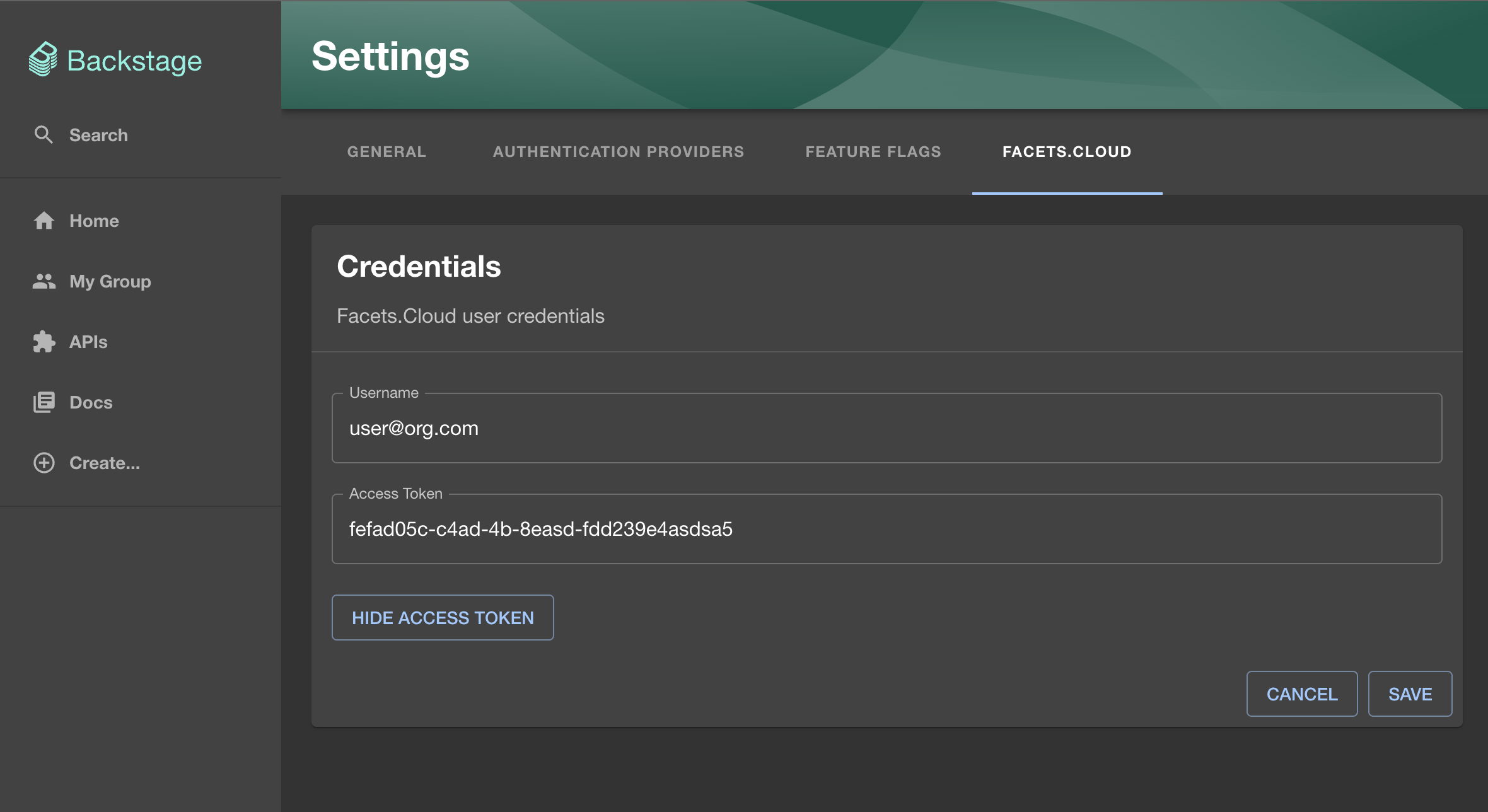
Click the “Settings” button on the bottom left of the screen and then click the “Facets.cloud” tab. Enter your credentials from the Facets Control Plane and click “Save.” These credentials will be used for making API calls to the Facets Control Plane.
Facets components for entities
The following components are available for use on the entity page in Backstage. To use these components, ensure each entity is configured in your entities.yaml file to connect with a Facets.cloud resource. Add the following annotations to your entity configuration:
metadata:
  name: example-website
  annotations:
    facets.cloud/project: project-name
    facets.cloud/resourceType: application
    facets.cloud/resourceName: example
Environment Overview
This component provides an overview of all environments currently deployed in Facets for a particular resource.
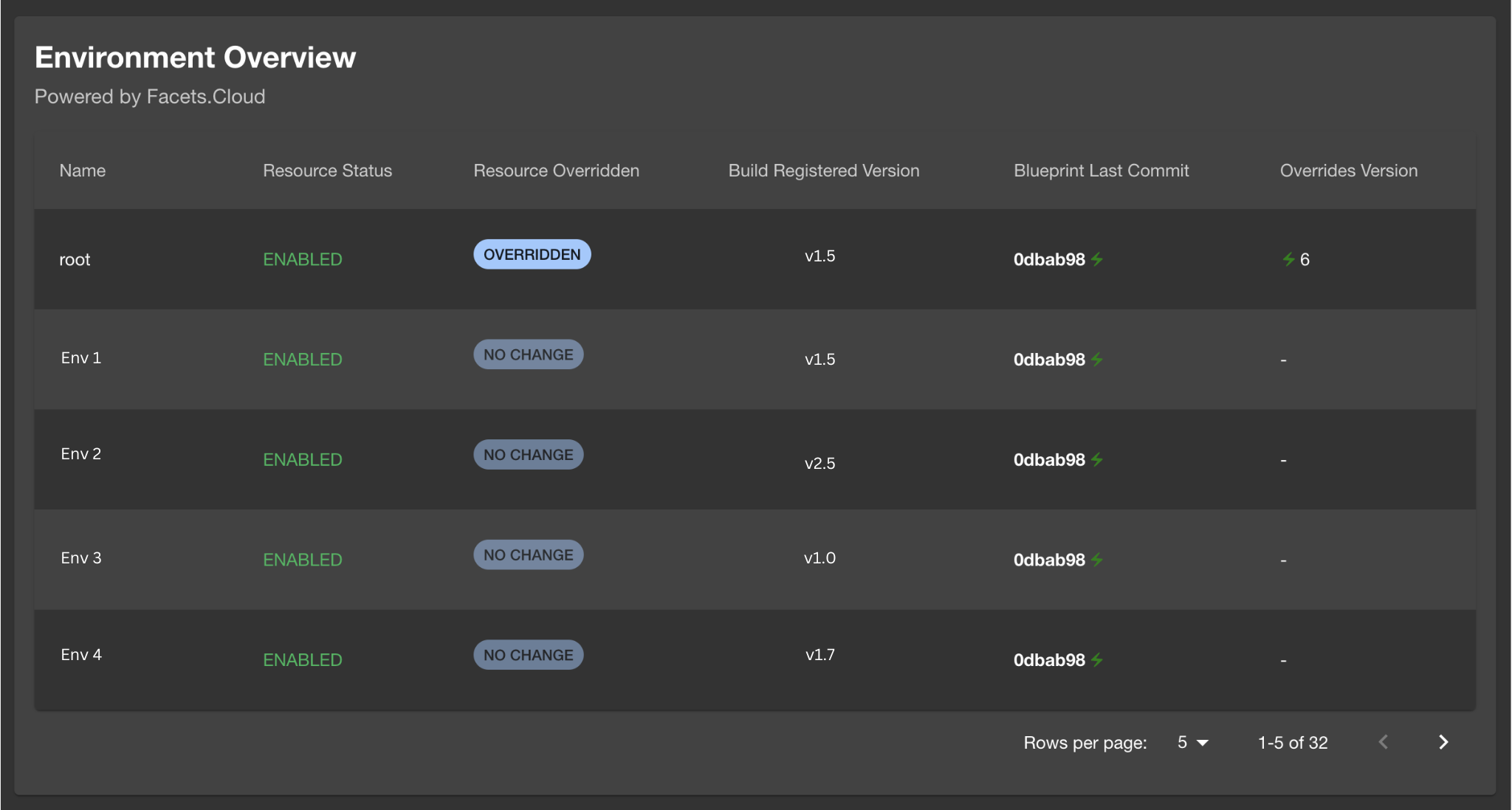
To add this card to the entity’s overview, use the following code:
import { EnvironmentOverviewCard } from '@facets-cloud/backstage-plugin';
...
const overviewContent = (
  <Grid container spacing={3} alignItems="stretch">
    ...
    <Grid item xs={12}>
      <EnvironmentOverviewCard />
    </Grid>
    ...
  </Grid>
);
Release History
This component displays the release history of a resource in a selected environment. You can also trigger a new release by clicking the “Release Now” button.

To add this card to the entity’s overview, use the following code:
import { ReleaseHistoryCard } from '@facets-cloud/backstage-plugin';
...
const overviewContent = (
  <Grid container spacing={3} alignItems="stretch">
    ...
    <Grid item xs={12}>
      <ReleaseHistoryCard />
    </Grid>
    ...
  </Grid>
);
Terraform Outputs
This component provides an overview of all Terraform outputs for environments currently deployed in Facets for a particular resource.

To add this card to the entity’s overview, use the following code:
import { TerraformOutputCard } from '@facets-cloud/backstage-plugin';
...
const overviewContent = (
  <Grid container spacing={3} alignItems="stretch">
    ...
    <Grid item xs={12}>
      <TerraformOutputCard />
    </Grid>
    ...
  </Grid>
);