
@fagnerjs/ralphi
v0.1.5
Published
Ralphi is an **Autonomous AI coding loop** for PRD-driven execution.

Maintainers
 fagnerjs
Readme
Ralphi
Ralphi is an Autonomous AI coding loop for PRD-driven execution. It helps you launch, monitor, and steer long-running coding work from a terminal dashboard.
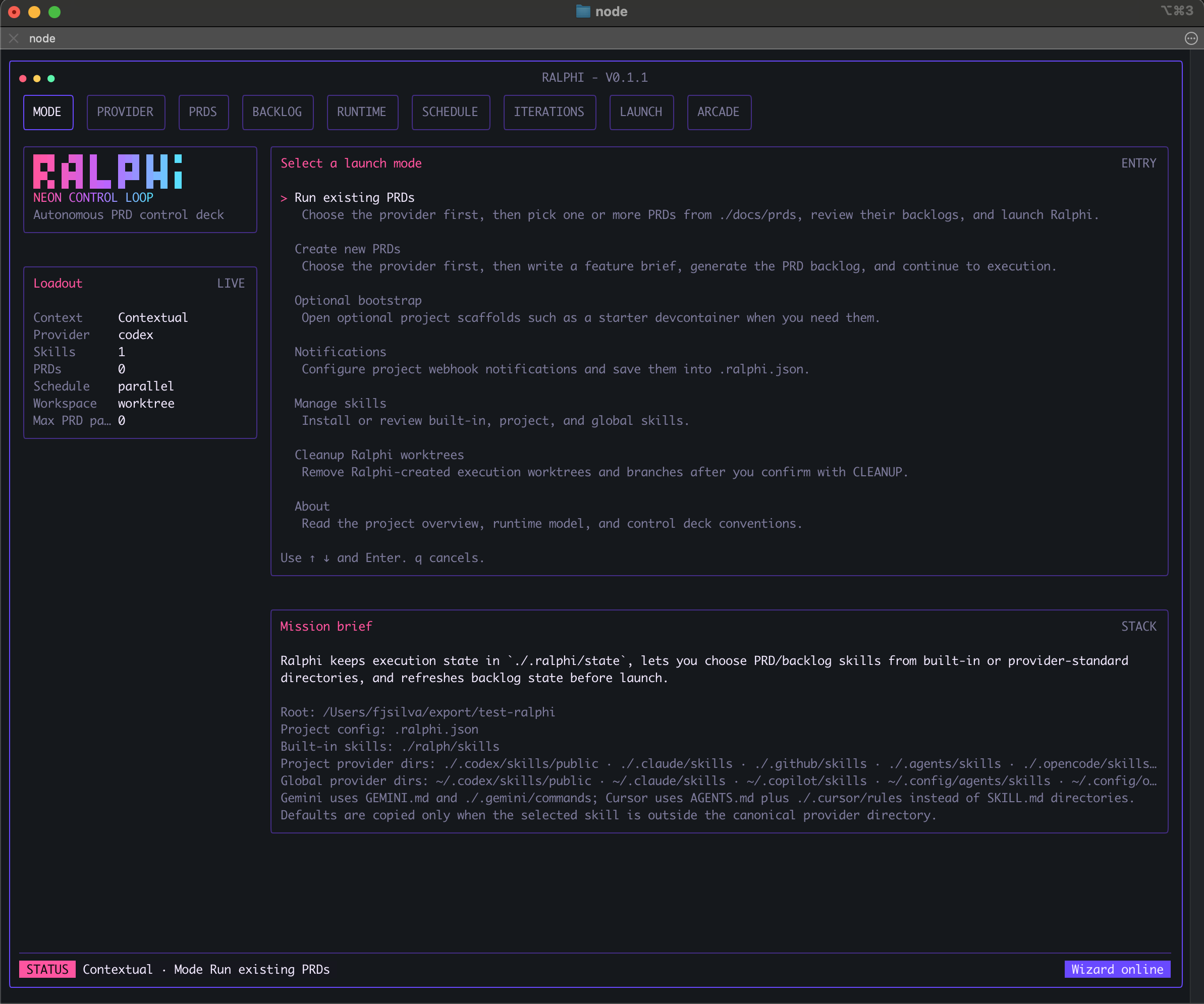
It is built for teams and solo builders who work from PRDs and want a calmer way to run autonomous coding sessions across one or many workstreams.
Ralphi can orchestrate:
ampclaudecodexcopilotcursorgeminiopencodeqwen
Use the dashboard when you want the easiest way to pick a provider, configure notifications, review PRDs, define dependencies, choose worktrees, and follow the run in one place.
Table of contents
- Install
- Quick start
- Use the dashboard
- Notifications
- Multiple PRDs, dependencies, and worktrees
- Clean up branches and worktrees
- Providers
- Skills and skill catalogs
- Local project configuration
- Run from the command line
- Useful commands and options
- Arcade mode
- License
Install
Ralphi requires Node 20 or newer.
Install from npm
npm install -g @fagnerjs/ralphiBefore your first run, make sure the provider CLI you want to use is installed and available in your shell. If you want a quick readiness check, run:
ralphi doctorQuick start
- Open the repository you want Ralphi to work on.
- Put your PRDs in
docs/prds/. - Start Ralphi:
ralphi- Choose the provider you want to use.
- Optional: open Notifications and add any webhook destinations you want.
- Select existing PRDs, create a new one from a short brief, or start in Idea mode.
- Review the generated backlog.
- If you selected more than one PRD, add any PRD dependencies you want before launch.
- Choose schedule, workspace, and environment settings.
- Launch the run and follow progress from the dashboard.
Good first-run habits:
- keep
./.ralphi/in your project.gitignore - keep
./.ralphi.jsontracked if you want shared team defaults - use
ralphi doctorwhen switching providers or machines - use the dashboard first, then move to direct CLI commands once your workflow is stable
See Local project configuration for the difference between ./.ralphi/ and ./.ralphi.json.
Use the dashboard
The dashboard is where Ralphi feels most valuable.
It turns an autonomous coding loop into a launch-and-control workflow that feels clear instead of chaotic: choose your provider, pick your PRDs, configure notifications and dependencies, select workspace and environment settings, and start the run with confidence from one screen.
Why most users should start here:
- it gets you from idea to active run quickly
- it makes multi-PRD execution feel organized instead of fragile
- it keeps provider choice, backlog review, and runtime setup in one calm flow
- it gives you live progress, notifications, and finish summaries without jumping between terminals
- it makes long-running execution easier to trust because the state stays visible
What you can do without leaving the dashboard:
- choose PRDs interactively
- create a PRD from a short brief
- scope a feature in Idea mode and let Ralphi create one or more PRDs for you
- review and adjust the backlog before launch
- link PRD dependencies without memorizing extra commands
- switch between local and devcontainer execution
- configure webhook notifications for start, success, and failure events
- watch progress and notifications in one place
- pause an active run from the dashboard and resume later from the saved checkpoint
- resume or restart saved work from the same interface
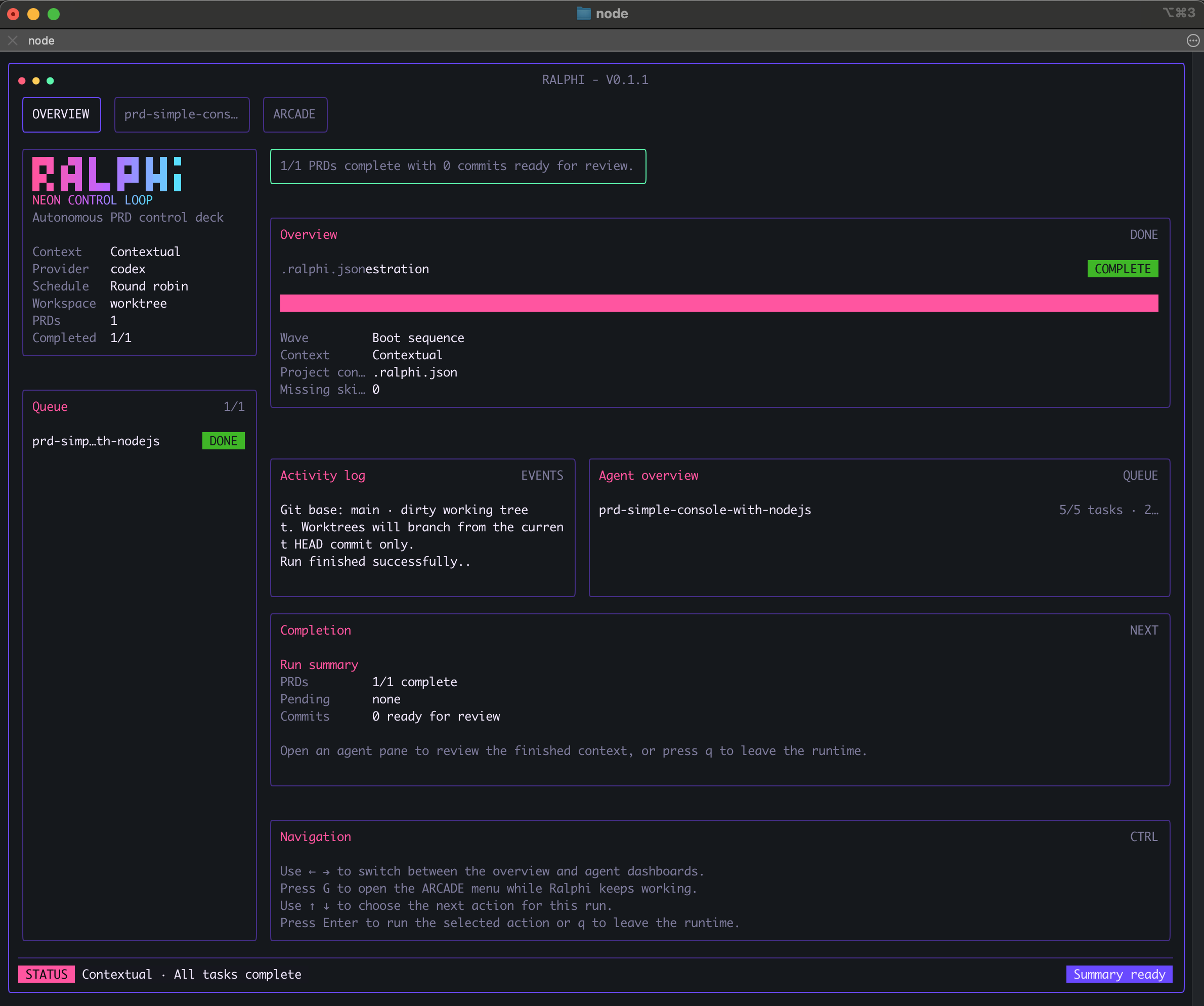
- keep the final summary, usage totals, and next actions together at the end
Why it works well in practice:
- If Ralphi detects missing recommended project scaffolds, it can guide you through them before launch.
- Each iteration is a full pass across a PRD backlog, not a budget for a single backlog item.
- Ralphi consumes the full configured PRD pass budget unless a blocking error stops the run. If implementation finishes early, the remaining passes are used for verification, regression checks, polish, and documentation updates.
- If the iteration budget ends before the PRD is truly done, Ralphi pauses the run and tells you work is still pending instead of marking it complete.
- You can add a full-run token budget before launch; when the run reaches it, Ralphi pauses and lets you abort, continue with a fresh limit, or continue without limits.
- While a run is active, press
Pto pause at the next safe checkpoint without losing the saved session state. - While you are typing in a title, description, or other text field, character shortcuts stay inside the editor so your text is not interrupted.
Typical dashboard flow:
- Open Ralphi with
ralphi. - Pick the provider you want to use.
- Optional: open Notifications and configure your webhook destinations.
- Select one or more PRDs from
docs/prds/, create a new one from a short brief, or start in Idea mode. - Review and adjust the generated backlog.
- If you selected multiple PRDs, define any dependencies between them.
- Choose schedule, iterations, an optional full-run token budget, workspace preferences, and execution environment.
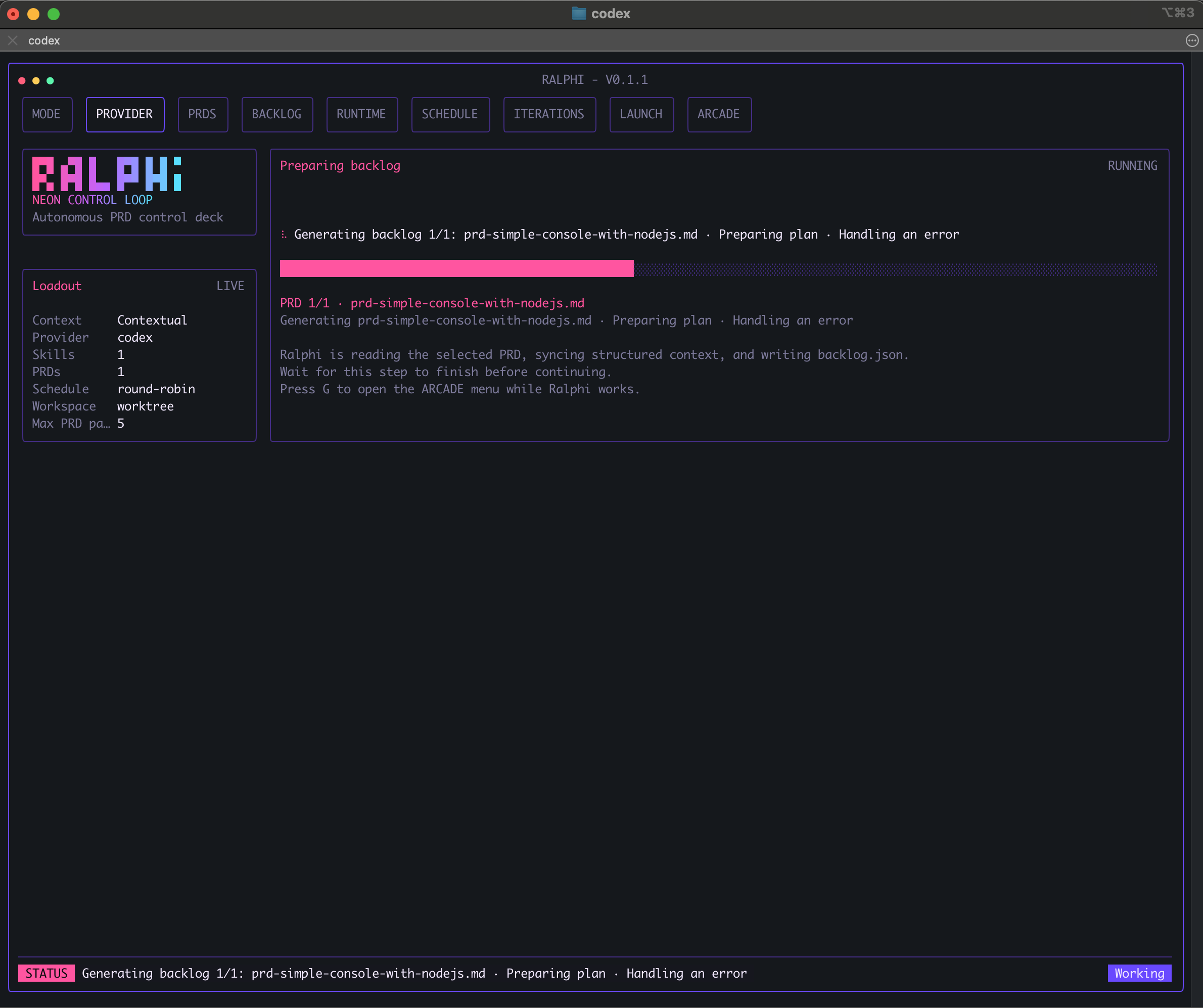
- Launch the run.
- Follow the live status until the run finishes or needs your decision.
- Resume, restart, or move on to the next run from the same interface.
Each project keeps its local runtime data in ./.ralphi/state, with archived snapshots in ./.ralphi/archive.
Notifications
Ralphi gives you two layers of notifications:
- dashboard notifications for visibility inside the terminal
- webhook notifications for sending important events to tools your team already watches
What Ralphi can notify you about
You can enable notifications for:
- process start
- process success
- process failure
In the dashboard, you will also see local status notifications for key run moments such as start, pause, finish, and execution issues.
Supported webhook destinations
Ralphi can send webhook notifications to:
- Slack
- Microsoft Teams
- Discord
- Google Chat
- Mattermost
- ntfy
- a generic webhook endpoint
What a notification includes
A notification can include details such as:
- the project name
- the provider in use
- the selected schedule
- how many PRDs are complete
- the final merged branch when one exists
- the reason for a failure or early stop
How to set it up
- Open
ralphi. - Choose
Notificationsfrom the launch menu. - Open
Process eventsand enable the events you want. - Open
Destinationsand paste the webhook URL for Slack, Discord, Teams, or another supported channel. - Return to the launch menu and start your run.
Ralphi saves these settings in ./.ralphi.json, so the same project can keep the same notification setup between runs.
Example use case
If you want Slack updates only when something important happens:
- Enable
Process successandProcess failure. - Add your Slack webhook URL under
Destinations. - Leave the other channels disabled.
- Launch the run normally.
This is a good setup when you want to stay focused without watching the terminal the whole time.
If you want more raw detail while the run is active, launch with --verbose.
Multiple PRDs, dependencies, and worktrees
When you select more than one PRD, Ralphi automatically uses managed worktrees.
This is what makes multi-PRD runs easier to trust:
- each PRD gets its own isolated workspace and branch
- changes from one PRD do not collide with another PRD mid-run
- dependent PRDs can start from the right upstream result
- the whole execution can end with one final merged branch for review
Scheduling modes
round-robin: cycle through PRDs over timeper-prd: finish one PRD before moving to the nextparallel: run multiple PRDs at the same time
PRD dependencies
Dependencies are available when you launch more than one PRD from the dashboard.
Use them when one PRD should wait until another PRD has finished its configured passes and released its latest committed baseline first.
If an upstream PRD exhausts its pass budget without a blocking error, downstream PRDs can still continue from that committed baseline while the upstream lane remains pending in the final summary.
What dependencies do for you:
- a dependent PRD does not start too early
- downstream work starts from the prerequisite result
- the run order stays understandable even when you selected several PRDs
- the final merged branch reflects the dependency order you defined
Ralphi prevents invalid dependency setups such as self-dependencies or dependency loops.
Example dependency chain:
PRD A  Foundation refresh
PRD B  Settings page update   depends on PRD A
PRD C  Release checklist
In this example, PRD B waits for PRD A. PRD C follows the schedule you selected because it does not depend on PRD A.
Shared workspace or worktree?
If you run a single PRD, you can choose shared or worktree mode.
If you run multiple PRDs, Ralphi switches to worktrees automatically so it can isolate branches, honor dependencies, and keep the final merged branch clean.
Clean up branches and worktrees
In successful multi-PRD worktree runs, Ralphi keeps the final merged branch and automatically cleans that run's temporary per-PRD branches and worktrees.
If you want to manually review or remove managed artifacts later, you have both a dashboard option and CLI commands.
Dashboard cleanup
From the launch menu, choose Cleanup Ralphi worktrees.
Ralphi will preview how many managed worktrees and branches it found. If you want to continue, type CLEANUP exactly and confirm.
Use this when you want to remove Ralphi-created execution branches and worktrees for the current repository, even after an interrupted run.
CLI cleanup
ralphi worktree doctor
ralphi worktree cleanup --dry-run
ralphi worktree cleanup
How to use them:
ralphi worktree doctorinspects Ralphi-managed worktrees and explains what it found.ralphi worktree cleanup --dry-runpreviews the managed worktrees and branches that would be removed before anything changes.ralphi worktree cleanupremoves Ralphi-managed execution worktrees and branches.
Recommended pattern:
- Run
ralphi worktree doctorto inspect the current state. - Run
ralphi worktree cleanup --dry-runto preview cleanup. - Re-run without
--dry-runonly when the preview matches what you want.
This is especially useful after interrupted runs, machine restarts, or any situation where you want a clean slate before launching again.
Providers
Ralphi supports these provider CLIs:
| Provider | Choose it with | Good fit |
| --- | --- | --- |
| amp | --tool amp | You already use Amp and want Ralphi to orchestrate PRD execution around it. |
| claude | --tool claude | You want to run PRDs with the Claude CLI. |
| codex | --tool codex | You want to run PRDs with the Codex CLI. |
| copilot | --tool copilot | You want GitHub Copilot-style agent runs inside the same PRD workflow. |
| cursor | --tool cursor | You want to use Cursor Agent while keeping PRD orchestration in Ralphi. |
| gemini | --tool gemini | You want Gemini CLI sessions managed by the same dashboard. |
| opencode | --tool opencode | You want OpenCode runs with the same launch, review, and recovery flow. |
| qwen | --tool qwen | You want Qwen Code sessions coordinated across one or many PRDs. |
You can choose the provider in the dashboard or set it directly from the command line.
Examples:
ralphi --tool codex --prds docs/prds/product-roadmap.md
ralphi --tool gemini --wizard
ralphi --tool qwen --prds docs/prds/prd-01.md,docs/prds/prd-02.md --schedule parallel
You can also choose where the provider runs:
--environment localruns on your current machine--environment devcontainerruns through the project's devcontainer when it is available
If Ralphi cannot find the provider you selected, run ralphi doctor to confirm what is missing.
If your provider needs more time during PRD drafting, plan generation, or backlog generation, you can raise the timeout with environment variables:
RALPHI_PROVIDER_PLANNING_TIMEOUT_MSfor planning-style promptsRALPHI_PROVIDER_EXECUTION_TIMEOUT_MSfor full implementation passesRALPHI_PROVIDER_TIMEOUT_MSto override both with one value
The planning and execution defaults are 30 minutes, and RALPHI_PROVIDER_TIMEOUT_MS applies the same override to both. Setting any of them to 0 disables that timeout.
Provider-local setup
Ralphi works best when it fits into the files and folders your provider already expects.
amp:AGENTS.md,./.agents/skills,~/.config/agents/skillsclaude:CLAUDE.md,./.claude/skills,~/.claude/skillscodex:AGENTS.md,./.codex/skills/public,~/.codex/skills/publiccopilot:./.github/copilot-instructions.md,./.github/instructions,./.github/agents,./.github/skills,~/.copilot/skillscursor:AGENTS.md,./.cursor/rules/*.mdc, and optionally./.cursorrulesgemini:GEMINI.md,./.gemini/commands,~/.gemini/settings.jsonopencode:./opencode.json,./.opencode/agents,./.opencode/commands,./.opencode/skills,~/.config/opencode/opencode.jsonqwen:./.qwen/settings.json,./.qwen/commands,./.qwen/skills,~/.qwen/settings.json
You do not need every file above for every project. This list is here so you can align Ralphi with the provider setup you already use.
Skills and skill catalogs
Ralphi can help you work with skills without turning setup into a separate project.
From the dashboard, you can:
- browse official skill catalogs
- preview a skill before installing it
- install a custom skill from a GitHub repository path or tree URL
- choose whether the skill should live in the current repository or in your global provider directory
- project and global skills from one place
Official catalogs available in the dashboard
- OpenAI system skills
- OpenAI curated skills
- Claude official skills
Custom GitHub skill example
anthropics/skills:skills/development-technical/dev-browserProject or global scope?
- Project scope is best when the skill should travel with the repository. Project-scoped installs are recorded in
./.ralphi.json. - Global scope is best when you want the skill available across projects on your machine.
Providers with skill directory installs
Ralphi can install and manage provider-native skill folders for:
- Codex
- Claude
- Copilot
- Amp
- OpenCode
- Qwen
Cursor and Gemini still rely more on their own local rules, commands, and project files than on a provider skill directory.
Common skill locations
| Provider | Project location | Global location |
| --- | --- | --- |
| codex | ./.codex/skills/public | ~/.codex/skills/public |
| claude | ./.claude/skills | ~/.claude/skills |
| copilot | ./.github/skills | ~/.copilot/skills |
| amp | ./.agents/skills | ~/.config/agents/skills |
| opencode | ./.opencode/skills | ~/.config/opencode/skills |
| qwen | ./.qwen/skills | ~/.qwen/skills |
You usually do not need to manage these folders by hand, but knowing them helps when you want a skill to stay local to a repository or be shared across all your projects.
Local project configuration
Ralphi keeps two kinds of local data in your repository:
./.ralphi.jsonstores project defaults, notification settings, and project-scoped skill installs./.ralphi/stores local runtime state, saved sessions, temporary data, and archived snapshots
Recommended rule:
- track
./.ralphi.jsonwhen you want shared project defaults - ignore
./.ralphi/in.gitignore
If ./.ralphi.json does not exist yet, Ralphi can create a default one for the project.
Example ./.ralphi.json:
{
  "version": 1,
  "defaults": {
    "tool": "codex",
    "schedule": "per-prd",
    "workspaceStrategy": "shared",
    "iterations": 7,
    "environment": "local",
    "verbose": false
  },
  "notifications": {
    "events": {
      "start": true,
      "success": true,
      "failure": true
    },
    "channels": {
      "slack": {
        "enabled": true,
        "url": "https://hooks.slack.com/services/..."
      }
    }
  },
  "skills": []
}
What these sections are useful for:
defaults: your usual provider, schedule, workspace mode, iteration budget, environment, and verbose settingnotifications: which lifecycle events should emit notifications and which webhook destinations are enabledskills: project-scoped skills that should stay with the repository
One important detail: multi-PRD runs still use worktrees automatically, even if your default workspaceStrategy is shared.
Because ./.ralphi.json can contain webhook URLs, review it before committing if you use team or production destinations.
Run from the command line
Once you already know what you want to run, you can skip the guided setup and launch Ralphi directly.
This mode is useful when:
- you already know the exact PRD list
- you want a repeatable command for the same workflow
- you prefer a faster launch path after your first dashboard-based runs
Run one PRD
ralphi --tool codex --prds docs/prds/product-roadmap.mdRun multiple PRDs
ralphi --tool qwen --prds docs/prds/prd-30.md,docs/prds/prd-31.md --per-prd-iterations 4,6 --schedule parallelMulti-PRD command-line runs still use worktrees automatically.
Create a PRD from a short brief
ralphi --tool codex --create-prd "Add a project health cockpit with owners, blockers, and rollout checkpoints" --max-iterations 5Preview the prompt before launch
ralphi prompt preview --prds docs/prds/product-roadmap.mdForce the guided flow
ralphi --wizardUseful commands and options
Useful commands:
ralphi --help
ralphi doctor
ralphi worktree doctor
ralphi worktree cleanup --dry-run
ralphi worktree cleanup
ralphi prompt preview --prds docs/prds/product-roadmap.md
ralphi --wizard
Common options:
| Option | What it does |
| --- | --- |
| --tool amp\|claude\|codex\|copilot\|cursor\|gemini\|opencode\|qwen | Choose the provider CLI. |
| --prds file1,file2 | Run one or more PRD files. |
| --create-prd "brief" | Create a draft PRD from a short description. |
| --max-iterations N | Set the default PRD pass limit. |
| --max-tokens N | Set a full execution token budget that pauses the run at the limit. |
| --per-prd-iterations 5,3,2 | Give each selected PRD a different pass limit. |
| --schedule round-robin\|per-prd\|parallel | Choose how multiple PRDs should be scheduled. |
| --workspace worktree\|shared | Choose the workspace mode for single-PRD runs. Multi-PRD runs use worktrees automatically. |
| --environment local\|devcontainer | Run providers on the current machine or through the project's devcontainer. |
| --dry-run | Preview a destructive command before it changes anything. |
| --verbose | Show the raw provider feed in the dashboard. |
| --wizard | Force the interactive dashboard flow. |
| -h, --help | Show the command help. |
Arcade mode
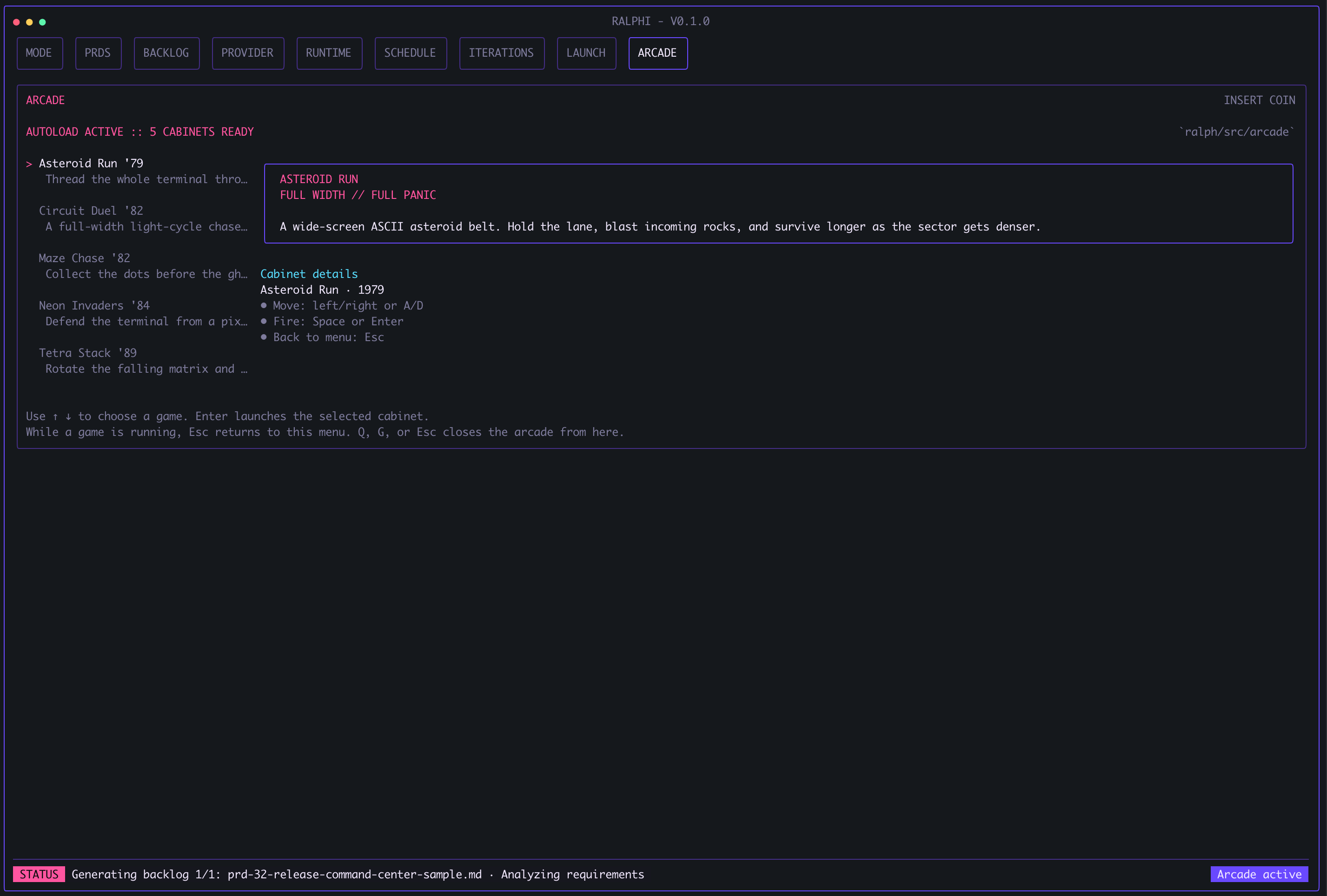
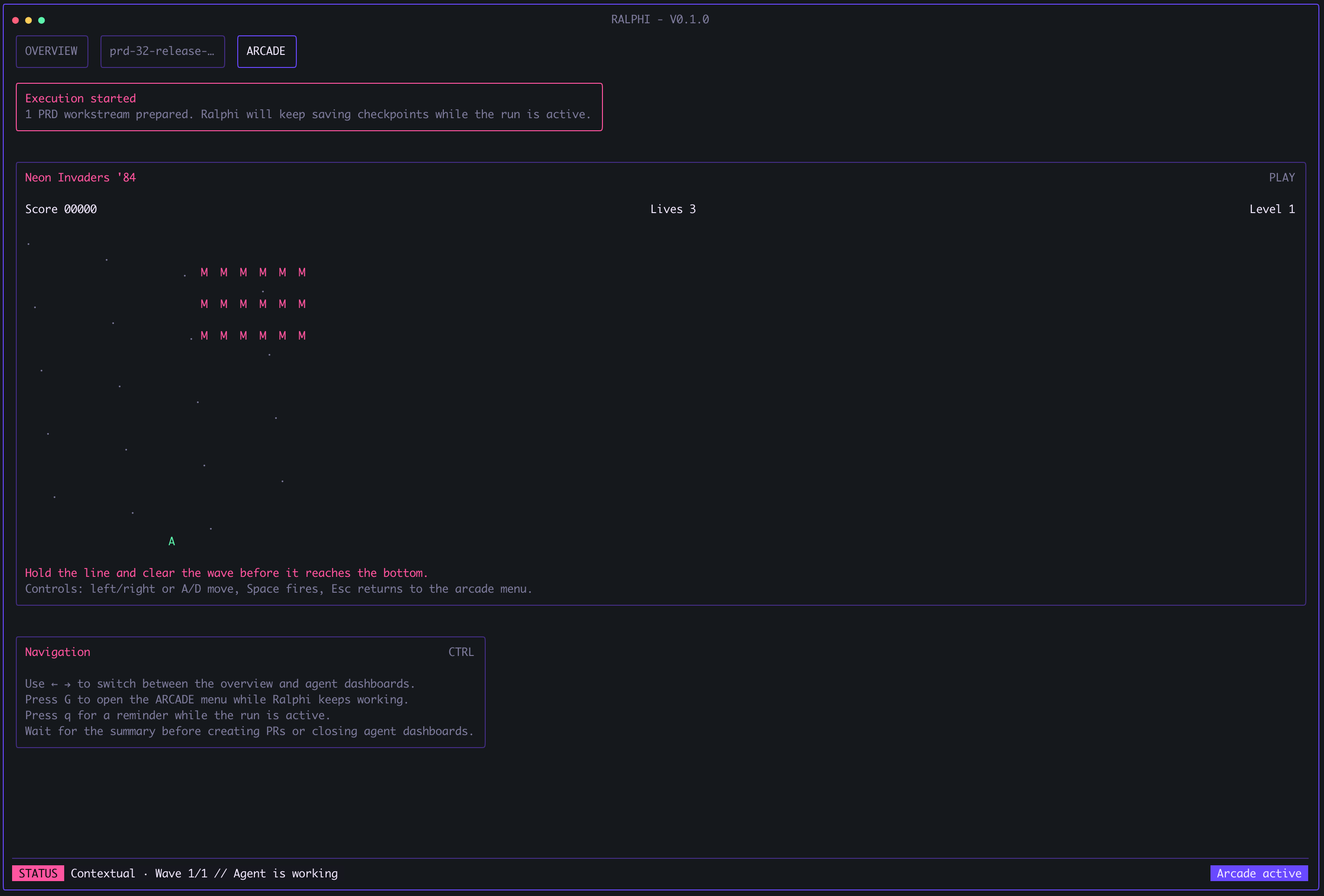
Ralphi includes a small arcade menu inside the terminal so you can stay in the same session while a run is working.
Press G to open the arcade menu while Ralphi keeps running in the background.
When you are typing in a title, description, or other text field, Ralphi keeps G and other character shortcuts inside the editor instead of switching screens.
From the arcade menu you can:
- browse the available built-in games
- launch a game with
Enter - keep a persistent high score for each built-in cabinet in
~/.ralphi/arcade/high-scores - return to the arcade menu with
Esc - close the arcade and go back to Ralphi with
G,Q, orEsc
It is a small quality-of-life feature, but it fits long-running terminal sessions well: you do not need to leave the terminal just because a run is taking a while.
License
MIT. See LICENSE.