
@firecms/neat
v1.1.0
Published
Beautiful 3D gradients for your website
Downloads
18,124


Readme
🌈 Neat Gradients
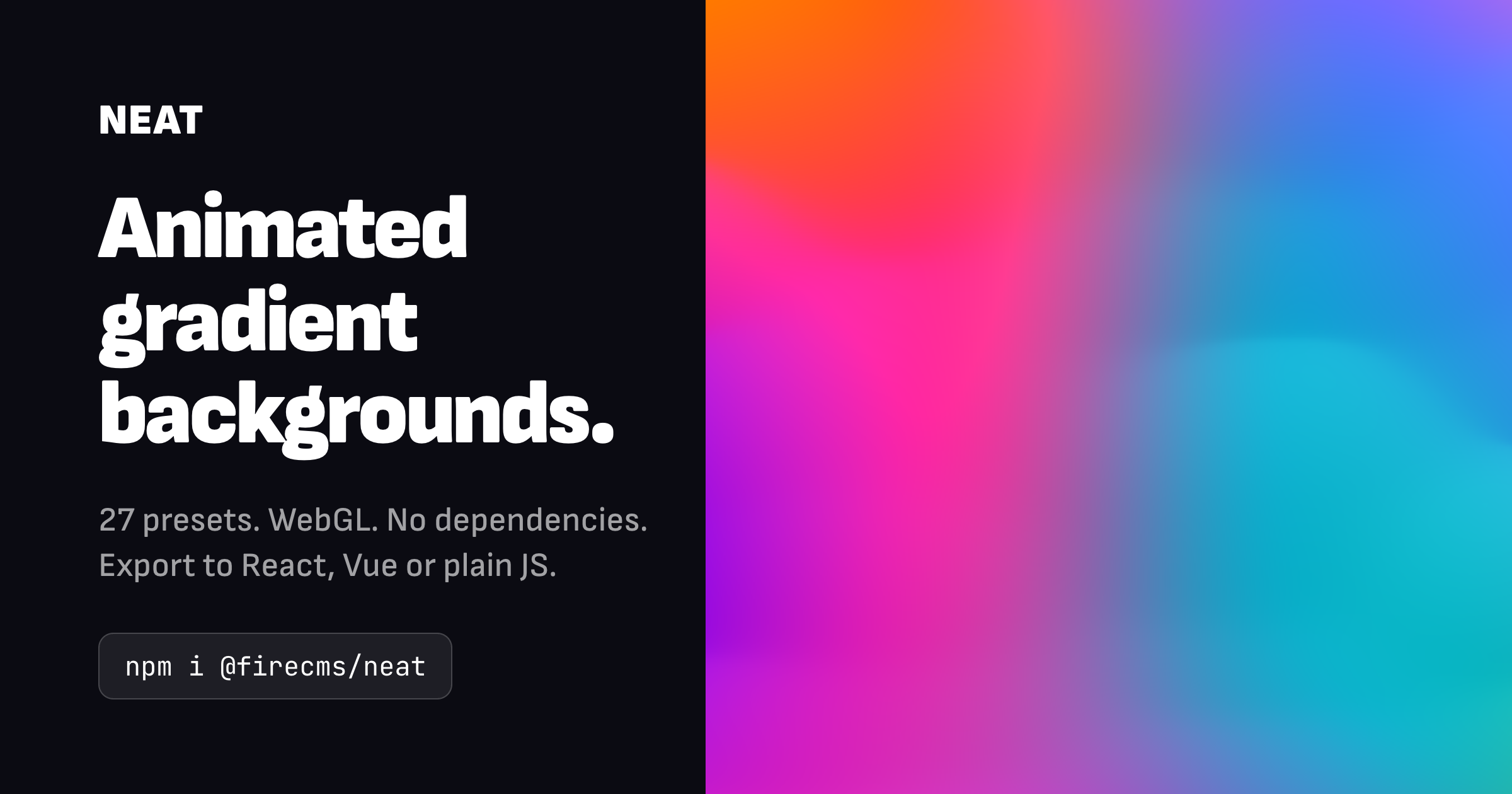
Create stunning, animated 3D gradients with hardware-accelerated WebGL performance.


✨ Try the Interactive Editor ✨
Design your perfect gradient with our visual editor, featuring 20+ presets and real-time preview. Export the config and use it in your project instantly.
📦 Installation
npm install @firecms/neator
yarn add @firecms/neat🚀 Quick Start
Basic Usage
import { NeatGradient } from "@firecms/neat";

const gradient = new NeatGradient({
    ref: document.getElementById("canvas"),
    colors: [
        { color: "#FF5772", enabled: true },
        { color: "#4CB4BB", enabled: true },
        { color: "#FFC600", enabled: true },
        { color: "#8B6AE6", enabled: true },
        { color: "#2E0EC7", enabled: true }
    ],
    speed: 4,
    waveAmplitude: 5,
    backgroundColor: "#003FFF",
    backgroundAlpha: 1
});

// Clean up when done (important for React, Vue, etc.)
gradient.destroy();
React Example
import { useEffect, useRef } from "react";
import { NeatGradient, NeatConfig } from "@firecms/neat";

function BackgroundGradient() {
    const canvasRef = useRef<HTMLCanvasElement>(null);
    const gradientRef = useRef<NeatGradient | null>(null);

    useEffect(() => {
        if (!canvasRef.current) return;

        gradientRef.current = new NeatGradient({
            ref: canvasRef.current,
            colors: [
                { color: "#FF5772", enabled: true },
                { color: "#4CB4BB", enabled: true },
                { color: "#FFC600", enabled: true }
            ],
            speed: 3,
            waveAmplitude: 5
        });

        return () => gradientRef.current?.destroy();
    }, []);

    return (
        <canvas
            ref={canvasRef}
            style={{
                position: "fixed",
                top: 0,
                left: 0,
                width: "100%",
                height: "100%",
                zIndex: -1
            }}
        />
    );
}
⚙️ Configuration API
Core Animation
| Property | Type | Default | Range | Description |
|----------|------|---------|-------|-------------|
| speed | number | 4 | 0-10 | Animation speed (0 = static) |
| waveAmplitude | number | 3 | 0-10 | Wave height intensity |
| waveFrequencyX | number | 5 | 0-10 | Horizontal wave frequency |
| waveFrequencyY | number | 5 | 0-10 | Vertical wave frequency |
Colors
| Property | Type | Default | Description |
|----------|------|---------|-------------|
| colors | NeatColor[] | Required | Array of color objects (up to 6) |
| colorBlending | number | 5 | How colors mix together (0-10) |
| colorBrightness | number | 1 | Overall brightness multiplier |
| colorSaturation | number | 0 | Color saturation adjustment (-10 to 10) |
| horizontalPressure | number | 3 | Horizontal color distribution (0-10) |
| verticalPressure | number | 3 | Vertical color distribution (0-10) |
Color Object:
{
    color: string;      // Hex color (e.g., "#FF5772")
    enabled: boolean;   // Toggle color on/off
    influence?: number; // Color strength (0-1, optional)
}
Visual Effects
| Property | Type | Default | Description |
|----------|------|---------|-------------|
| shadows | number | 4 | Shadow intensity (0-10) |
| highlights | number | 4 | Highlight intensity (0-10) |
| grainIntensity | number | 0.55 | Film grain amount (0-1) |
| grainScale | number | 2 | Grain size |
| grainSparsity | number | 0.0 | Grain distribution sparsity (0-1) |
| grainSpeed | number | 0.1 | Grain animation speed |
| wireframe | boolean | false | Show wireframe mesh |
Advanced Shaders & Post-Processing
Domain Warping
| Property | Type | Default | Description |
|----------|------|---------|-------------|
| domainWarpEnabled | boolean | false | Enable domain warping distortion |
| domainWarpIntensity | number | 0.5 | Strength of domain warping |
| domainWarpScale | number | 1.0 | Spatial frequency scale of warping |
Vignette
| Property | Type | Default | Description |
|----------|------|---------|-------------|
| vignetteIntensity | number | 0.0 | Darkness intensity at corners (0-1) |
| vignetteRadius | number | 0.8 | Radial falloff start distance |
Fresnel (Rim Glow)
| Property | Type | Default | Description |
|----------|------|---------|-------------|
| fresnelEnabled | boolean | false | Enable glowing outer edge shader effect |
| fresnelPower | number | 2.0 | Falloff exponent of the rim glow |
| fresnelIntensity | number | 0.5 | Brightness of the glow effect |
| fresnelColor | string | "#FFFFFF" | Color of the rim glow (hex) |
Iridescence
| Property | Type | Default | Description |
|----------|------|---------|-------------|
| iridescenceEnabled | boolean | false | Enable soap-bubble style color shifting |
| iridescenceIntensity | number | 0.5 | Strength of the color shift effect |
| iridescenceSpeed | number | 1.0 | Color cycle speed |
Bloom (Fake Glow)
| Property | Type | Default | Description |
|----------|------|---------|-------------|
| bloomIntensity | number | 0.0 | Intensity of the glow bleeding from highlights |
| bloomThreshold | number | 0.7 | Brightness threshold for bloom candidate pixels |
Chromatic Aberration
| Property | Type | Default | Description |
|----------|------|---------|-------------|
| chromaticAberration | number | 0.0 | Lens color channel splitting distance |
3D Geometries & Shapes
| Property | Type | Default | Description |
|----------|------|---------|-------------|
| shapeType | 'plane' \| 'sphere' \| 'torus' \| 'cylinder' \| 'ribbon' | 'plane' | 3D shape geometry to render the gradient on |
| shapeRotationX | number | 0 | Manual X rotation (radians) |
| shapeRotationY | number | 0 | Manual Y rotation (radians) |
| shapeRotationZ | number | 0 | Manual Z rotation (radians) |
| shapeAutoRotateSpeedX | number | 0 | Auto-rotation speed on X-axis |
| shapeAutoRotateSpeedY | number | 0 | Auto-rotation speed on Y-axis |
| sphereRadius | number | 15 | Radius of the sphere shape |
| torusRadius | number | 15 | Torus primary ring radius |
| torusTube | number | 5 | Torus inner tube thickness |
| cylinderRadius | number | 10 | Radius of the cylinder shape |
| cylinderHeight | number | 40 | Height of the cylinder shape |
| planeBend | number | 0 | Bending distortion applied to the plane geometry |
| planeTwist | number | 0 | Twisting distortion applied to the plane geometry |
| silhouetteFade | number | 0.25 | Edge transparency fade for sphere/torus |
| cylinderFade | number | 0.08 | Transparency fade towards the ends of the cylinder |
| ribbonFade | number | 0.05 | Transparency fade towards the ends of the ribbon |
| flatShading | boolean | true | Use flat shading for geometry normals |
Camera Settings
| Property | Type | Default | Description |
|----------|------|---------|-------------|
| cameraLock | boolean | false | Lock camera controls and prevent drag rotation |
| cameraX | number | 0 | Camera offset along X-axis |
| cameraY | number | 0 | Camera offset along Y-axis |
| cameraZ | number | 0 | Camera offset along Z-axis |
| cameraRotationX | number | 0 | Camera pitch rotation (radians) |
| cameraRotationY | number | 0 | Camera yaw rotation (radians) |
| cameraRotationZ | number | 0 | Camera roll rotation (radians) |
| cameraZoom | number | 1.0 | Camera zoom factor |
Background
| Property | Type | Default | Description |
|----------|------|---------|-------------|
| backgroundColor | string | "#FFFFFF" | Background color (hex) |
| backgroundAlpha | number | 1 | Background opacity (0-1) |
Performance
| Property | Type | Default | Description |
|----------|------|---------|-------------|
| resolution | number | 1 | Mesh density (0.1-2, lower = better performance) |
| renderScale | number | 1 | Drawing buffer size relative to the canvas' CSS size (0.1-3) |
resolution is mesh density, not pixel resolution. It scales the displacement
grid — 240x240 segments for a plane at 1, 120x120 for the 3D shapes. Most of the
per-frame cost is in the vertex shader, so this is the first thing to turn down.
The grid is also capped to roughly one segment per 6 canvas pixels, so a small
canvas never pays for detail it cannot show.
renderScale is the pixel one. At 0.75 the gradient renders 44% fewer pixels
and the browser scales the result up — usually invisible behind content, and the
cheapest win on low-end devices. It needs the canvas to be sized by CSS; if the
layout size comes from the width/height attributes, scaling is ignored (with a
warning) so the element cannot shrink itself on every resize.
speed: 0 costs nothing. With the clock stopped every frame would be identical,
so the render loop parks itself and only wakes when you change a property. A static
gradient is a one-off render, not a 60fps redraw of the same image.
Scroll Integration
| Property | Type | Default | Description |
|----------|------|---------|-------------|
| yOffset | number | 0 | Vertical scroll offset |
| yOffsetWaveMultiplier | number | 4 | How much scroll affects waves (0-20) |
| yOffsetColorMultiplier | number | 4 | How much scroll affects colors (0-20) |
| yOffsetFlowMultiplier | number | 4 | How much scroll affects flow field (0-20) |
Flow Field (Distortion)
| Property | Type | Default | Description |
|----------|------|---------|-------------|
| flowEnabled | boolean | true | Enable flow field distortion |
| flowDistortionA | number | 0 | Primary distortion amplitude |
| flowDistortionB | number | 0 | Secondary distortion frequency |
| flowScale | number | 1 | Overall flow field scale |
| flowEase | number | 0 | Flow field smoothing (0-1) |
Procedural Texture Overlay
| Property | Type | Default | Description |
|----------|------|---------|-------------|
| enableProceduralTexture | boolean | false | Enable texture overlay |
| textureMode | 'bitmap' \| 'baked' | 'bitmap' | How the texture is drawn — see below |
| textureBakeResolution | number | 0 | Baked texture size; 0 derives it from the canvas |
| bakeEdgeSoftness | number | 1 | Antialiasing width when baking, in output texels |
| textureVoidLikelihood | number | 0.45 | Gap frequency in texture (0-1) |
| textureVoidWidthMin | number | 200 | Minimum gap width |
| textureVoidWidthMax | number | 486 | Maximum gap width |
| textureBandDensity | number | 2.15 | Texture band density |
| textureColorBlending | number | 0.01 | Color mixing in texture (0-1) |
| textureSeed | number | 333 | Random seed for texture |
| textureEase | number | 0.5 | Flow/Image blend (0=flow, 1=image) |
| transparentTextureVoid | boolean | false | Render voids as transparent instead of using proceduralBackgroundColor |
| proceduralBackgroundColor | string | "#000000" | Texture void color |
| textureShapeTriangles | number | 20 | Number of triangle shapes |
| textureShapeCircles | number | 15 | Number of circle shapes |
| textureShapeBars | number | 15 | Number of bar shapes |
| textureShapeSquiggles | number | 10 | Number of squiggle shapes |
Bitmap vs baked
textureMode decides how the shapes above are drawn into the texture. Both
modes read the same generated artwork, so a given textureSeed produces the
same composition either way, and both end up as an ordinary mipmapped texture —
runtime cost is identical. What differs is how sharp that texture is.
bitmap (default) draws the shapes through Canvas2D at a hardcoded 1024px.
Edges land on that grid, so once the camera magnifies the texture they soften
and diagonals show the stair-stepping of the grid they were drawn on.
baked rasterizes the same shapes analytically on the GPU: exact per-pixel
edge coverage, at a resolution derived from the canvas rather than fixed. It is
also the faster of the two to generate — around 20 ms against 35 ms for the
Canvas2D path on a full-screen hero, because it skips the CPU drawing and the
upload.
| | bitmap | baked |
|---|---|---|
| resolution | 1024, always | from canvas, 1024–2048 (4096 opt-in) |
| edge quality | Canvas2D antialiasing | exact analytic coverage |
| generation | ~35 ms | ~20 ms |
| runtime | one texture fetch | one texture fetch |
| memory | ~5.5 MB | ~22 MB at 2048 |
Three limits to know about:
- Squiggles are not supported when baking and are dropped with a warning. Cubic Béziers have no closed-form distance function, so they would cost roughly ten times what every other shape does.
bakedneeds WebGL2 (texelFetchand float textures) and falls back tobitmapotherwise. ReadactiveTextureModefor the mode actually in use.- Memory is per instance. WebGL textures cannot be shared across contexts,
and every
NeatGradienthas its own canvas and context, so a page with several of them pays for each. That is why the default caps at 2048 rather than 4096; raisetextureBakeResolutiondeliberately.
const gradient = new NeatGradient({
    ref: canvas,
    enableProceduralTexture: true,
    textureMode: "baked",
    textureShapeSquiggles: 0,   // not available when baking
    textureBakeResolution: 0,   // 0 = derive from the canvas
    bakeEdgeSoftness: 1.0,      // antialiasing width, in output texels
    // ...
});

gradient.activeTextureMode; // 'baked', or 'bitmap' if it had to fall back
gradient.textureMode = "bitmap"; // switchable at runtime
🛠️ API Methods
destroy()
Cleans up the WebGL context, event listeners, and removes any injected DOM elements. Call this when the component unmounts to prevent memory leaks (essential for React, Vue, etc.).
gradient.destroy();🎨 Dynamic Property Updates
All properties can be updated in real-time:
// Animation
gradient.speed = 6;
gradient.waveAmplitude = 8;

// Colors
gradient.colors = [
    { color: "#FF0000", enabled: true },
    { color: "#00FF00", enabled: true }
];

// 3D Shape Geometries & Auto-Rotation
gradient.shapeType = "sphere";
gradient.shapeAutoRotateSpeedY = 1.5;

// Advanced Post-Processing Effects
gradient.iridescenceEnabled = true;
gradient.fresnelEnabled = true;
gradient.fresnelColor = "#FF0055";

// Effects
gradient.grainIntensity = 0.5;

// Texture
gradient.enableProceduralTexture = true;
gradient.textureEase = 0.7;
🪞 One gradient, many canvases
Browsers only grant a handful of live WebGL contexts, and every extra NeatGradient
runs its own shader. So don't create one per card — create one gradient and mirror
it into as many plain 2D canvases as you like. Each mirror can show a different crop,
they all stay perfectly in sync, and the cost per mirror is a GPU copy instead of a
second render.
This is exactly how the editor previews a gradient as a website hero, a phone screen and a row of avatars at the same time.
The source gradient needs preserveDrawingBuffer: true — without it the drawing buffer
is cleared after compositing and there is nothing left to copy:
import { NeatGradient } from "@firecms/neat";

const source = document.getElementById("source") as HTMLCanvasElement;

const gradient = new NeatGradient({
    ref: source,
    preserveDrawingBuffer: true,   // required to read the canvas from outside its own frame
    colors: [
        { color: "#FF5772", enabled: true },
        { color: "#4CB4BB", enabled: true },
        { color: "#FFC600", enabled: true }
    ]
});
Then mirror regions of it wherever you want:
type MirrorOptions = {
    cx?: number;    // horizontal centre of the crop, 0–1
    cy?: number;    // vertical centre of the crop, 0–1
    zoom?: number;  // 1 shows as much as fits, 2 shows half
    fps?: number;   // refresh rate — drop it for small decorative mirrors
};

function mirror(target: HTMLCanvasElement, options: MirrorOptions = {}) {
    const { cx = 0.5, cy = 0.5, zoom = 1, fps = 60 } = options;
    const ctx = target.getContext("2d");
    const interval = 1000 / fps;
    let raf = 0;
    let last = 0;

    const draw = (now: number) => {
        raf = requestAnimationFrame(draw);
        if (!ctx || now - last < interval) return;
        last = now;

        const dpr = Math.min(window.devicePixelRatio || 1, 2);
        const w = Math.round(target.clientWidth * dpr);
        const h = Math.round(target.clientHeight * dpr);
        if (!w || !h || !source.width || !source.height) return;
        if (target.width !== w || target.height !== h) {
            target.width = w;
            target.height = h;
        }

        // Largest crop of the source matching the target's aspect ratio, then zoomed
        const aspect = w / h;
        let cropW = source.width;
        let cropH = source.width / aspect;
        if (cropH > source.height) {
            cropH = source.height;
            cropW = source.height * aspect;
        }
        cropW /= zoom;
        cropH /= zoom;

        const sx = Math.min(Math.max(cx * source.width - cropW / 2, 0), source.width - cropW);
        const sy = Math.min(Math.max(cy * source.height - cropH / 2, 0), source.height - cropH);

        ctx.clearRect(0, 0, w, h);
        ctx.drawImage(source, sx, sy, cropW, cropH, 0, 0, w, h);
    };

    raf = requestAnimationFrame(draw);
    return () => cancelAnimationFrame(raf);
}

// A hero, a tight crop for a card, and a slow-refreshing avatar
mirror(document.getElementById("hero") as HTMLCanvasElement);
mirror(document.getElementById("card") as HTMLCanvasElement, { cx: 0.3, cy: 0.4, zoom: 1.7 });
mirror(document.getElementById("avatar") as HTMLCanvasElement, { cx: 0.7, cy: 0.6, zoom: 10, fps: 10 });
Things worth knowing
- The source canvas must stay laid out.
display: nonecollapses it to zero size and the gradient stops rendering — hide it withposition: fixed; inset: 0; z-index: -1behind your content, or cover it with an opaque layer, instead. - Use one
requestAnimationFrameloop for all mirrors rather than one each; the example above is per-mirror for clarity, but a shared ticker iterating a list scales better. drawImagefrom a WebGL canvas is a cross-context copy — cheap on desktop, noticeable on phones. There, cap the device pixel ratio at 1 and run mirrors at 30 fps, and give small decorative ones (avatars, icons) 10 fps. Nobody can tell on a 40px circle.- Mirrors are ordinary canvases, so they take
border-radius,mask-image,filterand anything else CSS offers. A tiny mirror blurred to nothing makes a good ambient glow behind a layout. - Only the source needs
preserveDrawingBuffer. It is also what makesdownloadAsPNG()and video capture work.
📖 TypeScript Support
Full TypeScript definitions included:
import { NeatGradient, NeatConfig, NeatColor, NeatController } from "@firecms/neat";

const config: NeatConfig = {
    // ... fully typed config
};

const gradient: NeatController = new NeatGradient(config);
📄 License
Neat is released under the MIT License + The Commons Clause.
You can:
- ✅ Use freely in personal projects
- ✅ Use freely in commercial projects (e.g. SaaS landing pages, company websites)
- ✅ Modify and redistribute (with attribution)
- ✅ Use in open-source projects
You CANNOT:
- ❌ Sell the software
- ❌ Include it in a paid template or theme builder that you sell
- ❌ Offer the software as a paid service
Remove the NEAT Watermark
Purchase a license key for €12 one-time (per domain) to remove the NEAT watermark and console branding.
Then pass the key in your config:
const gradient = new NeatGradient({
    ref: canvas,
    colors: [...],
    licenseKey: "NEAT-eyJ0eXBlI..."  // Your license key
});
Each key is locked to the domain you specify at checkout (subdomains included). Development on localhost always works without a key.
The same key removes the watermark from PNG and video exports in the editor: click PRO, then Activate your key, and paste it in.
🙏 Credits
Created by FireCMS with ❤️
🐛 Issues & Contributing
Found a bug or have a feature request?
- Issues: GitHub Issues
- Discussions: GitHub Discussions
🔗 Links
Made with ✨ by the FireCMS team