
@flazhost-nodeadmin/create-app
v1.0.23
Published
Scaffolder aplikasi NodeAdmin — `npm create @flazhost-nodeadmin/app myapp`.


Readme
create-app — NodeAdmin


Scaffold a complete, ready-to-use Node.js admin panel application in a single command — auth, RBAC, profile, setting, theme + frontend template switcher, migrations + admin seed, everything already wired up.
npm create @flazhost-nodeadmin/app@latest myapp
cd myapp
npm install
cp .env.example .env          # default: SQLite — no DB server
npm run migration:run         # create tables + seed admin & setting
npm run start:dev             # http://localhost:3000
Use the
@latestsuffix sonpxdoes not use a stale version from cache.
Choose an application variant
The scaffolder asks for the application type (a select menu), or you can set it via a flag without any prompt:
npm create @flazhost-nodeadmin/app@latest myapp              # interactive: choose Full / API only
npm create @flazhost-nodeadmin/app@latest myapp -- --api     # straight to API only (REST, no UI)
| Variant | Contents | Best for |
|---------|----------|----------|
| Full (UI + REST API) (default) | Complete admin panel: web pages (EJS+Tailwind), assets, home + frontend template, UI components, plus REST API. | A ready-to-use admin panel. |
| API only (REST, no UI) | REST API only — no public/, views, or UI modules (home/components/media). Lightweight. | Headless backend / SPA / mobile. |
Upgrade API-only → Full (add the UI later)
Started with API only and now want the admin UI too? You don't need to re-scaffold. From the project root:
npx nodeadmin add-uiThis adds the UI layer on top of your existing API project (public assets, layouts, the home/components/media modules, web routes/controllers/views, UI tests), merges the UI dependencies & scripts into package.json, sets APP_MODE=full in .env, then verifies the result (install → check → tsc → test).
It is purely additive & idempotent: both variants share byte-identical source for all common files (the variant is chosen at runtime via APP_MODE), so the command only copies files that are absent and never overwrites your edits — running it on a Full project is a no-op. Requires @flazhost-nodeadmin/cli ≥ 1.2.0 (already a dev-dependency of the scaffolded app).
Also works with: npm init, yarn create, pnpm create. With no name argument → you are prompted interactively.
Default login: [email protected] / 12345678.
The scaffolded application is a standalone project that pulls its runtime from
@flazhost-nodeadmin/core +
@flazhost-nodeadmin/cli (npm) —
to update, just run npm update.
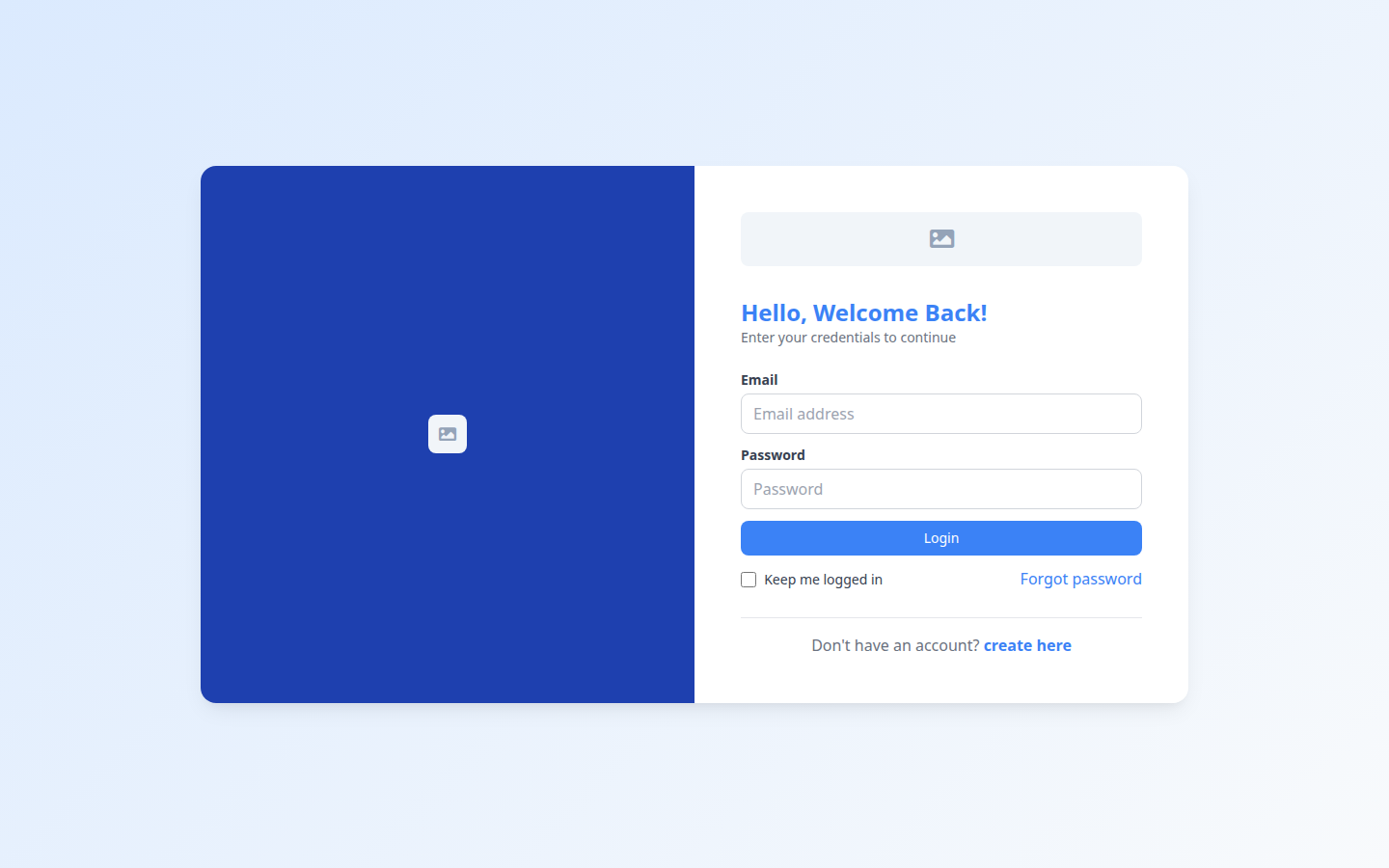
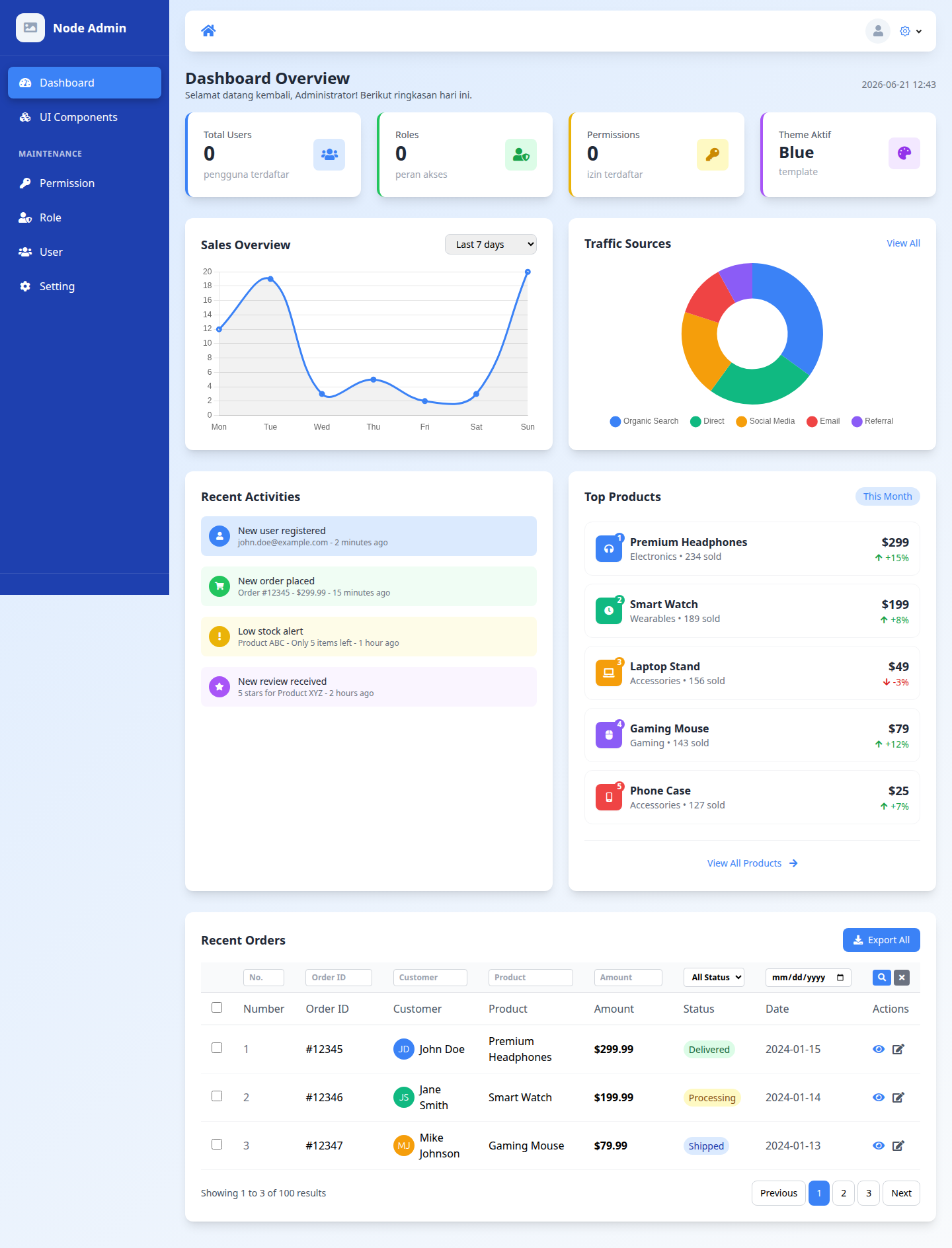
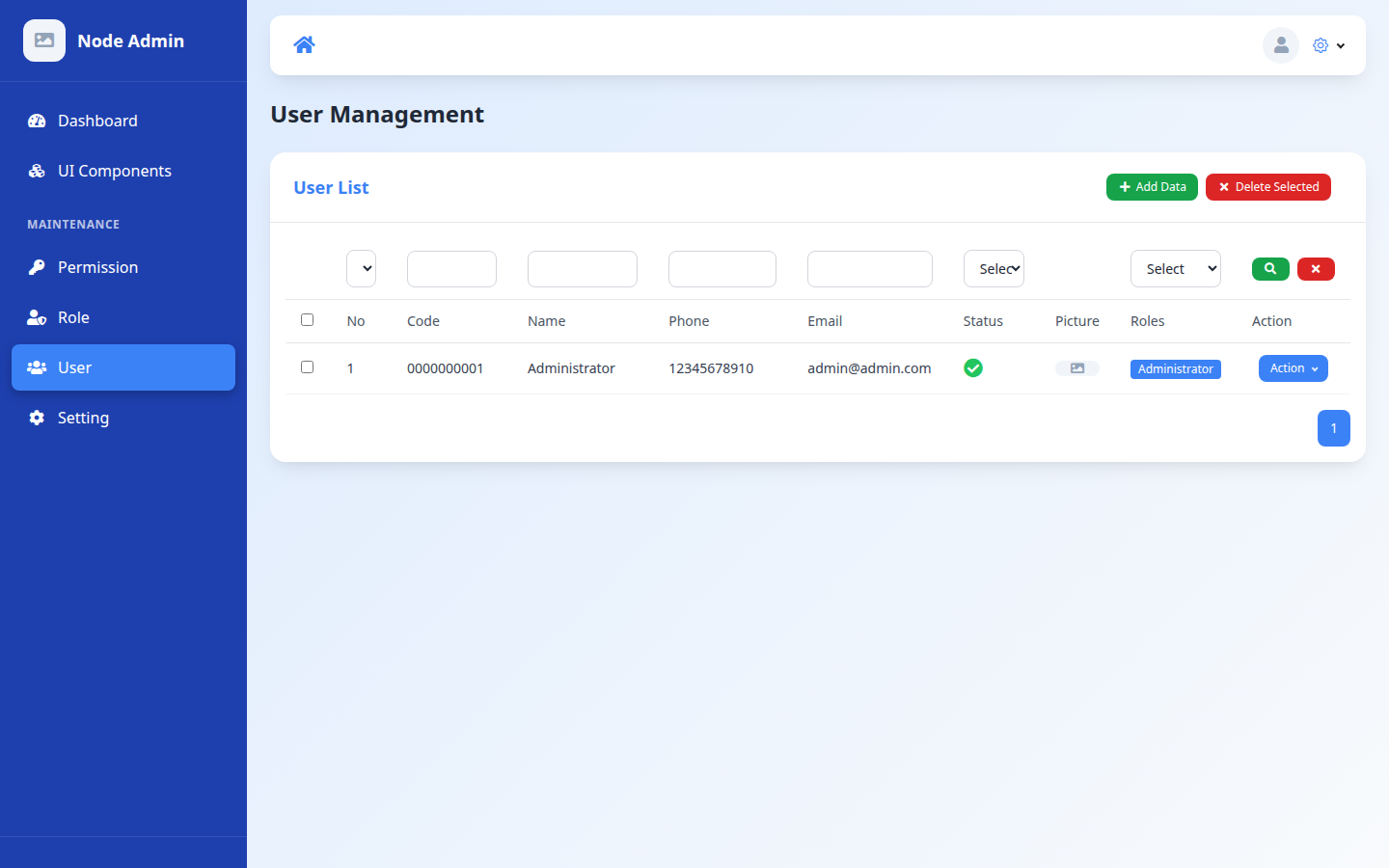
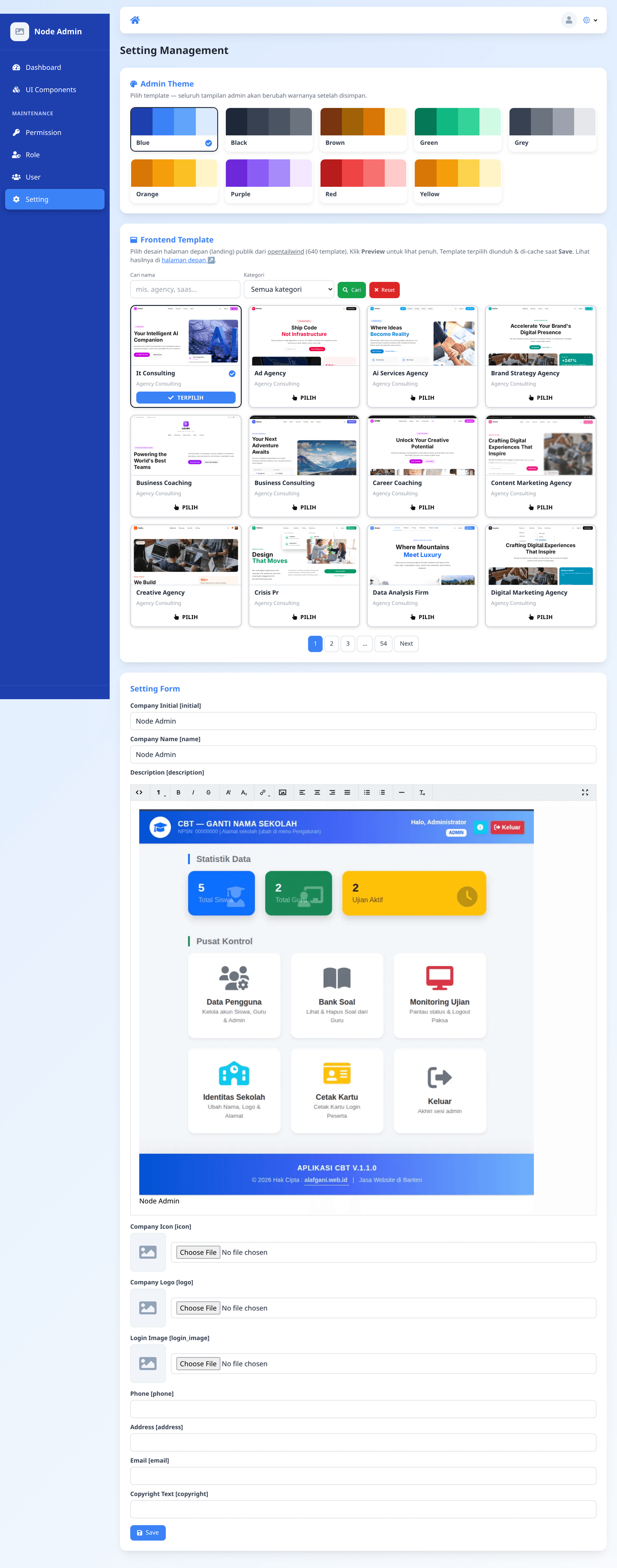
🖼️ Screenshots
| Login | Dashboard |
|-------|-----------|
|  |
|  |
|
| User Management (RBAC) | Setting + Frontend Template (640 catalog) |
|------------------------|-------------------------------------------|
|  |
|  |
|
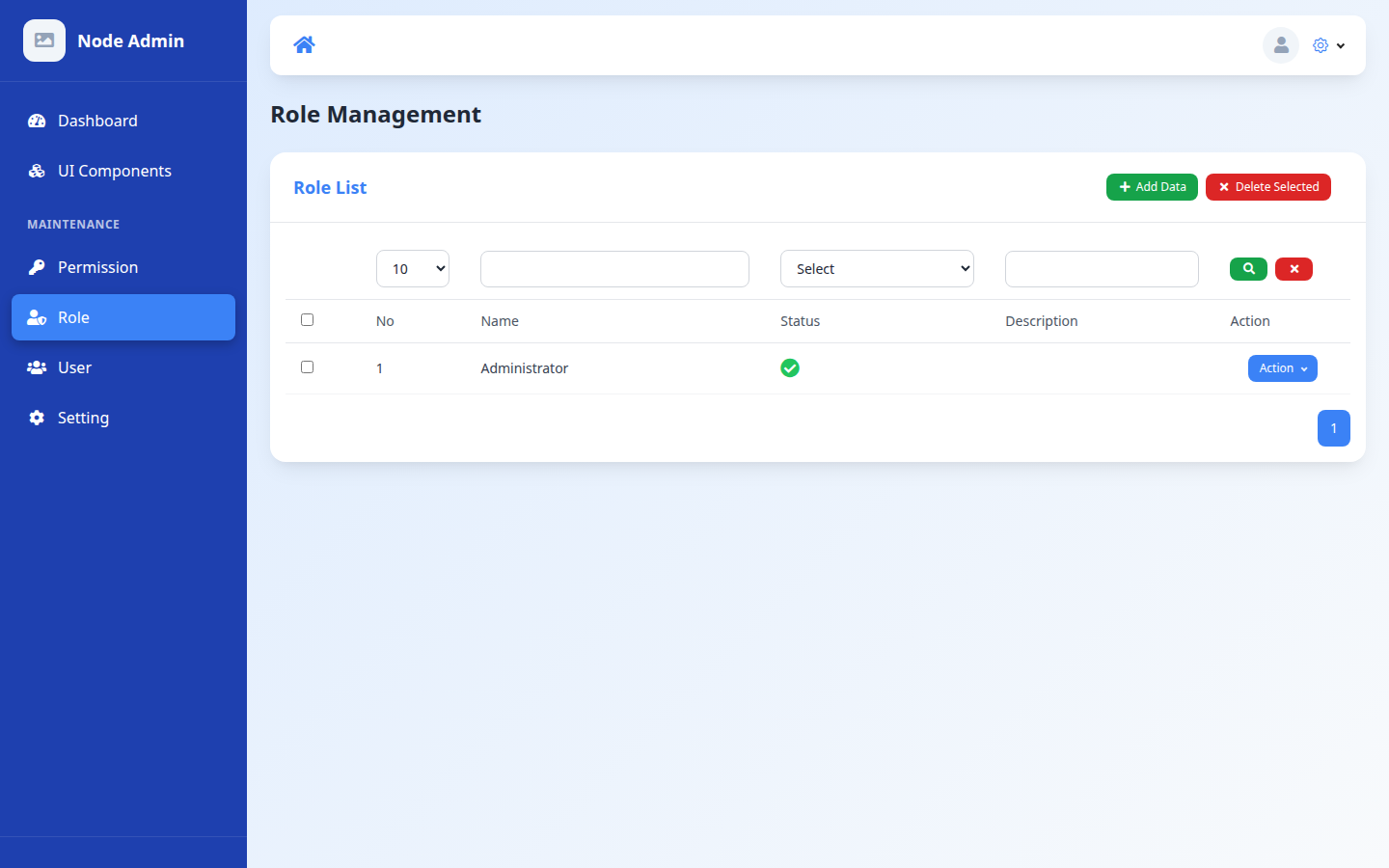
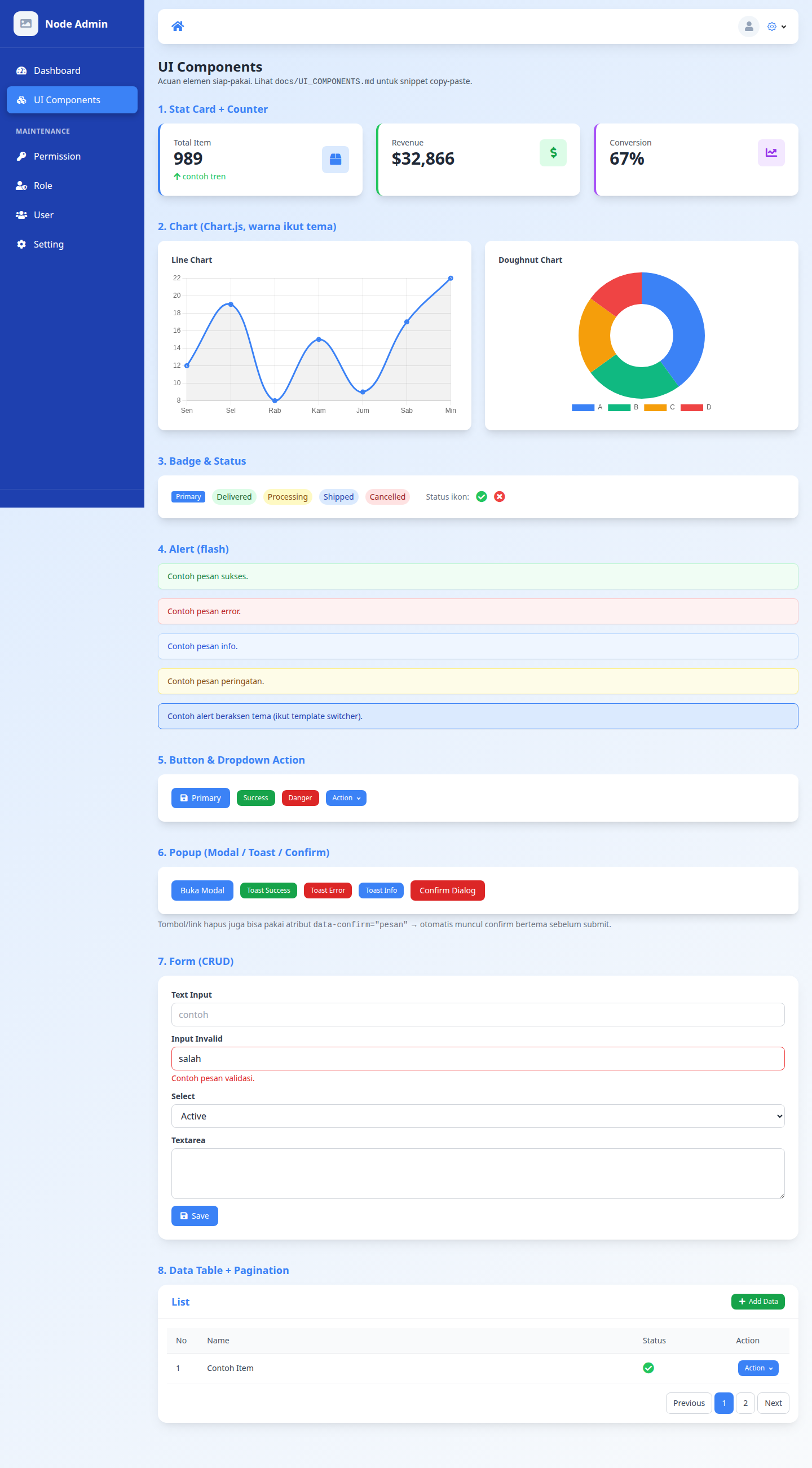
| Role & Permission | UI Components |
|-------------------|---------------|
|  |
|  |
|
| Home Page (default template, bound to Setting) |
|--------------------------------------------------|
|  |
|
✨ Features
- User Management — user CRUD, multi-role, profile photo.
- Role & Permission (RBAC) — route-based access control + per-action permissions.
- Profile Management — users manage their own profile & password.
- Authentication — sessions (Passport local + Redis) for the web & JWT for the API.
- Password Reset — OTP via email (hashed + expiry).
- Template Switcher — 9 color themes (Blue, Black, Brown, Green, Grey, Orange, Purple, Red, Yellow) that can be changed from the Setting page; the entire admin UI changes without a rebuild.
- Frontend Template Switcher — the public home page (served directly at the root
/) with 640 landing designs from opentailwind (MIT), browsable in Setting via search + category filter + pagination (server-side); the active template is pinned to the first page. Each card shows a live thumbnail (scaled iframe) and clicking it opens a full Preview; the preview HTML is cached in the browser'slocalStorageto avoid loading the server. The selected template is downloaded & cached locally on Save — the app stays lean (only 1 default is bundled). - Default Home as a Sample — the default template (EJS) binds to the Setting data (name, logo, description, contact, copyright) as a living example; change Setting → the home page changes too. It serves as the reference pattern when building a custom home page.
- Multi-Database — dialect-agnostic via TypeORM (MySQL, MariaDB, PostgreSQL, SQLite, MSSQL, Oracle) just by changing
DB_TYPE. - Multi-Timezone — date display follows the user's timezone (dayjs).
- File Storage — upload to object storage (Alibaba Cloud OSS or AWS S3 / S3-compatible: MinIO, Cloudflare R2, Backblaze B2) with image re-encoding via sharp.
- Stateless — sessions in Redis, files in object storage → ready for horizontal scaling.
🏗️ Architecture & Principles
The application is structured modularly per feature (src/modules/<module>), each module having layers: routes → middleware → controller → service → entity → views.
Principles applied (details in docs/ARCHITECTURE.md):
| Principle | Implementation |
|---------|-----------|
| SOLID | Dependency Injection via tsyringe — controllers & services are injected through the container (src/container.ts), services implement an interface (I*Service). |
| DRY | Centralized helpers: paginate(), ciLike(), renderView(), removeEmptyFields(). |
| Separation of Concerns | Controller (HTTP) ≠ Service (business) ≠ Repository (data) ≠ View (presentation). |
| Clean Code | Centralized error handling (AppError + errorHandler middleware); services throw, not return error. |
| Low Coupling | Components depend on abstractions (interfaces + DI tokens), not concrete implementations. |
| Twelve-Factor | Config via centralized & validated env (src/config/env.ts), stateless, logs to stdout, graceful shutdown. |
| TDD / BDD | Comprehensive test suite (see the Testing section). |
📁 Directory Structure
src/                     # application code
├── config/          # env (centralized & validated), ormconfig, app
├── container.ts     # DI registration (tsyringe)
├── tokens.ts        # DI tokens
├── services/        # fileService (storage adapter), mailer, settingCache
├── resources/       # EJS layouts & partials (be/default = active Tailwind theme)
└── modules/
    ├── access/      # user, role, permission (RBAC)
    ├── auth/        # login, register, JWT, password reset
    ├── components/  # UI component showcase
    ├── dashboard/
    ├── profile/
    └── setting/     # setting + template switcher
tests/               # unit, integration, api, security, smoke, e2e, bdd
docs/                # ARCHITECTURE.md, TESTING.md, API.md
🚀 Installation
npm create @flazhost-nodeadmin/app myapp
cd myapp
npm install
1. Prepare the database
Default is MySQL — create an empty database:
CREATE DATABASE nodeadmin;(For other databases, see the Multi-Database section below.)
2. Configure .env
Copy .env.example to .env, then fill it in. Required in production: SESSION_SECRET & JWT_SECRET (the app halts if they are empty when NODE_ENV=production).
cp .env.example .env
# generate a secret:
node -e "console.log(require('crypto').randomBytes(32).toString('hex'))"
Important variables:
APP_PORT=3000
NODE_ENV=development

DB_TYPE=mysql            # mysql | mariadb | postgres | sqlite | mssql | oracle
DB_HOST=localhost
DB_PORT=3306
DB_USERNAME=root
DB_PASSWORD=
DB_DATABASE=nodeadmin

REDIS_URL=redis://127.0.0.1:6379

SESSION_SECRET=          # REQUIRED in production
JWT_SECRET=              # REQUIRED in production
JWT_EXPIRES_IN=1h
BCRYPT_ROUNDS=10
OTP_EXPIRY_MINUTES=10

# File storage — STORAGE_DRIVER: oss | s3
# oss: Alibaba Cloud OSS (isi STORAGE_ENDPOINT)
# s3 : AWS S3 atau S3-compatible (MinIO, Cloudflare R2, Backblaze B2, dll)
#      AWS S3 murni: kosongkan STORAGE_ENDPOINT, isi STORAGE_REGION
#      S3-compatible custom: isi STORAGE_ENDPOINT + STORAGE_REGION
STORAGE_DRIVER=oss
STORAGE_ACCESS_KEY_ID=
STORAGE_SECRET_ACCESS_KEY=
STORAGE_ENDPOINT=oss-ap-southeast-5.aliyuncs.com
STORAGE_BUCKET=
STORAGE_REGION=
STORAGE_SSL=true
3. Migrate + seed
npm run migration:runCreates the schema + seeds the default admin & initial setting data.
4. Run
npm run start:dev      # dev mode (nodemon + ts-node)
# or
npm start              # production mode (build + pm2 from dist)
Open http://localhost:3000 — the public home page is rendered directly at the root (no redirect, clean URL); /home is an explicit alias. The admin login is at http://localhost:3000/auth/login. Default login:
Email   : [email protected]
Password: 12345678
⚠️ Change the admin password before going to production.
🗄️ Multi-Database
The application is dialect-agnostic. Change DB_TYPE + install the appropriate driver:
| DB | DB_TYPE | Driver |
|----|---------|--------|
| MySQL | mysql | mysql2 (installed) |
| MariaDB | mariadb | mysql2 |
| PostgreSQL | postgres | pg (installed) |
| SQLite | better-sqlite3 | better-sqlite3 (dev) |
| SQL Server | mssql | mssql |
| Oracle | oracle | oracledb |
SQLite: set DB_DATABASE to a file path (e.g. ./dev.sqlite). Then run npm run migration:run.
🎨 Template Switcher
Log in → Setting menu → pick one of the 9 color swatches → Save. The entire admin UI & login page change color instantly (stored in settings.theme, read via a CSS variable). The palettes are defined in src/config/themes.ts.
🔒 Security
- Helmet — security headers (HSTS, X-Frame-Options, nosniff).
- CSRF protection — synchronizer tokens for all web forms (
src/middleware/csrf.ts). - Rate limiting — login / register / OTP are throttled per IP.
- Session cookie —
httpOnly,sameSite,secure(automatic in production). - Password — bcrypt; OTP reset is hashed + expiry + rate-limit.
- JWT — algorithm is pinned (HS256), blacklisted on logout (TTL).
- RBAC —
ensureAuthenticated→AccessMiddlewareon every admin route. - Mass-assignment guard — Joi
stripUnknownon input. - Upload validation — magic-byte (sharp), extension whitelist.
- Secrets — fail-fast if
SESSION_SECRET/JWT_SECRETare empty in production.
🧪 Testing
A complete suite — details in docs/TESTING.md.
| Command | Coverage |
|----------|---------|
| npm test | All Jest (unit + integration + api + security + smoke) |
| npm run test:unit | Pure helpers |
| npm run test:integration | Service ↔ DB (SQLite in-memory) |
| npm run test:api | Endpoints via supertest |
| npm run test:security | RBAC, CSRF, rate-limit, JWT, mass-assign |
| npm run test:smoke | Health, login, DB connect |
| npm run test:coverage | Jest + coverage report |
| npm run test:e2e | Playwright (browser, 3 engines) |
| npm run test:bdd | Cucumber (Gherkin scenarios) |
CI (GitHub Actions, .github/workflows/ci.yml): typecheck + Jest + audit + DB matrix (MySQL/Postgres) + Playwright on every push/PR.
🔌 API
REST endpoints at /api/v1/* (auth via JWT Bearer). The full list + request/response examples are in docs/API.md.
Summary:
POST /api/v1/auth/login→ obtain anaccess_token/api/v1/access/user|role|permission→ CRUD (requiresAuthorization: Bearer <token>)/api/v1/profile→ own profile
📜 Scripts
npm run build            # compile TS + copy views to dist
npm run start:dev        # dev (nodemon + ts-node)
npm start                # build + pm2
npm run migration:run    # run migrations
npm run migration:revert # roll back the last migration
npm run migration:create # create a new migration file
npm test / test:*        # see the Testing section
npx nodeadmin add-ui     # upgrade an API-only install → Full (add the UI layer)
🧩 Tech Stack
TypeScript · Express · TypeORM · MySQL/PostgreSQL/etc. · Redis (session) · EJS + Tailwind · tsyringe (DI) · Passport (local + JWT) · Joi · Jest + supertest · Playwright · Cucumber · Object Storage (OSS / S3-compatible) · Helmet.
License
The Node Admin is open-sourced software licensed under the MIT license.