
@flow2dream/dsh-msg-rewind
v0.1.6
Published
Conversation rewind commands for DeepSeek Harness web: /undo rolls the chat back one turn, /rewind <seq> cuts the conversation back to a chosen message (both the model context and the transcript, durably persisted). Host half truncates the live session lo
Downloads
147


Readme
dsh-msg-rewind 中文
English | 中文
为 DeepSeek Harness Web 版提供的对话回退命令。
/undo— 回退上一轮对话(删除最后一条真实用户消息及其后的所有内容)/rewind— 从对话框中选择一条历史用户消息,把对话回退到该位置- 可视化回退 — 将鼠标悬浮到对话中的用户消息气泡上,点击 ⤺ 撤销按钮即可回退到该条消息
回退会同时截断模型上下文与可见对话记录,并重写持久化 JSONL 文件,重启后回退依然生效。
展示效果
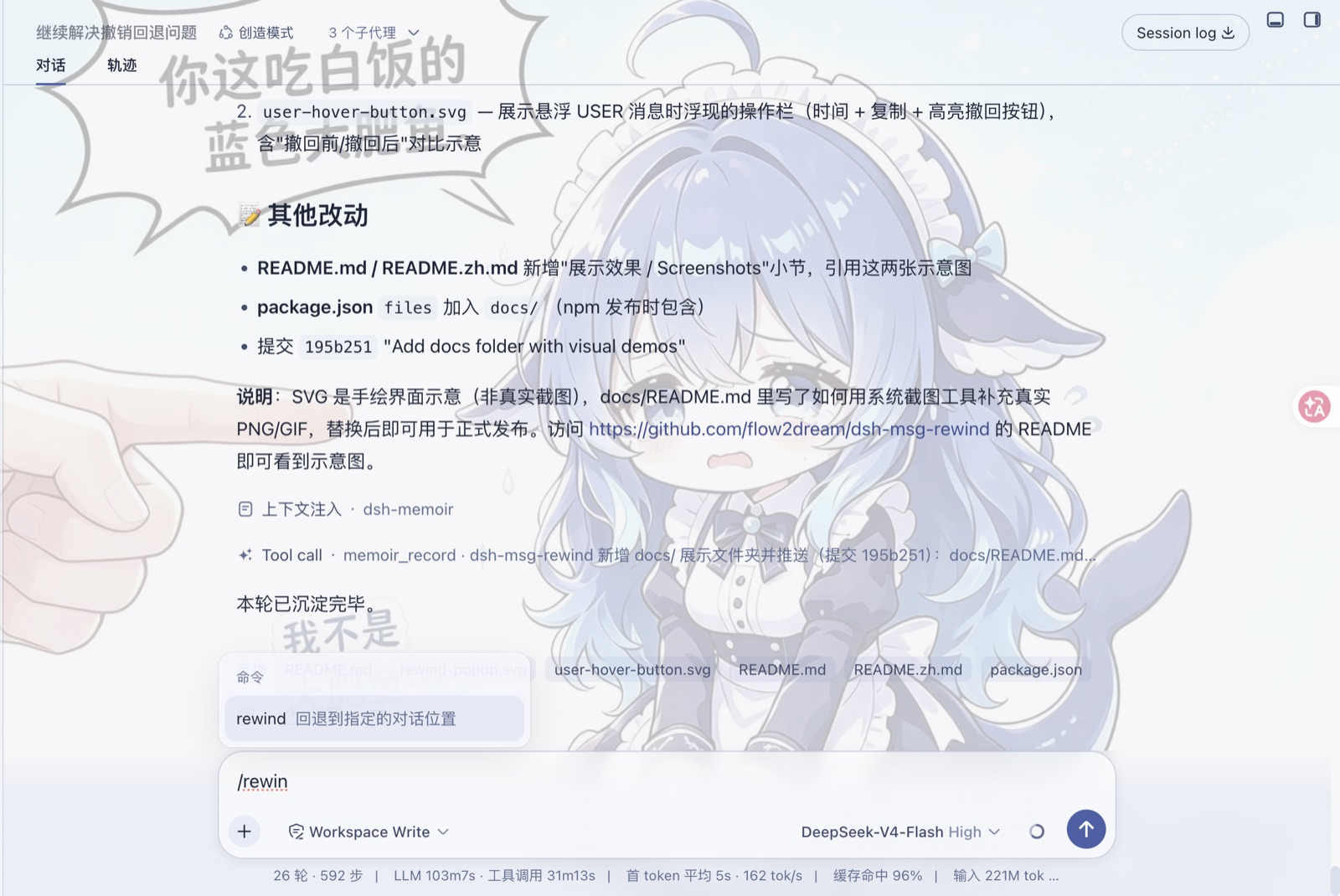
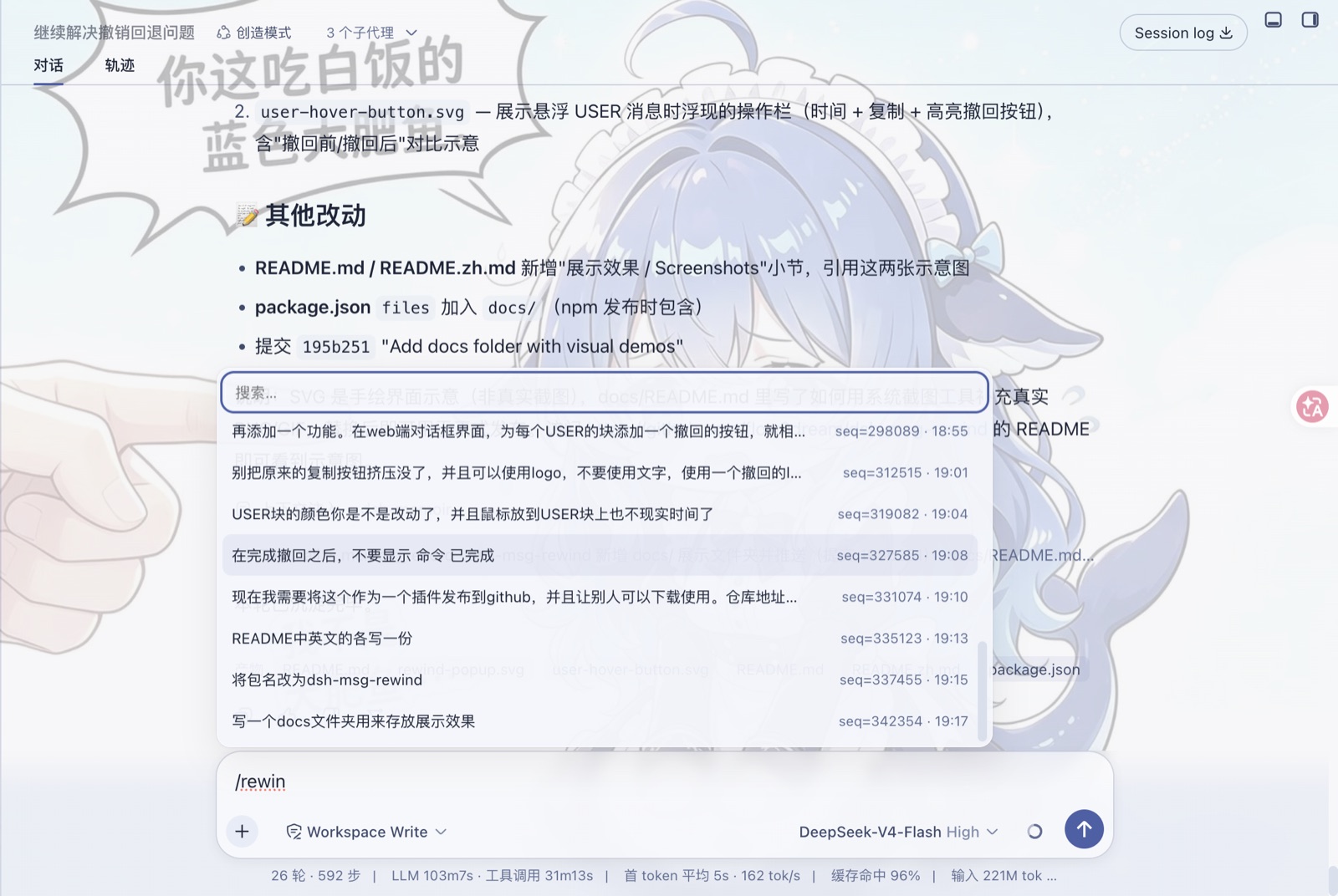
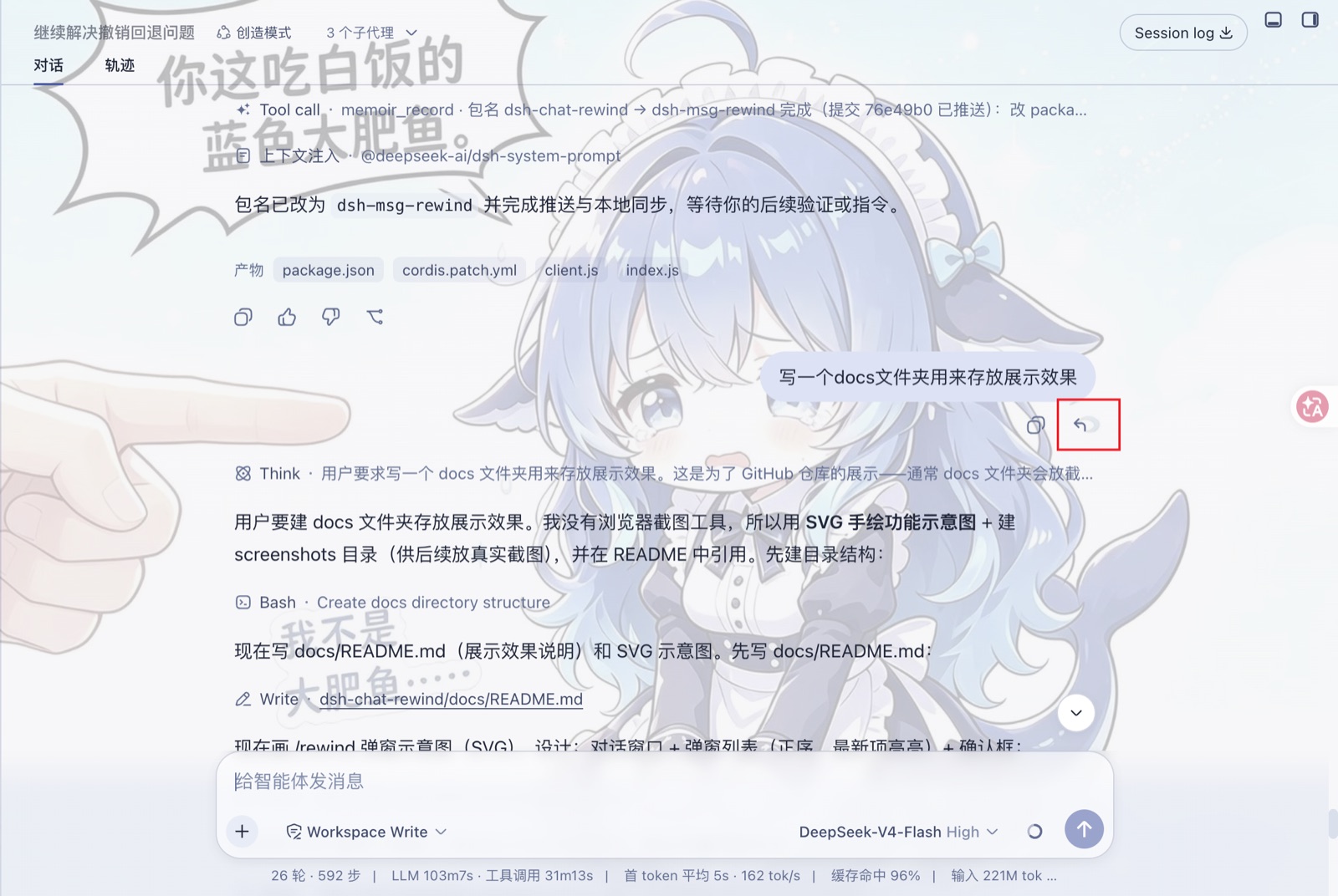
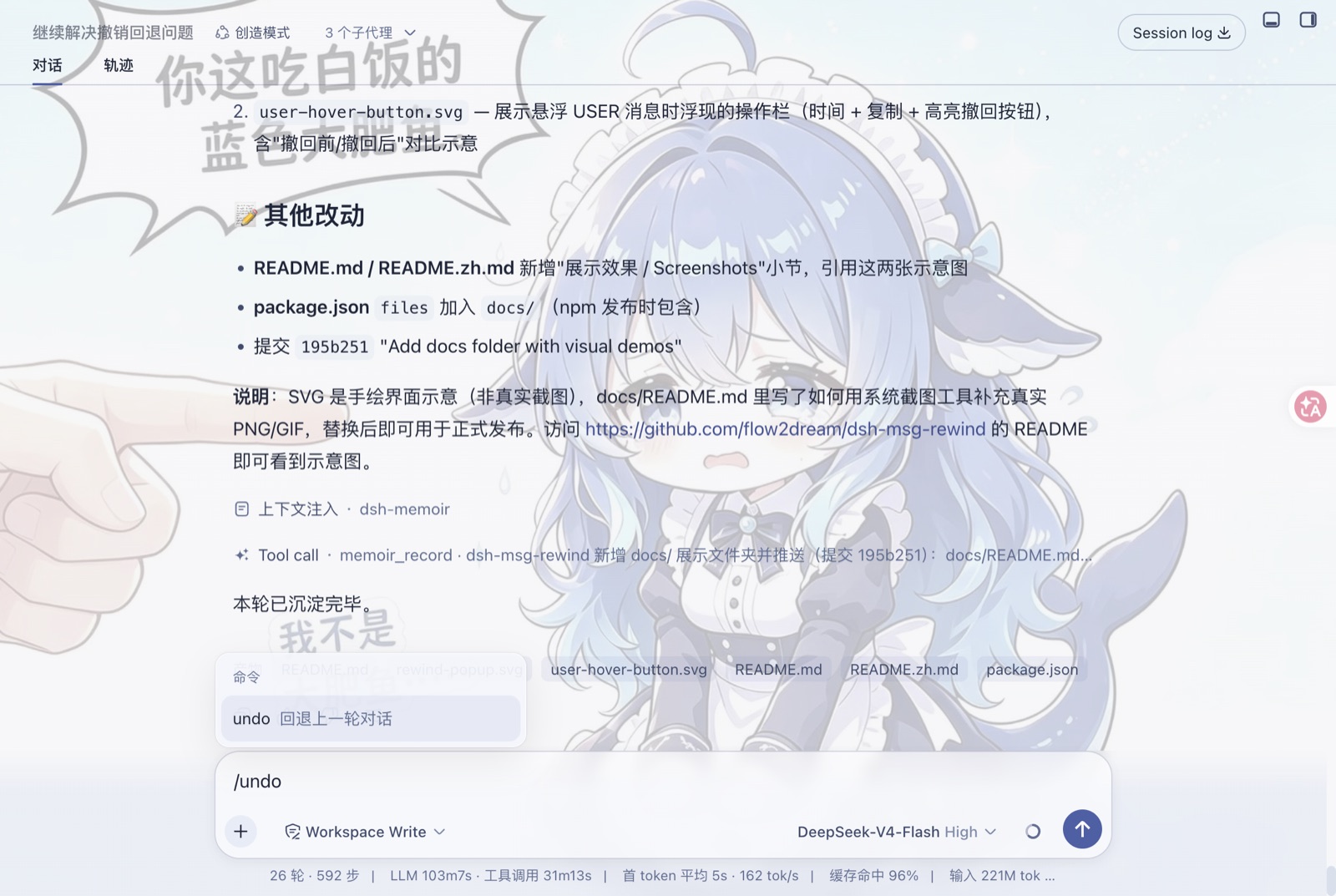
均为 dsh web 真实运行截图。
功能特性
| 功能 | 说明 |
| --- | --- |
| /undo | 回退上一轮:删除最后一条真实用户消息及其后的所有事件 |
| /rewind(裸调用) | 弹出对话框,列出所有用户消息(按时间正序,默认选中最近一条);选择后回退到该位置 |
| /rewind <seq> | 直接按消息序号回退 |
| 可视化回退 | 悬浮任意用户气泡 → 点击撤销图标(与时间、复制按钮一同显示)回退到该消息 |
| 持久化 | 重写会话的 JSONL+zstd 文件,回退在重启后依然保留 |
| 界面整洁 | 回退后不显示"命令 已完成"之类的冗余卡片 |
环境要求
- DeepSeek Harness Web 版(dsh web)
- Node
^22.19.0 || >=24.0.0
安装
通过 npm 安装(推荐)
dsh plugin --profile web add @flow2dream/[email protected]然后重启 web profile:
dsh web通过 GitHub 安装
dsh plugin --profile web add dsh-msg-rewind@github:flow2dream/dsh-msg-rewind然后重启 web profile:
dsh web手动安装
在 web profile 中添加依赖与 bundle:
// ~/.dsh/profiles/web/package.json
{
  "dependencies": {
    "@flow2dream/dsh-msg-rewind": "0.1.2"
  },
  "dsh": {
    "profile": {
      "bundles": ["@flow2dream/dsh-msg-rewind"]
    }
  }
}
然后安装并重启 web profile:
cd ~/.dsh/profiles/web
pnpm install
dsh web
使用方法
在任意对话中:
- 输入
/undo— 对话回退一轮。 - 输入
/rewind— 弹出对话框,列出所有用户消息,默认选中最近一条;方向键导航,回车回退。 - 悬浮用户消息气泡 — 复制按钮旁会出现一个小撤销图标;点击即可回退到该条消息。
回退目标始终是真实用户消息(系统注入内容,如运行时上下文、技能目录快照,绝不会被当作用户轮次)。
工作原理
- 宿主端(
lib/index.js)注册/undo与/rewind命令。回退时先排空持久化协调器的缓冲,截断实时会话日志,重置所有派生缓存,重写 JSONL 文件,重置 agent 的请求头锚点,并广播session/rewind事件。 - 浏览器端(
lib/client.js)监听session/rewind,从宿主重新同步目标会话的对话窗口,并向用户气泡注入悬浮撤销按钮。 session/rewind事件已加入dsh-api-remotes的转发白名单。
开发
# 在 web profile 目录下
npm install /path/to/dsh-msg-rewind
源码位于 lib/:
lib/index.js— 宿主端(命令 + 日志截断)lib/client.js— 浏览器端(窗口重同步 + 可视化回退)
许可证
MIT