
@flowe-ai/cli
v0.2.2
Published
Neural resets for engineers using AI coding assistants.

Maintainers
 thinking_reed
Readme
flowe
Neural resets for engineers using AI coding assistants.
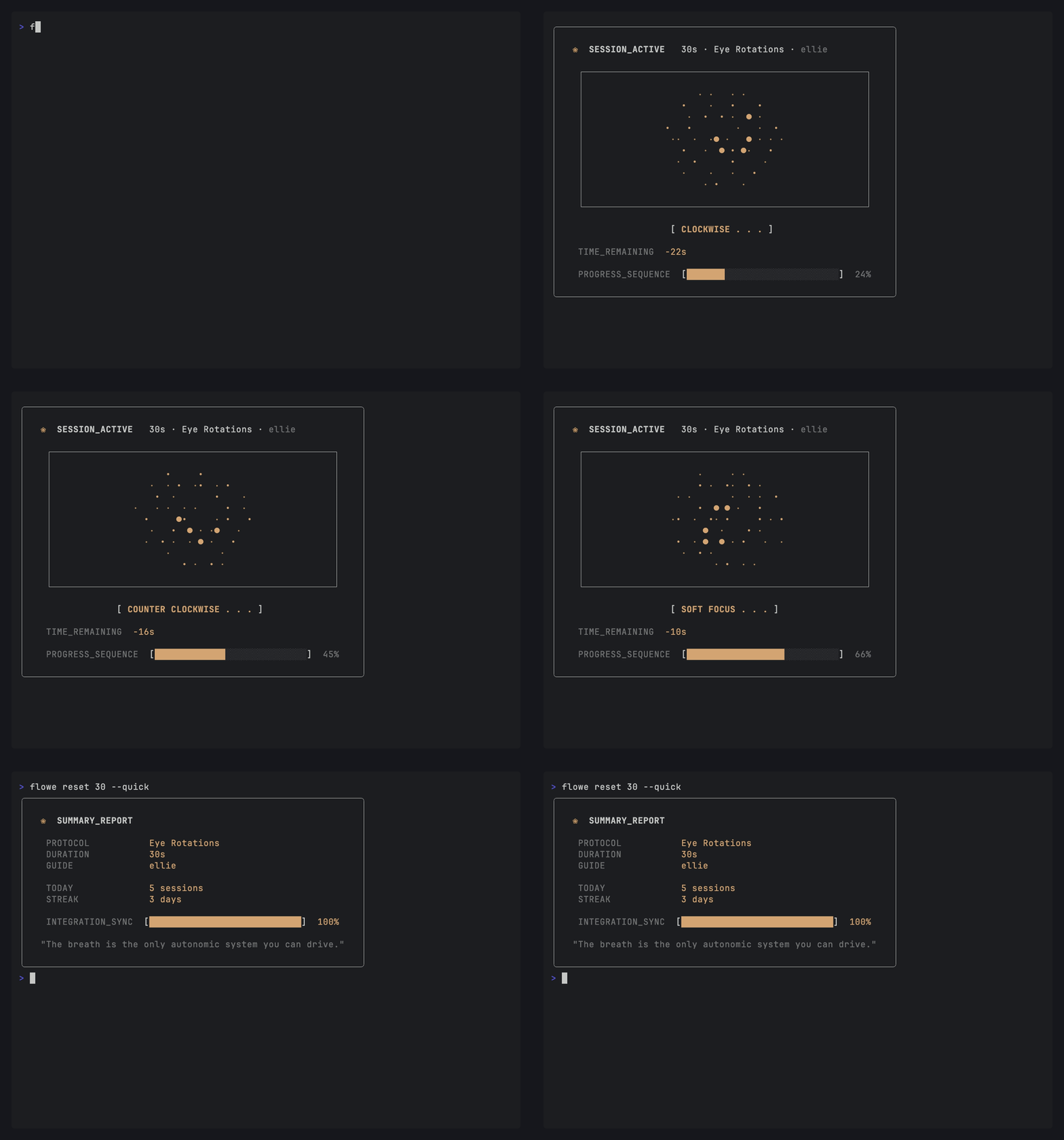
Built by certified hypnotherapists and engineers. flowe runs short, breath-led resets in your terminal during Claude / Cursor / Aider thinking pauses. Reset audio is local and instant. Focus sessions add longer work/break cycles with cached ambience.
Docs and voice samples: cli.flowe.ai
Install
npm install -g @flowe-ai/cliRequires Node.js ≥ 20. Currently macOS only; Linux and Windows support land after v1 if there's demand.
Quickstart
flowe reset           # interactive picker — choose duration + protocol
flowe reset 60        # 60-second reset, random protocol
flowe reset 60 --protocol box_breath   # deterministic — box-breathing only
flowe reset --quick   # skip the picker, use defaults

flowe focus           # interactive focus picker — preset + ambient sound
flowe focus pomodoro --ambient nature_spring_birds
flowe focus dev --detach --ambient rain_window_soft
flowe focus status
Press q or Ctrl+C to abandon a session. The TUI returns you to a clean prompt.
What flowe does
When your agent is thinking for 30–120 seconds, your nervous system has two real options. Tab to reels and your working memory drains, dopamine spikes, focus fragments. Or run a science-backed neural reset that restores focus and steadies your nervous system. flowe reset is the second option, sized for the agent wait window.
When you are settling into longer work, flowe focus gives you a visible work/break cadence with optional ambient sound. It can run in the foreground TUI, detach into the background, or show live controls in the macOS menu bar.
Eleven protocol families ship with the CLI:
| Family | Durations | What it is |
|---|---|---|
| box_breath | 45s, 60s | Box breathing — inhale, hold, exhale, hold |
| extended_box | 90s | Box breathing with longer rounds |
| physiological_sigh | 30s | Double inhale through the nose, long exhale |
| quick_palming | 30s | Short palming — cover the eyes |
| palming | 60s | Standard palming reset |
| progressive_palming | 90s | Longer palming with phased relaxation |
| body_scan | 60s | Brief somatic check-in |
| eye_rotation | 30s | Eye movement reset |
| neck_rotation | 45s | Neck mobility break |
| grounded_feet | 45s | Pressure-into-ground grounding |
| full_sensory | 90s | 5-4-3-2-1 sensory grounding |
Run flowe protocols to see the full list.
Focus cycles
flowe focus                         # pick preset + ambience interactively
flowe focus pomodoro                # 25/5, 4 focus blocks
flowe focus dev                     # 50/10, 3 focus blocks
flowe focus ultradian               # 90/15, 2 focus blocks
flowe focus pomodoro --ambient none # silence
The foreground focus TUI uses the same calm particle-orb visual language as flowe reset, with the literal countdown shown above it. Space pauses and resumes, s skips to the next phase, q quits, and ? shows help.
For long-running work, detach the session so your shell is free:
flowe focus pomodoro --detach --ambient nature_spring_birds
flowe focus status
flowe focus pause
flowe focus resume
flowe focus skip
flowe focus quit
flowe focus --attach
Detached focus sessions keep their state on disk so another terminal, the attach TUI, or the menu bar plugin can control the same cycle.
Ambient sound
Hosted ambient sounds are fetched from the flowe manifest at startup, downloaded once, and cached under ~/.config/flowe/cache/ambient/. If the manifest or download fails, focus falls back to silence instead of failing the session.
Useful built-in ambient ids include:
| Ambient id | Feel |
|---|---|
| nature_spring_birds | Light spring morning birds |
| rain_window_soft | Soft rain against a window |
| tones_deep_brown_noise | Deep masking noise for focus |
| seaside_la_sunrise | Peaceful Los Angeles sunrise beach |
| interiors_quiet_cafe | Quiet cafe ambience |
| none | No ambient sound |
You can also generate custom ambience from a prompt. This requires flowe login and paid access.
flowe ambient create "quiet library, soft page turns, distant rain" --name "library rain"
flowe ambient list
flowe focus pomodoro --ambient custom_abc123def456
Custom sounds are saved locally and appear in the focus ambience picker under custom.
Menu bar
On macOS, flowe can install a SwiftBar plugin that shows the current focus cycle in your menu bar and gives you pause/resume/skip/quit controls.
flowe install-menubar
flowe uninstall-menubar
The installer writes a small SwiftBar script with absolute node and flowe paths, then launches or restarts SwiftBar so it discovers the plugin. When no focus session is active, the menu gives quick-start actions for Pomodoro, dev, and ultradian sessions.
Voices
flowe voice            # show current + available voices
flowe voice sage       # set voice
Three voices ship with the CLI: ada, ellie, sage. Pick the one you want to hear at 3pm. Default is ellie. Hear samples at cli.flowe.ai/#voices.
Use with Claude Code
flowe ships a Claude Code skill that fires resets for you automatically during long thinking pauses. Claude picks the protocol based on what it's observed about your recent state (eye strain, frustration, cognitive overload, postural tightness, wind-down).
The skill also knows about focus cycles. At the start of a workday or a substantial task, Claude can ask whether you want Pomodoro, dev, or ultradian focus, offer ambience options 1-5 plus 0 for none, and then start the session detached with the selected ambient sound.
flowe install-skillThat copies SKILL.md into ~/.claude/skills/flowe/SKILL.md. Restart Claude Code and the skill is live.
Don't want to use the CLI to install? Download SKILL.md directly:
Drop it into ~/.claude/skills/flowe/SKILL.md (or your project's .claude/skills/flowe/SKILL.md). The skill content is the same.
To opt out of auto-trigger entirely, set FLOWE_OPT_OUT=1 in your shell or delete the file.
Login (optional)
flowe loginPairs your CLI with a flowe.ai account so resets feed your retention dashboard. Anonymous use works fine — events still flow with a stable anonymous ID. Telemetry can be turned off entirely with FLOWE_OPT_OUT=1 in your shell environment.
Login is required for custom ambient generation.
Status
flowe status   # voice, backend, telemetry, first reset
flowe whoami   # current auth status
Configuration
Config lives at ~/.config/flowe/config.json. Voice preference, telemetry mode, and the anonymous ID live there. Ambient MP3s are cached under ~/.config/flowe/cache/ambient/. Login tokens go in the OS keychain via keytar, never on disk.
Privacy
- Anonymous mode (default): events sent with a generated stable ID, no email or device fingerprint.
- Logged-in mode: events tied to your flowe account.
FLOWE_OPT_OUT=1in your shell: events skipped entirely.
Troubleshooting
No audio. macOS uses afplay. If afplay --version fails, check System Settings → Privacy → Microphone is not blocking the binary. The CLI exits with code 4 on audio device errors.
flowe: command not found after install. Your npm global bin path isn't on $PATH. Run npm config get prefix and add $(npm config get prefix)/bin to your shell profile.
Session won't start, "agent_busy". A previous reset is still running. Wait for it to finish or run flowe status to see what's open.
Focus session says one is already running. Run flowe focus status to inspect it, flowe focus --attach to watch it, or flowe focus quit to stop it.
Ambient sound does not appear. Run flowe focus interactively so the CLI can refresh the hosted manifest. Network failures degrade to silence; custom ambience also requires flowe login.
Menu bar stays idle during a focus session. Reinstall or restart the plugin with flowe install-menubar. SwiftBar sometimes needs a restart to re-scan newly written plugin files.
Login redirects but never completes. The device-grant flow waits up to 5 minutes. If the browser closes early, run flowe login again.
Exit codes
| Code | Meaning |
|---|---|
| 0 | Success |
| 1 | User error (bad flag, unknown protocol family) |
| 2 | Auth required or expired |
| 3 | Session already running |
| 4 | Network/offline/audio failure |
License
MIT. See LICENSE.
Links
Docs: cli.flowe.ai Issues + feature requests: github.com/flowe-ai/flowe-cli/issues