
@focus-reactive/payload-plugin-json-form-builder
v1.6.0
Published
Edit a Payload JSON field as real admin fields. The shape lives in the value, is built in a drawer, and the site reads plain values by key


Readme
Payload JSON Form Builder
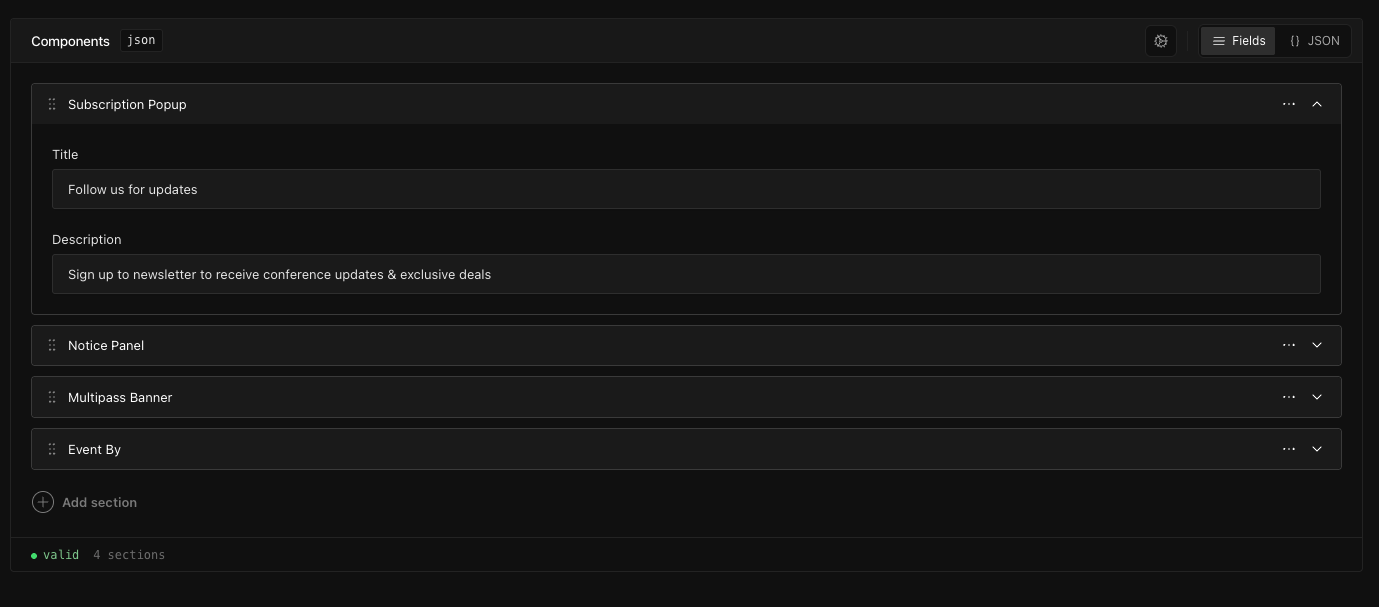
This plugin turns an ordinary json field into Payload components. An editor fills in text, picks images from Media, writes rich text, builds lists — and all of it lands back in the same json value, which your site reads as plain keys. The form those components make is built in the admin panel too: the plugin brings its own builder, where fields are added, renamed and reordered without a deploy.
Installation
pnpm add @focus-reactive/payload-plugin-json-form-builder
pnpm payload generate:importmap
// payload.config.ts
plugins: [jsonFormPlugin({ richText: { editor: lexicalEditor() } })]
// any collection or global
fields: [jsonField({ name: 'settings' })]How it works
Building a section describes it much the way you would describe a schema in code: every node has a kind, a key and a value. That description just does not live in your repository — it lives in the field. The plugin reads it and draws real Payload components, which are far nicer to work with than json in a textarea: fields are filled in, hidden, dragged, deleted, nearly everything an ordinary field allows.
There is one difference, and it is in your favour: a new section needs no migration. However many fields you add and however deeply you nest them, the database still holds one json field, and what leaves it is a plain object of keys.
// what is stored                            // what your site receives
[                                            {
  { "name": "hero",                            "hero": {
    "type": "collapsible",                       "title": "Hackathon",
    "fields": [                                  "live": true
      { "name": "title", "type": "text",       }
        "value": "Hackathon" },              }
      { "name": "live", "type": "checkbox",
        "value": true } ] }
]
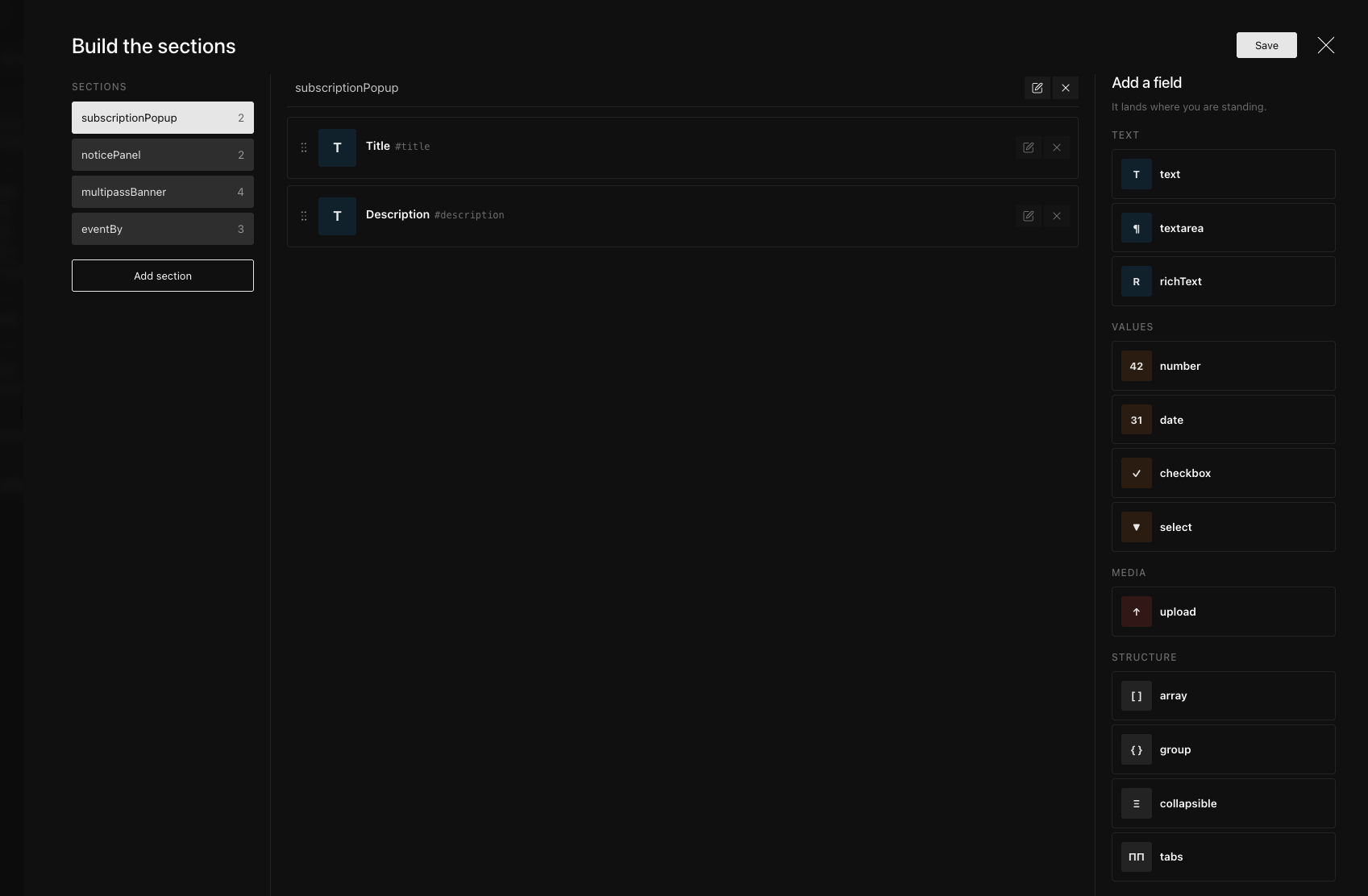
The form is built in the builder: sections on the left, the palette of kinds on the right. Thirteen kinds — text, number, date, select, checkbox, upload, rich text, list, group, accordion, tabs — nested as deep as you like.
Options
jsonFormPlugin({
  // the library of reusable sections; off by default
  library: true,

  // the editor rich text is written with — without it the kind stays out of the palette
  richText: { editor: lexicalEditor() },

  // the collection the upload kind picks files from; media by default
  uploads: 'media',

  // who may change the form: a role, a list of roles, or your own rule
  // everyone who may edit the document, by default
  build: 'admin',

  // the global the plugin adds itself: it holds the rich text anchor and the library
  global: { slug: 'json-form' },
})
library — reusable sections
Even without it the plugin gives you a global where sections are built and rendered on the site. The library is about something else: sections that repeat across many pages.
It works as a reference. In the library you build a section — its form and, where it helps, default values. Any json field can then point at it: the values there are its own and are edited as usual, while the form comes from the library. The form can only be changed there — add a field and it appears in every page that points at the section.
// the library: either in the plugin's own global
jsonFormPlugin({ library: true })

// or as a field of your own, beside what it shares with
fields: [
  { type: 'group', label: 'Components', fields: [jsonField({ name: 'components' })] },
  { type: 'group', label: 'Shared sections', fields: [jsonLibraryField()] },
]

// a field that may point at them
jsonField({ name: 'settings', shares: true })
In that field's builder, two groups appear under Add section: Attached sections, each with a ×, and Shared sections, each with a +. In the form, an attached section carries a global chip.
Compatibility
| Payload | Plugin | | --- | --- | | 3.84+ | 1.x |
License
MIT