
@forgefield/portlens
v0.1.2
Published
Scan local projects for configured service ports.

Maintainers
 angshuman
Readme
PortLens

@forgefield/portlens is a CLI tool for scanning local project directories, discovering configured service ports from env files, and detecting port collisions across services.
Repository: https://github.com/forgefield/portlens
Why PortLens
- You have multiple microservices under one root folder (monorepo/workspace), each with its own
.envfile, and need a quick way to see all configured ports in one place. - Your team keeps hitting "address already in use" errors; PortLens surfaces duplicate port assignments early so you can fix collisions before running services.
- You are onboarding to an unfamiliar codebase and need to understand which services are expected to run, what ports they use, and whether they are currently running locally.
- You want to organize services by top-level repository folder and inspect or update configuration in a local UI instead of manually checking dozens of files.
Requirements
- Node.js
>=18(from package engines) - macOS/Linux/Windows supported
- For port status checks:
- macOS/Linux uses
lsof - Windows uses
netstat+findstr
- macOS/Linux uses
Installation
One-off (no install)
npx @forgefield/portlensGlobal install
npm install -g @forgefield/portlens
portlens
Local project install
npm install --save-dev @forgefield/portlens
npx portlens
Quick Start
Scan the current directory:
portlensScan a specific root:
portlens /path/to/workspaceShow only collisions:
portlens --collisionsMachine-readable JSON:
portlens --jsonStart UI mode:
portlens uiCLI Reference
Usage:
portlens [rootPath] [--config <path>] [--json] [--collisions]
portlens ui [rootPath] [--config <path>]
Positional arguments
rootPath(optional): root directory to scan. Defaults toprocess.cwd().
Commands
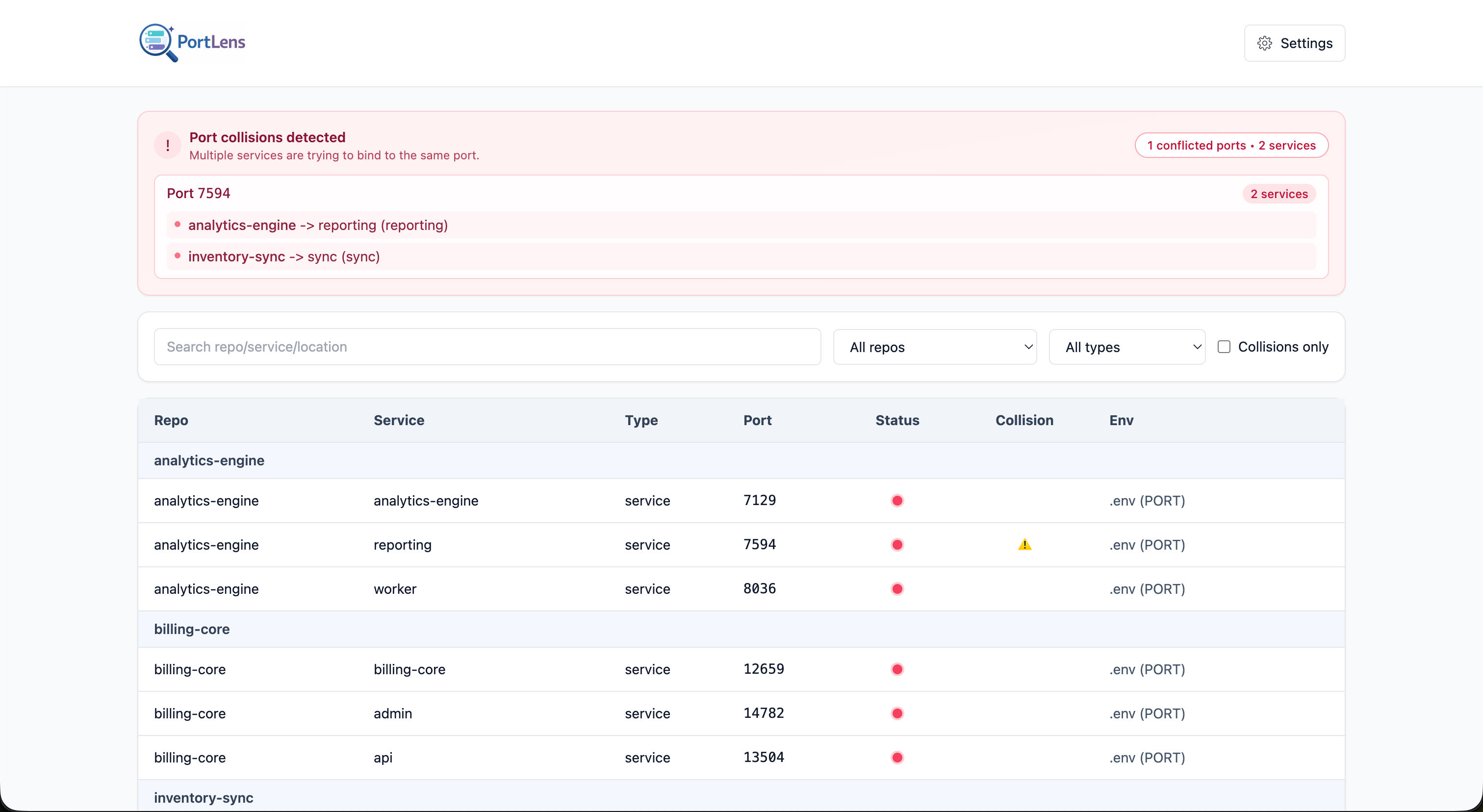
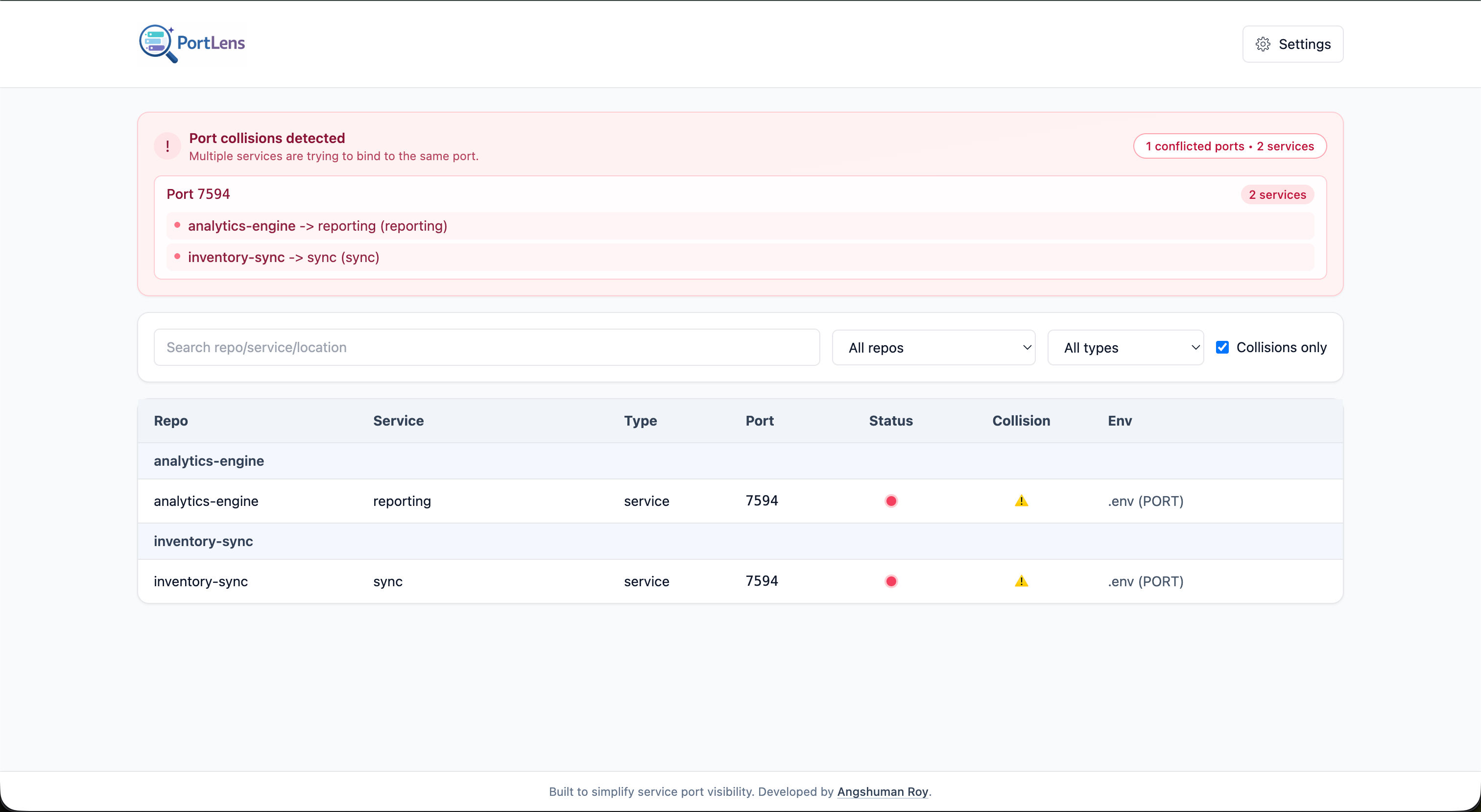
ui: starts the local PortLens UI server and opens your default browser.
Flags
--json: print JSON instead of console tables.--collisions: limit output to collision results.--config <path>: use a custom config file path (resolved relative to current shell directory).
Behavior notes
--json --collisionsoutputs onlycollisionSummary.- Without
--json,--collisionsprints only the collision text report. - Unknown flags are ignored by the current parser (no hard failure).
How Scanning Works
- PortLens recursively walks the target
rootPath. - It skips ignored directories (
node_modules,.git,dist,buildby default). - It looks for configured env filenames (default list shown below).
- It extracts the first matching configured port variable from each matching env file.
- It groups findings by top-level directory under
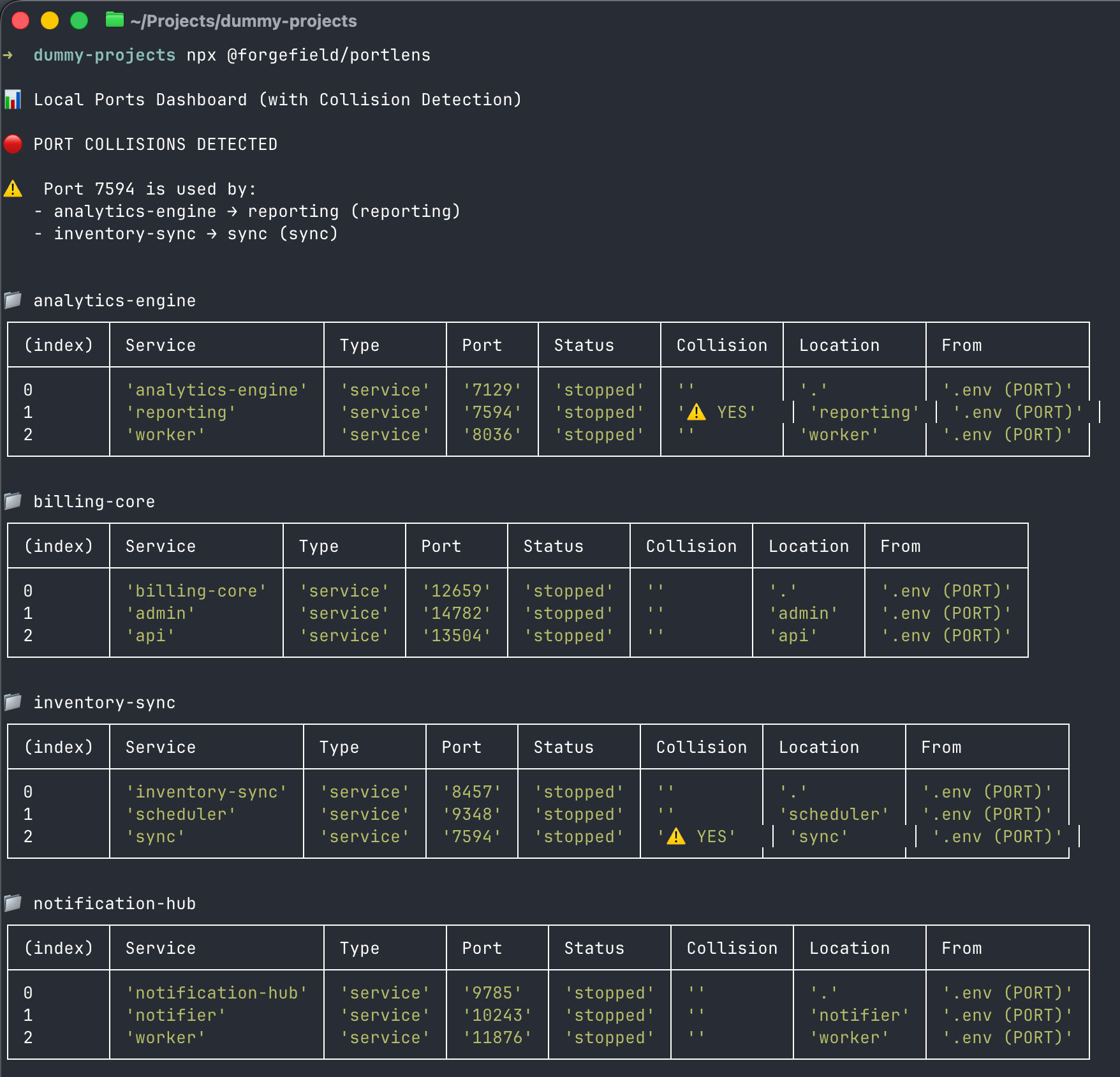
rootPath. - It marks collisions when the same port appears in multiple services.
- It checks runtime status of each port (
runningorstopped) using OS-specific commands.
Configuration
PortLens supports JSON config with these keys:
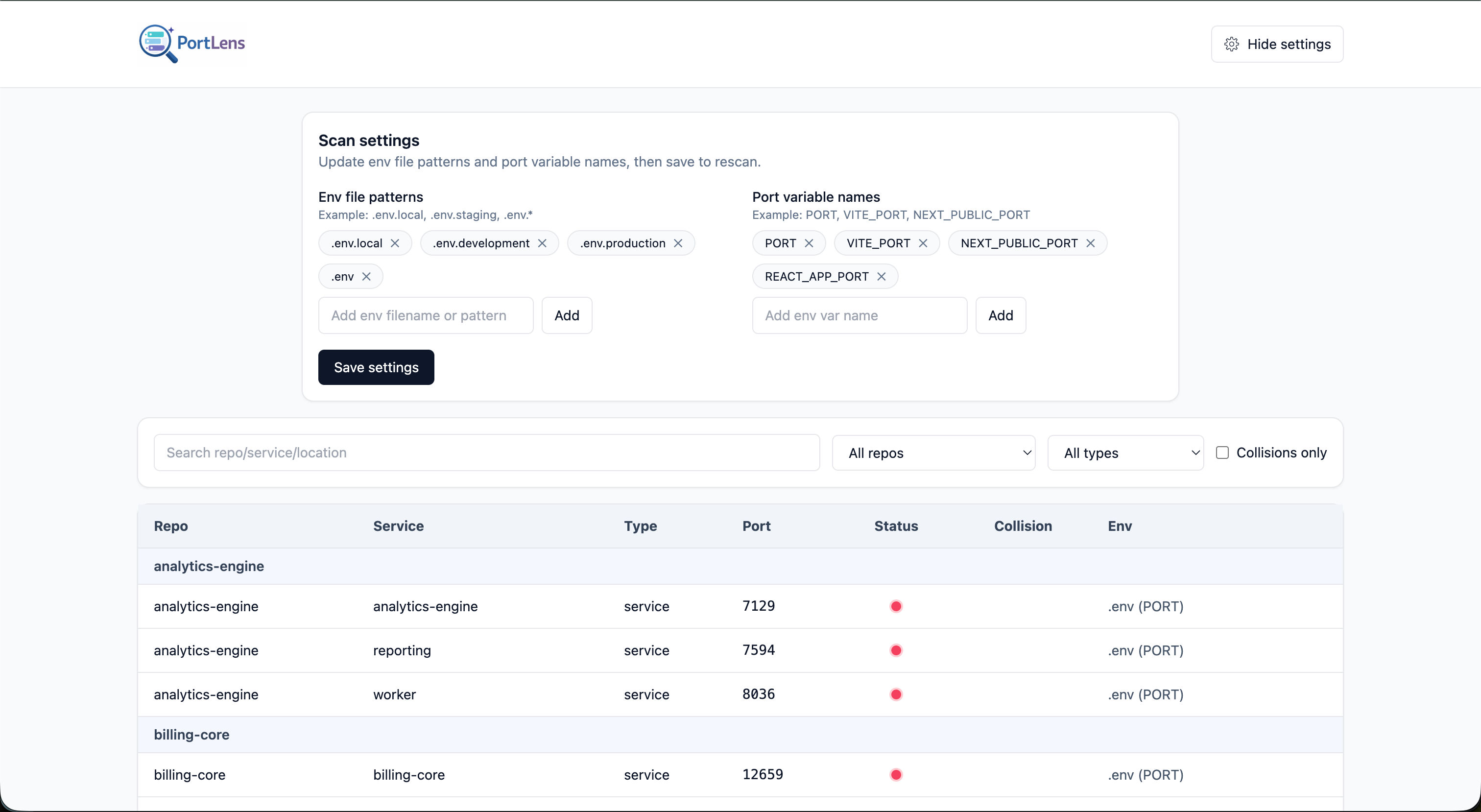
envFilePatterns: env file names/patterns to scan.portVariablePatterns: env variable names/patterns to treat as ports.ignoredDirectories: directory names to skip.
Default config lookup (CLI)
If you do not pass --config, the CLI uses:
<rootPath>/ports.config.jsonWhere <rootPath> is:
- the positional
rootPathargument, or - the current directory if
rootPathis omitted.
Custom config path
portlens --config ./config/ports.config.json
portlens /path/to/root --config ../shared/ports.config.json
Example config
{
  "envFilePatterns": [
    ".env.local",
    ".env.development",
    ".env.production",
    ".env"
  ],
  "portVariablePatterns": [
    "PORT",
    "VITE_PORT",
    "NEXT_PUBLIC_PORT",
    "REACT_APP_PORT"
  ],
  "ignoredDirectories": ["node_modules", ".git", "dist", "build"]
}
Schema file:
config/ports.config.schema.json
Example file:
config/ports.config.example.json
Output Contract
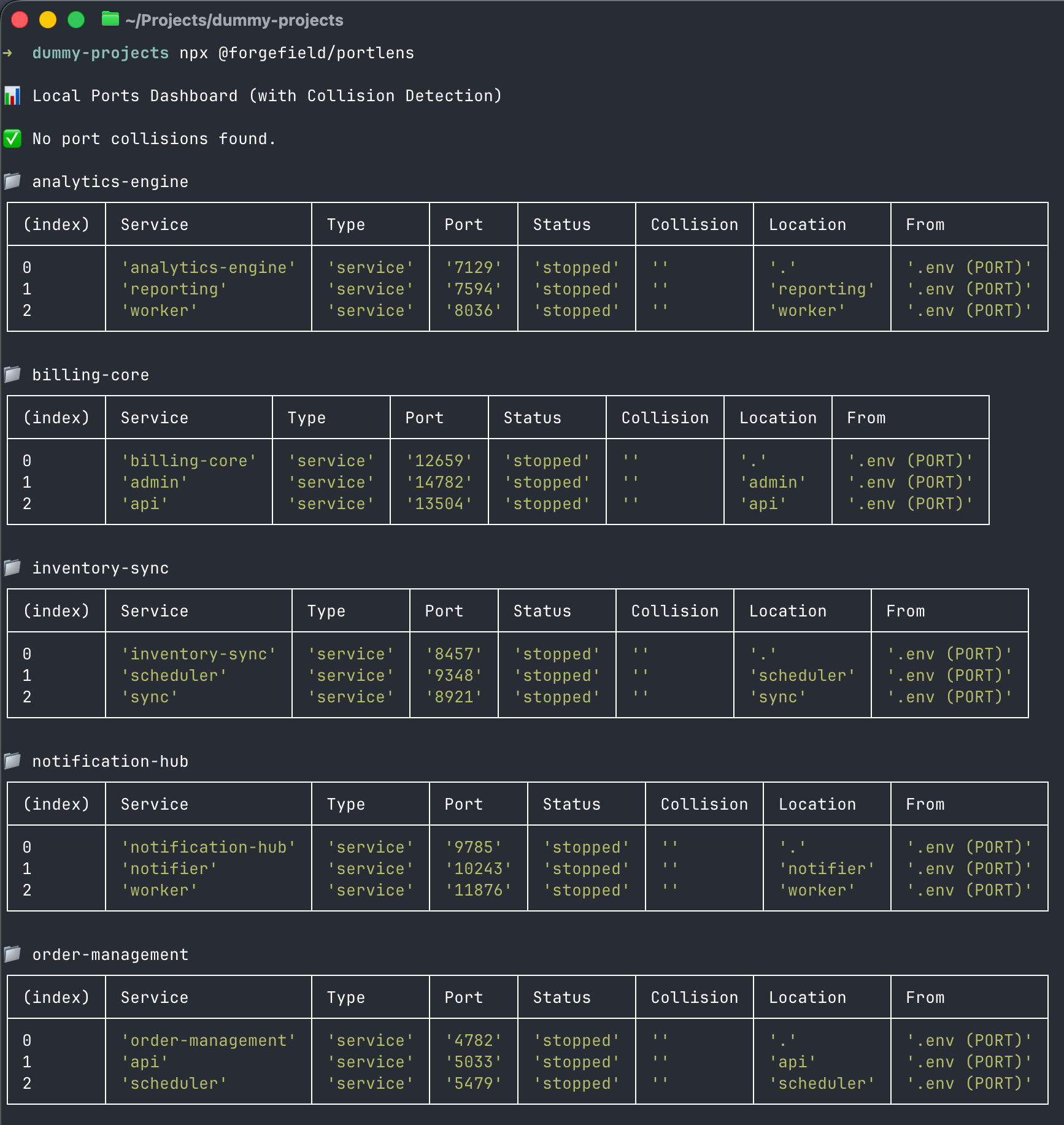
Standard mode (portlens)
- Prints a collisions section first.
- Prints per-repo service tables with columns:
ServiceTypePortStatusCollisionLocationFrom
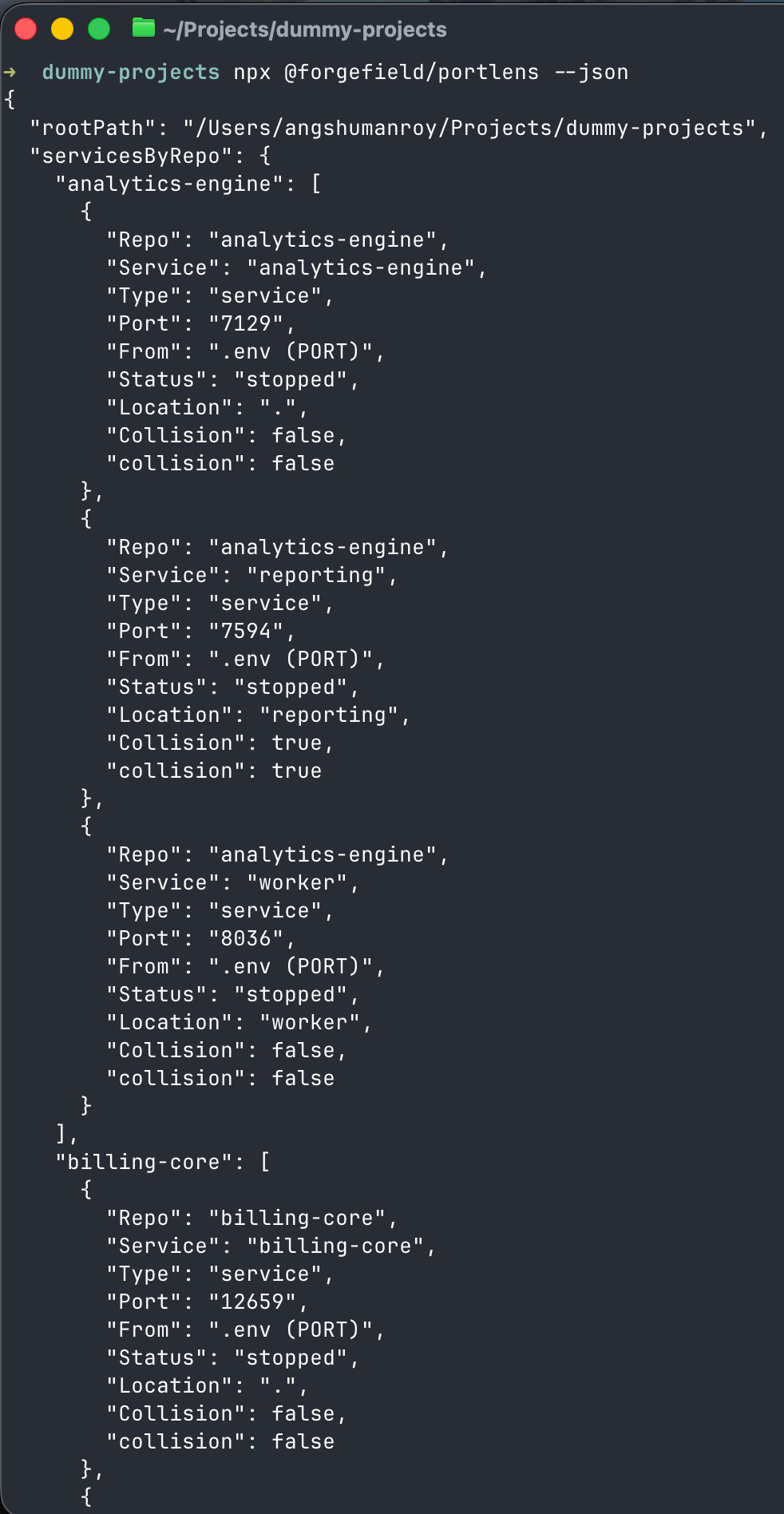
JSON mode (portlens --json)
Returns an object with:
rootPathservicesByRepoallServicesportMapcollisionscollisionSummary
Representative shape:
{
  "rootPath": "/workspace",
  "servicesByRepo": {
    "repo-a": [
      {
        "Repo": "repo-a",
        "Service": "frontend",
        "Type": "frontend",
        "Port": "3000",
        "From": ".env (PORT)",
        "Status": "running",
        "Location": "apps/frontend",
        "Collision": true,
        "collision": true
      }
    ]
  },
  "allServices": [
    {
      "Repo": "repo-a",
      "Service": "frontend",
      "Type": "frontend",
      "Port": "3000",
      "From": ".env (PORT)",
      "Status": "running",
      "Location": "apps/frontend",
      "Collision": true,
      "collision": true
    },
    {
      "Repo": "repo-b",
      "Service": "backend",
      "Type": "backend",
      "Port": "3000",
      "From": ".env (PORT)",
      "Status": "stopped",
      "Location": "services/backend",
      "Collision": true,
      "collision": true
    }
  ],
  "portMap": {
    "3000": [
      {
        "Repo": "repo-a",
        "Service": "frontend"
      },
      {
        "Repo": "repo-b",
        "Service": "backend"
      }
    ]
  },
  "collisions": [
    {
      "port": "3000",
      "services": [
        {
          "Repo": "repo-a",
          "Service": "frontend"
        },
        {
          "Repo": "repo-b",
          "Service": "backend"
        }
      ]
    }
  ],
  "collisionSummary": {
    "count": 1,
    "byPort": {
      "3000": [
        {
          "Repo": "repo-a",
          "Service": "frontend"
        },
        {
          "Repo": "repo-b",
          "Service": "backend"
        }
      ]
    }
  }
}
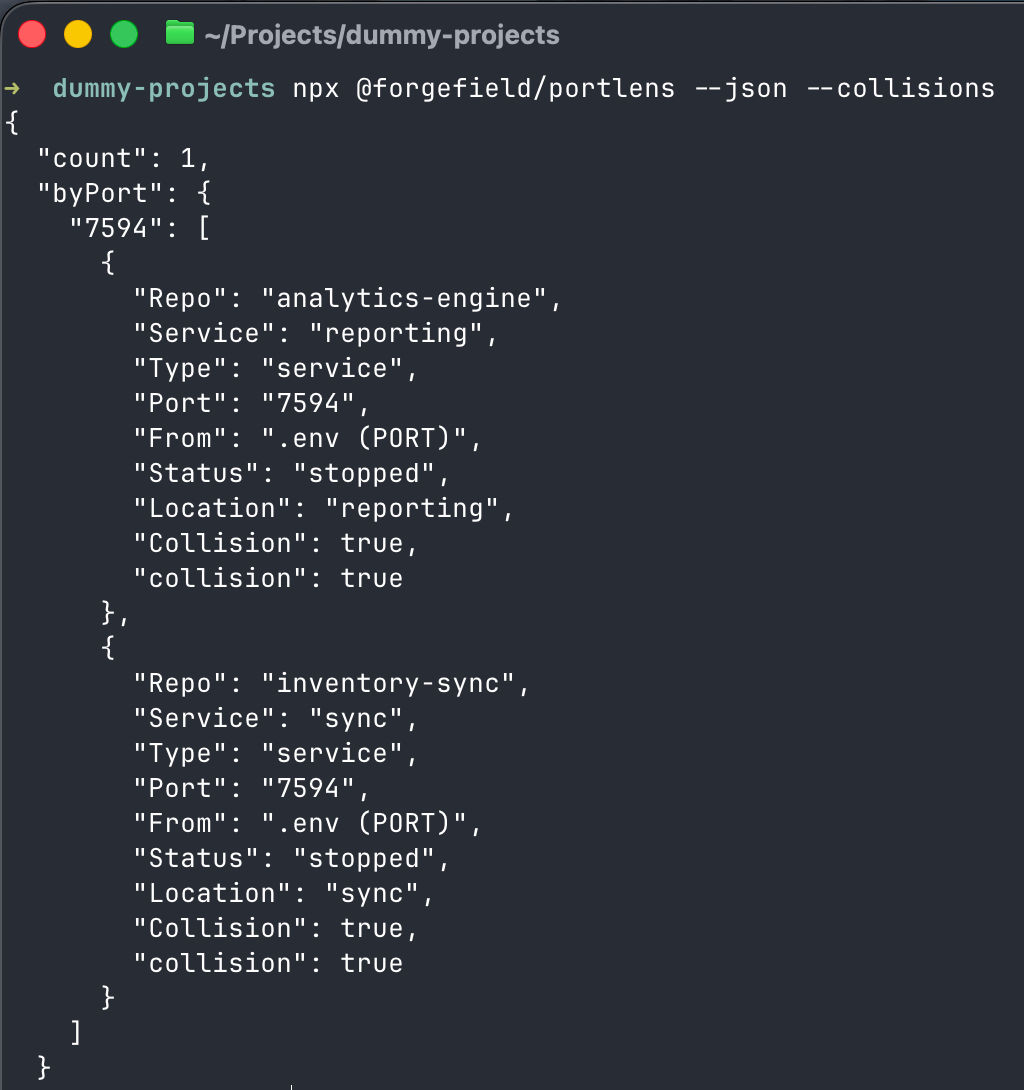
Collisions JSON only (portlens --json --collisions)
Returns only:
{
  "count": 1,
  "byPort": {
    "3000": [
      {
        "Repo": "repo-a",
        "Service": "frontend"
      }
    ]
  }
}
UI Mode
Run:
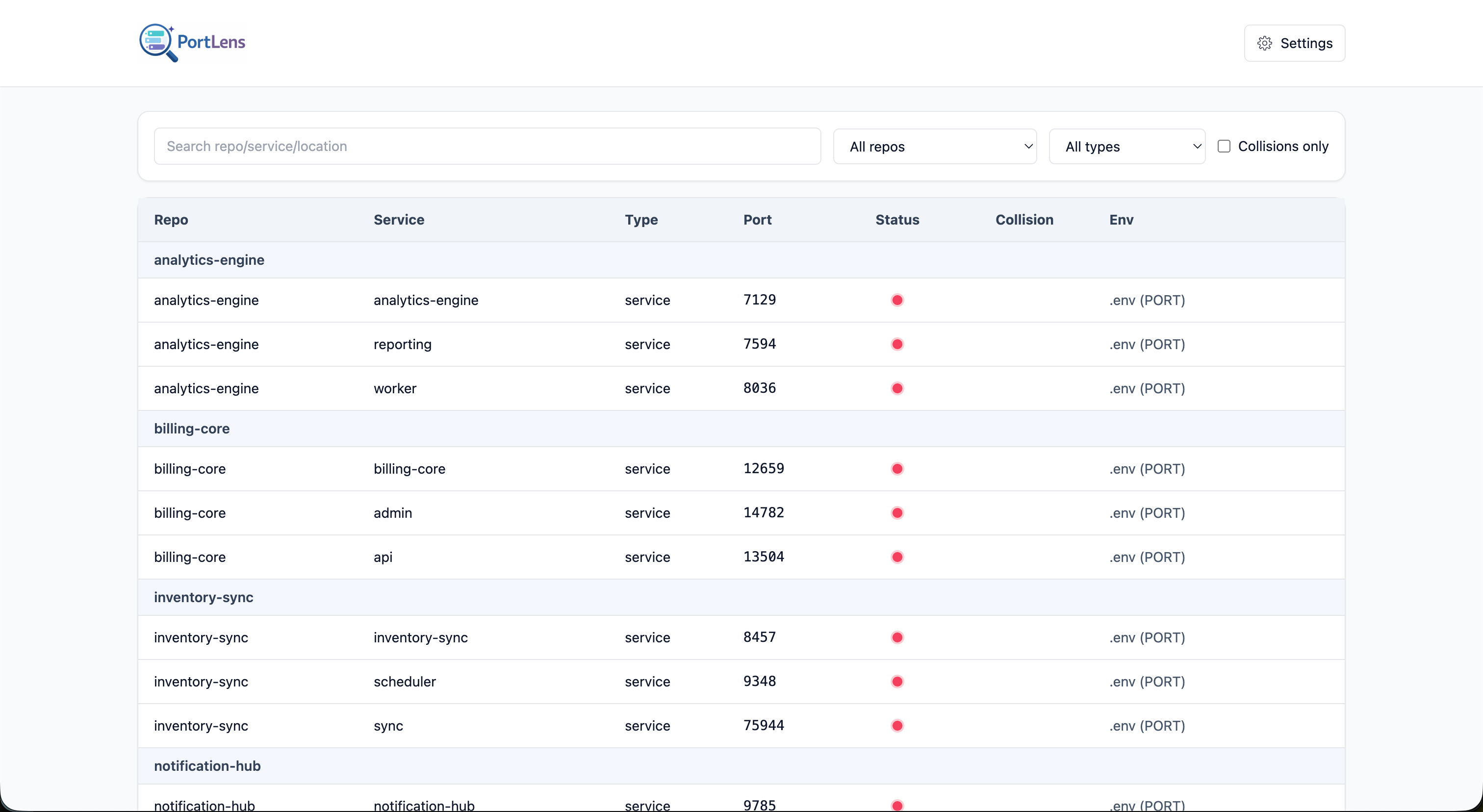
portlens uiWhat it does:
- Starts a local HTTP server on an ephemeral port.
- Opens your browser automatically:
openon macOSstarton Windowsxdg-openon Linux
- Serves the built UI from
ui/dist.
UI/API endpoints currently served by the local server:
GET /dataandGET /api/scan: scan results + merged configGET /config: current merged configPOST /config: persist config changes
If UI assets are missing, you will see:
UI build not found. Run npm run build:ui.Common Workflows
Scan current project:
portlensScan monorepo root:
portlens ~/code/my-monorepoExport full JSON for tooling:
portlens ~/code/my-monorepo --json > portlens-report.jsonCI-friendly collision check artifact:
portlens ~/code/my-monorepo --json --collisions > collisions.jsonScreenshots
CLI screenshots
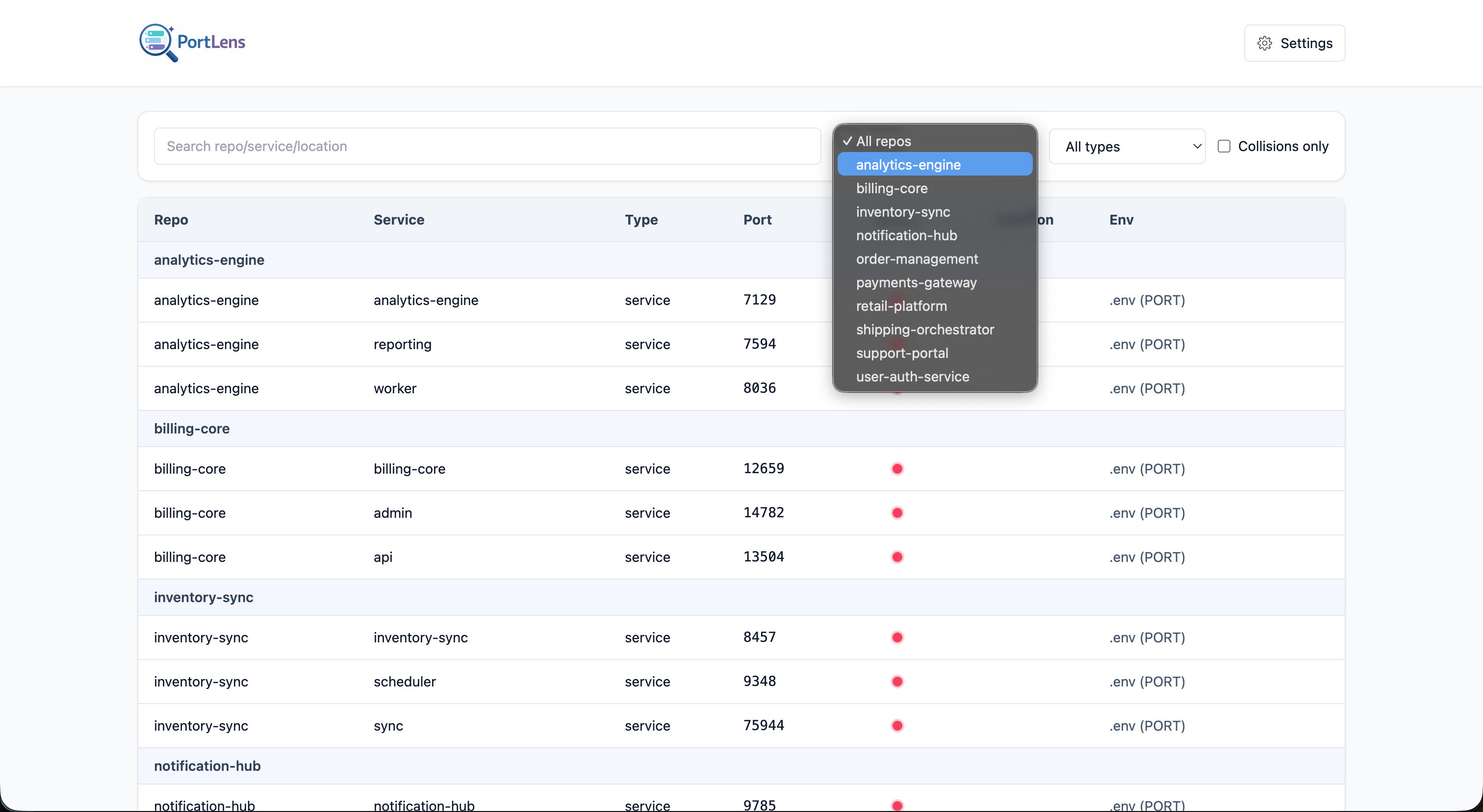
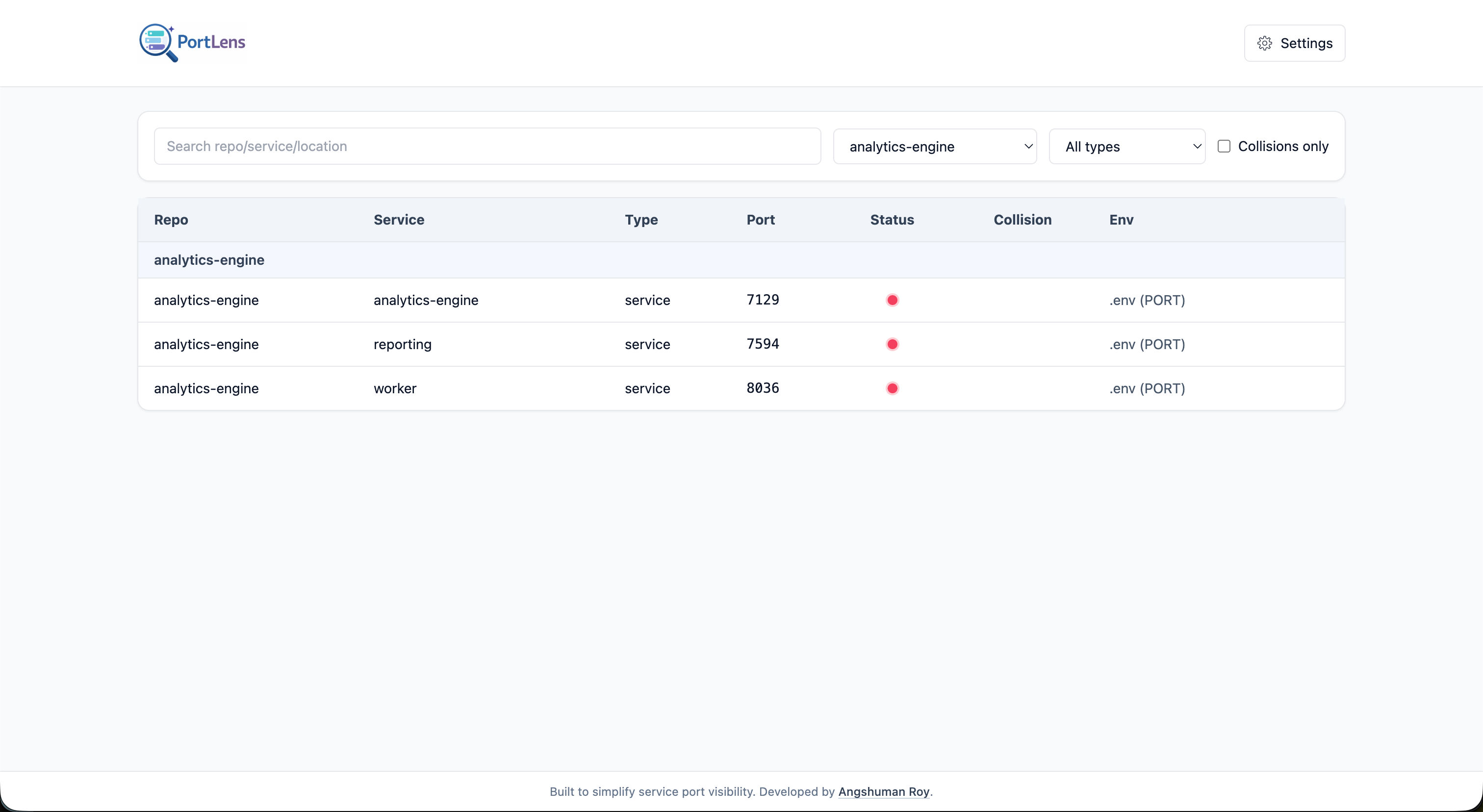
UI screenshots
Troubleshooting
No services found
- Confirm env files exist and match
envFilePatterns. - Confirm port variable names match
portVariablePatterns. - Confirm folders are not excluded by
ignoredDirectories.
Port status looks incorrect
- Ensure
lsof(macOS/Linux) ornetstat/findstr(Windows) is available. - Status is determined at scan time; rerun if services started/stopped recently.
UI command fails to render app
- Build UI assets first:
npm run build:uiInvalid config payload in UI
POST /configexpects non-empty string arrays for:envFilePatternsportVariablePatterns
Development And Release
This repository currently uses:
- Bun for dependency installation
- npm for build and packaging scripts
Install dependencies:
bun installBuild UI assets:
npm run build:uiVerify package contents before publish:
npm pack --dry-runContributing Workflow
For external contributors, please follow a fork-based workflow.
- Fork the repository to your GitHub account.
- Clone your fork locally.
- Create a feature branch for your change.
- Make and test your changes locally.
- Push your branch to your fork.
- Open a Pull Request from your fork branch to the main repository.
This keeps the upstream repository clean and makes reviews easier to manage.
Security And Privacy
- PortLens scans local files under the path you provide.
- It inspects env file contents for configured port variables.
- It performs local OS port checks.
- It does not require outbound network access for scanning itself.
License
MIT. See LICENSE.