
@future-ux/md-wizard
v0.1.2
Published
AI context compiler — guides PMs and designers through a setup interview, then generates machine-readable instruction files for AI coding agents.

Maintainers
 matchboxxr-michael
Readme
@future-ux/md-wizard
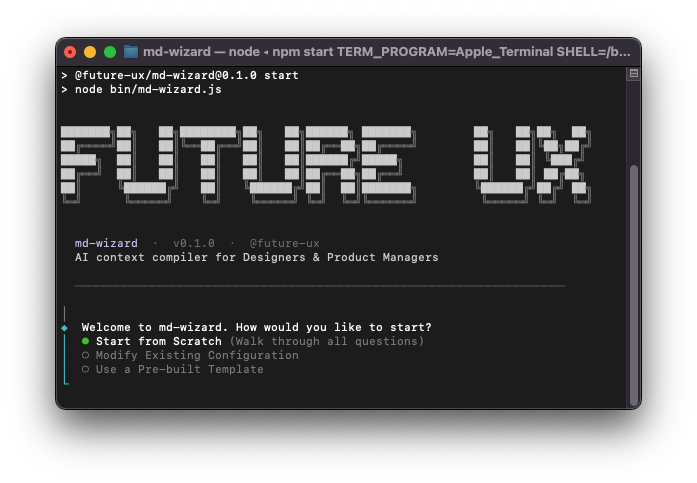
Stop writing vague prompts. Give your AI coding agent the facts.
md-wizard is a setup tool for Product Managers and Designers. Run it once in your project, answer a short set of questions, and it writes three structured files that tell AI coding agents (Cursor, Claude Code, Windsurf, etc.) exactly how to build your product, based on real industry standards from Apple HIG, Google Material, W3C, Baymard Institute and OWASP.
No prompt engineering. No copy-pasting guidelines. No repeating yourself every session.
Quick start
You don't need to install anything. Run this in your project folder:
npx @future-ux/md-wizardAnswer the questions, then select → GENERATE FILES.
What you get
Three files are written to your project root:
product.md
For your Product Manager. Captures the business context, what you're building, who it's for, the product goal and data constraints. AI agents read this to understand the what and the why before touching any code.
design.md
For your Designer. Captures the system architecture, which UI library you're using, your accessibility standard (WCAG 2.2 AA/AAA), platform-specific rules (iOS tap targets, TV focus states, XR passthrough, etc.) and form design guidelines. AI agents read this to understand the look and the structure.
agent.md
For your AI agent. The operational rulebook, scope boundaries, data handling rules, secrets management and a "Never Do" list derived from your answers. The agent is instructed to read product.md and design.md before writing a single line of code.
IDE compatibility
Most AI coding tools read from a .cursorrules or .windsurfrules file. Create a symlink to point them at agent.md:
# Cursor
ln -s agent.md .cursorrules

# Windsurf
ln -s agent.md .windsurfrules
The interview
The wizard walks you through four short phases:
| Phase | Questions | |---|---| | Ecosystem & Scope | Are you using agent-map? Greenfield or existing? Full app or component? Production or prototype? | | Global Context | Target environment? Primary users? Product goal? | | Design & Interaction | Fidelity? UI library? Accessibility standard? Complex forms? | | Data & Security | Mock data or live API? How are secrets handled? |
Press Esc on any question to go back. Ctrl+C to exit.
Your answers are saved to .future-ux/wizard-state.json. The next time you run md-wizard, you can modify just the answers you want to change rather than starting over.
Templates
Not sure where to start? Pick a pre-built template and customise from there:
| Template | Stack | |---|---| | B2C Mobile App (Prototype) | iOS · Tailwind · Wireframe · Mock data | | Enterprise Desktop SaaS (Production) | Desktop · shadcn/ui · High-Fidelity · Live API | | Smart TV Media App | Smart TV · Custom CSS · High-Fidelity · Live API | | XR Spatial Experience | XR · Tailwind · Wireframe · Mock data | | Developer UI Component Library | Desktop · Mantine · High-Fidelity · AAA |
Re-running
Your configuration is always editable. Run the wizard again and choose Modify Existing Configuration to update any answer and regenerate the files instantly.
Part of the @future-ux ecosystem
md-wizard works alongside @future-ux/agent-map, a visual Kanban tool for prompting AI agents through feature work. When you select "Yes" to the agent-map question, md-wizard injects directives into agent.md that tell the agent to use your Kanban board as its source of truth.
Built by FUTURE UX