
@galihru/orbinexsim
v0.1.23
Published
High-level Orbinex simulation + AR wrapper with one-call setup.

Maintainers
 galihru
Readme
@galihru/orbinexsim




High-level scientific wrapper for embedding OrbinexSimulation desktop and AR runtimes with a compact TypeScript API.
1. What This Module Provides
- Fast embedding of the hosted simulation viewer in desktop or AR mode.
- Runtime permission orchestration for camera, microphone, geolocation, and motion sensors.
- Orbit sample utilities backed by @galihru/orbinex.
- AR marker utilities for marker creation, tracking, catalog proxy ingestion, and primitive model synthesis.
2. Demonstration and Related Modules
| Resource | Link | | --- | --- | | Desktop demo | https://galihru.github.io/OrbinexSimulation/ | | AR demo | https://galihru.github.io/OrbinexSimulation/ar-view.html | | Wrapper package | @galihru/orbinexsim | | Core physics package | @galihru/orbinex |
3. Visual Runtime Evidence with Figure Interpretation
| Column 1: Function area | Column 2: Screenshot evidence |
| --- | --- |
| Startup render stage | 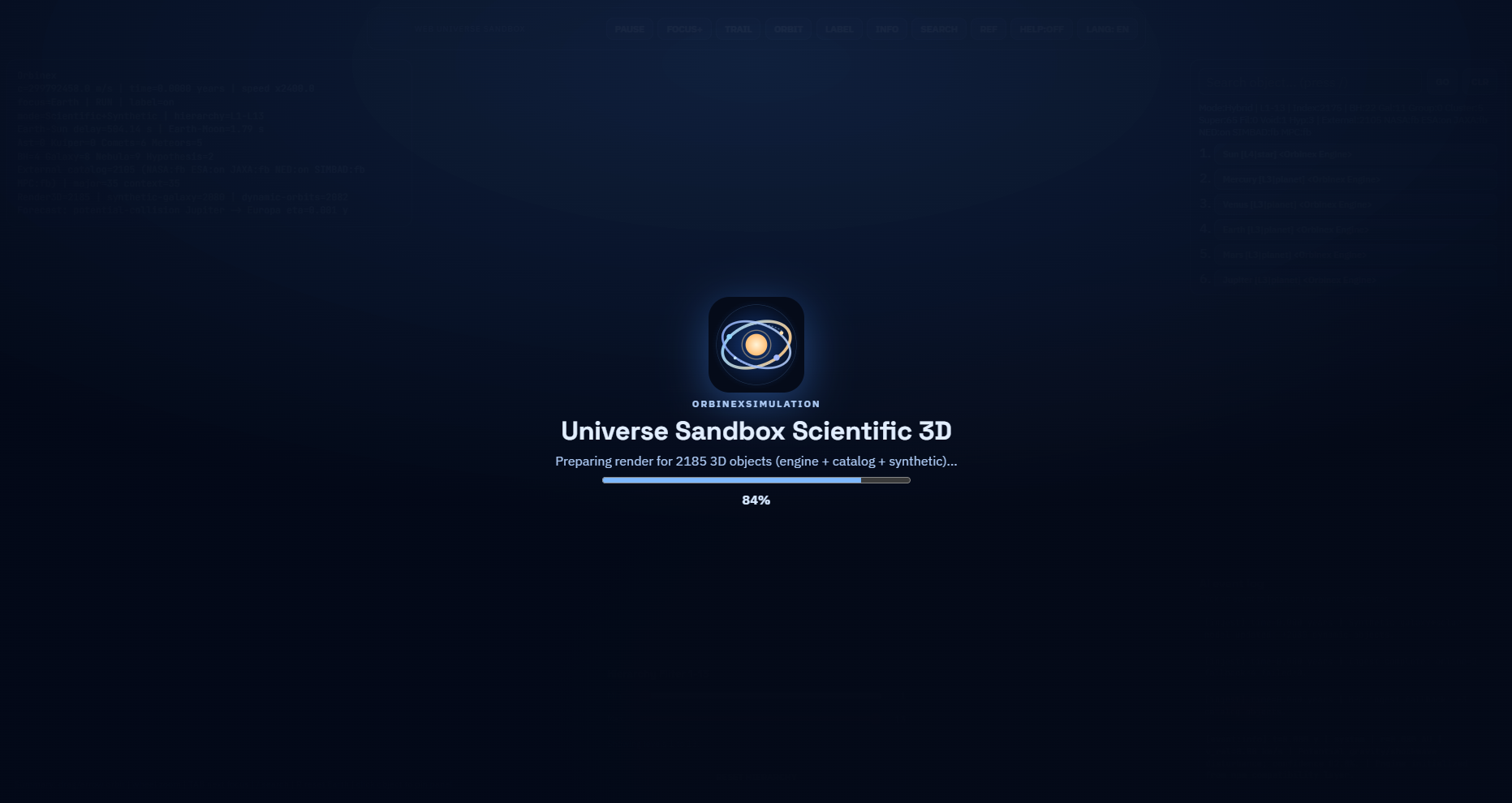 |
| Main runtime overview |
|
| Main runtime overview | 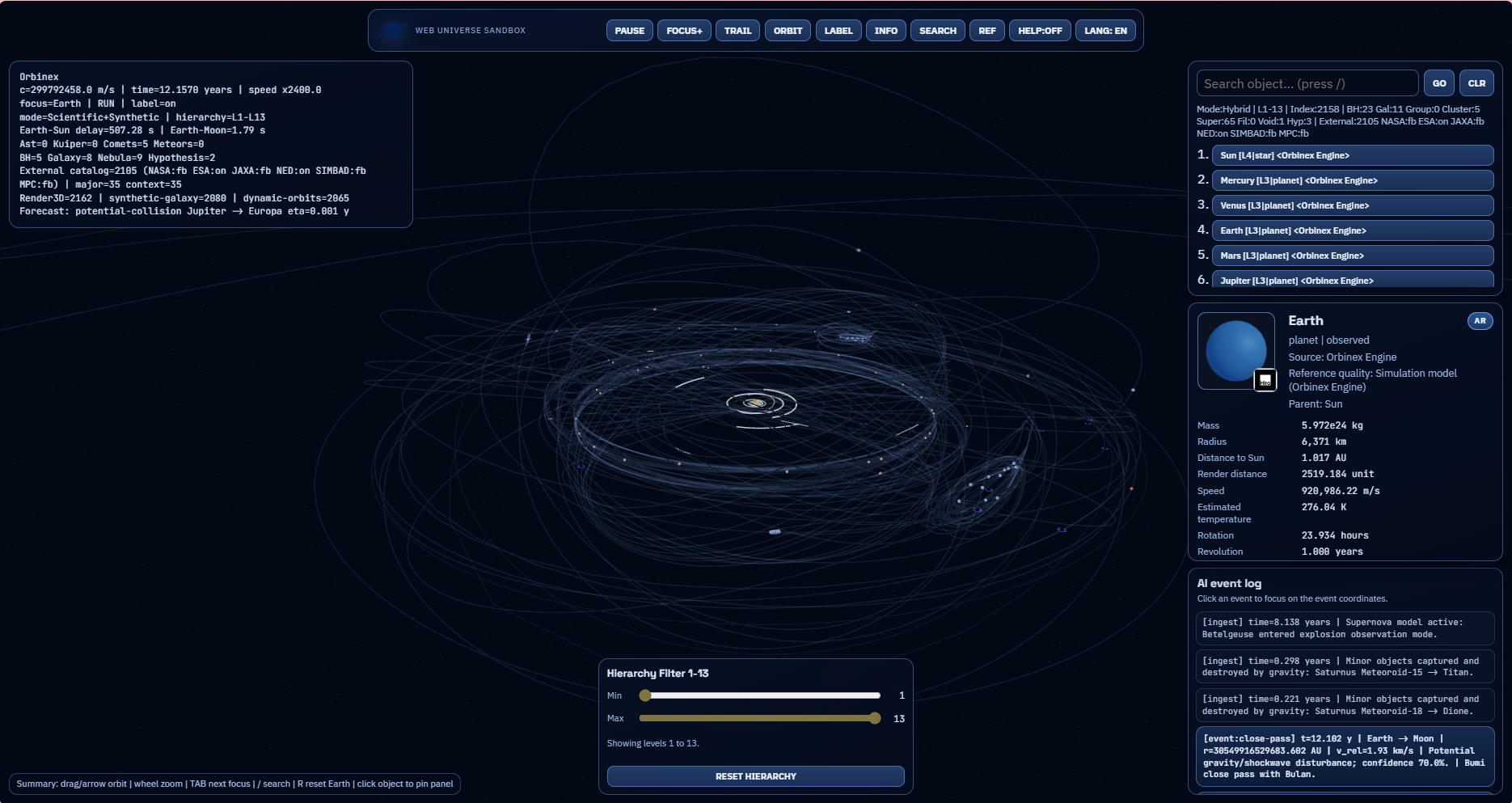 |
| Focused runtime state |
|
| Focused runtime state | 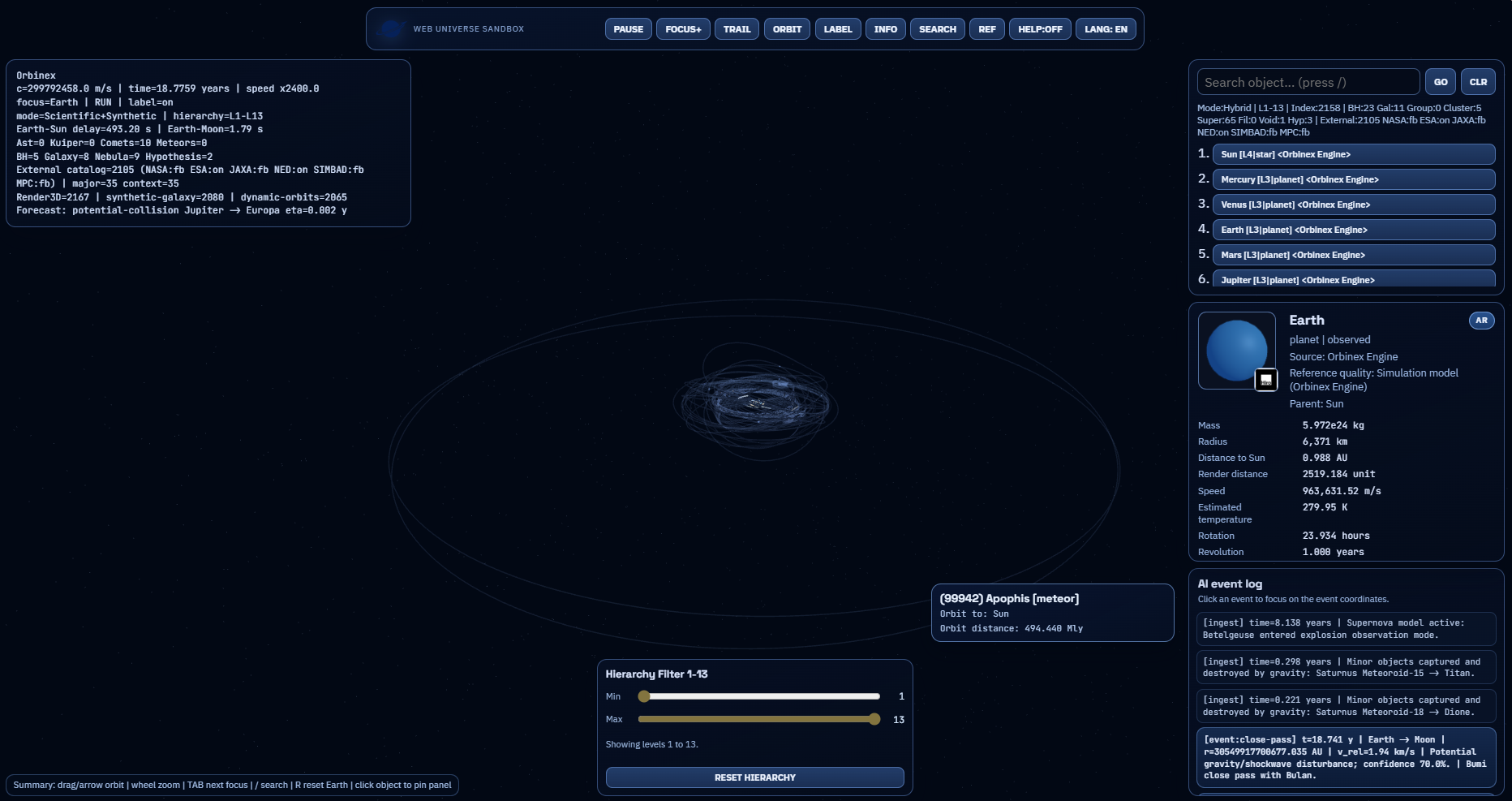 |
| Object scientific card |
|
| Object scientific card | 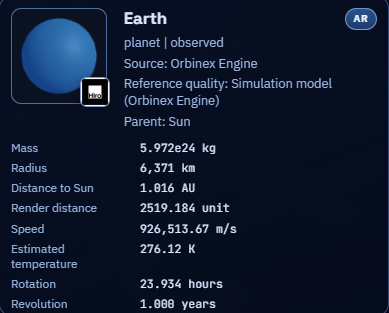 |
| Search and event modules |
|
| Search and event modules | 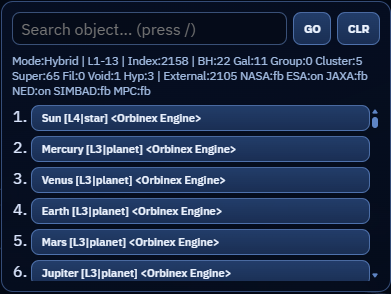 |
| Event logging module |
|
| Event logging module | 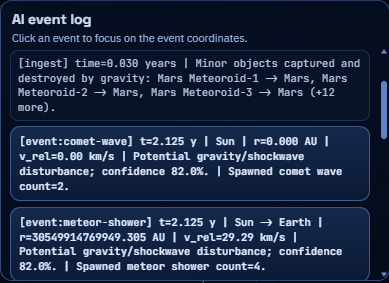 |
| Hierarchy filtering module |
|
| Hierarchy filtering module | 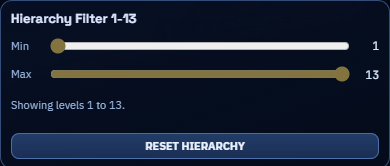 |
| AR marker reference |
|
| AR marker reference |  |
| AR QR activation bridge |
|
| AR QR activation bridge |  |
| Handheld in-situ AR runtime after marker lock |
|
| Handheld in-situ AR runtime after marker lock | 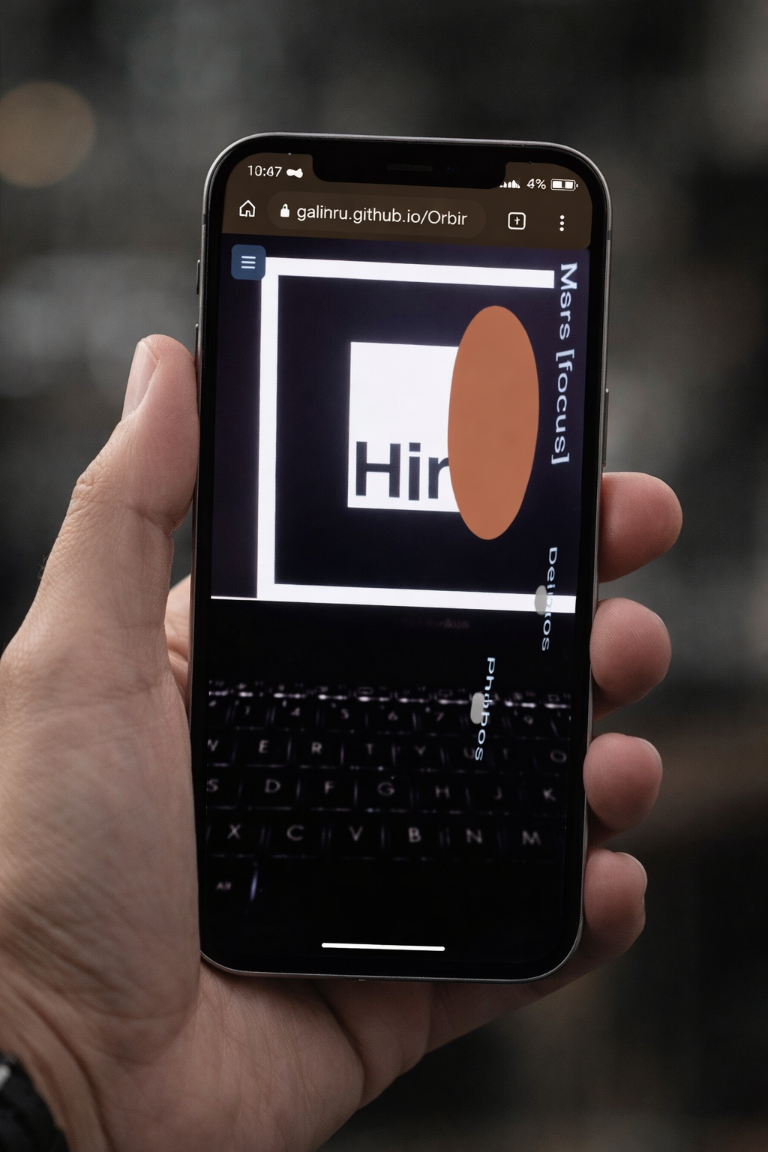 |
|
Figure interpretation notes:
- Table 1, Column 2, Row 1 documents the initialization stage preceding full scene interactivity.
- Table 1, Column 2, Row 2 and Row 3 document high-density and focused-density runtime regimes.
- Table 1, Column 2, Row 4 isolates object-level scientific descriptors used in the detail panel API flow.
- Table 1, Column 2, Row 5 to Row 7 capture retrieval, event chronology, and hierarchy filtering controls.
- Table 1, Column 2, Row 8 and Row 9 capture AR marker anchoring and QR-based mobile activation.
- Table 1, Column 2, Row 10 captures handheld mobile evidence where object and label overlays remain stable after marker detection.
4. Installation and Environment Requirements
4.1 Prerequisites
| Requirement | Recommended version | Notes | | --- | --- | --- | | Node.js | 20.x LTS or newer | Required for ESM/CJS build artifacts | | npm | 10.x or newer | Used for install, build, pack, publish | | Browser context | HTTPS for runtime permissions | Needed for camera/geolocation/motion APIs |
4.2 Install Command
npm install @galihru/orbinexsimEquivalent commands:
pnpm add @galihru/orbinexsim
yarn add @galihru/orbinexsim
bun add @galihru/orbinexsim
4.3 Sequential Path (Install Module First)
Use this ordered sequence to avoid ambiguity:
- Install the published wrapper module in your target project.
npm install @galihru/orbinexsim- Validate installation and resolve lockfile.
npm ls @galihru/orbinexsim- Integrate and run your app runtime entry.
npm run dev- If you need source-level package customization, clone this repository and build the local wrapper.
git clone https://github.com/galihru/OrbinexSimulation.git
cd OrbinexSimulation/orbinexsim-npm
npm ci
npm run build
4.4 Deterministic Local Build of This Package
npm ci
npm run build
Pack for pre-publish validation:
npm packPublish (requires npm auth and policy-compliant token/2FA setup):
npm publish --access public5. Quick Start
import { createOrbinexSim } from "@galihru/orbinexsim";

const sim = createOrbinexSim("#app", {
  mode: "desktop",
  model: "Bumi",
  autoRequestAccess: true,
  width: "100%",
  height: "72vh"
});

// Switch runtime mode when needed
await sim.launchAr({ camera: true, motionSensors: true });

// Scientific quick sample at 1 AU
console.log(sim.buildQuickReport(1.496e11));
6. AR Runtime Integration Example
import {
  bindMarkerTracking,
  createMarkersFromCatalog,
  createPrimitiveModelFromCatalogEntry,
  parseArRequestFromSearch,
  resolveCatalogProxyUrl,
  loadCatalogFromProxy,
  resolveObjectNameForMarker,
  createDefaultArMarkers,
  ensureArMarkers,
  resolveArMarkerHint,
  requestRuntimePermissions,
} from "@galihru/orbinexsim/ar-runtime";

const request = parseArRequestFromSearch(window.location.search);
const markers = createDefaultArMarkers(request.model, request.altModel);
const markerEls = ensureArMarkers("#ar-scene", markers, {
  createMissing: true,
  ensureModelRoot: true,
});

const stopMarkerTracking = bindMarkerTracking(markerEls, {
  onMarkerFound: (summary) => {
    console.log("found", summary.markerModel, summary.markerLabel);
  },
});

const catalogProxyUrl = resolveCatalogProxyUrl(window.location.search);
const proxyEntries = catalogProxyUrl ? await loadCatalogFromProxy(catalogProxyUrl) : [];
const proxyMarkers = createMarkersFromCatalog(proxyEntries, markers);
ensureArMarkers("#ar-scene", proxyMarkers, { createMissing: true, ensureModelRoot: true });

if (proxyEntries[0]) {
  createPrimitiveModelFromCatalogEntry("#model-root-hiro", proxyEntries[0], {
    includeLabel: true,
    radiusScale: 1,
  });
}

const hint = resolveArMarkerHint(markerEls[0]);
const objectName = resolveObjectNameForMarker(markerEls[0], request.model);
const permissions = await requestRuntimePermissions({
  camera: true,
  motionSensors: true,
  geolocation: true,
  microphone: true,
});

console.log({ hint, objectName, permissions });
stopMarkerTracking();
7. API Surface
Main API
| Symbol | Type | Description |
| --- | --- | --- |
| createOrbinexSim(target, options) | Function | Creates a managed simulation instance and iframe host |
| OrbinexSim#setMode(mode) | Method | Switches desktop or AR runtime |
| OrbinexSim#setModel(name) | Method | Changes active object query |
| OrbinexSim#launchAr(options) | Method | Requests permissions and transitions to AR mode |
| OrbinexSim#requestAccess(options) | Method | Returns a permission summary per capability |
| OrbinexSim#createOrbitPreviewSample(radiusMeters) | Method | Returns orbit sample for selected radius |
| OrbinexSim#buildQuickReport(radiusMeters) | Method | Returns concise report string |
| orbitSampleFromAu(au) | Function | Converts AU to orbit sample around solar mass |
| constants | Object | Shared physical constants |
AR Runtime API
| Symbol | Description |
| --- | --- |
| parseArRequestFromSearch | Parses model, altModel, and build query parameters |
| createDefaultArMarkers | Creates default Hiro and Kanji marker configs |
| ensureArMarkers | Ensures marker nodes exist and applies normalized attributes |
| bindMarkerTracking | Subscribes to marker found/lost events with summaries |
| resolveObjectNameForMarker | Resolves marker-linked object with fallback |
| resolveArMarkerHint | Returns marker image/link/label metadata |
| resolveCatalogProxyUrl | Reads external catalog proxy URL from query parameters |
| loadCatalogFromProxy | Loads and normalizes catalog payloads |
| createMarkersFromCatalog | Maps proxy catalog entries to marker configurations |
| extractCatalogEntriesFromPayload | Normalizes arrays or wrapped API payloads |
| createPrimitiveModelFromCatalogEntry | Generates marker-attached primitive model geometry |
| requestRuntimePermissions | Runtime permission helper without creating iframe instance |
8. Scientific Formulations Used by the Module
LaTeX notation:
$$ \mu = G M $$
$$ v = \sqrt{\frac{\mu}{r}} $$
$$ T = 2\pi\sqrt{\frac{a^3}{\mu}} $$
$$ \eta_{\mathrm{years}} = \mathrm{clamp}\left(\frac{d / v_{\mathrm{rel}}}{\mathrm{YEAR_SECONDS}}, 10^{-7}, 5000\right) $$
$$ \mathrm{confidence} = \mathrm{clamp}\left(0.45 + \frac{0.5}{1 + d/\mathrm{AU}}, 0.45, 0.98\right) $$
$$ r_{\mathrm{visual}} = \mathrm{clamp}\left((0.08 + \log_{10}(\max(r_m, 1)) \cdot 0.04) \cdot \mathrm{radiusScale}, 0.03, 0.68\right) $$
Plain-text fallback:
mu = G * M
v = sqrt(mu / r)
T = 2 * pi * sqrt(a^3 / mu)

eta_years = clamp((distance / relative_speed) / YEAR_SECONDS, 1e-7, 5000)
confidence = clamp(0.45 + 0.5 / (1 + distance / AU), 0.45, 0.98)

r_visual = clamp((0.08 + log10(max(radius_m, 1)) * 0.04) * radiusScale, 0.03, 0.68)
| Formula | Used in | Outcome |
| --- | --- | --- |
| mu = G*M, v = sqrt(mu/r), T = 2*pi*sqrt(a^3/mu) | Orbit preview/sample helpers | Physically interpretable speed and period |
| eta ~= distance/speed + confidence clamp | Forecast summaries | Stable early-warning ranking |
| Logarithmic visual radius mapping | AR primitive synthesis | Prevents extreme size collapse in marker view |
9. Runtime Graph and Architecture (Mermaid)
flowchart LR
  A[Consumer App] --> B[createOrbinexSim]
  B --> C[Hosted Viewer]
  C --> D[Desktop Runtime]
  C --> E[AR Runtime]
  D --> F[Event and Forecast Stream]
  E --> F
  F --> G[Scientific Decision Support]
sequenceDiagram
participant APP as Consumer
participant SIM as OrbinexSim API
participant VIEW as Hosted Runtime
participant LOG as Event/Forecast Feed
APP->>SIM: createOrbinexSim(target, options)
SIM->>VIEW: Initialize desktop or AR mode
APP->>SIM: launchAr / setModel / requestAccess
SIM->>VIEW: Propagate runtime update
VIEW->>LOG: Emit state, event, and forecast outputs
LOG-->>APP: Structured simulation summaryMermaid blocks render as diagrams on GitHub. On npm, the same blocks remain readable as deterministic graph text.
Consumer app -> createOrbinexSim -> hosted viewer
                                  -> desktop scene updates
                                  -> optional AR marker flow
                                  -> event/forecast summaries
10. Browser and Permission Notes
| Capability | Requirement | | --- | --- | | Camera / microphone | Secure context (HTTPS) and user permission | | Geolocation | Secure context and browser location policy | | Motion sensors | Platform-specific API permission (notably on iOS) | | AR marker runtime | Camera access and marker visibility in scene |
Default hosted base URL:
11. Build and Publish
11.1 npm Token Setup (Safe)
Do not commit a real npm token into this repository.
- Create or update user-level
.npmrc(recommended: in home directory, not in repo):
//registry.npmjs.org/:_authToken=${NPM_TOKEN}- Set token as environment variable in your current shell session.
PowerShell:
$env:NPM_TOKEN="npm_REPLACE_WITH_YOUR_TOKEN"- Validate authentication before publish.
npm whoamiIf a token was exposed accidentally, revoke/rotate it in npm account settings before publishing.
npm run build
npm publish --access public
Release-grade sequence:
npm ci
npm run build
npm pack
npm publish --access public
12. License
MIT