
@game8.io/plugin
v1.1.2
Published
Game8.io HTML5 Plugin


Keywords
Readme


Game8.io HTML5 Plugin
This is the documentation of the "Game8.io HTML5 Plugin" project.
Game8.io is the biggest collections of high quality, cross-platform games. We provide great games for your website within minutes!
Running into any issues? Check out the F.A.Q. within the Wiki of the github repository before mailing to [email protected]
Implementation
Implement the following snippet within your game or within the <head> section of your index.html.
<!-- Pogame Plugin -->
<link rel="stylesheet" href="https://unpkg.com/@game8.io/plugin/dist/g8plugin.css">
<script type="text/javascript" src="https://unpkg.com/@game8.io/plugin/dist/g8plugin.js"></script>
Usage
Create container where the game screen will be rendered.
<!-- Container -->
<div id="game-screen" style="background: rgba(0, 0, 0, 0.5);height:600px;"></div>
Render game screen with window.g8plugin.init method.
<script>
    window.g8plugin.init({
        container: 'game-screen',
        gameId: 'df0a60ffc1e344adb308b5e9a8a0bd04',
        preload: true,
    });
</script>
This plugin provides a range of flexible options to help you fine-tune your experience during usage.
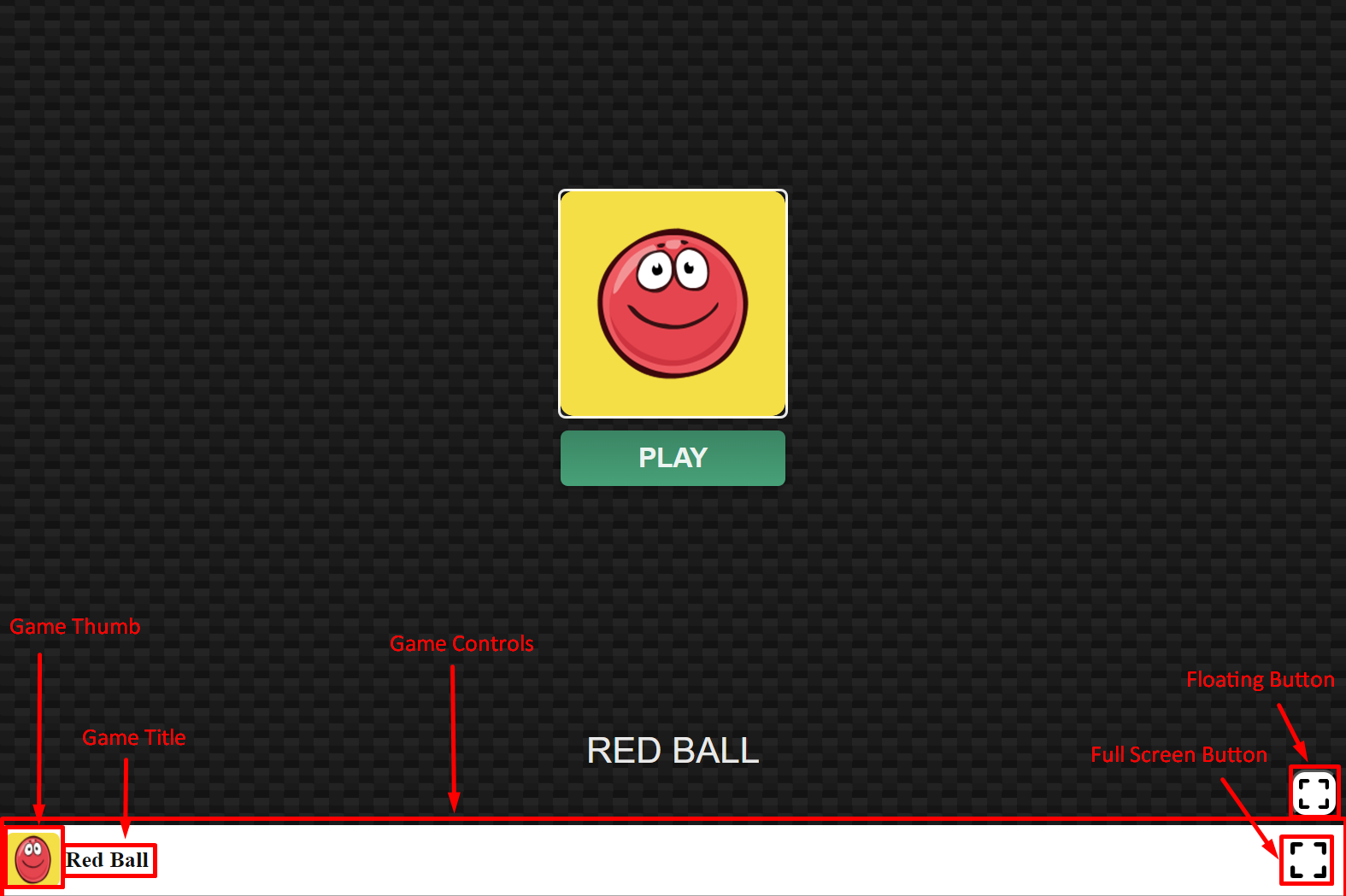
When you start the game, if your device is not oriented correctly, a warning will appear on your screen. This is a gentle reminder to keep your device in a fixed position for the best gaming experience possible
Options:
window.g8plugin.init({
    // The container where the game screen will be rendered
    container: "game-screen",

    // you need to provide either gameId or gameUrl
    // if no `gameData` is used, the game won't be able to fetch from the server, so you don't need to provide gameId, you can provide gameUrl directly
    gameId: "df0a60ffc1e344adb308b5e9a8a0bd04",
    // gameUrl: "https://h5.ga8.io/df0a60ffc1e344adb308b5e9a8a0bd04/",

    preload: true, // will be 'preload' or 'direct'

    //can be 'portrait' or 'landscape' or a function that returns either 'portrait' or 'landscape'
    orientation: (gameData) => { return gameData.orientation },
    gameControls: {
        // can be a string that represents the game title or a function that returns the game title
        gameTitle: (gameData) => { return gameData.title },
        // can be a string that represents the game thumb or a function that returns the game thumb
        gameThumb: (gameData) => { return gameData.thumb },
        // You can provide a custom full screen button icon or hide the full screen button by setting fullScreenButton=false
        fullScreenButton: {
            icon: "https://static.ga8.io/plugins/g8plugin/images/full-screen.svg"
        },
        // Determines the visibility of the game controls.
        // You can set the visibility for mobile, mobile_fullscreen, pc, pc_fullscreen or visibility=false to hide the game controls
        visibility: {
            mobile: true,
            mobile_fullscreen: false,
            pc: true,
            pc_fullscreen: true,
        }
    },
    //Button will float on mobile devices on fullscreen mode and will be hidden on PC as default
    floatingButton: {
        // Determines the visibility of the floating button.
        // You can set the visibility for mobile, mobile_fullscreen, pc, pc_fullscreen or visibility=false to hide the floating button
        visibility: {
            mobile: false,
            mobile_fullscreen: true,
            pc: false,
            pc_fullscreen: false,
        },
        // Default position of the floating button, default is bottom right corner
        defaultPosition: {
            right: "0px",
            bottom: "0px"
        }
    },
})
Development
For development and release information, see:
- Semantic Release Setup - Automated versioning and releases
- Commit Validation - Commit message conventions and validation