
@geoapify/angular-geocoder-autocomplete
v3.1.0
Published
Angular component for the Geoapify Geocoder Autocomplete library

Maintainers
 geoapify
Readme
Angular Geocoder Autocomplete

The Angular Geocoder Autocomplete component integrates the core @geoapify/geocoder-autocomplete library into Angular. It provides an easy-to-use Angular wrapper for the Geoapify Geocoding Autocomplete API, allowing developers to add advanced, localized, and flexible address search functionality to their applications.
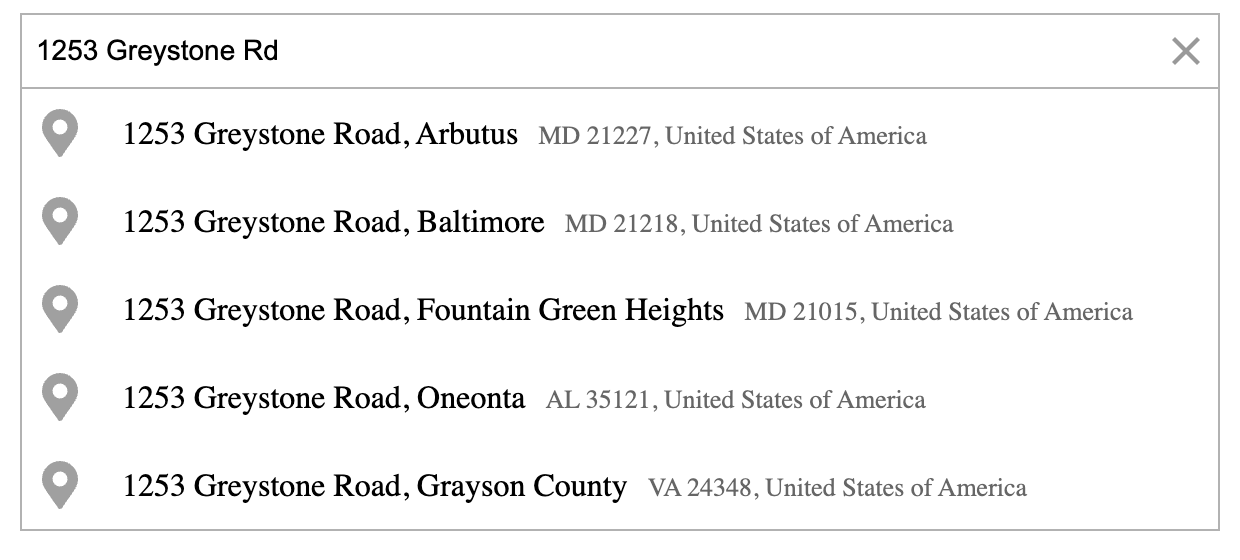
Table of Contents
Features
- Simple Angular integration with a ready-to-use component.
- Fast, responsive incremental search with built-in debounce.
- Localized suggestions with support for multiple languages and country filters.
- Flexible configuration: biasing, filtering, and bounding boxes.
- Customizable design: easily style or theme your component.
- Keyboard navigation for selecting and clearing results.
- Rich results including coordinates, structured address, and metadata.
- Compatible with Angular 19–22.
Quick Start
You’ll need a Geoapify API key to use the component.
- Register for a free account at myprojects.geoapify.com.
- Create a project to obtain your API key.
- You can start for free — Geoapify offers a generous Freemium plan.
1. Install
npm install @geoapify/geocoder-autocomplete@^3.1 @geoapify/angular-geocoder-autocomplete@^3.1
# or
yarn add @geoapify/geocoder-autocomplete@^3.1 @geoapify/angular-geocoder-autocomplete@^3.1
Get a Geoapify API key: https://myprojects.geoapify.com
2. Import the module
// app.module.ts
import { BrowserModule } from '@angular/platform-browser';
import { NgModule } from '@angular/core';
import { AppComponent } from './app.component';
import { GeoapifyGeocoderAutocompleteModule } from '@geoapify/angular-geocoder-autocomplete';

@NgModule({
  declarations: [AppComponent],
  imports: [
    BrowserModule,
    GeoapifyGeocoderAutocompleteModule.withConfig('YOUR_GEOAPIFY_API_KEY')
  ],
  bootstrap: [AppComponent]
})
export class AppModule {}
Tip: Use a separate API key for each environment. For browser applications, restrict the key by allowed origins, HTTP referrers, and CORS settings in Geoapify MyProjects.
3. Add styles
Option A: angular.json
"styles": [
  "node_modules/@geoapify/geocoder-autocomplete/styles/round-borders.css",
  "src/styles.scss"
],
...
Option B: global stylesheet (e.g., styles.scss)
@import "@geoapify/geocoder-autocomplete/styles/minimal.css";Themes: minimal, round-borders, minimal-dark, round-borders-dark.
4. Use the component
Basic:
<geoapify-geocoder-autocomplete></geoapify-geocoder-autocomplete>With events and common options:
<geoapify-geocoder-autocomplete
  placeholder="Search for an address"
  [lang]="'en'"
  [limit]="8"
  [addDetails]="true"
  (placeSelect)="onPlaceSelected($event)"
  (suggestionsChange)="onSuggestionsChange($event)">
</geoapify-geocoder-autocomplete>
onPlaceSelected(feature: any) {
console.log('Selected:', feature?.properties?.formatted);
}
onSuggestionsChange(list: any[]) {
console.log('Suggestions:', list);
}Compatibility
| @geoapify/angular-geocoder-autocomplete | Angular Version | | --------------------------------------- | --------------- | | 1.0.x–1.3.x | 9.x–14.x | | 2.0.0 | 15.x | | 2.0.1 | 15.x–16.x | | 2.0.2 | 17.x–18.x | | 2.0.3–2.2.x | 19.x–20.x | | 3.0.0 | 19.x–20.x | | 3.0.1 | 19.x–21.x | | 3.1.x | 19.x–22.x |
Upgrading from 3.0.1 to 3.1.x
Version 3.1.x aligns Angular output payloads with the callback arguments from @geoapify/geocoder-autocomplete 3.1.x:
requestEnd,placesByCategoryRequestEnd, andplaceDetailsRequestEndemit{ success, data, error }.placeByCategorySelectemits{ place, index }.
Handlers that ignore $event, such as (requestEnd)="loading = false", do not need to change. Handlers that previously treated $event as a boolean or place object must read the corresponding property from the new event object.
If you prefer to use the library directly without Angular bindings, check the Standalone Usage section.
Documentation
Full documentation — including configuration options, detailed examples, and migration instructions — is available online at:

On the documentation site you’ll find:
- A guided Quick Start to get the component running in minutes.
- A complete API Reference coverage of all
@Input()and@Output()properties. - A dedicated Examples section with real-world scenarios (filters, biasing, category search, hooks).
- A Migration Guide for versions 1.x → 2.x (and beyond).
- Guides for Standalone Usage of the underlying
@geoapify/geocoder-autocompletelibrary.
The component includes many options for configuration and customization. Below are the most commonly used properties that cover typical address autocomplete use cases:
| Property | Direction | Description |
| --------------------- | --------- | --------------------------------------------------------------------------------- |
| placeholder | Input | Sets the placeholder text for the input field. |
| type | Input | Defines the type of location to search for — e.g. city, street, or amenity. |
| lang | Input | Sets the language of suggestions and results. |
| limit | Input | Limits the number of suggestions displayed. |
| debounceDelay | Input | Adds a short delay before sending requests, improving performance. |
| filterByCountryCode | Input | Restricts search results to selected countries. |
| biasByProximity | Input | Prioritizes results near a specific location (latitude/longitude). |
| addDetails | Input | Returns detailed information such as boundaries and place metadata. |
| skipIcons | Input | Hides icons in the suggestion list for a minimal look. |
| placeSelect | Output | Triggered when a user selects an address from suggestions. |
| suggestionsChange | Output | Emits updated suggestions while typing. |
| userInput | Output | Fires on each user input change. |
Examples
1. Basic Address Search
<geoapify-geocoder-autocomplete
  placeholder="Search for an address"
  (placeSelect)="onPlaceSelected($event)">
</geoapify-geocoder-autocomplete>
onPlaceSelected(place: any) {
console.log('Selected place:', place?.properties?.formatted);
}Used properties:
placeholder, placeSelect
2. Restrict Results to Specific Country
<geoapify-geocoder-autocomplete
  [filterByCountryCode]="['us']"
  (placeSelect)="onPlaceSelected($event)">
</geoapify-geocoder-autocomplete>
Restricts suggestions to a list of countries using ISO country codes.
Used properties:
filterByCountryCode, placeSelect
3. Limit Search to Area (Berlin Example)
<geoapify-geocoder-autocomplete
  [filterByRect]="{ lon1: 13.0884, lat1: 52.3383, lon2: 13.7611, lat2: 52.6755 }"
  (placeSelect)="onPlaceSelected($event)">
</geoapify-geocoder-autocomplete>
This configuration restricts search results to the Berlin area.
Used properties:
filterByRect, placeSelect
4. Bias Results by User Location
ngOnInit() {
  navigator.geolocation.getCurrentPosition(pos => {
    this.biasByProximity = { lon: pos.coords.longitude, lat: pos.coords.latitude };
  });
}
<geoapify-geocoder-autocomplete
[biasByProximity]="biasByProximity"
(placeSelect)="onPlaceSelected($event)">
</geoapify-geocoder-autocomplete>Prioritizes nearby results without strictly limiting the search area.
Used properties:
biasByProximity, placeSelect
5. Using Hooks for Custom Input and Suggestions
<geoapify-geocoder-autocomplete
  [preprocessingHook]="preprocessInput"
  [suggestionsFilter]="filterSuggestions">
</geoapify-geocoder-autocomplete>
preprocessInput(value: string): string {
return `${value}, Berlin`;
}
filterSuggestions(suggestions: any[]): any[] {
return suggestions.filter(s => s.properties.result_type === 'street');
}Used properties:
preprocessingHook, suggestionsFilter
6. Add Details for Selected Place
<geoapify-geocoder-autocomplete
  [addDetails]="true"
  placeholder="Search for a city"
  (placeSelect)="onPlaceSelected($event)">
</geoapify-geocoder-autocomplete>
Adds boundary or geometry data (where available) to the selected feature.
Used properties:
addDetails, placeSelect
7. Enable Category (POI) Search
<geoapify-geocoder-autocomplete
  [addCategorySearch]="true"
  [showPlacesByCategoryList]="true"
  [placesByCategoryFilter]="{ circle: { lon: 13.405, lat: 52.52, radiusMeters: 5000 } }"
  (placeByCategorySelect)="onPoiSelected($event)">
</geoapify-geocoder-autocomplete>
Displays category suggestions and nearby Points of Interest (POIs), restricted to a 5 km circle around Berlin.
Used properties:
addCategorySearch, showPlacesByCategoryList, placesByCategoryFilter, placeByCategorySelect
8. Show Loading Indicator While Searching
<div class="autocomplete-wrapper">
  <geoapify-geocoder-autocomplete
    (requestStart)="loading = true"
    (requestEnd)="loading = false"
    (placeSelect)="onPlaceSelected($event)">
  </geoapify-geocoder-autocomplete>

  <div *ngIf="loading" class="loading-spinner">Loading...</div>
</div>
Used properties:
requestStart, requestEnd
9. Clear Selection
<geoapify-geocoder-autocomplete
  (clear)="onClear()"
  placeholder="Search address">
</geoapify-geocoder-autocomplete>
onClear() {
console.log('Selection cleared');
}Used properties:
clear
10. Combine Filters and Bias
<geoapify-geocoder-autocomplete
  [filterByCountryCode]="['de']"
  [biasByProximity]="{ lon: 13.405, lat: 52.52 }"
  [addDetails]="true"
  (placeSelect)="onPlaceSelected($event)">
</geoapify-geocoder-autocomplete>
Combines multiple parameters — country restriction, local bias, and detailed output — for refined search results.
Used properties:
filterByCountryCode, biasByProximity, addDetails, placeSelect
Learn More
- Geoapify Geocoding API Docs
- Place Details API Docs
- Geoapify API Playground
- Geoapify Address Autocomplete Overview
- @geoapify/geocoder-autocomplete on npm — includes more live demos and examples.
Contributions and Support
We welcome feedback, bug reports, and feature suggestions to improve the library.
Contributing
If you’d like to contribute:
- Fork the repository on GitHub.
- Create a feature branch (
git checkout -b feature/your-feature-name). - Make your changes and ensure the code follows Angular and TypeScript best practices.
- Submit a pull request with a clear description of your changes.
Before contributing, please review the existing issues and documentation to avoid duplicates.
Reporting Issues
If you encounter a bug or unexpected behavior, please open an issue on GitHub. When submitting an issue, include:
- A short description of the problem
- Steps to reproduce
- Expected vs. actual results
- Angular and package versions
Getting Support
- Visit the Geoapify Developer Portal for API documentation.
- Check the official documentation site for guides and examples.
- For general questions, contact the Geoapify support team via [email protected].