
@gismark/strapi-geometry-fields
v1.1.1
Published
Store and edit geospatial data with PostGIS in a Strapi v5 custom field

Maintainers
 markovmedia
Readme
Geometry Fields plugin for Strapi
Store and edit geospatial data with PostGIS in a Strapi v5 custom field.
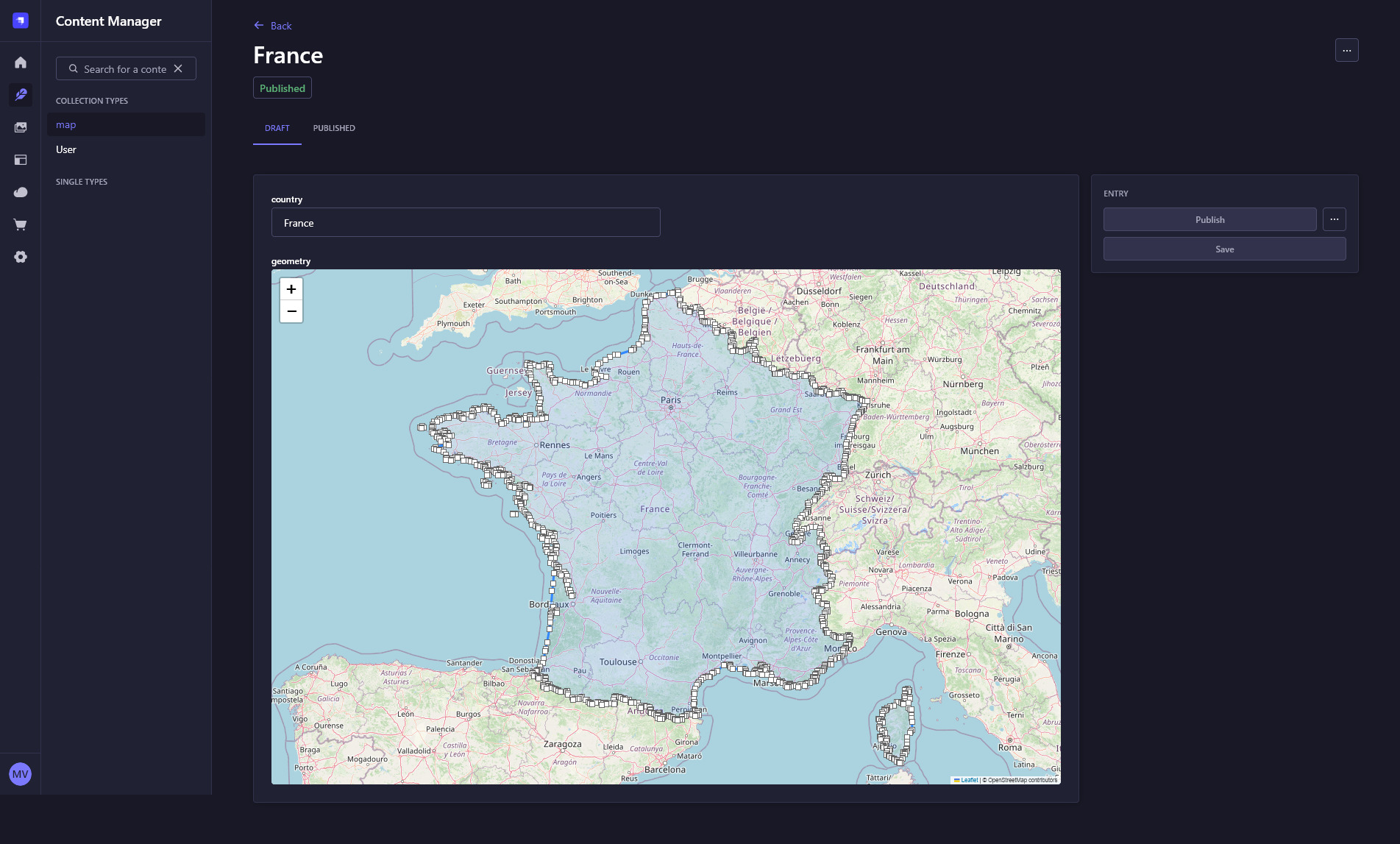
The plugin accepts WKT (Well-known text) or GeoJSON from the API and stores it in a PostGIS column in the db table of the content type. You can use multiple geometry fields across different content types. All features are editable and draggable using the hosted Leaflet.Editable and Path.Drag.
Screenshot is a multipolygon with the boundaries of France as WKT.
Installation
Configuration
This plugin only runs with PostgreSQL and needs PostGIS to be installed. If you haven't already done so, run this query in Postgres:
For the Leaflet map and the markers to display you must allow Openstreetmap in your middlewares.js. Update "strapi::security" like so:
In the settings, choose if the plugin should handle WKT or GeoJSON from the API (default is WKT)
Usage
In the Content Type Builder
- Create a new or choose an existing collection type
- In the field selection, select CUSTOM, choose the Geometry field and give it a name (e.g. 'geometry')
- Finish & Save
In the code
Add this field to the schema.json of your content type
- An extra column '__geom_geometry' is created in the db table for the content type.
Examples
input as WKT
input as GeoJSON
Tested with
- Strapi 5.16.1
- PostgreSQL 12.4
- PostGIS 3.0.2
Geometries
Currently, these geometries as WKT and GeoJSON are supported by the plugin for all CRUD functions:
- Point and MultiPoint
- LineString and MultiLineString
- Polygon and MultiPolygon
- GeometryCollection containing all of the above
Real-world usage
Geometry Fields is used in a production environment by Gismark, a web application for creating interactive maps with an AI-assisted workflow
License
MIT