
@gitton-dev/types
v0.0.25
Published
TypeScript type definitions for Gitton plugins
Downloads
150

Maintainers
 gitton-dev
Readme
Gitton
Git Client for Vibe Coding
Gitton is a Git client designed for the AI coding era. Run Claude Code, Cursor CLI, and other AI assistants directly in the integrated terminal. Features AI-powered commit message generation, code review, and PR description generation.
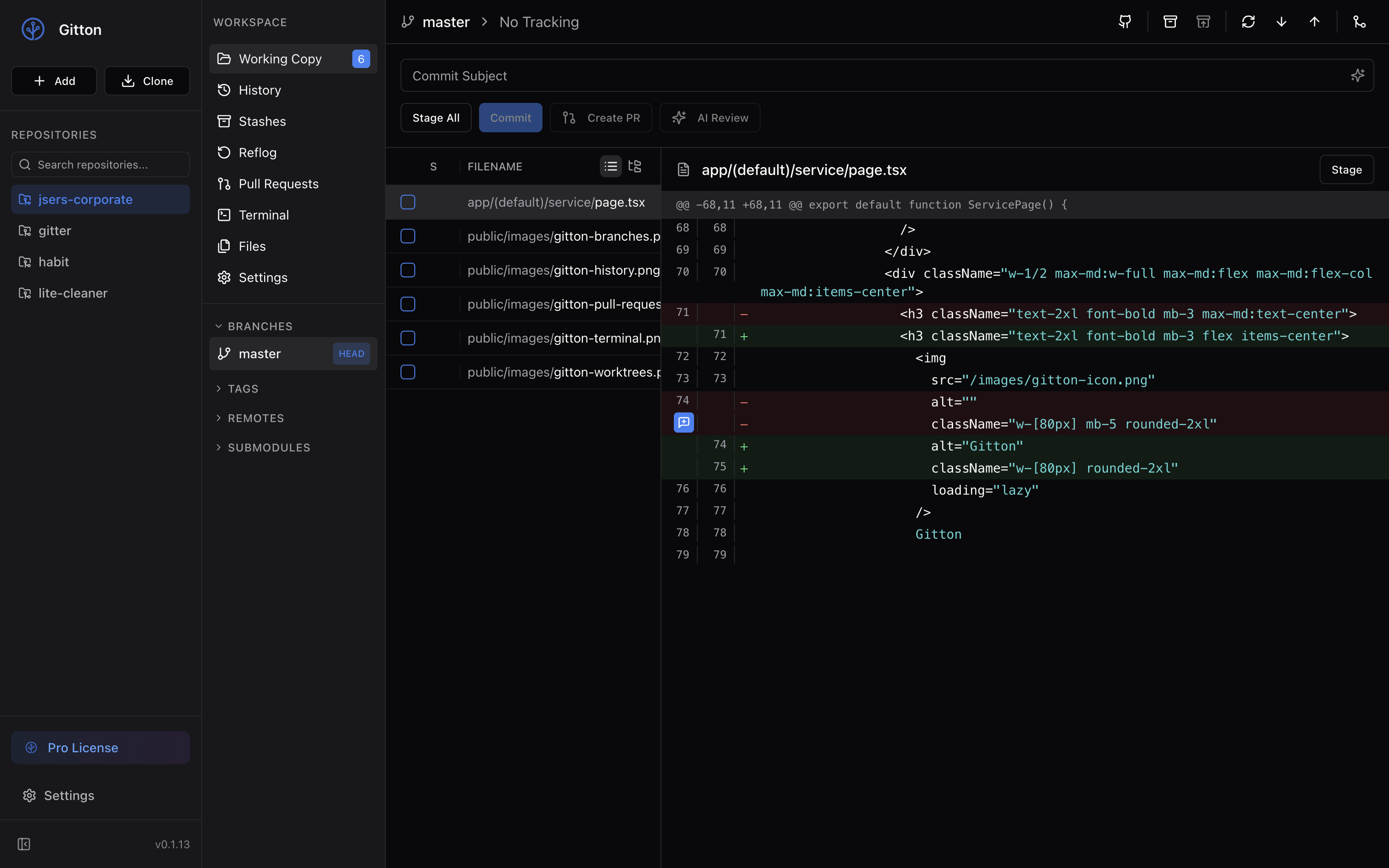
Philosophy
Gitton represents a paradigm shift in development tools for the AI era. With AI coding assistants like Claude Code, Cursor CLI, and Aider, developers spend less time in traditional editors and more time in terminals.
Terminal-First Approach - Rather than another code editor, Gitton integrates a terminal for AI instruction. Give instructions to AI in the terminal, review results and commit in a powerful Git client.
Advanced Git Features - AI-assisted development requires more sophisticated Git capabilities. Since AI generates large code blocks that may include unintended changes, you need granular version control.
GitHub-Exclusive Focus - Deep GitHub integration enables PR management, inline commenting, AI-generated PR descriptions, and automated code reviews—all within the app.
Strip unnecessary features while thoroughly refining essential ones. For the AI era, that means: powerful Git operations, terminal integration, and seamless GitHub workflows—without editor complexity.
Features
Visual History & Navigation
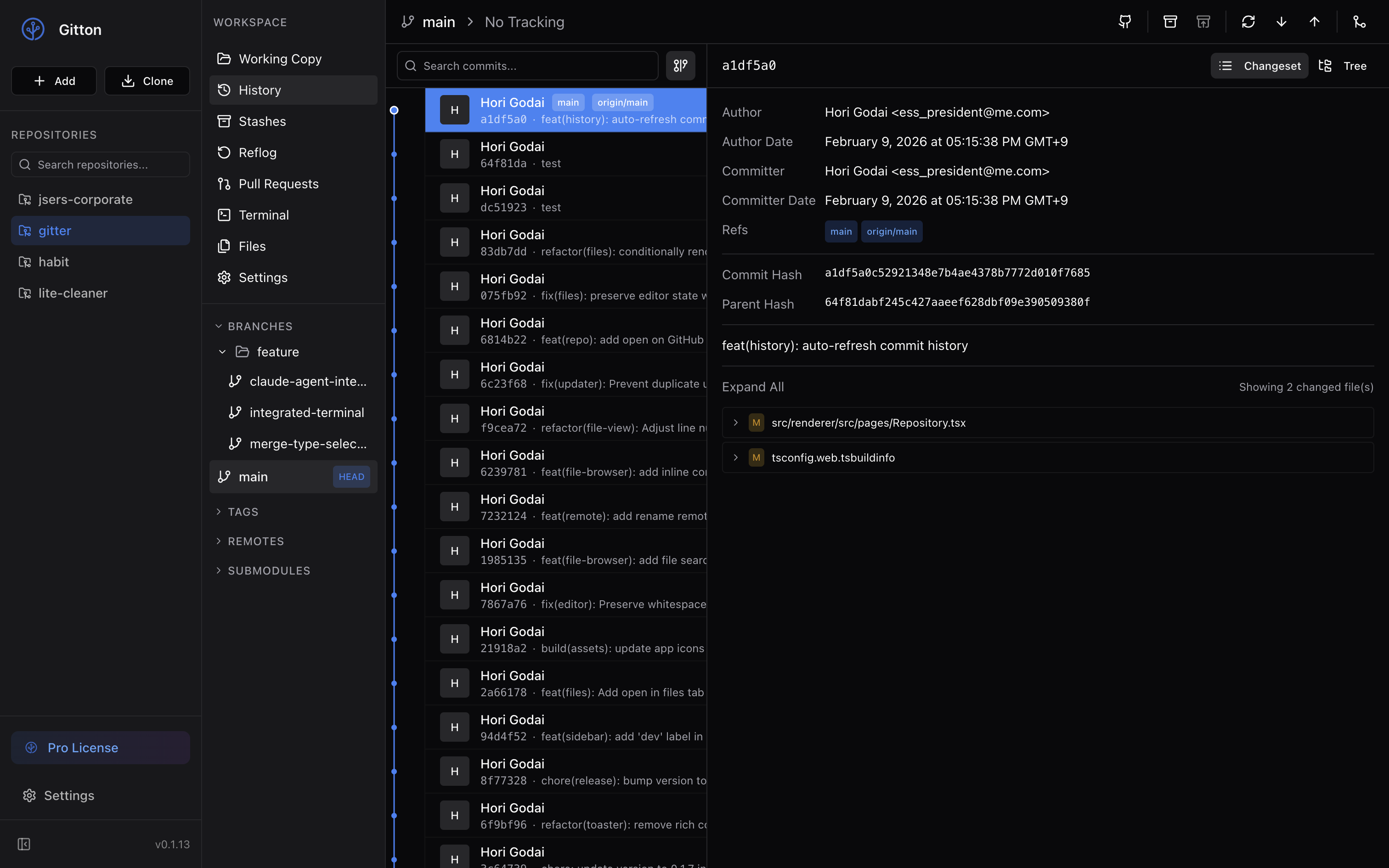
- Intuitive Graph View - Visualize your project history with color-coded branch graphs
- Easy Operations - Cherry-pick, revert, and reset commits with a click
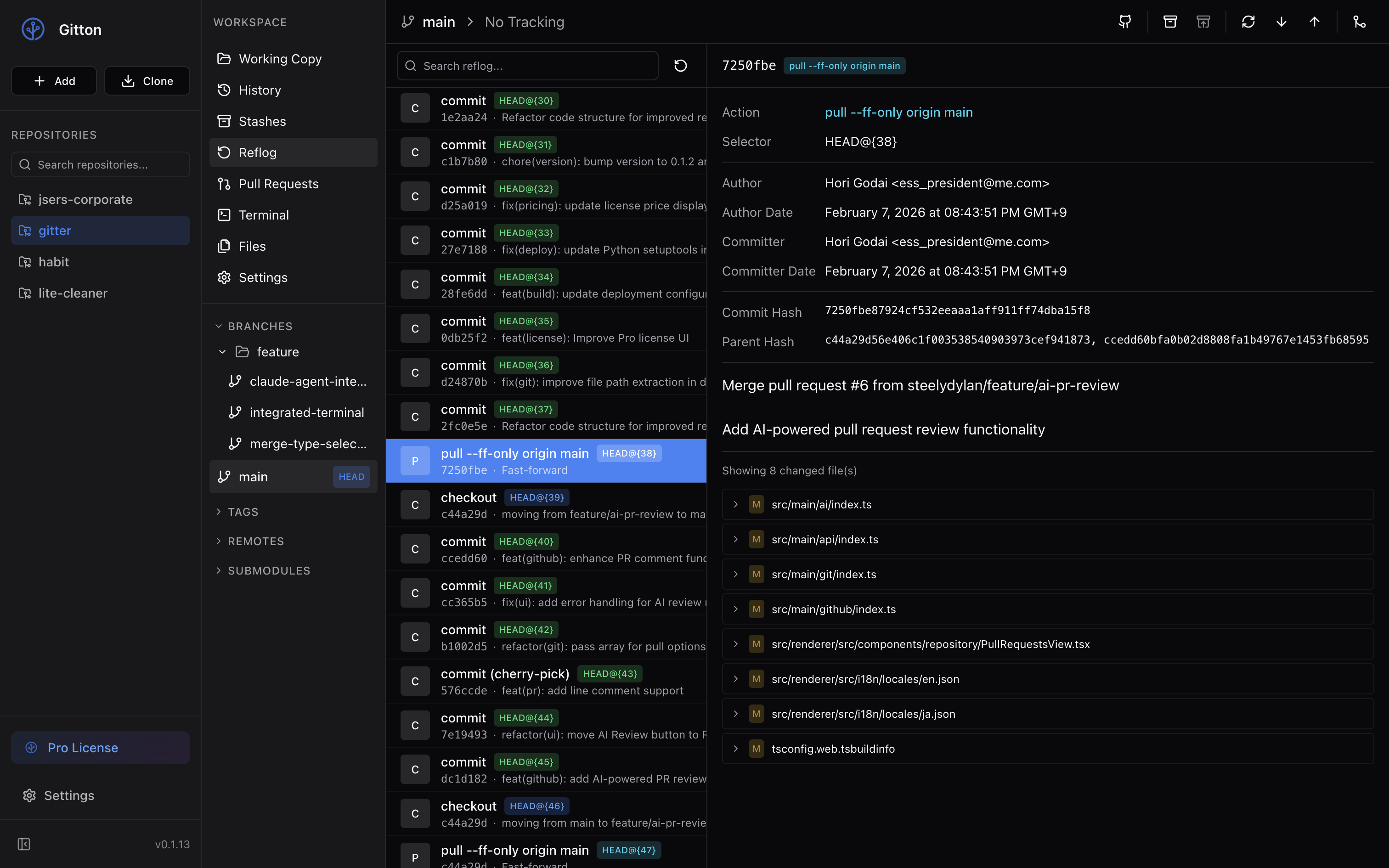
- Reflog Support - Complete operation history for easy recovery from mistakes
Branches & Reflog
GitHub Integration
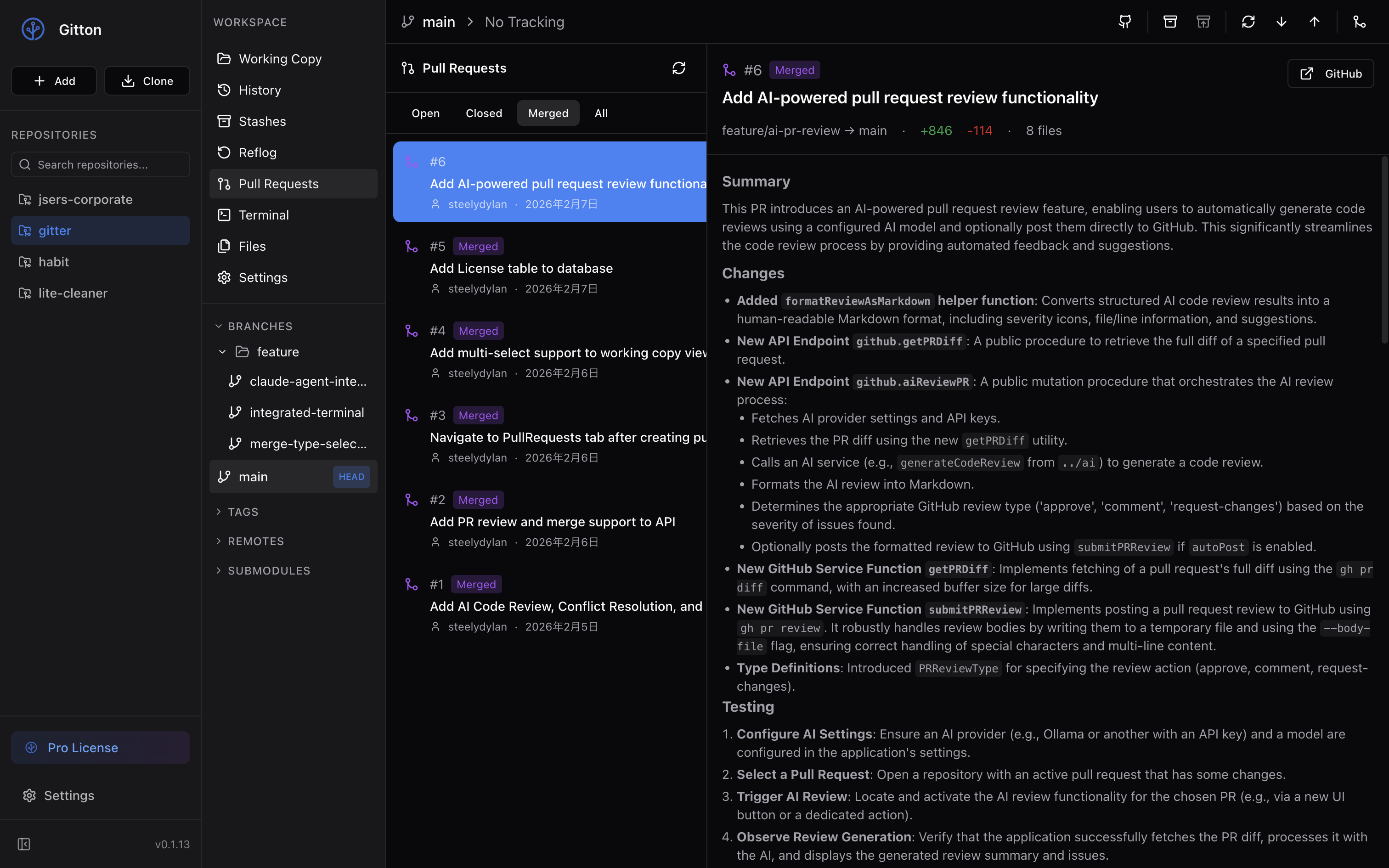
- Pull Requests - Create, review, and merge PRs without leaving the app
- AI-Generated PR Descriptions - Let AI write your PR descriptions from commit diffs
- AI Code Review - Get intelligent feedback on your changes
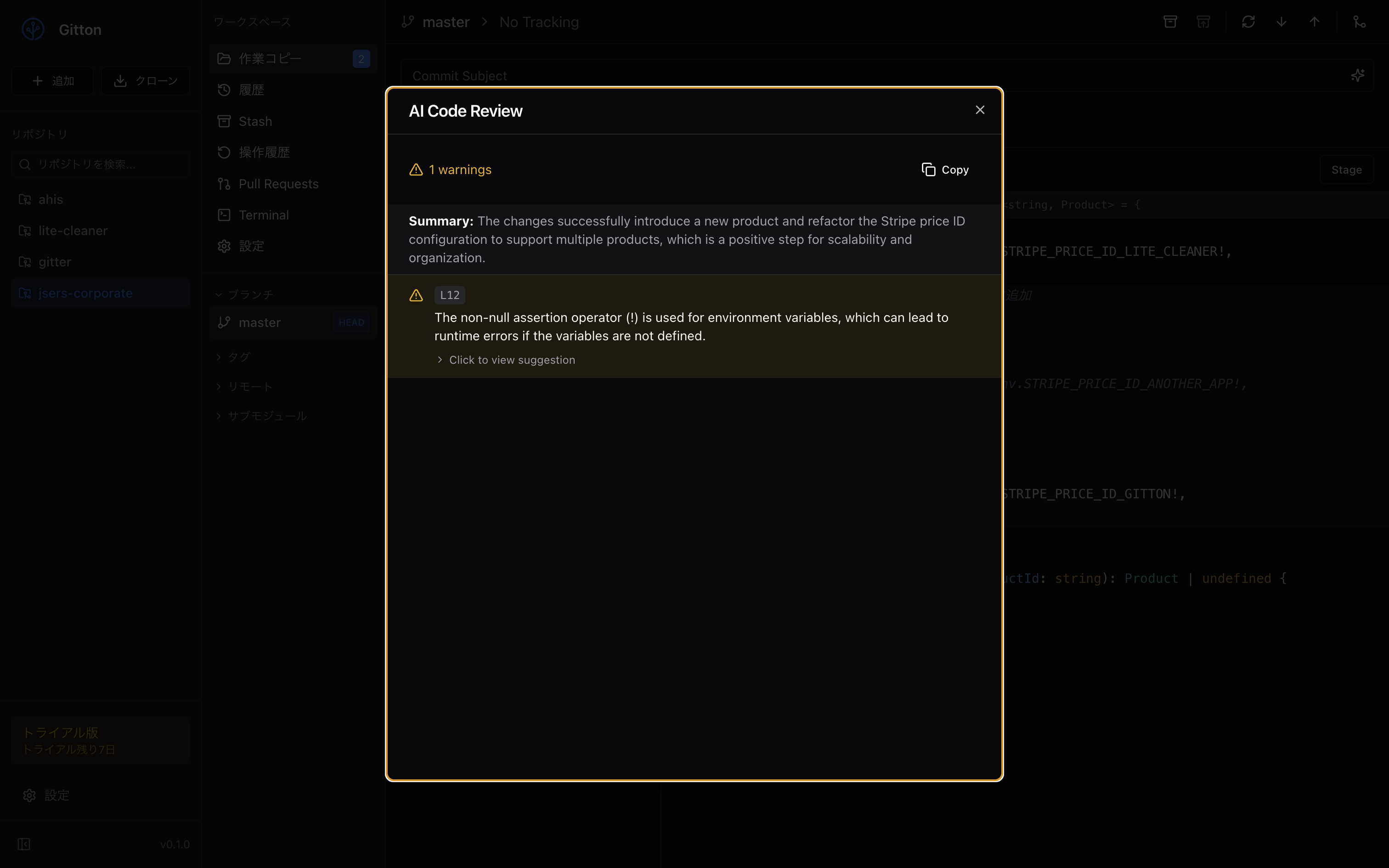
AI-Powered Workflows
- Multi-Provider Support - OpenAI, Anthropic, Google, and Ollama
- Conventional Commit Messages - Auto-generate meaningful commit messages
- Security Analysis - AI-powered security scanning of your changes
Parallel Development with Worktrees
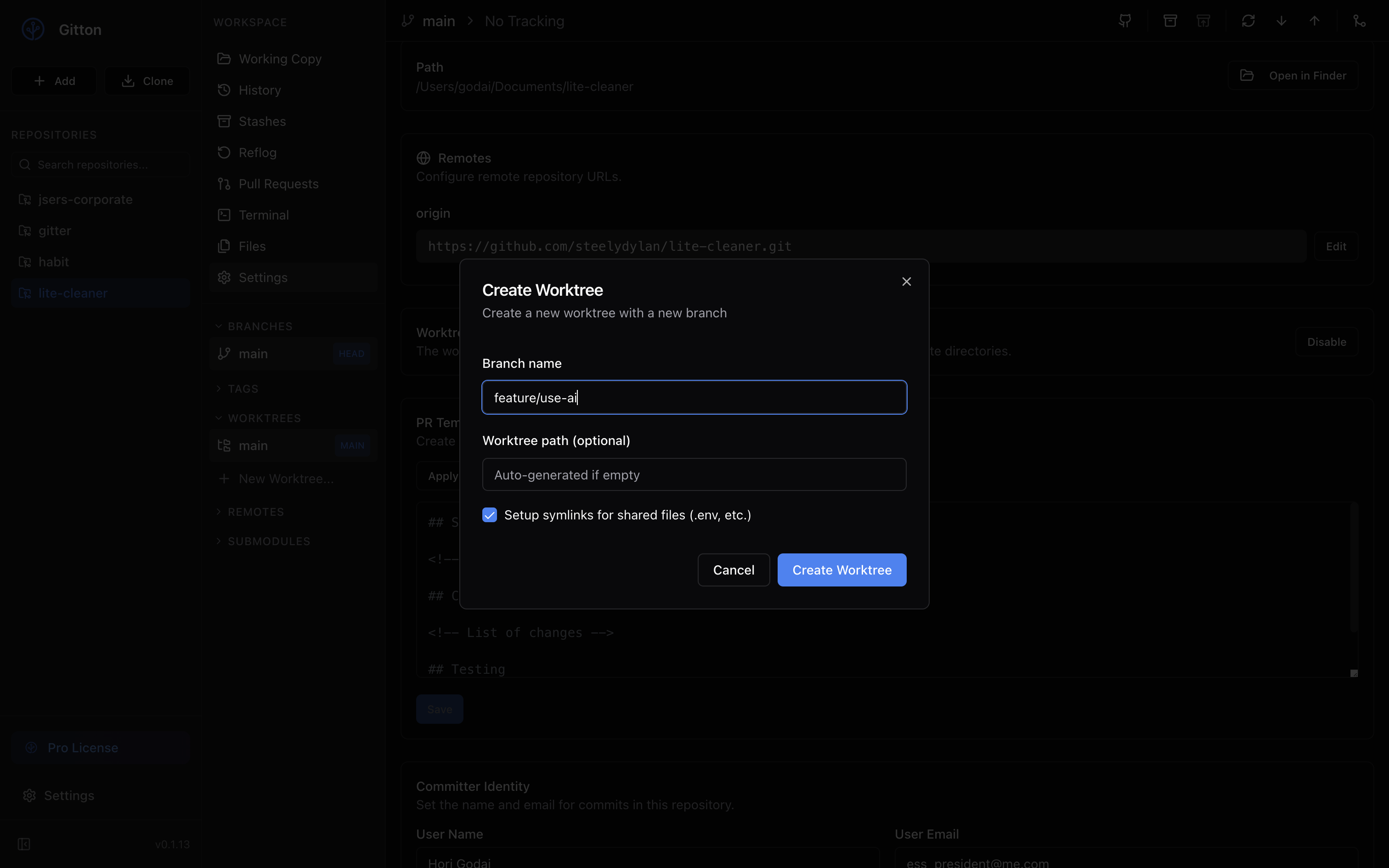
- Multiple Worktrees - Work on different branches simultaneously
- Independent Sessions - Run separate AI tool sessions in each worktree
Integrated Terminal
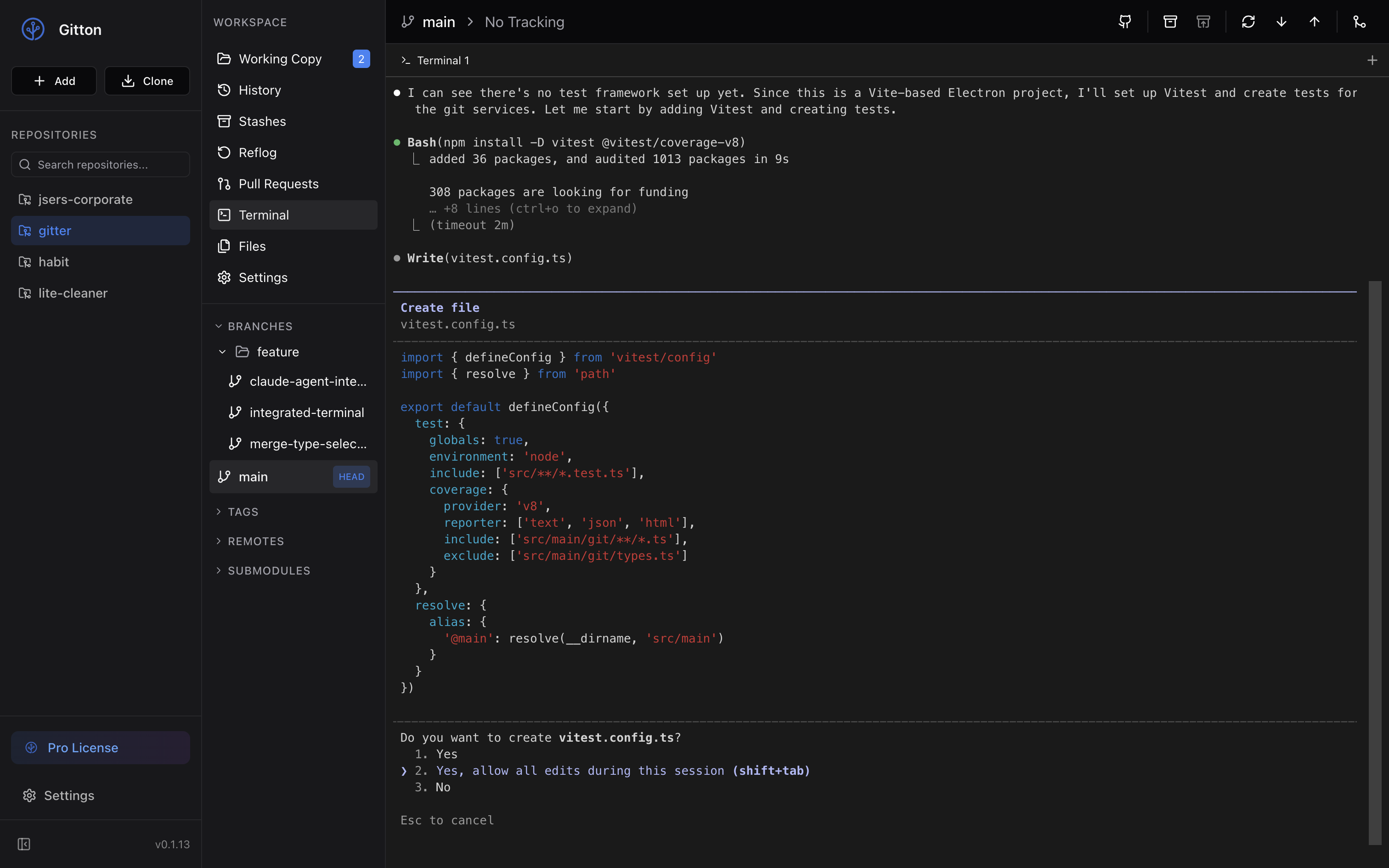
- AI Tool Ready - Claude Code, Cursor, GitHub Copilot - use any tool you like
- Full Shell Access - Execute any command within your repository
Plugin System
Extend Gitton's functionality with plugins:
- Add custom sidebar panels
- Add settings tabs
- Add context menu items
- Register Git hooks (pre-commit, post-push, etc.)
Plugin Development
Create plugins to extend Gitton. See gitton-plugin.d.ts for TypeScript definitions.
Plugin Structure
my-gitton-plugin/
├── package.json        # Plugin manifest in "gitton" field
├── ui/
│   └── sidebar.html    # UI extension HTML
└── ...
package.json Example
{
  "name": "gitton-plugin-example",
  "version": "1.0.0",
  "gitton": {
    "displayName": "Example Plugin",
    "version": "1.0.0",
    "description": "An example plugin for Gitton",
    "permissions": ["ui:sidebar", "settings:read", "settings:write"],
    "extensionPoints": {
      "sidebar": {
        "entry": "ui/sidebar.html",
        "icon": "Puzzle",
        "position": "bottom"
      }
    }
  }
}
Plugin API
Access the gitton global object in your plugin HTML:
// Settings
const value = await gitton.settings.get('myKey');
await gitton.settings.set('myKey', { foo: 'bar' });

// Notifications
gitton.ui.showNotification('Hello!', 'info');

// Open external URL
await gitton.ui.openExternal('https://github.com');

// HTTP requests
const result = await gitton.network.fetch('https://api.example.com/data');

// GitHub CLI
const prList = await gitton.gh.run(['pr', 'list', '--json', 'number,title']);

// File system (within repo only)
const content = await gitton.fs.readFile('.gitignore');
await gitton.fs.writeFile('temp.txt', 'content');
Permissions
| Permission | Description |
|------------|-------------|
| ui:sidebar | Add sidebar panel |
| ui:settings | Add settings tab |
| ui:repositorySettings | Add repository settings tab |
| ui:contextMenu | Add context menu items |
| settings:read | Read plugin settings |
| settings:write | Write plugin settings |
| network:fetch | Make HTTP requests |
| git:read | Read Git information |
| git:write | Execute Git operations |
| git:hooks | Register Git hooks |
Marketplace
Publish your plugin on GitHub with the gitton-plugin topic to appear in the Gitton marketplace.
Pricing
- Free Trial - 7 days
- Pro - $19.99 one-time purchase (no subscription)
Links
License
MIT License
Author
godai