
@gl-zcc/ol-image-map
v0.1.2
Published
OpenLayers image map component for flat floorplan annotations with Vue, React and vanilla adapters.

Maintainers
 gl-zcc
Readme
OL Image Map
基于 OpenLayers 的平面图片地图组件。适合在户型图、楼层图、园区图、工厂平面图等图片底图上做区域标注和位置标注。
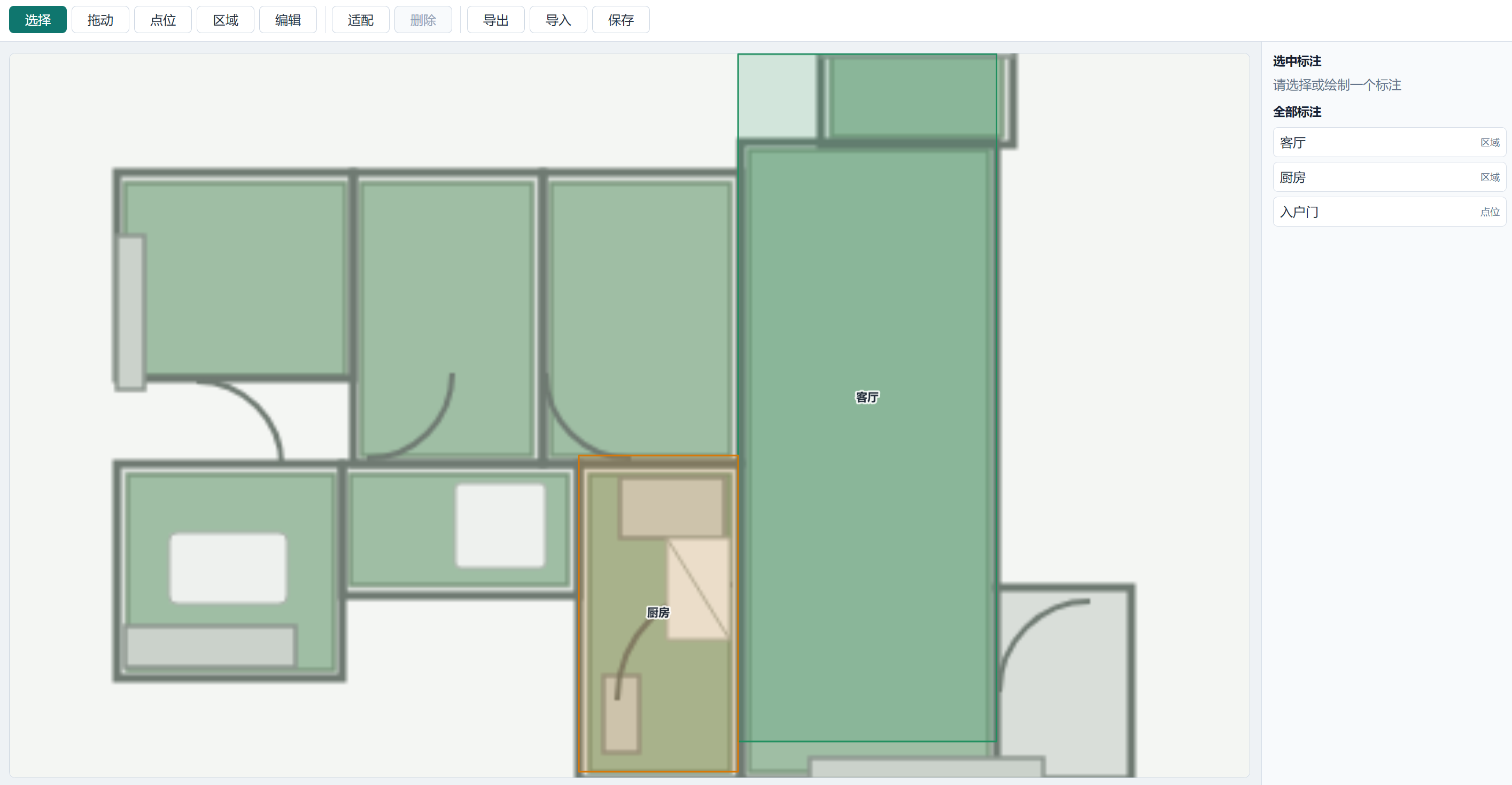
特性
- 使用普通图片作为底图。
- 内部统一使用 OpenLayers 坐标,原点在图片左下角。
- 支持点位标注和区域标注。
- 支持选择、绘制、编辑、删除。
- 支持导入、导出 JSON。
- 核心能力与框架无关。
- 提供 Vue、React、原生 JavaScript 三种接入方式。
安装
npm install @gl-zcc/ol-image-map olVue 项目需要安装 Vue,React 项目需要安装 React 和 ReactDOM。
样式文件:
import '@gl-zcc/ol-image-map/style.css';核心用法
import { OlImageMapCore } from '@gl-zcc/ol-image-map';

const imageMap = new OlImageMapCore(document.querySelector('#map')!, {
  imageUrl: '/floor-plan.png',
  imageWidth: 451,
  imageHeight: 451,
  annotations: []
});

imageMap.setMode('draw-region');

imageMap.on('change', annotations => {
  // 在这里统一保存到后端或本地文件
  console.log(annotations);
});
Vue 用法
<script setup lang="ts">
import { ref } from 'vue';
import { OlImageMapVue } from '@gl-zcc/ol-image-map';
import '@gl-zcc/ol-image-map/style.css';

const annotations = ref([]);
const mode = ref('select');
</script>

<template>
  <OlImageMapVue
    image-url="/floor-plan.png"
    :image-width="451"
    :image-height="451"
    :annotations="annotations"
    :mode="mode"
    @change="annotations = $event"
  />
</template>
React 用法
import { useState } from 'react';
import { OlImageMapReact } from '@gl-zcc/ol-image-map';
import '@gl-zcc/ol-image-map/style.css';

export function Demo() {
  const [annotations, setAnnotations] = useState([]);

  return (
    <OlImageMapReact
      imageUrl="/floor-plan.png"
      imageWidth={451}
      imageHeight={451}
      annotations={annotations}
      mode="select"
      onChange={setAnnotations}
    />
  );
}
原生 JavaScript 用法
import { createOlImageMap } from '@gl-zcc/ol-image-map';
import '@gl-zcc/ol-image-map/style.css';

const imageMap = createOlImageMap('#map', {
  imageUrl: '/floor-plan.png',
  imageWidth: 451,
  imageHeight: 451,
  annotations: []
});
标注数据格式
type ImageMapAnnotation = ImageMapPointAnnotation | ImageMapRegionAnnotation;

interface ImageMapPointAnnotation {
  id: string;
  type: 'point';
  name: string;
  category?: string;
  status?: 'normal' | 'warning' | 'disabled';
  coordinate: [number, number];
}

interface ImageMapRegionAnnotation {
  id: string;
  type: 'region';
  name: string;
  category?: string;
  status?: 'normal' | 'warning' | 'disabled';
  coordinates: [number, number][];
}
保存方式
组件不会直接请求后端。业务系统可以监听 change 事件,或在保存按钮中调用 exportConfig(),再统一保存。
const payload = imageMap.exportConfig();
await fetch('/api/image-map', {
  method: 'POST',
  body: JSON.stringify(payload)
});