
@gozenc/react-dark-mode-toggle
v0.1.0
Published
A beautiful, animated React dark mode toggle component with zero dependencies

Maintainers
 gozenc
Readme
React Dark Mode Toggle
A beautiful, animated React dark mode toggle component with zero dependencies. Features smooth animations and customizable styling
Demo
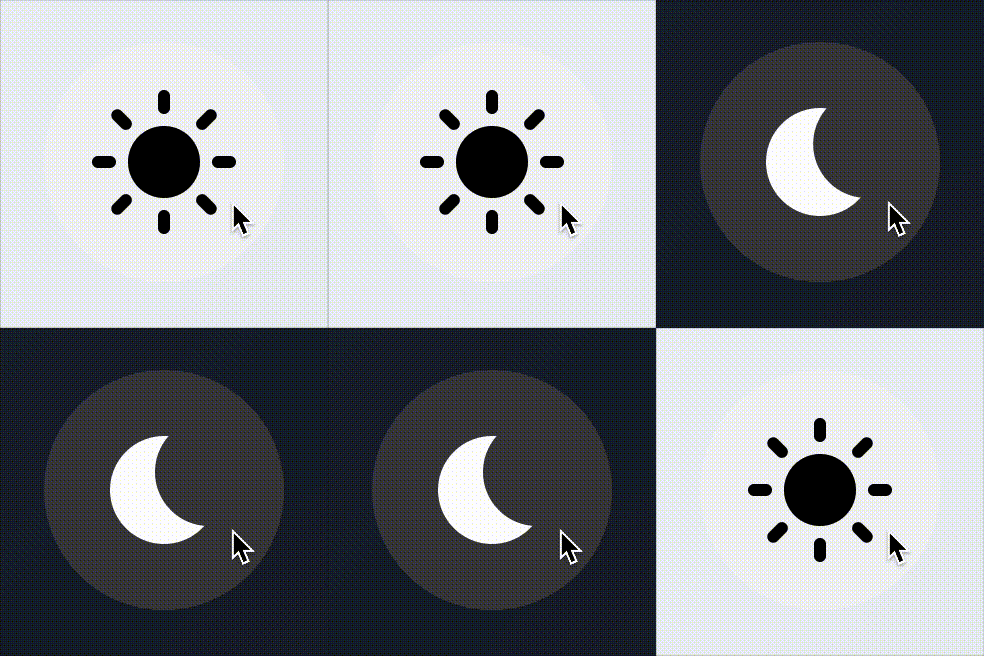
A smooth, animated toggle between light and dark modes
Features
- 🎨 Beautiful animations - Smooth transitions with elastic easing
- 🎯 Zero dependencies - Only requires React and ReactDOM
- 🔧 Highly customizable - Colors, sizes, and behavior
- 📱 Responsive - Works on all screen sizes
- ♿ Accessible - Proper ARIA labels and keyboard support
- 🌙 Shadow DOM - Isolated styles that won't conflict with your app
- 💾 LocalStorage - Automatically persists theme preference
- ⚡ TypeScript - Full TypeScript support with proper types
- 📦 Tiny footprint - Ships at 4.59 KB (1.79 KB gzipped)
Installation
npm install @gozenc/react-dark-mode-toggleyarn add @gozenc/react-dark-mode-toggleUsage
Basic Usage
import { DarkModeToggle } from "@gozenc/react-dark-mode-toggle";

function App() {
  return (
    <div>
      <h1>My App</h1>
      <DarkModeToggle />
    </div>
  );
}
With Custom Handler
import { DarkModeToggle } from "@gozenc/react-dark-mode-toggle";

function App() {
  const handleModeChange = (mode: "light" | "dark") => {
    console.log("Theme changed to:", mode);
  };

  return <DarkModeToggle onModeChange={handleModeChange} />;
}
Custom Styling
import { DarkModeToggle } from "@gozenc/react-dark-mode-toggle";

function App() {
  return (
    <DarkModeToggle
      size={32}
      colors={{
        backgroundColor: "#e3f2fd",
        backgroundColorDark: "#1565c0",
        color: "#1976d2",
        colorDark: "#bbdefb",
      }}
    />
  );
}
Props
| Prop | Type | Default | Description |
| ------------------ | ----------------------------------- | -------------------------- | ---------------------------------------- |
| size | number \| string | 24 | Size of the toggle in pixels |
| padding | number \| string | calc(size / 4) | Internal padding of the toggle |
| onClick | (event: MouseEvent) => void | - | Custom click handler |
| onModeChange | (mode: 'light' \| 'dark') => void | - | Called when theme changes |
| preventDefault | boolean | false | Prevent default theme switching behavior |
| localStorageKey | string | 'color-theme' | Key used for localStorage persistence |
| colors | ColorConfig | - | Custom color configuration |
| className | string | - | CSS class for the component |
| wrapperClassName | string | - | CSS class for the outer container |
| darkClassName | string | 'dark' | CSS class to toggle for dark mode |
| rootElement | HTMLElement | document.documentElement | Root element to toggle dark class |
ColorConfig
interface ColorConfig {
  backgroundColor?: string; // Light mode background
  backgroundColorDark?: string; // Dark mode background
  color?: string; // Light mode icon color
  colorDark?: string; // Dark mode icon color
  colorHover?: string; // Light mode hover color
  colorHoverDark?: string; // Dark mode hover color
}
How It Works
The component automatically:
- Detects current theme by checking for a
darkclass ondocument.documentElement - Toggles the theme by adding/removing the
darkclass - Persists preference in localStorage
- Triggers callbacks when the theme changes
CSS Integration
The component expects your CSS to respond to the dark class on the root element:
/* Light mode styles */
body {
  background-color: #ffffff;
  color: #000000;
}

/* Dark mode styles */
.dark body {
  background-color: #1a1a1a;
  color: #ffffff;
}
Browser Support
- Modern browsers with Shadow DOM support
- React 17.0.0 or higher
- Graceful degradation for older browsers
Development
To run the development environment:
# Clone the repository
git clone https://github.com/gozenc/react-dark-mode-toggle.git
cd react-dark-mode-toggle

# Install dependencies
npm install

# Start development server
npm run dev
Testing
Local Package Testing
Test the built package locally before publishing:
1. Browser Test (Visual Testing)
npm run test:browserOpens test-dist.html which:
- ✅ Loads the built
dist/index.jsdirectly - ✅ Shows bundle size and gzipped size
- ✅ Tests different component configurations
- ✅ Uses React from CDN (simulates real usage)
- ✅ Verifies no react-jsx-runtime is included
2. Complete Package Test (Recommended)
npm run test:localComprehensive test that:
- ✅ Builds the package (
npm run build) - ✅ Packs it like npm would (
npm pack) - ✅ Extracts and verifies all required files
- ✅ Checks bundle size and content
- ✅ Confirms react-jsx-runtime is excluded
- ✅ Validates package structure for publishing
3. Quick Structure Test
npm run testBasic test that verifies:
- ✅
dist/index.jsexists - ✅
dist/index.d.tsexists - ✅ Package.json configuration
Testing Workflow
Build the optimized package:
npm run buildTest in browser (visual verification):
npm run test:browserFull package validation:
npm run test:localIf all tests pass, you're ready to publish!
Expected Results
After optimization:
- Bundle size: 4.56 KB
- Gzipped size: 1.76 KB
- No react-jsx-runtime: ✅ Excluded from bundle
- All tests passing: ✅
Contributing
Contributions are welcome! Please feel free to submit a Pull Request.
License
MIT © gozenc
Changelog
0.0.1
- Initial release
- Beautiful animated toggle component
- Full TypeScript support
- Zero dependencies
- Customizable colors and sizes
- LocalStorage persistence
- Accessibility features