@graphql-workspaces/cli
v1.1.8
Published
A CLI for GraphQL workflow.


Readme
GraphQL Workspaces
This module is a CLI for GraphQL workflow.
Motivation
When a GraphQL schema grows enough to motivate distributing its type definitions into separate files, one might find themselves writing scripts to merge a directory containing them into a single file or variable. The merged schema can then be provided to a server to start and test the API.
It can also be useful to print the merged schema to a file for inspection, especially to view the results of libraries that transform and augment the merged schema (such as with database language integrations). But this workflow can bring the overhead of updating the paths used in the printing script when wanting to merge and print the contents of only a file or sub-directory.
GraphQL Tools provides modules for loading and merging GraphQL documents and schemas from files (.graphql, .gql, .js and .ts exports) that are very useful for this workflow. To generalize for it, this cli uses @graphql-workspaces/load, a wrapper over loadFiles configured with esm, to load from both CommonJS and ES modules. The yargs package is used to build the cli, with watch mode supported by using concurrently within a chokidar file watcher to run the initial cli command again. This avoids issues with require / import module caching when your files change.
Install
npm install -g @graphql-workspaces/cliUsage
gql [command] [options]Commands
gql print <path>
  print <path|p>  Prints the GraphQL contents at <path>

  <path|p>         Required positional argument for path
  --name, -n       Customizes extension in printed.graphql
  --watch, -w      Watches <path> for file changes
  --validate, -v   Validates loaded files as a schema
  --debug, -d      Logs language validation errors to terminal
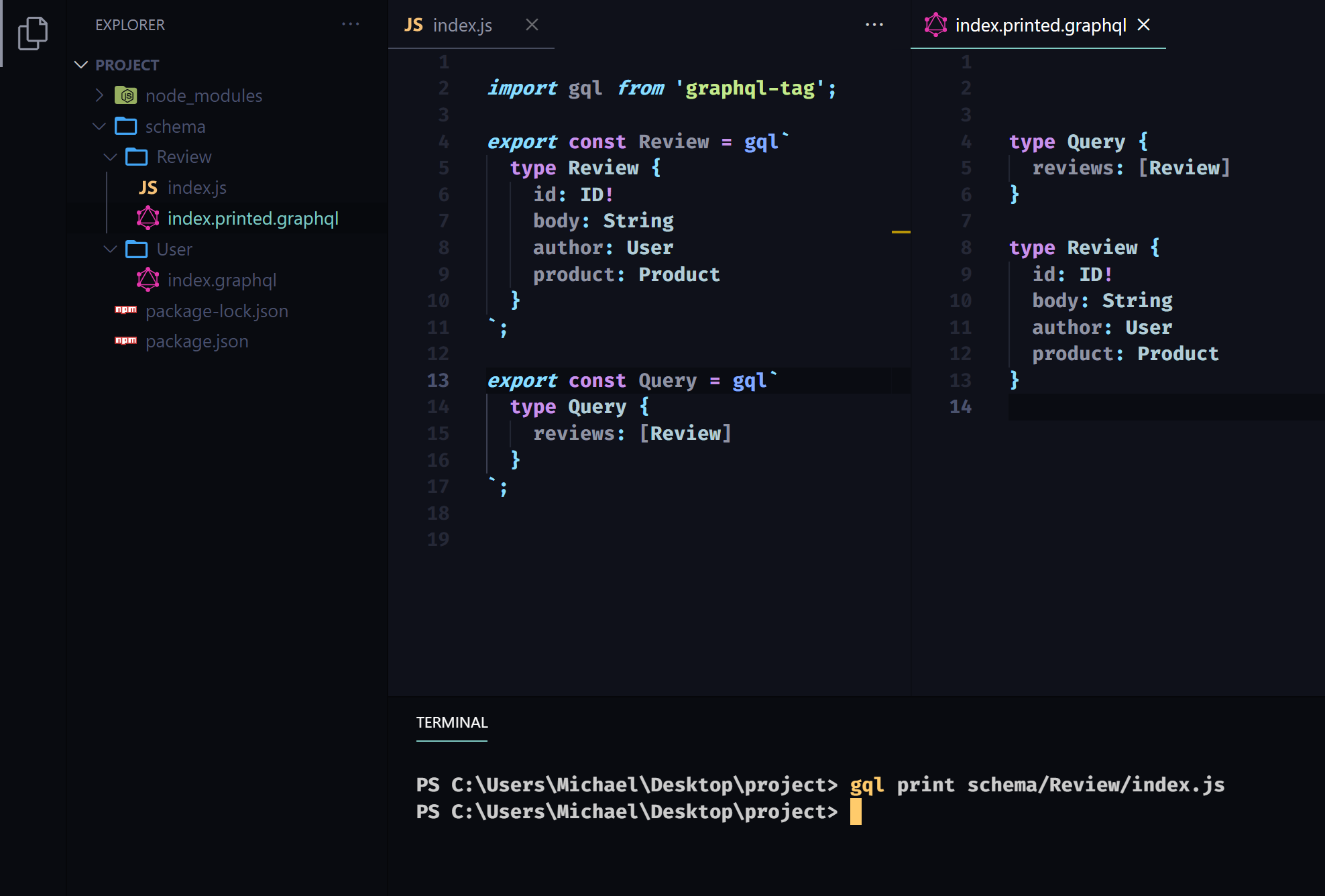
The print command loads and merges the GraphQL contents of file or directory at the provided path and prints the results to a .printed.graphql file at the same location.
Both .graphql and .gql files can be loaded and printed. GraphQL documents exported from .js or .ts files, as CommonJS or ES modules, are loaded and printed - a common file architecture when using the gql template literal available from graphql-tag or apollo-server.
An executable schema can also be printed, but a version conflict with the graphql library must be avoided. To do this, install the cli locally and make an npm script, such as print-generated-schema, calling ./node_modules/.bin/gql, with a path to the file exporting the schema. This is useful for printing the executable schema built by libraries that transform and augment the type definitions provided to them, such as those that integrate database languages.
Arguments
gql print <path> [name | n]
The --name argument sets the second prefix of the .graphql file generated from the print command. The default is printed.graphql, so with this argument you could change it from that to custom.graphql to generate MyDirectory.custom.graphql instead of MyDirectory.printed.graphql;
gql print MyDirectory --name custom
gql print MyDirectory -n custom
gql print <path> [watch | w]
The --watch argument sets the printer to watch the provided <path> for changes. This works for calling gql print <path> on either a single file or a directory.
gql print MyDirectory --watch
gql print MyDirectory -w
gql print <path> [validate | v]
The --validate argument validates the type definitions merged as a result of the print command by using makeExecutableSchema from graphql-tools. The familiar GraphQL schema validation errors, such as referring to a type without a definition, are not logged to the terminal by default. Using this argument, the same errors you would expect to get from makeExecutableSchema will be printed to the terminal.
gql print MyDirectory --validate
gql print MyDirectory -v
gql print <path> [debug | d]
Language validation errors thrown when loading files are not logged to the terminal by default. This is done to prevent logging language validation errors the developer is likely already aware of during development. You can use the --debug argument to change this.
gql print MyDirectory --debug
gql print MyDirectory -d
Examples
Printing a directory
gql print schema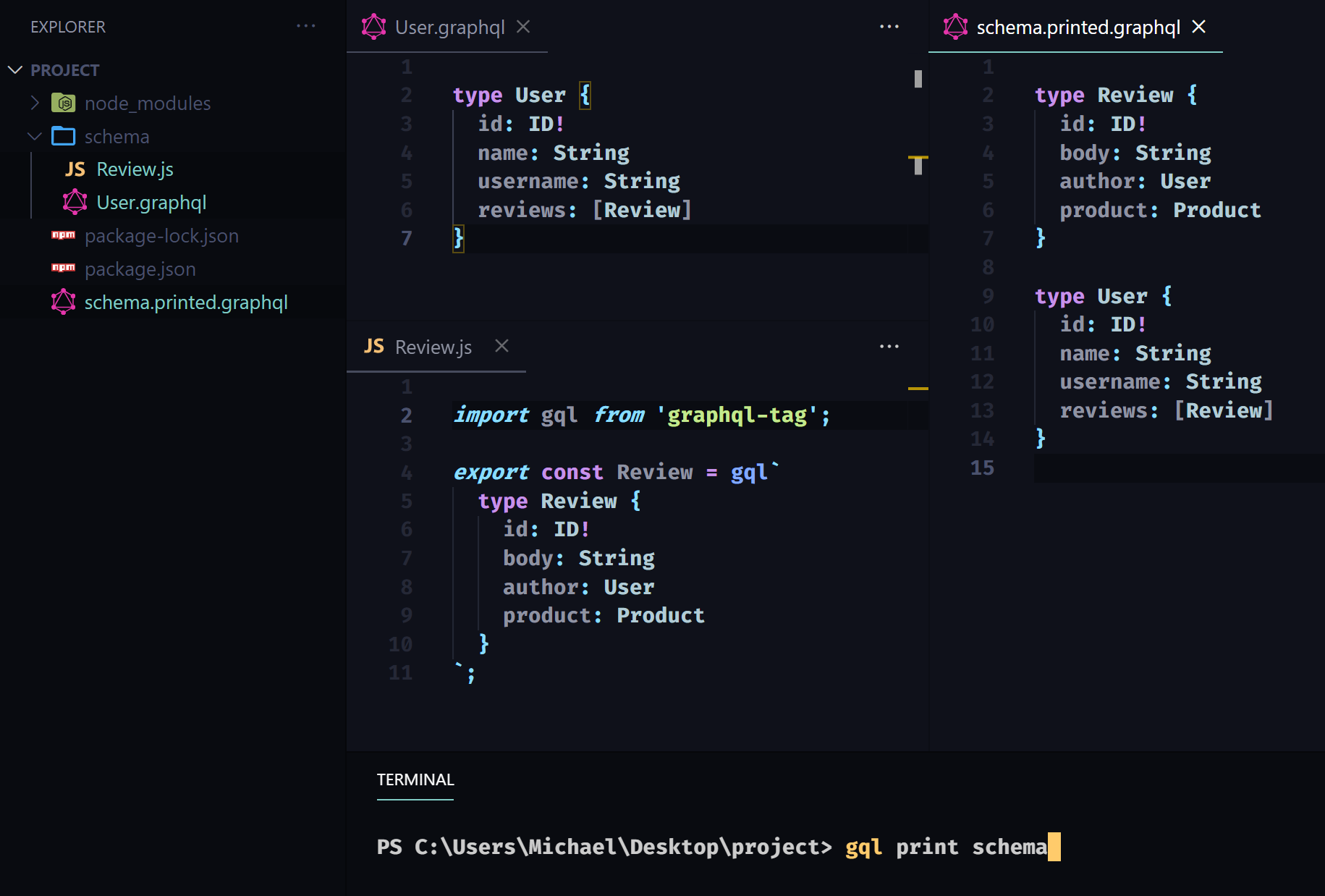
Printing a file in a directory
gql print schema/Review/index.js