
@gregoriusrippenstein/node-red-contrib-flowhub
v1.1.2
Published
FlowHub.org: flow management with local Git and GitHub.

Maintainers
 gregoriusrippenstein
Readme
FlowHub: Flow management with GitHub
These are the Node-RED nodes that interact with FlowHub.org.
FlowHub.org is platform for managing flows using GitHub.
The aim is to make it easy to share flow-tabs amongst Node-RED developers.
Flows can be exported directly from the Node-RED editor to GitHub. Flows that have been edited but not deployed can be exported. Flows are taken from the editor not the Node-RED server.
Flows can be imported into the Node-RED editor using the pull node. Flows can be imported into new tabs or directly into existing tabs.
Screencasts
To learn more, check out the introduction screencast and the followup use case screencast.
Personal Usage
Generate your own FlowHub.org token to commit flows directly to your own GitHub repository. You will then be able to perform all functionalty of the FlowHub.org nodes on your own personal flows.
Local Usage
FlowHub.org provides visual change management (aka version control) on top of GitHub. FlowHub Local (aka FlowHubⓁ) is a local-first server for the FlowHub.org nodes, replacing the GitHub requirement. FlowHubⓁ provides a local gitstore for managing change made to flows, locally, no internet connection is required. FlowHubⓁ is used in conjunction with the FlowHub.org nodes but provides a local gitstore, replacing GitHub.
Details
Two articles are available that better describe my intentions in creating FlowHub.org:
In summary, the focus is on clarity of flow changes between revisions, on sharing of knowledge and collaboratively working on Node-RED flows.
Flow Based Programming has many useful features unfortunately FBP lacks the tooling around that exists around textual programming languages: testing (unit testing), development workflows (GitHub flow) and collaboration (code comparison). These features need to be recreated in a visual form for FBP to reach a broad audience.
Node: FlowHub - Pull
Node for importing flows from FlowHub.org. Flows may be imported into an existing tab or a new tab. This can also be included in flows so that there is an chaining of flows. That is, if a flow relys on anther flow, then an pull node can be included to import that second flow.
Sidebar: FlowHub - Push
Node for pushing in-editor flows to FlowHub.org. Flows do not need to be deployed to be exported.
By exporting any flows you accept the license as described below.
The entire flow-tab is exported to FlowHub.org, so beware what you export.
Pushing flows can now be done using your email and name, no API token is necessary. Be aware that email verification is necessary for every submission.
Sidebar: FlowHub - Diff
Compare the local version of a flow with the latest version at FlowHub.org.
Property panel for the diff node:
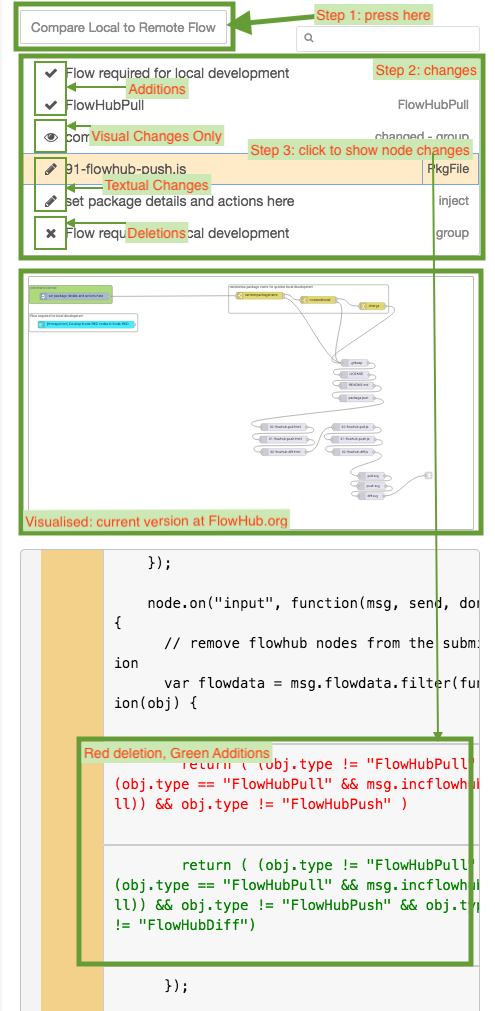
How the diff sidebar panel works:
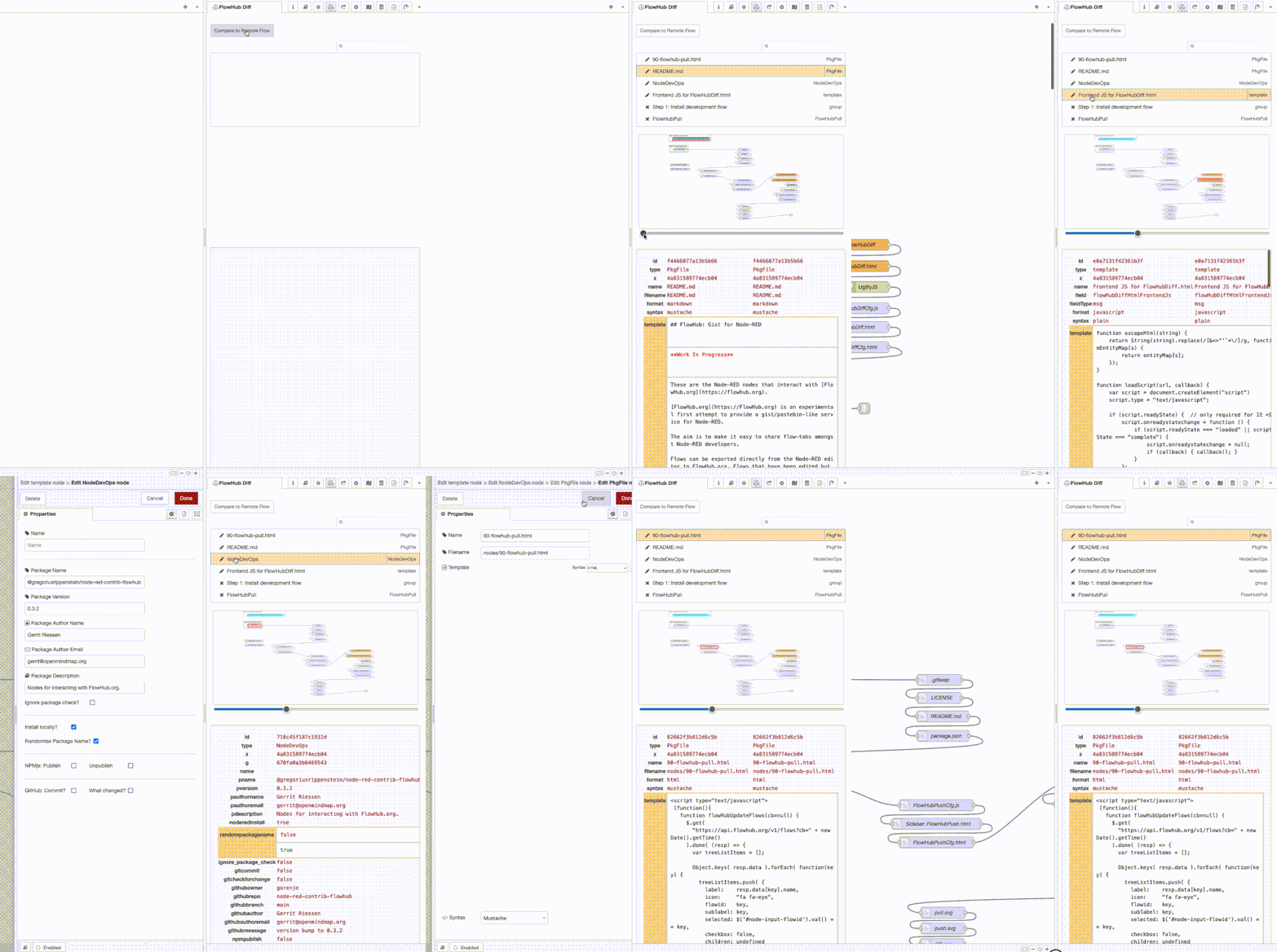
Double click opens the editor for the node.
License
All flows found here are licensed under the don't do evil license.
Usage of FlowHub.org implies adherence to that license..
Artifacts
- NPMjs Package
- Node-RED node package
- GitHub Repo
- The flow that maintains this codebase.