
@guigoncalves182/usestorage
v2.0.0
Published
useStorage

Maintainers
 guigoncalves182
Readme
README for useStorage Hook
Description
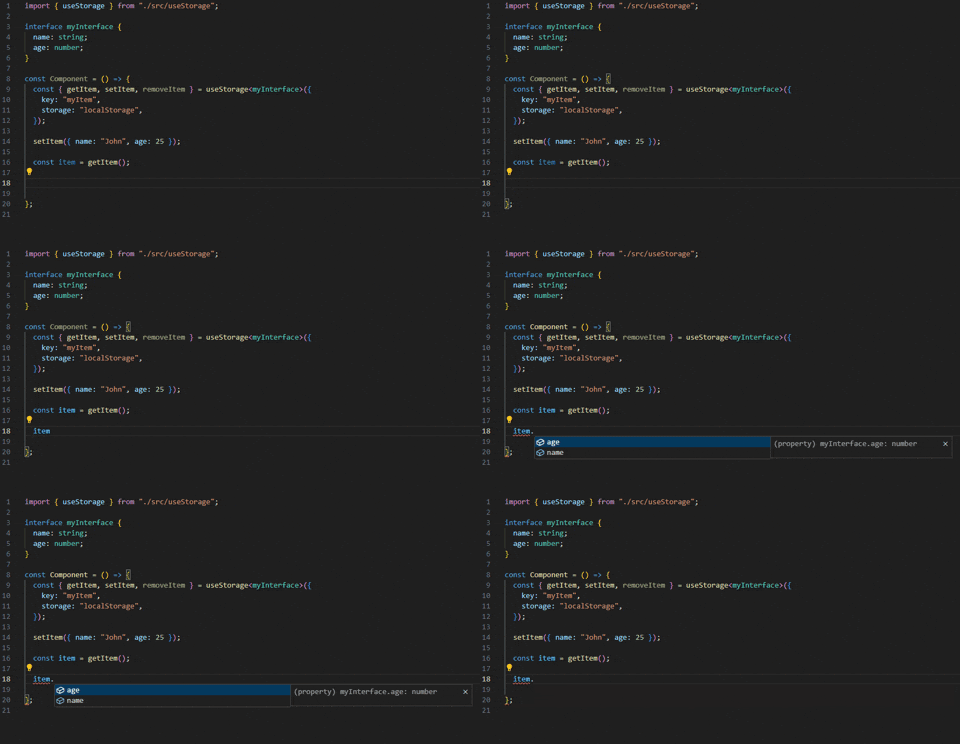
The useStorage hook is a powerful and type-safe custom React hook that allows you to interact with the browser's localStorage and sessionStorage in an easy and efficient way. It provides advanced features like automatic synchronization across tabs, error handling, SSR compatibility, and full TypeScript support.
Installation
npm install use-storage
# or
yarn add use-storage
Features
✨ Reactive State: Returns the current value as state that updates automatically 🔄 Tab Synchronization: Automatically syncs changes across browser tabs 🛡️ Error Handling: Built-in error handling with detailed error information 🎯 TypeScript: Full TypeScript support with generic types 🔧 Customizable: Custom serializers/deserializers for complex data types 🚀 SSR Compatible: Works safely with server-side rendering 🔑 Key Prefixing: Prevent key collisions with automatic prefixing 🧹 Clear All: Utility to clear entire storage
Basic Usage
import { useStorage } from "./useStorage";

const Component = () => {
  const { value, setValue, removeValue } = useStorage<string>({
    key: "username",
    defaultValue: "Guest",
  });

  return (
    <div>
      <p>Hello, {value}!</p>
      <button onClick={() => setValue("John")}>Set Name</button>
      <button onClick={removeValue}>Clear Name</button>
    </div>
  );
};
API
Parameters
The useStorage hook accepts an object with the following properties:
| Property | Type | Default | Description |
| ---------------- | ------------------------------------------------ | ----------------------------------------------- | ------------------------------------------------------------------------- |
| key | string | required | The key of the item in storage |
| storage | "localStorage" \| "sessionStorage" | "localStorage" | The type of storage to use |
| defaultValue | T | undefined | Default value when item doesn't exist |
| prefix | string | "" | Prefix for the storage key to avoid collisions |
| serializer | (value: T) => string | JSON.stringify | Custom serializer function |
| deserializer | (value: string) => T | JSON.parse | Custom deserializer function |
| syncAcrossTabs | boolean (must be false for sessionStorage) | true (localStorage), false (sessionStorage) | Enable synchronization across browser tabs (only works with localStorage) |
Return Value
The hook returns an object with the following properties:
| Property | Type | Description |
| ------------- | ----------------------- | ------------------------------------------------- |
| value | T \| undefined | The current value from storage (reactive) |
| setValue | (value: T) => void | Store a value in storage |
| getValue | () => T \| undefined | Retrieve a value from storage |
| removeValue | () => void | Remove the item from storage |
| clearAll | () => void | Clear all items from the storage |
| error | IStorageError \| null | Error information if an operation failed |
| setItem | (value: T) => void | Alias for setValue (backwards compatibility) |
| getItem | () => T \| undefined | Alias for getValue (backwards compatibility) |
| removeItem | () => void | Alias for removeValue (backwards compatibility) |
Advanced Examples
Complex Objects with TypeScript
interface User {
  id: number;
  name: string;
  email: string;
  preferences: {
    theme: "light" | "dark";
    notifications: boolean;
  };
}

const UserProfile = () => {
  const {
    value: user,
    setValue: setUser,
    error,
  } = useStorage<User>({
    key: "user-profile",
    defaultValue: {
      id: 0,
      name: "Guest",
      email: "",
      preferences: { theme: "light", notifications: true },
    },
  });

  const updateTheme = (theme: "light" | "dark") => {
    if (user) {
      setUser({
        ...user,
        preferences: { ...user.preferences, theme },
      });
    }
  };

  if (error) {
    console.error("Storage error:", error);
  }

  return <div>Current theme: {user?.preferences.theme}</div>;
};
Using Key Prefix
const { value, setValue } = useStorage({
  key: "settings",
  prefix: "myapp", // Stored as "myapp_settings"
  defaultValue: { volume: 50 },
});
Custom Serialization for Dates
const { value: lastLogin, setValue: setLastLogin } = useStorage<Date>({
  key: "last-login",
  serializer: (date) => date.toISOString(),
  deserializer: (str) => new Date(str),
  defaultValue: new Date(),
});
Session Storage for Temporary Data
const { value: formData, setValue: setFormData } = useStorage({
  key: "form-draft",
  storage: "sessionStorage", // Cleared when tab closes
  defaultValue: { email: "", message: "" },
});
Handling Errors
const { value, setValue, error } = useStorage({
  key: "data",
  defaultValue: null,
});

useEffect(() => {
  if (error) {
    toast.error(`Storage error: ${error.error.message}`);
    // Log to error tracking service
    logError(error.operation, error.error);
  }
}, [error]);
Shopping Cart Example
interface CartItem {
  id: string;
  name: string;
  price: number;
  quantity: number;
}

const ShoppingCart = () => {
  const { value: cart, setValue: setCart } = useStorage<CartItem[]>({
    key: "shopping-cart",
    prefix: "ecommerce",
    defaultValue: [],
  });

  const addItem = (item: CartItem) => {
    const existing = cart?.find((i) => i.id === item.id);
    if (existing) {
      setCart(
        cart!.map((i) =>
          i.id === item.id ? { ...i, quantity: i.quantity + 1 } : i
        )
      );
    } else {
      setCart([...(cart || []), item]);
    }
  };

  const total =
    cart?.reduce((sum, item) => sum + item.price * item.quantity, 0) || 0;

  return (
    <div>
      <h2>Cart ({cart?.length || 0} items)</h2>
      <p>Total: ${total.toFixed(2)}</p>
    </div>
  );
};
Disable Tab Synchronization
const { value, setValue } = useStorage({
  key: "local-only",
  syncAcrossTabs: false, // Won't sync with other tabs
});
TypeScript Safety with sessionStorage
// ✅ ALLOWED: localStorage with sync
const { value } = useStorage({
  key: "theme",
  storage: "localStorage",
  syncAcrossTabs: true, // OK
});

// ✅ ALLOWED: sessionStorage without sync
const { value } = useStorage({
  key: "form",
  storage: "sessionStorage",
  syncAcrossTabs: false, // OK
});

// ❌ TYPE ERROR: sessionStorage with sync
const { value } = useStorage({
  key: "form",
  storage: "sessionStorage",
  syncAcrossTabs: true, // ❌ Type 'true' is not assignable to type 'false'
});Note: TypeScript will prevent you from setting syncAcrossTabs: true when using sessionStorage, as the browser's storage event doesn't work across tabs with sessionStorage.
Performance Considerations
Storage Limits
- localStorage and sessionStorage typically have a 5-10MB limit per origin
- Store only necessary data
- Consider using IndexedDB for large datasets
When to Use Each Storage Type
localStorage:
- User preferences and settings
- Shopping cart data
- Authentication tokens (with proper security)
- Data that should persist across sessions
sessionStorage:
- Form drafts (temporary data)
- Wizard/multi-step form state
- Temporary filters and search state
- Data that should be cleared when tab closes
Optimization Tips
// ✅ Good: Use default value to avoid null checks
const { value } = useStorage({
  key: "settings",
  defaultValue: { theme: "light" },
});

// ❌ Avoid: Storing very large objects
const { setValue } = useStorage({ key: "huge-data" });
setValue(massiveObject); // May hit storage limits

// ✅ Good: Store only what you need
setValue({ id: user.id, name: user.name });
Security Considerations
⚠️ Important Security Notes:
Never store sensitive data in localStorage or sessionStorage:
- Passwords
- Credit card information
- Personal identification numbers
- Unencrypted tokens
XSS Vulnerabilities: Data in storage is accessible via JavaScript, making it vulnerable to XSS attacks
Best Practices:
- Use HTTP-only cookies for sensitive tokens
- Encrypt sensitive data before storing
- Validate and sanitize data before storing
- Implement proper CORS and CSP policies
// ❌ Bad: Storing sensitive data
const { setValue } = useStorage({ key: "password" });
setValue("myPassword123"); // DON'T DO THIS!

// ✅ Good: Store non-sensitive preferences
const { setValue } = useStorage({ key: "ui-preferences" });
setValue({ theme: "dark", language: "en" });
SSR / Server-Side Rendering
The hook is SSR-safe and will return the defaultValue in non-browser environments:
// Next.js example
const MyComponent = () => {
  const { value } = useStorage({
    key: "theme",
    defaultValue: "light",
  });

  // Will use "light" during SSR, then hydrate with actual value
  return <div className={value}>Content</div>;
};
Browser Compatibility
Works in all modern browsers that support:
- localStorage/sessionStorage API
- ES6+ features
- React 16.8+ (Hooks)
License
MIT