
@hadim/jupyter-archive
v3.5.1
Published
A JupyterLab extension to make, download and extract archive files.


Readme
jupyter-archive






A Jupyter extension to make, download and extract archive files.
Features:
- Download selected or current folder as an archive.
- Supported formats: 'zip', 'tar.gz', 'tar.bz2' and 'tar.xz'.
- Archiving and downloading are non-blocking for Jupyter. UI can still be used.
- Archive format can be set in the JLab settings.
- Alternatively, you can choose the format in the file browser menu (the format setting needs to be set to
null). - Decompress an archive directly in file browser.
- Notebok client extension not available. Contributions are welcome.
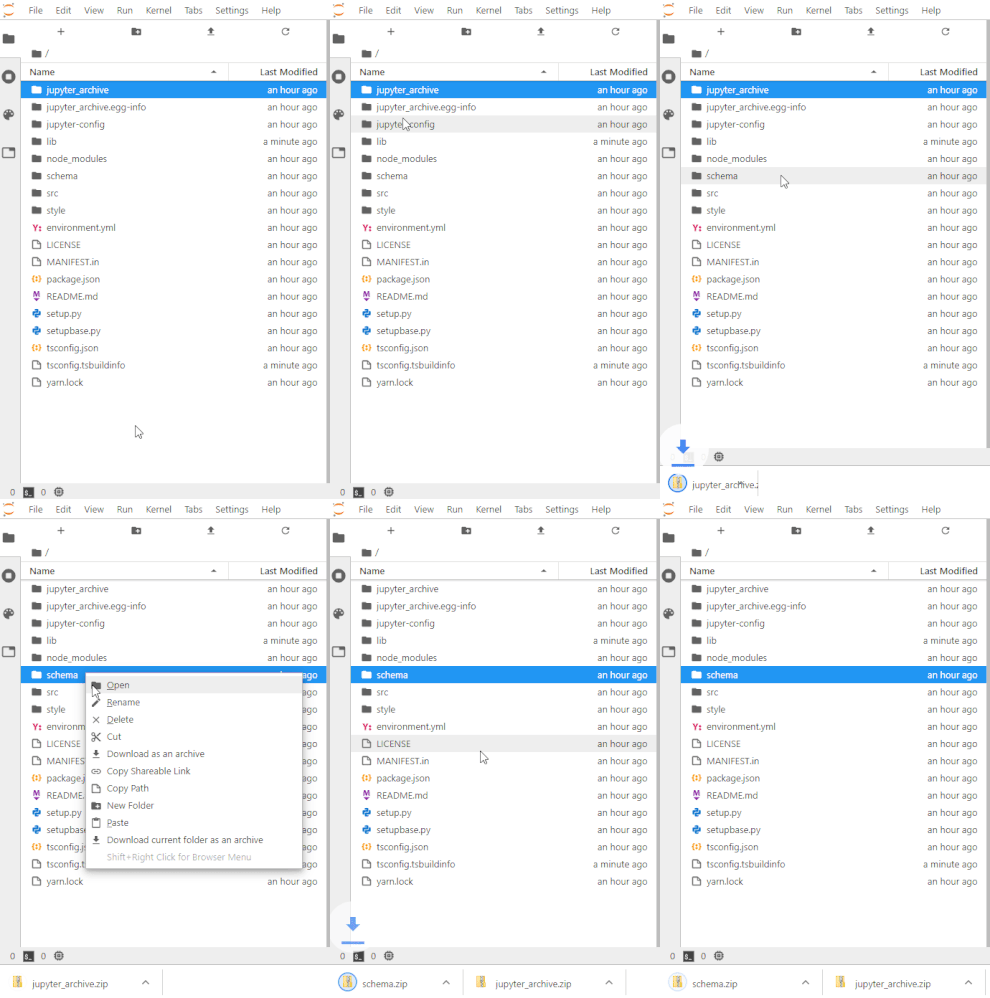
Configuration
The server extension has some configuration settings -- the values below are the default one:
{
  JupyterArchive: {
    stream_max_buffer_size: 104857600, // The max size of tornado IOStream buffer
    handler_max_buffer_length: 10240, // The max length of chunks in tornado RequestHandler
    archive_download_flush_delay: 100 // The delay in ms at which we send the chunk of data to the client.
  }
}
You can also set new values with the following environment variables:
JA_IOSTREAM_MAX_BUFFER_SIZEJA_HANDLER_MAX_BUFFER_LENGTHJA_ARCHIVE_DOWNLOAD_FLUSH_DELAY
Requirements
- JupyterLab >= 3.0 or Notebook >= 7.0
For JupyterLab 2.x, have look there.
Install
To install the extension, execute:
pip install jupyter-archiveOr
conda install -c conda-forge jupyter-archiveUninstall
To remove the extension, execute:
pip uninstall jupyter-archiveOr
conda remove jupyter-archiveTroubleshoot
If you are seeing the frontend extension, but it is not working, check that the server extension is enabled:
jupyter server extension listIf the server extension is installed and enabled, but you are not seeing the frontend extension, check the frontend extension is installed:
jupyter labextension listContributing
If you would like to contribute to this extension, please refer to the Contributing Guide.
License
Under BSD license. See LICENSE.
Authors
- Hadrien Mary: @hadim
- Frédéric Collonval: @fcollonval