
@happy-creative/seed-code
v0.0.10
Published
SEED - AI-powered coding assistant


Readme
Why SEED?
- Agentic out of the box — Auto-Memory, Auto-Skills, SubAgents, Agent Teams, and MCP. Dynamic workflows, zero setup.
- Open-source, inside and out — The framework and the Seed models are open-source. They evolve together. No vendor lock-in.
- Multi-protocol — Supports OpenAI, Anthropic, Gemini, and Seed APIs. Any third-party provider or local model (Ollama / vLLM). Switch at runtime.
- Beyond the terminal — IDE plugins, Desktop app, daemon mode, SDKs, and IM bots (Telegram / DingTalk / WeChat / Feishu).
[!TIP] SEED is actively iterating on itself — using its own agent and models to file issues, submit PRs, review code, and run tests. Powered by the community, driven by AI.
Installation
Linux / macOS:
curl -fsSL https://happy-creative.oss-cn-hangzhou.aliyuncs.com/seed/installation/install-seed-standalone.sh | bashWindows:
irm https://happy-creative.oss-cn-hangzhou.aliyuncs.com/seed/installation/install-seed-standalone.ps1 | iexRestart your terminal after installation to ensure environment variables take effect.
NPM (requires Node.js 22+):
npm install -g @happy-creative/seed-code@latestPure CLI (without seed serve and the Web Shell):
npm install -g @happy-creative/seed-code-pure@latest
seed-pure
See the Pure CLI guide for npm publishing and Bun usage.
Homebrew (macOS / Linux):
brew install seed-codeQuick Start
seed          # Launch interactive terminal UI
# Inside the session:
/auth         # Configure your provider and API key
See the Authentication Guide and Settings Reference for detailed setup.
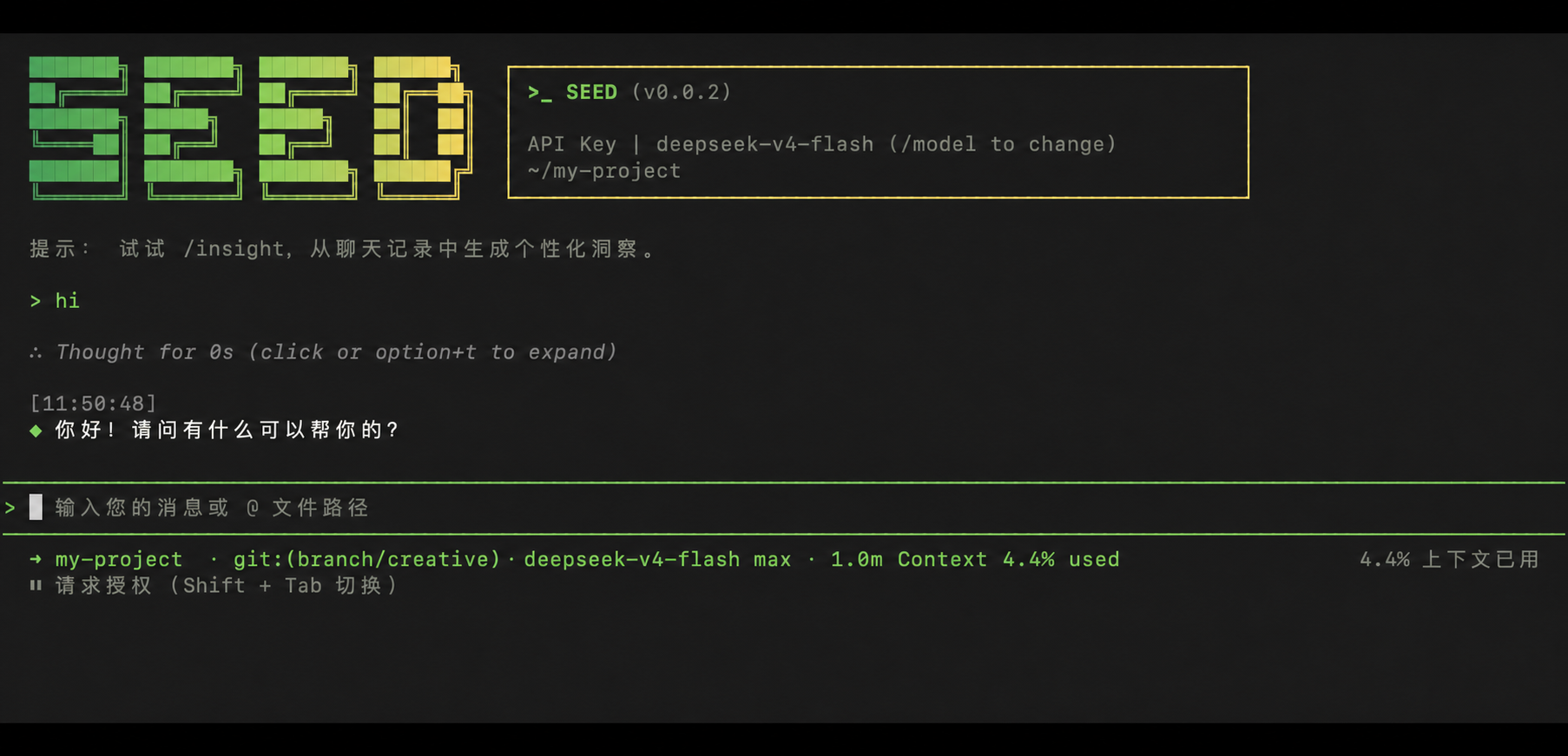
How to Use SEED
| Mode | Command | Use Case |
| --------------- | --------------- | ----------------------------------------------------------------------------------------------------------------------------------------------------------------------------------------------------------------------------------------------- |
| Interactive | seed | Terminal UI with rich rendering, @file references, slash commands |
| Headless | seed -p "..." | Scripts, CI/CD, batch processing — no UI |
| IDE | — | VS Code, Zed, JetBrains |
| Desktop | — | SEED Desktop — GUI for macOS, Windows, Linux |
| Daemon | seed serve | Shared agent session over HTTP+SSE (ACP). Multiple clients, one agent. (experimental) Docs |
| SDK | — | TypeScript, Python, Java |
| IM Bot | seed channel | Connect to Telegram, DingTalk, WeChat, or Feishu |
import asyncio

from seed_code_sdk import is_sdk_result_message, query


async def main() -> None:
    result = query(
        "Summarize the repository layout.",
        {
            "cwd": "/path/to/project",
            "path_to_seed_executable": "seed",
        },
    )

    async for message in result:
        if is_sdk_result_message(message):
            print(message["result"])


asyncio.run(main())
Capabilities
If you know Claude Code, you already know SEED — and then some. We've put significant effort into bringing SEED to feature parity with Claude Code, improving both breadth and reliability across the board.
| Feature | SEED | Claude Code |
| ------------------------------------------------------------------ | :--: | :---------: |
| SubAgents, Agent Teams, Dynamic Workflows | ✓ | ✓ |
| Auto-Memory, Auto-Skills, Hooks | ✓ | ✓ |
| Built-in Skills (/review, /batch, /loop, /bugfix…) | ✓ | ✓ |
| MCP, Plan Mode, LSP Integration | ✓ | ✓ |
| Auto Mode, Sandbox, Git Worktrees | ✓ | ✓ |
| Computer Use (desktop automation) | ✓ | ✓ |
| IDE Plugins (VS Code / JetBrains / Zed) | ✓ | ✓ |
| SDK | ✓ | ✓ |
| Headless Mode, Session Management | ✓ | ✓ |
| Open-source — model and framework | ✓ | — |
| Multi-protocol (OpenAI / Anthropic / Gemini / Seed + any provider) | ✓ | — |
| Agent Arena (multi-model head-to-head on same task) | ✓ | — |
| Daemon Mode — seed serve (multi-client shared agent) | ✓ | — |
| IM Channels (Telegram / DingTalk / WeChat / Feishu) | ✓ | — |
Ecosystem
SEED Desktop — Official desktop app for macOS, Windows, and Linux
AionUi — A modern GUI for command-line AI tools including SEED
Gemini CLI Desktop — A cross-platform desktop/web/mobile UI for SEED
🦞 SEED Claw — Let other agents (Claude, Codex, etc.) delegate coding tasks to SEED via ACP. Paste this prompt into your agent:
Use SEED as a coding agent. First, fetch and read this skill reference:
https://raw.githubusercontent.com/happy-creative/seed/refs/heads/main/.seed/skills/seed-code-claw/SKILL.md
Then follow the instructions inside to install, authenticate, and use SEED via acpx for all coding tasks.
Release SOP
This procedure publishes an npm release, uploads the standalone installers to Aliyun OSS, verifies every remote asset, then advances the update pointer. The pointer is written last, so clients never discover a version before its files are available.
One-command release
npm run release:publish -- <version>For example:
npm run release:publish -- 0.0.1The command confirms twice: once before build preparation and once before the
external publish/upload actions. It requests npm login only when the current
terminal is not already authenticated.
Prerequisites
- Node.js 22+,
npm, andossutilmust be installed. - The npm account must be permitted to publish
@happy-creative/seed-code. - Create a release-only OSS prefix and place the release credentials in the
repository-local
.envfile. Never commit this file.
ALIYUN_OSS_ACCESS_KEY_ID=...
ALIYUN_OSS_ACCESS_KEY_SECRET=...
ALIYUN_OSS_BUCKET=happy-creative
ALIYUN_OSS_REGION=oss-cn-hangzhou
ALIYUN_OSS_PREFIX=seed/release
SEED_UPDATE_OSS_BASE_URL=https://happy-creative.oss-cn-hangzhou.aliyuncs.com/seed/release
SEED_UPDATE_OSS_BASE_URL is public runtime configuration only. Do not put an
access key, secret, STS token, or signed URL in it.
OSS access policy
The update client and hosted installers need anonymous read access. Grant only
oss:GetObject for seed/release/* and seed/installation/*; do not make the
entire bucket public and do not grant listing, write, or delete permissions. If
the OSS console blocks public bucket policies, first disable its public-access
blocking control for the release bucket, then apply these prefix-only rules.
The release uploader deliberately does not set object-level public-read ACLs:
many OSS accounts prohibit them. Objects inherit the prefix's bucket policy.
What the command verifies
- Builds the workspace, bundle, npm package, standalone archives, and hosted installers.
- Checks the standalone package checksums locally.
- Publishes the npm package at the
latesttag. - Uploads the release assets to
seed/release/v<version>/. - Downloads and verifies the six OSS release assets and
SHA256SUMS. - Uploads and verifies the hosted installer files at
seed/installation/. - Writes
seed/release/latest/VERSIONwithv<version>and reads it back.
Recovery
If npm succeeds but OSS upload or verification fails, fix the OSS endpoint or
prefix-only read policy and run the exact same command again. It recognizes the
already-published npm version and resumes the OSS release instead of trying to
publish it twice. Do not write latest/VERSION manually before the remote
checksum verification succeeds.
Contributing
Contributions are welcome! See CONTRIBUTING.md for guidelines.
Acknowledgments
This project was originally based on Google Gemini CLI v0.8.2. We gratefully acknowledge the Gemini CLI team's excellent work. Starting from SEED v0.1, we stopped syncing with upstream and began independent development as a multi-protocol, multi-platform agent framework with deep integrations for Seed models and beyond.
We are also grateful to the SEED project and community. Its open-source work and product ideas provided valuable reference during SEED's evolution.