
@hazejs/devtools
v1.1.0
Published
Devtools for hazejs on top of devframe: app overview, module and route inspector, dev dashboard and terminals in one hub

Maintainers
 aibayanyu
Readme
@hazejs/devtools
DevTools for hazejs, built on devframe. Experimental.
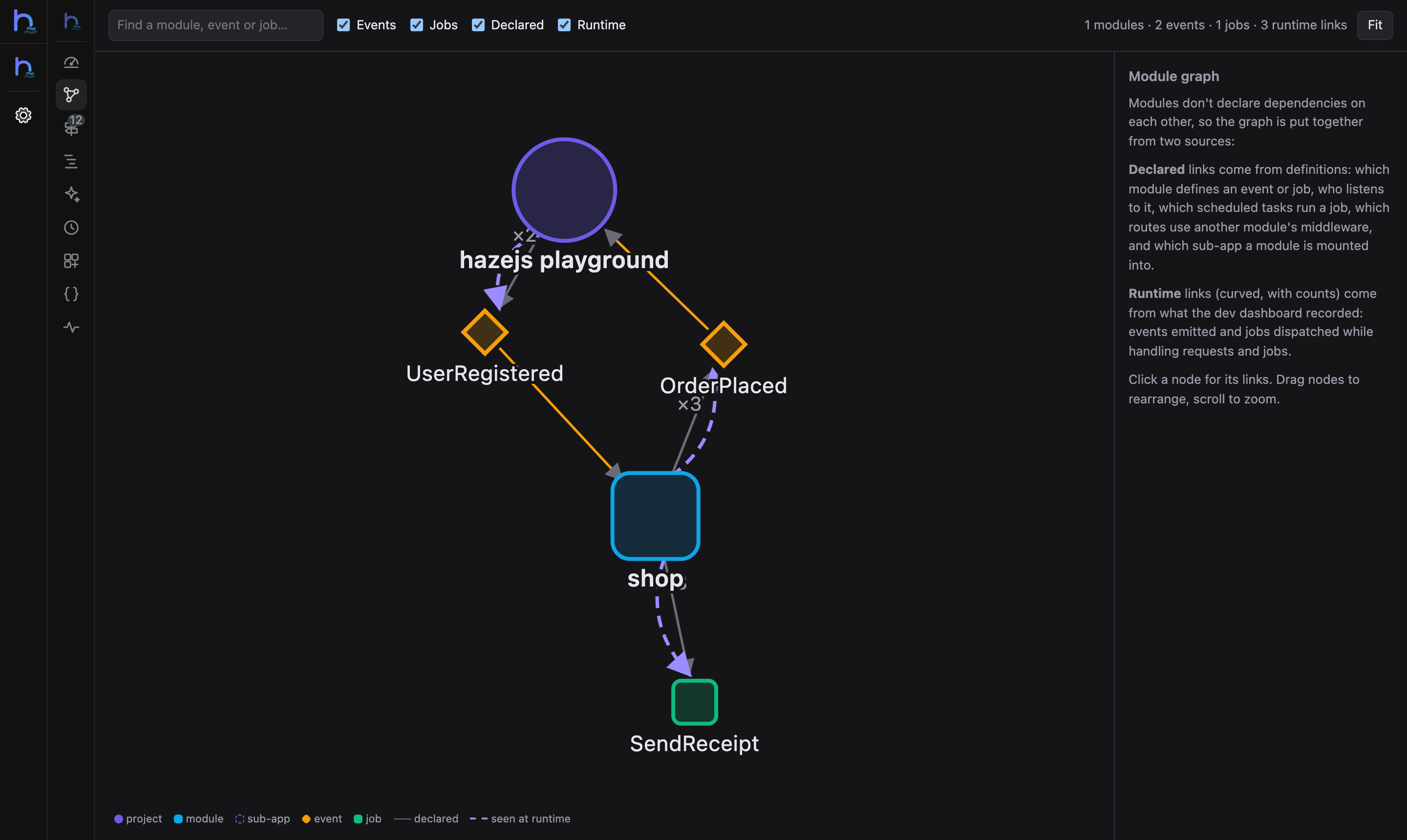
- Panels at
/__devtools/: overview, module graph (events, listeners, jobs, schedules and shared middleware between modules, plus what happened at runtime), routes, request waterfalls with N+1 hints, AI calls and a prompt playground, scheduled tasks and queues, container and events, the OpenAPI docs, the/__hazedashboard and terminals. - MCP at
/__devtools/__mcp: the same information for coding agents. - Static report:
haze devtools:reportbakes the app structure into a static site. - Vite DevTools: in full-stack projects with
devtools: trueinvite.config.ts, the panels show up inside Vite DevTools.
Install
pnpm add -D @hazejs/devtoolshaze dev (and the haze() Vite plugin in full-stack projects) picks it up automatically and prints the URL:
  ➜  Local:    http://localhost:3000/
  ➜  DevTools: http://localhost:3000/__devtools/
The first time a browser connects, enter the one-time code printed in the terminal (or open the printed link).
Connect Claude Code to the MCP endpoint:
claude mcp add --transport http hazejs http://localhost:3000/__devtools/__mcp --header "Origin: http://localhost:3000"Options
// haze.config.ts
import { defineHazeConfig } from '@hazejs/vite'

export default defineHazeConfig({
  devtools: {
    // base: '/__devtools/',
    // auth: true,       // one-time code on first connect
    // terminals: true,  // terminal panel
    // embedded: true,   // full-stack: floating dock in the frontend
    // mcp: true,        // MCP endpoint for coding agents
  },
  // devtools: false,    // turn it off
})
Part of hazejs — see the DevTools guide.