
@hdriel/aws-utils
v1.3.7
Published
Simplified AWS SDK (v3) utilities for S3 (upload, download, streaming) with TypeScript support


Readme
AWS UTILS: S3, LAMBDA SNS, IAM
Quick Start
First load this file somewhere on starting server
// aws-utils-config.ts
import env from './dotenv.ts';
import { AWSConfigSharingUtil } from '@hdriel/aws-utils';

AWSConfigSharingUtil.setConfig({
    accessKeyId: env?.AWS_ACCESS_KEY_ID,
    secretAccessKey: env?.AWS_SECRET_ACCESS_KEY,
    region: env?.AWS_REGION,
    endpoint: env?.AWS_ENDPOINT,
});

// console.log('AWSConfigSharingUtil configuration');
// console.table(AWSConfigSharingUtil.getConfig());
on your server files:
import './aws-utils-config';
...
then write your code...
Lambda Utility usage
create your lambda by calling to LambdaUtil with generic type param and serviceFunctionName then usage any place your project
export const lambdaUtilTelegram = new LambdaUtil<TELEGRAM_REQUEST_PARAMS>({
    serviceFunctionName: 'serverless-telegram-dev-directInvokeSendTextNTF',
    logger,
});

...


await lambdaUtilTelegram
    .triggerLambdaEvent({
        chatId: userData.telegramId,
        body: `Just Like That! - Login code:\n${code}`
    }).catch(console.error)
lambda functionality:
lambdaUtilInstance.runLambdaInDryRunMode(payload?: T): Promise<LambdaPayloadResponse>;
lambdaUtilInstance.triggerLambdaEvent(payload?: T): Promise<LambdaPayloadResponse>;
lambdaUtilInstance.runAndGetLambdaResponse(payload?: T): Promise<LambdaPayloadResponse>;
SNS Utility usage
create your SNS by calling to SnsUtil with generic type param and topicArn then usage any place your project
export const snsUserCreatedTopic = new SnsUtil<REQUEST_PARAMS>({
    topicArn: 'user-created',
    logger,
});

...


await snsUserCreatedTopic
    .publishMessage({
        userId: 'abc',
        username: `Hadriel Benjo`
    }).catch(console.error)
S3 Utility Package
A powerful, type-safe wrapper around AWS S3 SDK v3 that simplifies S3 operations with advanced features like streaming, file uploads, directory management, and LocalStack support.
Features
✨ Simplified API - Clean, intuitive methods for common S3 operations
📁 Directory Management - Create, list, and delete directories with ease
📤 Advanced File Uploads - Multer integration with Express.js middleware
🎬 Video Streaming - Built-in support for range requests and video streaming
📦 Zip Streaming - Stream multiple files as a zip archive
🏷️ File Tagging & Versioning - Tag files and manage versions
🔗 Presigned URLs - Generate temporary signed URLs
🧪 LocalStack Support - First-class support for local S3 testing
⚡ Connection Pooling - Optimized HTTP/HTTPS agents for better performance
📊 Pagination - Built-in pagination for large directory listings
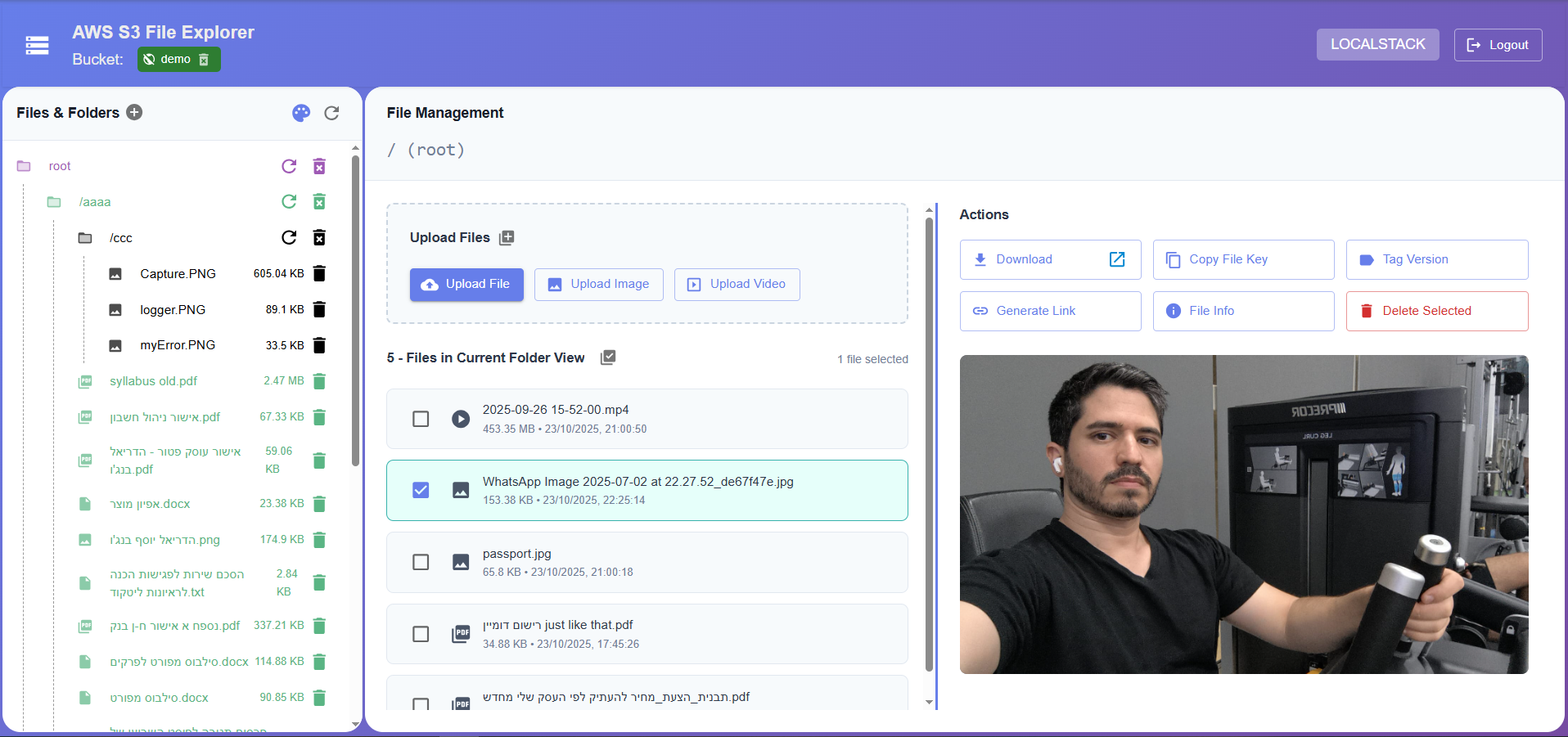
FULL DEMO PROJECT EXAMPLE:
please see this project code before using: aws-utils-demo github link!
Installation
npm install @hdriel/aws-utilsfor example:
import { S3Util, S3LocalstackUtil } from '@hdriel/aws-utils';

// Initialize S3 utility

// for localstack usage
const s3 = new S3LocalstackUtil({ bucket: 'demo' });
const directoryTreeInfo = await s3.directoryListPaginated('/', { pageSize: 100, pageNumber: 0 });
console.log('Directory tree info', JSON.stringify(directoryTreeInfo, null, 2));

// OR

// for production usage
const s3 = new S3Util({ bucket: 'demo' });
const directoryTreeInfo = await s3.directoryListPaginated('/', { pageSize: 100, pageNumber: 0 });
console.log('Directory tree info', JSON.stringify(directoryTreeInfo, null, 2));


// Usage examples
// Initialize bucket (creates if doesn't exist)
await s3.initBucket();

// Upload a file
await s3.uploadFile('/documents/file.pdf', fileBuffer);

// Check if file exists
const exists = await s3.fileExists('/documents/file.pdf');

// Get file content
const content = await s3.fileContent('/documents/file.pdf', 'utf8');
Configuration Options
interface S3UtilProps {
  bucket: string;                          // Required: S3 bucket name
  logger?: Logger;                         // Optional: Logger instance
  reqId?: string;                          // Optional: Request ID for logging
  accessKeyId?: string;                    // AWS credentials
  secretAccessKey?: string;                // AWS credentials
  endpoint?: string;                       // Custom endpoint (e.g., LocalStack)
  region?: string;                         // AWS region (default: from config)
  s3ForcePathStyle?: boolean;              // Use path-style URLs (default: true)
  maxUploadFileSizeRestriction?: string;   // Max upload size (default: '10GB')
}
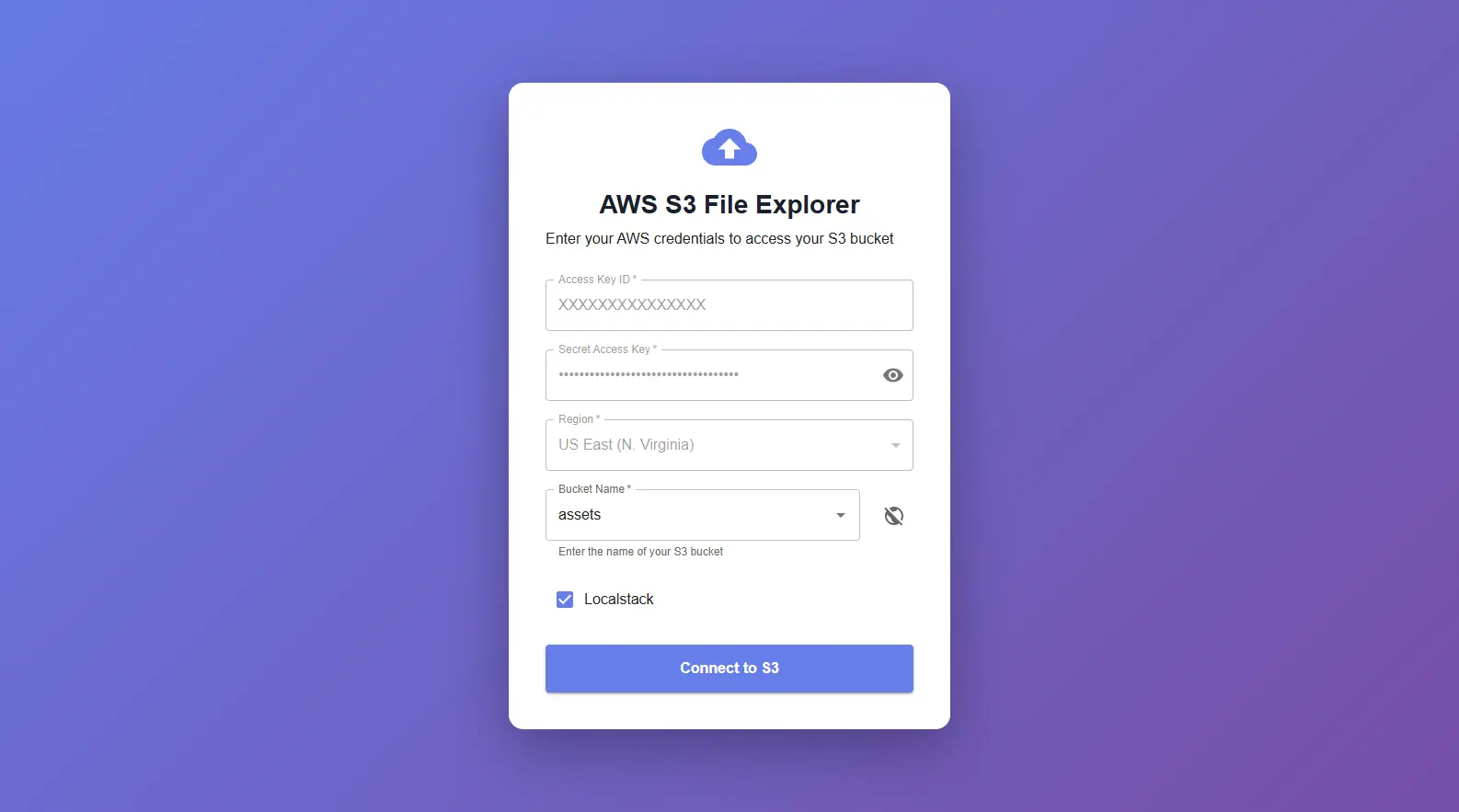
FULL DEMO PROJECT EXAMPLE:
please see this project code before using: aws-utils-demo github link!
Core Features
C.R.U.D Bucket Operations
// CREATE
await s3.initBucket('private'); // Create private bucket (if not exists)
await s3.initBucket('public-read'); // Create public bucket (if not exists)
// Could provided includeConstraintLocation option, like:
await s3.initBucket('private', { includeConstraintLocation: true} );

// READ
const exists = await s3.isBucketExists(); // check for existance bucket
const info = await s3.bucketInfo();
// info = {
//   name: 'my-bucket',
//   region: 'us-east-1',
//   exists: true,
//   creationDate: Date,
//   versioning: 'Enabled',
//   encryption: { enabled: true, type: 'AES256' },
//   publicAccessBlock: { ... },
//   policy: { ... }
// }

const buckets = await s3.getBucketList(); // get all bucket list from aws s3 storage
// Could get bucket list with public access info like:
/*
bucket list option: {
    Name?: string | undefined;
    CreationDate?: Date | undefined;
    BucketRegion?: string | undefined;
    BucketArn?: string | undefined;
    PublicAccessBlockConfiguration: {
        BlockPublicAcls?: boolean | undefined;
        IgnorePublicAcls?: boolean | undefined;
        BlockPublicPolicy?: boolean | undefined;
        RestrictPublicBuckets?: boolean | undefined;
    }
}
*/
const bucketsWithAccess = await s3.getBucketList({ includePublicAccess: true });

// UPDATE
s3.changeBucket('another-bucket'); // Switch to different bucket

// DELETE
await s3.destroyBucket(); // delete empty bucket
await s3.destroyBucket(true); // Force delete with all contents and bucket
📁 C.R.U.D Directory Operations
- auto decodeURIComponent for all directory input params
- handle directory issue (no matter if prefix/postfix slashes)
Create Directory
// CREATE
await s3.createDirectory('/uploads/images');

// READ
const exists = await s3.directoryExists('/uploads/images'); // check for existance directory
const { directories, files } = await s3.directoryList('/uploads');
console.log('Subdirectories:', directories); // string[] directories like: ['images', 'test']
console.log('Files:', files);
// files: [
//   {
//     Key: '/uploads/image.jpg',
//     Name: 'image.jpg',
//     Size: 12345,
//     LastModified: Date,
//     Location: 'https://...'
//   }
// ]

// Get second page with 50 items per page
const { directories, files, totalFetched } = await s3.directoryListPaginated('/uploads', {
    pageSize: 50,
    pageNumber: 1 // pageNumber is zero base (0-page one, 1- page two, ...)
});

// DELETE
await s3.deleteDirectory('/uploads/temp'); // Delete directory and all contents
📄 C.R.U.D File Operations
// CREATE
// > Upload File
import type { ACLs } from '@hdriel/aws-utils';

await s3.uploadFileContent('/documents/file.pdf', buffer); // Upload buffer
await s3.uploadFileContent('/documents/file.pdf', [{ type: 'food', value: 'apple' }], { prettier: true /* default true */ }); // Upload object/array data
await s3.uploadFileContent('/public/image.jpg', buffer, {acl: ACLs.public_read}); // Upload with public access
await s3.uploadFileContent('/docs/v2.pdf', buffer, {acl: ACLs.private, version: '2.0.0'}); // Upload with version tag

// >  Generate Presigned URL
const url = await s3.fileUrl('/private/document.pdf'); // Expires in 15 minutes (default)
const url = await s3.fileUrl('/private/document.pdf', '1h'); // Custom expiration in string value
const url = await s3.fileUrl('/private/document.pdf', 3600); // Custom expiration in seconds value

// READ
const exists = await s3.fileExists('/documents/file.pdf'); // check for existance file
const info = await s3.fileInfo('/documents/file.pdf');
const files = await s3.fileListInfo('/documents'); // List all files in directory
const pdfFiles = await s3.fileListInfo('/documents', 'report-'); // List files with prefix
// Paginated file listing - Recommanded way!
const { files, totalFetched } = await s3.fileListInfoPaginated('/documents', {
    fileNamePrefix: 'invoice-',
    pageSize: 100,
    pageNumber: 0
});
const version = await s3.fileVersion('/documents/file.pdf'); // Get file version


// > Get File Content
const buffer = await s3.fileContent('/documents/file.pdf'); // As buffer
const base64 = await s3.fileContent('/image.jpg', 'base64'); // As base64 string
const text = await s3.fileContent('/data.json', 'utf8'); // As UTF-8 string

// > Get File Size
const bytes = await s3.sizeOf('/large-file.zip');
const kb = await s3.sizeOf('/large-file.zip', 'KB');
const mb = await s3.sizeOf('/large-file.zip', 'MB');
const gb = await s3.sizeOf('/large-file.zip', 'GB');

// UPDATE
// > File Tagging
await s3.taggingFile('/documents/file.pdf', {Key: 'version', Value: '1.0.0'}); // Tag file with version

// DELETE
await s3.deleteFile('/documents/old-file.pdf');
📤 File Upload Middleware
Client Side
class S3Service {
    private api: Axios;

    constructor() {
        this.api = axios.create({
            baseURL: this.baseURL,
            timeout: 30_000,
            headers: {'Content-Type': 'application/json'},
            withCredentials: true,
        });
    }


    async uploadFile(
        file: File,
        directoryPath: string,
        type?: FILE_TYPE,
        onProgress?: (progress: number) => void
    ): Promise<void> {
        try {
            if (!file) return;

            if (this.uploadAbortController) {
                this.uploadAbortController.abort();
            }

            this.uploadAbortController = new AbortController();

            if (file.size === 0) {
                const {data: response} = await this.api.post('/files/content', {
                    path: directoryPath + file.name,
                    data: '',
                    signal: this.uploadAbortController.signal,
                });
                return response;
            }

            this.uploadAbortController.abort();
            this.uploadAbortController = null;
            this.uploadAbortController = new AbortController();

            const formData = new FormData();
            formData.append('file', file);

            // Encode directory and filename to handle non-Latin characters
            const encodedDirectory = encodeURIComponent(directoryPath);
            const encodedFilename = encodeURIComponent(file.name);

            const {data: response} = await this.api.post(`/files/upload/${type || ''}`, formData, {
                headers: {
                    'Content-Type': 'multipart/form-data',
                    'X-Upload-Directory': encodedDirectory,
                    'X-Upload-Filename': encodedFilename,
                },
                timeout: 1_000_000,
                signal: this.uploadAbortController.signal,
                onUploadProgress: onProgress
                    ? (progressEvent: AxiosProgressEvent) => {
                        const percentage = progressEvent.total
                            ? (progressEvent.loaded / progressEvent.total) * 100
                            : 0;
                        onProgress(percentage);
                    }
                    : undefined,
            });

            this.uploadAbortController = null;
            return response;
        } catch (error) {
            this.uploadAbortController = null;

            console.error('Failed to upload file:', error);
            throw error;
        }
    }

    async uploadFiles(
        files: File[],
        directory: string,
        type?: FILE_TYPE,
        onProgress?: (progress: number) => void
    ): Promise<void> {
        try {
            if (!files) return;

            if (this.uploadAbortController) {
                this.uploadAbortController.abort();
            }

            this.uploadAbortController = new AbortController();

            await Promise.allSettled(
                files
                    .filter((file) => file.size === 0)
                    .map(async (file) => {
                        const { data: response } = await this.api.post('/files/content', {
                            path: [directory.replace(/\/$/, ''), file.name].join('/'),
                            data: '',
                        });
                        return response;
                    })
            );

            files = files.filter((file) => file.size !== 0);

            const formData = new FormData();
            files.forEach((file) => {
                const copyFile = new File([file], encodeURIComponent(file.name), { type: file.type });
                formData.append('files', copyFile);
            });

            const encodedDirectory = encodeURIComponent(directory);

            const { data: response } = await this.api.post(`/files/multi-upload/${type || ''}`, formData, {
                headers: {
                    'Content-Type': 'multipart/form-data',
                    'X-Upload-Directory': encodedDirectory,
                },
                timeout: 1_000_000,
                signal: this.uploadAbortController.signal,
                onUploadProgress: onProgress
                    ? (progressEvent: AxiosProgressEvent) => {
                        const percentage = progressEvent.total
                            ? (progressEvent.loaded / progressEvent.total) * 100
                            : 0;
                        onProgress(percentage);
                    }
                    : undefined,
            });

            this.uploadAbortController = null;

            return response;
        } catch (error) {
            this.uploadAbortController = null;
            console.error('Failed to upload file:', error);
            throw error;
        }
    }

}
Server side (express.js)
# file.route.ts
router.post(['/upload/:fileType', '/upload'], uploadSingleFileMW, uploadSingleFileCtrl);
router.post(['/multi-upload/:fileType', '/multi-upload'], uploadMultiFilesMW, uploadMultiFilesCtrl);

###########################################################################################################

# streamimg.mw.ts
import { NextFunction, Request, Response } from 'express';
import { FILE_TYPE, type S3Util, UploadedS3File } from '../shared';
import logger from '../logger';

export const uploadSingleFileMW = (req: Request & { s3File?: UploadedS3File }, res: Response, next: NextFunction) => {
    try {
        const fileType = req.params?.fileType as FILE_TYPE;

        if (!req.headers.hasOwnProperty('x-upload-directory')) {
            return res.status(400).json({ error: 'Directory header is required' });
        }

        const directory = (req.headers['x-upload-directory'] as string) || '';
        const filename = req.headers['x-upload-filename'] as string;

        logger.info(req.id, 'uploading single file', { filename, directory });

        const s3UploadOptions: S3UploadOptions = {
            ...(fileType && { fileType }),
            ...(filename && { filename }),
        }
        const uploadMiddleware = s3.uploadSingleFileMW('file', directory, s3UploadOptions);

        return uploadMiddleware(req, res, next);
    } catch (err: any) {
        logger.error(req.id, 'failed on uploadMultiFilesCtrl', { errMsg: err.message });
        next(err);
    }
};

export const uploadMultiFilesMW = (
    req: Request & { s3Files?: UploadedS3File[] },
    res: Response,
    next: NextFunction
) => {
    try {
        const fileType = req.params?.fileType as FILE_TYPE;
        if (!req.headers.hasOwnProperty('x-upload-directory')) {
            return res.status(400).json({ error: 'Directory header is required' });
        }

        const directory = (req.headers['x-upload-directory'] as string) || '/';
        logger.info(req.id, 'uploading multiple files', { directory });

        const s3UploadOptions: S3UploadOptions = {
            ...(fileType && { fileType }),
        }
        const uploadMiddleware = s3.uploadMultipleFilesMW('files', directory, s3UploadOptions);

        return uploadMiddleware(req, res, next);
    } catch (err: any) {
        logger.warn(req.id, 'failed to upload files', { message: err.message });
        next(err);
    }
};

###########################################################################################################

# file.controller.ts
export const uploadSingleFileCtrl = (
    req: Request & { s3File?: UploadedS3File },
    res: Response,
    _next: NextFunction
) => {
    const s3File = req.s3File;

    if (s3File) {
        const file = {
            key: s3File.key,
            location: s3File.location,
            bucket: s3File.bucket,
            etag: s3File.etag,
            // @ts-ignore
            size: s3File.size,
        };

        // todo: store your fileKey in your database

        logger.info(req.id, 'file uploaded', file);
        return res.json({ success: true, file });
    }

    return res.status(400).json({ error: 'No file uploaded' });
};

export const uploadMultiFilesCtrl = (
    req: Request & { s3Files?: UploadedS3File[] },
    res: Response,
    _next: NextFunction
) => {
    const s3Files = req.s3Files;

    if (s3Files?.length) {
        const files = s3Files.map((s3File) => ({
            key: s3File.key,
            location: s3File.location,
            bucket: s3File.bucket,
            etag: s3File.etag,
        }));

        // todo: store your fileKeys in your database

        logger.info(req.id, 'files uploaded', files);
        return res.json({ success: true, files });
    }

    return res.status(400).json({ error: 'No file uploaded' });
};
Upload Options
interface S3UploadOptions {
    acl?: ACLs; // 'private' | 'public-read' | 'public-read-write';
    maxFileSize?: ByteUnitStringValue | number; // '5MB', '1GB', or bytes
    filename?: string | ((req: Request, file: File) => string | Promise<string>);
    fileType?: FILE_TYPE | FILE_TYPE[]; // 'image' | 'video' | 'audio' | 'application' | 'text'
    fileExt?: FILE_EXT | FILE_EXT[]; // 'jpg', 'png', 'pdf', etc...
    metadata?:
        | Record<string, string>
        | ((req: Request, file: File) => Record<string, string> | Promise<Record<string, string>>);

    maxFilesCount?: undefined | number | null; // For multiple file uploads
}
🎬 Streaming Files
Client side
    <!-- videoURL = `${s3Service.baseURL}/files/stream?file=${encodedFileKey}` -->
    <video controls src={videoURL}>
        Your browser does not support the video tag.
    </video>
Server side (Express.js)
# file.route.ts
router.get('/stream', streamVideoFilesCtrl);
// or directly from s3 util like (need to provided file key from query.file or params.file or header field , or change it in the options like: {queryField: 'fileKey'} )
router.get('/stream', s3.streamVideoFilesCtrl());

# file.control.ts
export const streamVideoFilesCtrl = async (req: Request, res: Response, next: NextFunction) => {
    try {
        const fileKey = req.query?.file as string;
        const mw = await s3.streamVideoFileCtrl({ fileKey });

        return mw(req, res, next);
    } catch (err: any) {
        logger.error(req.id, 'failed on streamVideoFilesCtrl', { errMsg: err.message });
        next(err);
    }
};
Streaming Image/PDF files
    <!-- imageURL = `${s3Service.baseURL}/files/image?file=${encodedFileKey}` -->
    <img src={imageURL} alt={file?.name} />

    <!-- pdfURL = `${s3Service.baseURL}/files/pdf?file=${encodedFileKey}` -->
    <iframe
        src={pdfURL}
        style={{ width: '100%', height: '600px', border: 'none' }}
        title="PDF Preview"
    />
Server Side
router.get('/image', s3.streamImageFileCtrl());
router.get('/pdf', s3.streamPdfFileCtrl());
🧪 LocalStack Support
For local development and testing with LocalStack:
import { S3LocalstackUtil } from '@hdriel/aws-utils';

const s3 = new S3LocalstackUtil({
  bucket: 'test-bucket',
  // endpoint: 'http://localhost:4566', // get from .env file
  // region: 'us-east-1', // get from .env file
  // accessKeyId: 'test', // get from .env file
  // secretAccessKey: 'test', // get from .env file
});

// Use same API as S3Util
await s3.initBucket();
await s3.uploadFile('/test.txt', Buffer.from('Hello LocalStack!'));
LocalStack Docker Setup
# docker-compose.yml
services:
  localstack:
  image: localstack/localstack
  ports:
    - "127.0.0.1:4566:4566"            # LocalStack Gateway
    - "127.0.0.1:4510-4559:4510-4559"  # external services port range
  environment:
    # LocalStack configuration: https://docs.localstack.cloud/references/configuration/
    - CLEAR_TMP_FOLDER=0
    - DEBUG=${DEBUG:-1}
    - PERSISTENCE=${PERSISTENCE:-1}
    - LAMBDA_EXECUTOR=${LAMBDA_EXECUTOR:-}
    - LOCALSTACK_API_KEY=${LOCALSTACK_API_KEY:-}  # only required for Pro
    - SERVICES=s3,lambda,sns,sqs,iam
    - DATA_DIR=/tmp/localstack/data
    - START_WEB=1
    - DOCKER_HOST=unix:///var/run/docker.sock
    - DEFAULT_REGION=us-east-1
    - AWS_DEFAULT_REGION=us-east-1
    - AWS_EXECUTION_ENV=True
    - ENV=${NODE_ENV}
    - AWS_ACCESS_KEY_ID=${AWS_ACCESS_KEY_ID:-xxxxxxxxx}
    - AWS_SECRET_ACCESS_KEY=${AWS_SECRET_ACCESS_KEY:-xxxxxxxxxxxxxxxxxxxxx}
    - HOSTNAME_EXTERNAL=localhost
  volumes:
    - "/var/run/docker.sock:/var/run/docker.sock"
    - "${VOLUME_DIR_LOCALSTACK:-./docker-data/aws-localstack}:/var/lib/localstack"
    - "${VOLUME_DIR_LOCALSTACK:-./docker-data/aws-localstack}/aws-s3:/tmp/localstack"
    - "${VOLUME_DIR_LOCALSTACK:-./docker-data/aws-localstack}/aws-bootstrap:/opt/bootstrap/"
  networks:
    - app-network
FULL LOCALSTACK DEMO:
please see this project code before using: aws-utils-demo github link!
Click the image to watch localstack video
🔧 Advanced Usage
Dynamic Bucket Switching
Custom Logger Integration
import { Logger } from 'stack-trace-logger';

const logger = new Logger('S3Service');

const s3 = new S3Util({
    bucket: 'my-bucket',
    reqId: 'request-123',
    logger,
});

// All operations will log with your logger
await s3.uploadFile('/test.txt', buffer);
Connection Pooling Configuration
The utility includes optimized HTTP/HTTPS agents:
// Default configuration (already included):
// - keepAlive: true
// - maxSockets: 300
// - connectionTimeout: 3000ms
// - socketTimeout: 30000ms
📋 Complete Express.js Example
FULL DEMO PROJECT EXAMPLE:
please see this project code before using: aws-utils-demo github link!
📝 TypeScript Support
This package is written in TypeScript and includes full type definitions
👤 Author
🔗 Links
Made with ❤️ for developers who want powerful S3 utilities without the complexity.