
@henryqw/pi-add-dir
v3.0.0
Published
Add external directories to a Pi session with context, skills, and file search.
Downloads
11,687

Maintainers
 henrywang
Readme
@henryqw/pi-add-dir
Give the current Pi session context, skills, and searchable files from directories outside the workspace. Reuse those resources in place without copying or linking their directories.
Install
pi install npm:@henryqw/pi-add-dirUse
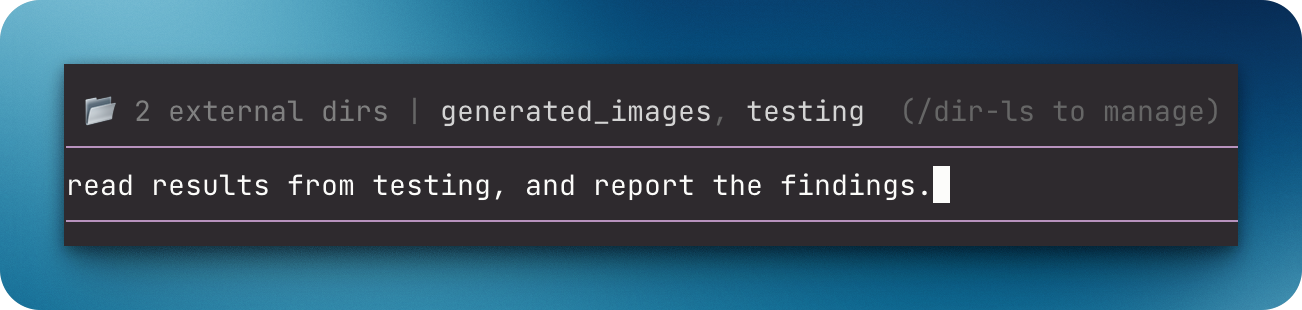
Run /dir-add, enter a directory, then run /dir-ls to confirm it was added. Pi lists the directory and exposes its supported resources.
Use slash commands from the Pi prompt as a human; Pi agents use the tools.
| Surface | Type | Purpose |
| --- | --- | --- |
| /dir-add [path] | command | Add to this session by default; pass --project or --global before the path to persist for this Git repository's linked worktrees or every workspace. Omit the path to enter it when prompted; supports ~. |
| /dir-ls | command | List directories with their scope; select one to remove from that scope. |
| /dir-reload | command | Reload external directory resources. |
| add_directory(path) | tool | Add a directory to this session and return its context and instructions. Model-only: codemode scripts cannot call it. |
| search_external_files(pattern, maxResults?) | tool | Glob-search added directories; returns up to 50 results by default, configurable to 1,000. Returns a structured result to codemode scripts. |
| @ file autocomplete | ui | Find files in added directories and insert their absolute paths. |
| External directory widget | ui | Show added directories and point to /dir-ls for management. |
Added directories give Pi these resources:
- Root
AGENTS.md,CLAUDE.md,.pi/AGENTS.md, and.pi/CLAUDE.mdfiles. Pi injects them into later prompts. - Skills that Pi loads from
.pi/skills,.agents/skills, and.claude/skills. - Files in the editor's
@autocomplete, with absolute paths.
/dir-add reloads only when the discovered external skill paths change, not merely because the directory contains skills. add_directory stays session-local; when its result asks for /reload, run it to update external skills.
Programmatic use
search_external_files declares an output schema. Programmatic callers such as Pi codemode scripts receive { pattern, maxResults, searchedDirectories, totalFound, truncated, directories }. directories lists each directory with at least one match, with its label and absolute file paths. searchedDirectories counts only directories actually searched, including those with no matches; directories skipped after reaching the cap are not counted. truncated is true when the result cap stopped the search, so later directories or files may hold more matches. The model receives the same matches as text. Calling the tool with no added directories is a tool error, and scripts reject with the message.
add_directory is declared to the model only (Pi model-only exposure). Codemode scripts and other tools cannot call it, so another directory's AGENTS.md, CLAUDE.md, and skills enter the session only through a model-visible tool call or a user command. This package does not enable codemode.
Config
Package-owned: ~/.pi/agent/config/pi-add-dir/config.json
| Name | Description | Values | Default |
| --- | --- | --- | --- |
| directories | Directories loaded for every workspace. /dir-add --global updates this list. | Array of unique absolute paths without control characters. | [] |
A missing file uses the default. Invalid config stops loading and is not overwritten. Reload Pi after editing the file manually.
State and storage
Session directories live in the current session branch. New session additions reject directories inside or containing the current working directory, or overlapping another active added directory. Restored session entries are not rechecked for overlap when the working directory changes. Project directories use the repository's repeatable local Git config key pi-add-dir.directory. Local Git config is shared by linked worktrees, cannot be injected by cloning a repository, and remains machine-local. /dir-add --project therefore requires a Git repository.
Persistent scopes are explicit because added directories can inject AGENTS.md, CLAUDE.md, and skills.
Limits and recovery
Search supports basename and relative-path globs. It skips .git and node_modules and does not follow symbolic links. It uses Node filesystem traversal and returns at most 1,000 results per call.
Missing or overlapping project and global directories remain configured but are skipped with a warning. Restore a missing directory at its original path or resolve the overlap, then run /dir-reload to rescan. To change or discard a configured path, use /dir-ls to remove it from its scope, then /dir-add with the corrected path if needed; /dir-ls cannot repair paths in place.