
@hk_net/pi-usage-bars
v0.7.0
Published
Quota, balance, and spend indicators for current Pi providers

Maintainers
 hk_net
Readme
pi-usage-bars
Quota, balance, and spend indicators for Pi.
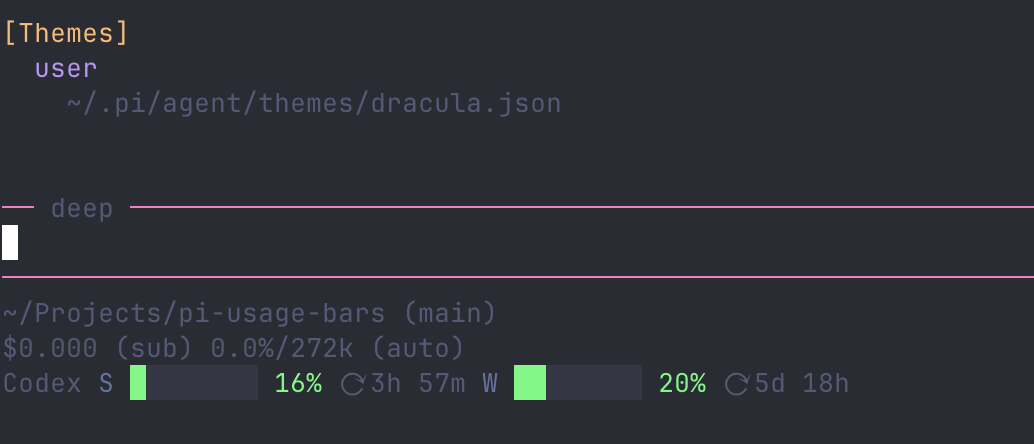
It adds:
- a footer status bar for the active supported provider
- a
/usagecommand showing configured quota, balance, and spend data
Supported providers
| Provider | Pi provider ID | Authentication |
| --- | --- | --- |
| OpenAI Codex | openai-codex | ChatGPT subscription OAuth |
| Anthropic Claude | anthropic | Claude Pro/Max OAuth |
| ZAI Coding Plan (Global) | zai | ZAI API key |
| ZAI Coding Plan (China) | zai-coding-cn | ZAI China API key |
| Kimi For Coding | kimi-coding | Kimi Coding Plan OAuth or API key |
| MiniMax Coding Plan (Global) | minimax | MiniMax Global API key |
| MiniMax Coding Plan (China) | minimax-cn | MiniMax China API key |
| OpenRouter | openrouter | OpenRouter API key |
| DeepSeek | deepseek | DeepSeek API key |
| Moonshot/Kimi API (Global) | moonshotai | Moonshot Global API key |
| Moonshot/Kimi API (China) | moonshotai-cn | Moonshot China API key |
| Baseten | baseten | Baseten API key |
| Vercel AI Gateway | vercel-ai-gateway | AI Gateway API key |
| Fireworks AI | fireworks | Fireworks API key |
| xAI | xai | Separate read-only xAI Management Key |
DeepSeek shows total, topped-up, and granted balances in the currency returned by the API. Moonshot shows available, cash, and voucher balances; this is separate from the Kimi For Coding subscription provider. Pi uses MOONSHOT_API_KEY for both Moonshot regions, so /usage automatically hides the expected authentication failure from the region where a shared environment key is not valid.
OpenRouter shows the account credit balance and current daily, weekly, and monthly key spend. If the API key has a configured credit limit, that limit is also rendered as a usage bar. Baseten shows current calendar-month credits used, aggregated across its documented dedicated, training, and Model APIs billing categories; it does not invent a remaining-balance or quota percentage. Vercel AI Gateway shows the team's remaining AI Gateway Credits balance and lifetime spend. Fireworks shows account-wide rated spend for the current UTC calendar month. Its high default monthly-spend quota is not treated as a useful budget percentage. xAI shows the team's prepaid balance and current billing-cycle spend.
MiniMax Subscription Keys can represent an active Token Plan, purchased Credits, or both. The extension shows quota windows when present and a neutral credit-balance line if a first-party key-authenticated response exposes points_balance/credits_balance. MiniMax currently exposes Credits-only balances through a console endpoint requiring browser-cookie authentication, so a key-only Credits account is shown as “No active Token Plan” with a direction to check the console rather than a fabricated percentage. The extension does not import browser cookies.
Google Gemini CLI and Google Antigravity are not supported because Pi removed those built-in providers in version 0.71.0.
Requirements
- Pi 0.84.2 or newer (tested with the current Pi 0.87.1 release)
- Node.js 22.19 or newer when using the npm-distributed Pi CLI
Authenticate providers through Pi's /login command. The extension resolves credentials through Pi's provider API; it does not read or write auth.json itself.
xAI keeps inference and billing credentials separate. After authenticating Pi's normal xai provider, configure usage reporting with a read-only, team-scoped Management Key:
/login pi-usage-bars-xai-managementSelect xAI Management (pi-usage-bars) and paste the key into Pi's secret prompt. For headless or CI use, XAI_MANAGEMENT_KEY is also accepted from the environment. Organization-scoped Management Keys are not selected or aggregated automatically.
Install
Install the npm package:
pi install npm:@hk_net/pi-usage-barsOr install the latest source directly from GitHub:
pi install https://github.com/hknet/pi-usage-barsRestart Pi after installation, or use /reload when the package is already installed.
Update an existing npm installation with:
pi update npm:@hk_net/pi-usage-barsUse
Footer usage bars
When the active model belongs to a configured supported provider, the footer shows its available quota windows with reset countdowns when provided by the service.
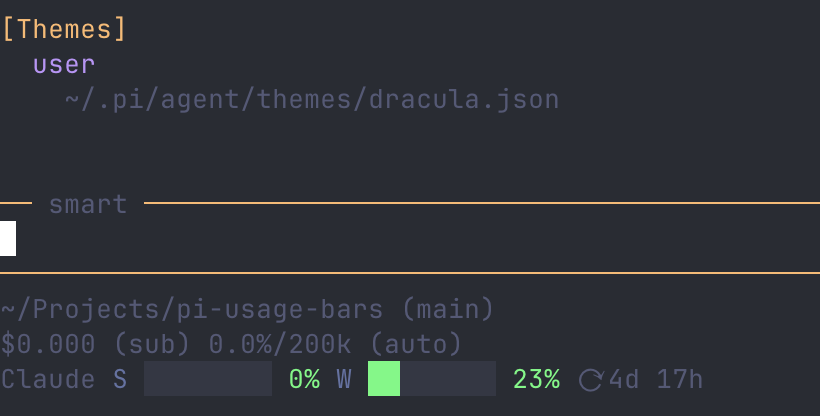
Usage refresh runs in interactive TUI sessions every two minutes. It does not run in print, JSON, or RPC mode.
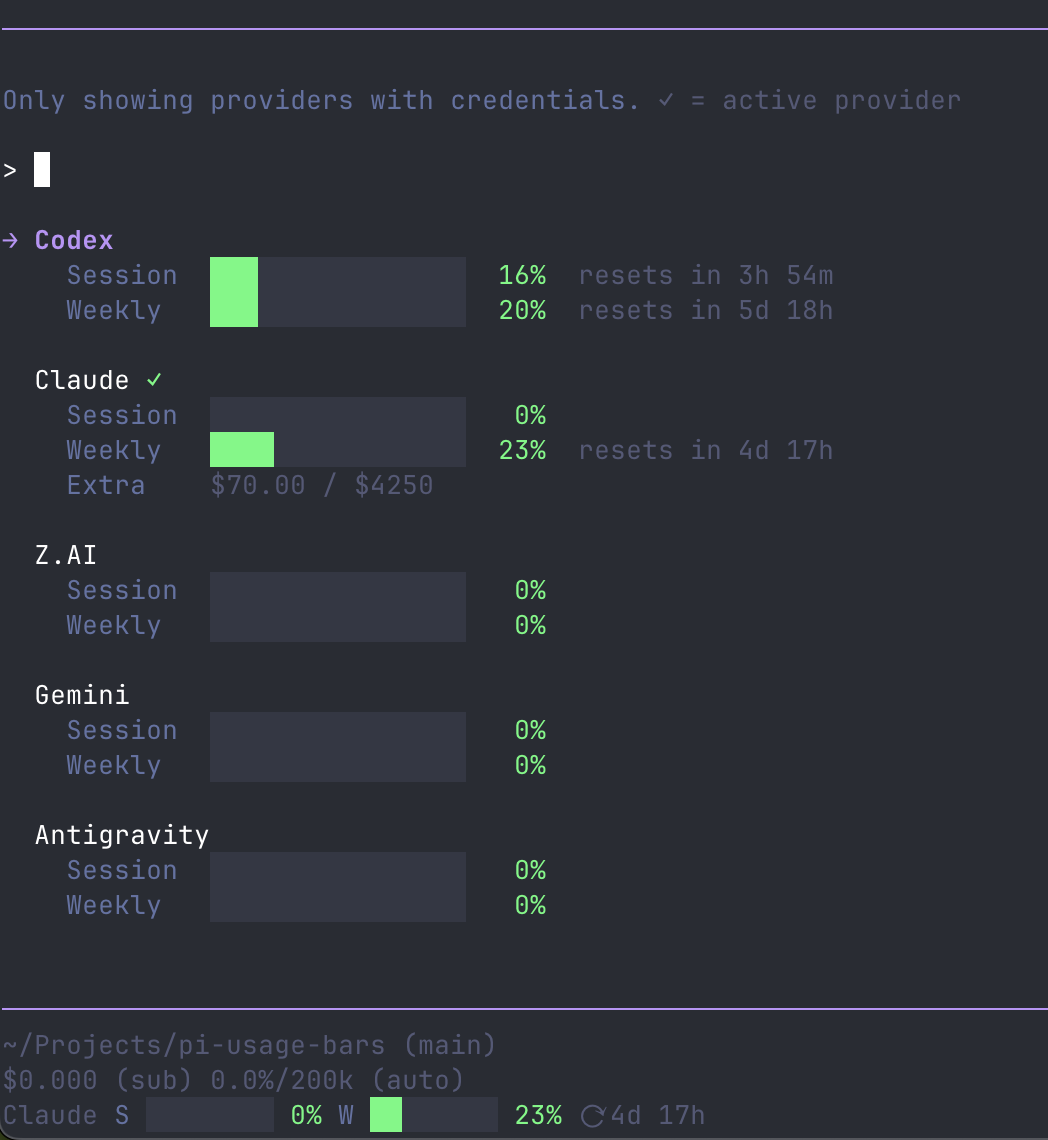
/usage
Run /usage to open a searchable list of configured supported providers. The selected provider's details are expanded; use the configured selection and page-navigation keybindings to browse the bounded list.
--usage
Pass --usage to print one JSON line for the active model provider and exit without opening the usage UI. This is also useful as a loader and credential smoke test:
pi --no-extensions -e C:\hk\code\pi-usage-bars\extensions\usage-bars\index.ts --usageThe result has status set to ok, unconfigured, unsupported, or error. No credential is included in the output.
Endpoint configuration
First-party monitoring endpoints can be overridden:
| Variable | Default |
| --- | --- |
| PI_ZAI_USAGE_ENDPOINT | https://api.z.ai/api/monitor/usage/quota/limit |
| PI_ZAI_CODING_CN_USAGE_ENDPOINT | https://open.bigmodel.cn/api/monitor/usage/quota/limit |
| PI_KIMI_USAGE_ENDPOINT | https://api.kimi.com/coding/v1/usages |
| PI_MINIMAX_USAGE_ENDPOINT | https://api.minimax.io/v1/token_plan/remains |
| PI_MINIMAX_LEGACY_USAGE_ENDPOINT | https://api.minimax.io/v1/api/openplatform/coding_plan/remains |
| PI_MINIMAX_CN_USAGE_ENDPOINT | https://api.minimaxi.com/v1/token_plan/remains |
| PI_MINIMAX_CN_LEGACY_USAGE_ENDPOINT | https://api.minimaxi.com/v1/api/openplatform/coding_plan/remains |
| PI_OPENROUTER_CREDITS_ENDPOINT | https://openrouter.ai/api/v1/credits |
| PI_OPENROUTER_KEY_ENDPOINT | https://openrouter.ai/api/v1/key |
| PI_DEEPSEEK_BALANCE_ENDPOINT | https://api.deepseek.com/user/balance |
| PI_MOONSHOT_BALANCE_ENDPOINT | https://api.moonshot.ai/v1/users/me/balance |
| PI_MOONSHOT_CN_BALANCE_ENDPOINT | https://api.moonshot.cn/v1/users/me/balance |
| PI_BASETEN_USAGE_ENDPOINT | https://api.baseten.co/v1/billing/usage_summary |
| PI_VERCEL_AI_GATEWAY_CREDITS_ENDPOINT | https://ai-gateway.vercel.sh/v1/credits |
| PI_FIREWORKS_API_ENDPOINT | https://api.fireworks.ai/v1 |
| PI_FIREWORKS_ACCOUNT_ID | Automatically discovered when exactly one account is accessible |
| PI_XAI_MANAGEMENT_API_ENDPOINT | https://management-api.x.ai |
Security: the corresponding provider token is sent as a bearer token to the configured endpoint. Only override endpoint variables with an endpoint you trust. PI_FIREWORKS_ACCOUNT_ID selects an account already returned by Fireworks account discovery; it may be either the account slug or its accounts/<slug> resource name. When a key can access multiple accounts, this variable is required rather than guessing or aggregating across accounts.
The Codex and Claude usage endpoints are fixed to their first-party services. Claude responses are cached briefly in the system temporary directory to coordinate multiple Pi processes and reduce rate limiting. The cache contains usage values, not credentials.
Financial metrics roadmap
Quota percentages and monetary account data have different meaning and color semantics. OpenRouter, DeepSeek, Moonshot, MiniMax, Vercel AI Gateway, Fireworks, and xAI financial data are rendered as neutral account values; percentages are used only when an actual limit exists.
Future: Qwen Token Plan
Qwen Token Plan Individual has a documented seven-day Credits quota, but Qwen currently directs users to console usage details and prohibits API-key automation. Add Qwen support only when Qwen documents and authorizes a key-authenticated usage endpoint compatible with Pi's resolved sk-sp-… credential. Do not use browser cookies or console-session tokens. The endpoint must expose used Credits, quota limit, reset time, and any separate Credit Pack balance; validate it with redacted fixtures before implementation.
See provider support research for the supporting Qwen investigation.
Development
Install Node.js 22.19+ and Bun 1.3, then run:
npm install
npm run check
npm run check performs a strict TypeScript check and runs the Bun test suite.
Maintainers should follow the complete release and npm publication guide: prepare the release, stage it for npm browser approval, then finalize it after 2FA approval. Pushing a Git tag does not publish automatically.
Credits
This extension is based on and inspired by: