
@hperchec/vuepress-jsdoc
v4.5.0
Published
Generate jsdoc markdown files for vuepress

Maintainers
 herveperchec
Readme
vuepress-jsdoc


This npm package is a command line script, which scans your JavaScript, Vue or Typescript source code and generates markdown files for vuepress with the help of jsdoc-to-markdown and vue-docgen-cli with @hperchec/vue-docgen-template custom template.
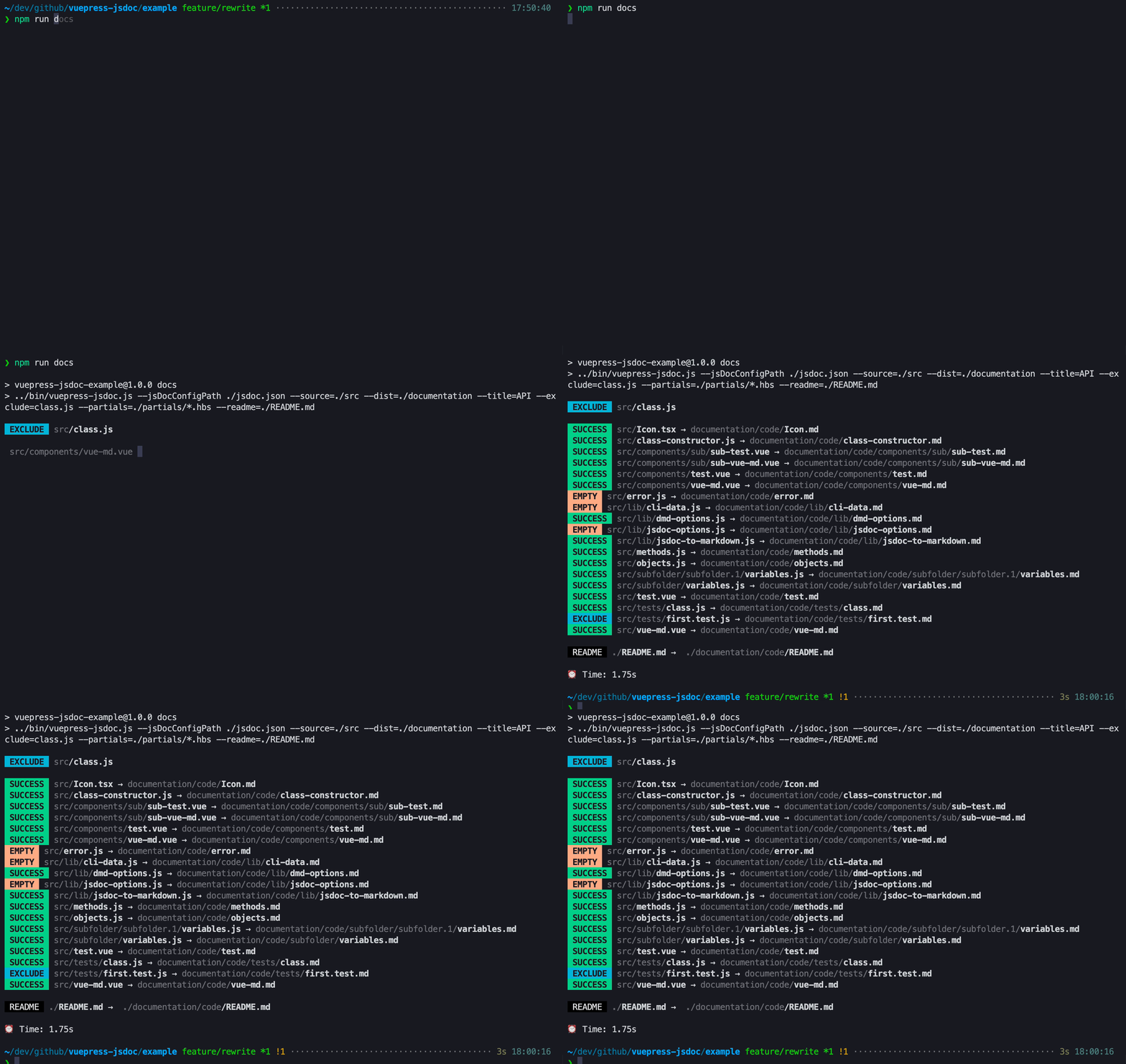
How to
yarn global add vuepress-jsdoc
npm i vuepress-jsdoc -g
Example:
# search code in src and move it to code (./documentation/code) in your vuepress folder (./documentation)
vuepress-jsdoc --source ./src --dist ./documentation --folder code --title API --exclude="**/*/*.test.js"
You can also use npx vuepress-jsdoc, if you want.
Plugin (Dev-Mode) alpha
You can use vuepress-jsdoc also as plugin.
This plugin watches you generated files.
// ./documentation/.vuepress/config.js
plugins: [
  [
    require('vuepress-jsdoc').default,
    {
      folder: 'code',
      source: './dist',
      dist: './documentation',
      title: 'API',
      partials: ['./example/partials/*.hbs'],
      readme: './README.md',
      exclude: '**/*.d.ts,**/interfaces.*,**/constants.*,**/cmds.*'
      // Accepts also other jsdoc2md options, see below
    }
  ]
];
Watch-Mode alpha
If you do not want to runvuepress-jsdoc again and again and again.
You can simply pass --watch or -w.
Command-Options
Use these options after vuepress-jsdoc.
| Name | Alias | Default | Description | | --------------------------- | ----- | --------------- | ----------------------------------------------------------------------------------------------------------------------------------------------- | | --source | -s | ./src | Source folder with .js or .ts files | | --dist | -d | ./documentation | Destination folder | | --folder | -f | ./code | Folder inside destination folder. Gets overwritten everytime | | --title | -t | API | Title of your documentation | | --help | -h | | Show help | | --version | -v | | Show current version | | --readme | -r | | Path to custom readme file | | --exclude | -e | | Pattern to exclude files/folders (Comma seperated) - *.test.js,exclude.js more information | | --include | -e | | Pattern to include files/folders (Comma seperated) - *.test.js,exclude.js more information | | --watch | -w | | Watch changes and update markdown files | | --rmPattern | -rm | | Pattern when removing files. You can ex- and include files. (glob pattern) | | --jsDoc-configPath | -c | | Path to JsDoc Config (experimental) | | --j2md-example-lang | | | jsdoc2markdown example-lang option | | --j2md-global-index-format | | | jsdoc2markdown global-index-format option | | --j2md-heading-depth | | | jsdoc2markdown heading-depth option | | --j2md-helper | | | jsdoc2markdown helper option | | --j2md-member-index-format | | | jsdoc2markdown member-index-format option | | --j2md-module-index-format | | | jsdoc2markdown module-index-format option | | --j2md-name-format | | | jsdoc2markdown name-format option | | --j2md-no-gfm | | false | jsdoc2markdown no-gfm option | | --j2md-partial | -p | | jsdoc2markdown partial templates (overwrites default ones) | | --j2md-plugin | | | jsdoc2markdown plugin option | | --j2md-param-list-format | | | jsdoc2markdown param-list-format option | | --j2md-property-list-format | | | jsdoc2markdown property-list-format option | | --j2md-separators | | false | jsdoc2markdown separators option | | --j2md-template | | | jsdoc2markdown template option | | --docgen-configPath | | | Path to vue-docgen-cli Config | | --docgen-helper | | | Handlebars helper files to override or extend the default set (similar to --j2md-helper option) | | --docgen-partial | | | Handlebars partial files to override or extend the default set (similar to --j2md-partial option) | | --docgen-template | | | Handlebars template file to override default component template (similar to --j2md-template option) |
config.js
Inside your generated folder, you can find a config.js.
This file includes a complete filetree and an vuepress sidebar tree.
How to configure vuepress
Vuepress is a static site generator by Evan You. You can add all generated documentation files to your existing vuepress project or create a new one.
# First install vuepress
yarn global add vuepress

# Run the CLI
vuepress-jsdoc

# Run vuepress dev server
vuepress dev ./documentation

# Run vuepress build, if you want to ship it
vuepress build ./documentation
Access it via: http://localhost:8080/code/
Now you need the sidebar.
Create a .vuepress folder inside the documentation folder and add the following config.js.
config.js:
// auto generated sidebar
const { sidebarTree } = require('../code/config');

module.exports = {
  dest: 'dist',
  locales: {
    '/': {
      title: 'vuepress-jsdoc',
      description: 'Generate jsdoc markdown files for vuepress'
    }
  },
  themeConfig: {
    editLinks: true,
    sidebarDepth: 4,
    docsDir: 'code',
    locales: {
      '/': {
        nav: [
          {
            text: 'Home',
            link: '/'
          }
        ],
        // Add the generated sidebar
        sidebar: Object.assign({}, sidebarTree('Mainpage title'))
      }
    }
  }
};
Custom readme
You can easily add a custom path to your readme by using the --readme ./path/to/file.md parameter. If you move a README.md inside your source folder, it should resolve it automatically.
You can set the title by passing it to the sidebarTree('Mainpage title') function inside your ./.vuepress/config.js.
@vuepress comment block
You can add custom meta data to your pages by using the @vuepress block in top level of .js files or in <script> tag in Vue SFC:
/**
 * @vuepress
 * ---
 * title: Your custom title
 * headline: You custom headline
 * ---
 */
Use headline to add a custom h1 title.
Typescript
To use typescript, you have to install these dev-dependencies:
npm install -D typescript jsdoc-babel @babel/cli @babel/core @babel/preset-env @babel/preset-typescript jsdoc-to-markdownNext, you have to add a jsdoc.json to your project with some settings and add it with the -c parameter.
You can find a full working example with all settings inside the ./example folder.
The example shows also how to use babel-plugins.
Example
The ./example folder includes a full working vuepress-jsdoc example.
# Install dependencies
npm install

# Run the CLI
vuepress-jsdoc

# Generate docs
npm run docs

# Run dev server
npm run dev

# Generate dist folder
npm run build
Contribute
PRs are always welcome (: