
@humansecurity/human-mcp-server
v1.2.0
Published
Model Context Protocol (MCP) server providing comprehensive cybersecurity intelligence from HUMAN Security. Offers real-time attack monitoring, threat detection, fraud prevention, PCI DSS compliance validation, and supply chain security for AI-powered app


Readme



This is the official MCP Server for HUMAN Security.
HUMAN Security MCP Server
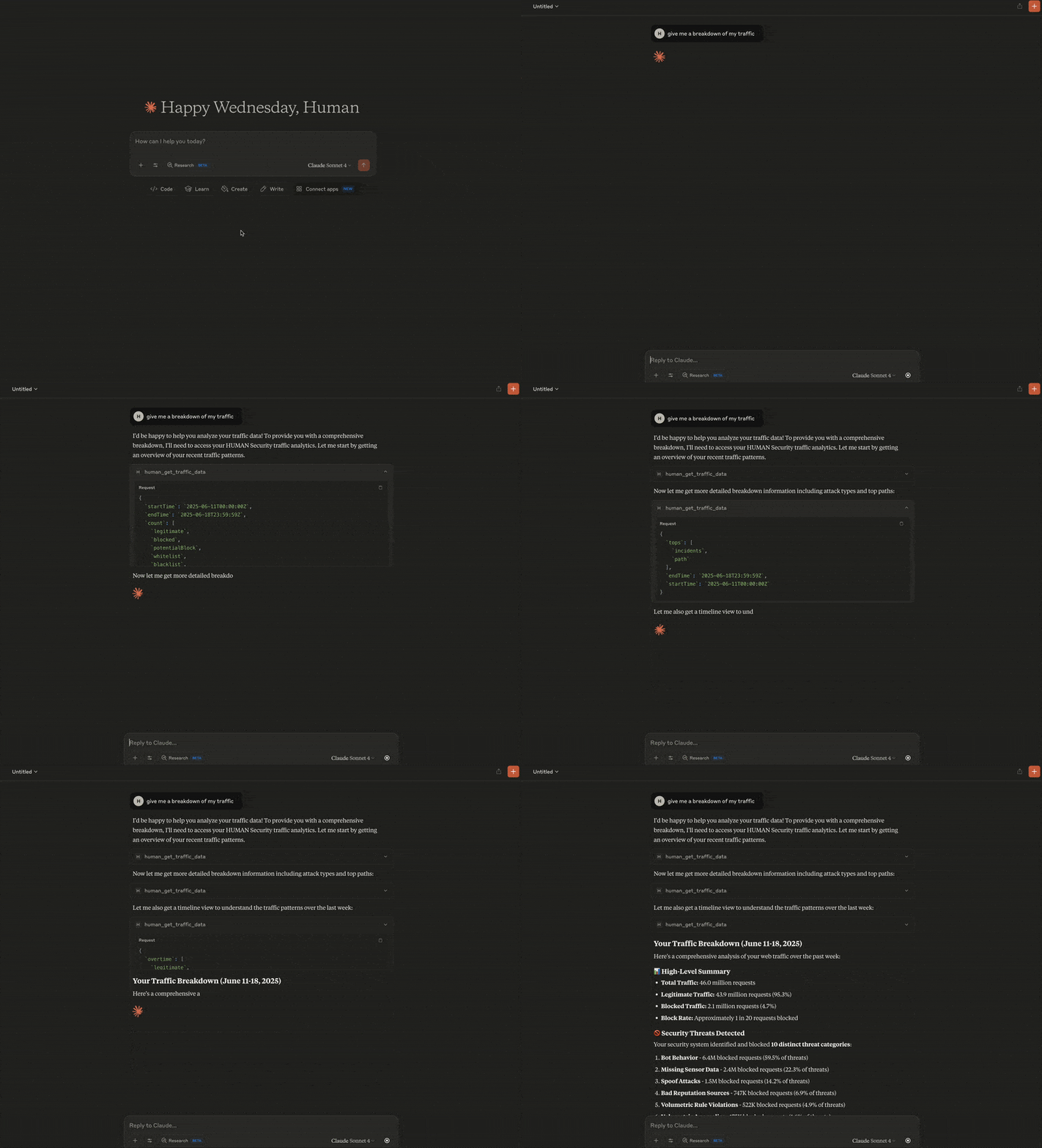
Supercharge your AI workflows with comprehensive cybersecurity intelligence from HUMAN Security. This Model Context Protocol (MCP) server provides access to HUMAN's industry-leading threat detection, attack analysis, and security monitoring capabilities directly within your AI-powered applications.
🛡️ What You Can Do
Cyberfraud Protection & Analytics
- Traffic Analysis: Monitor web and mobile traffic patterns with comprehensive security metrics
- Real-time Attack Monitoring: Track sophisticated attack campaigns with time-series analytics and threat intelligence
- Attack Investigation: Deep-dive into specific attack clusters with detailed forensics and attribution
- Account Security: Investigate suspicious account behavior, fraud patterns, and security incidents
- Custom Security Rules: Manage and audit your custom mitigation policies and security controls
Code Defender - Client-Side Security
- Client-Side Supply Chain Protection: Monitor first- and third-party scripts and vendors on your payment and sensitive pages
- PCI DSS Compliance: Streamline PCI DSS compliance and confirm that your site is not susceptible to attacks from scripts
- Security Incident Monitoring: Track client-side attacks, e-skimming attempts, and code injection threats
- HTTP Security-Impacting Headers: Monitor and alert personnel to changes to security-impacting HTTP headers
🔑 Prerequisites
- If running with NPM, download and install Node.js.
- If running with Docker, download and install Docker.
🚀 Quick Start
Add this configuration to your MCP server file:
{
  "mcpServers": {
    "human-security": {
      "command": "npx",
      "args": ["-y", "@humansecurity/human-mcp-server"],
      "env": {
        "HUMAN_CYBERFRAUD_API_TOKEN": "your-cyberfraud-token",
        "HUMAN_CODE_DEFENDER_API_TOKEN": "your-code-defender-token"
      }
    }
  }
}- For Claude Desktop, navigate to Claude > Settings > Developer > Edit Config. This will take you to the location of the
claude_desktop_config.jsonfile. Edit this file in your preferred editor. - For Cursor, navigate to Cursor > Settings > Cursor Settings > Tools & Integrations. The MCP Tools section will take you to the
mcp.jsonfile, which you can edit directly in the Cursor editor.
You'll need API tokens from your HUMAN Security account to access the services. The server automatically detects which services you have access to and enables the corresponding tools.
Required Tokens
HUMAN_CYBERFRAUD_API_TOKEN: Enables attack monitoring, traffic analysis, account investigation, and custom rules managementHUMAN_CODE_DEFENDER_API_TOKEN: Enables supply chain monitoring, PCI compliance, and client-side security analysis
🐳 Run with Docker
If you prefer to use Docker over NPM, run the MCP server container directly:
docker run --rm -i \
  -e HUMAN_CYBERFRAUD_API_TOKEN=<value> \
  -e HUMAN_CODE_DEFENDER_API_TOKEN=<value> \
  us-docker.pkg.dev/hmn-registry-public/containers/human-mcp-server:latest
To use Docker from your MCP client config (e.g., Cursor or Claude Desktop), replace the NPM command with a Docker invocation:
{
  "mcpServers": {
    "human-security": {
      "command": "docker",
      "args": [
        "run", "--rm", "-i",
        "-e", "HUMAN_CYBERFRAUD_API_TOKEN",
        "-e", "HUMAN_CODE_DEFENDER_API_TOKEN",
        "us-docker.pkg.dev/hmn-registry-public/containers/human-mcp-server:latest"
      ],
      "env": {
        "HUMAN_CYBERFRAUD_API_TOKEN": "your-cyberfraud-token",
        "HUMAN_CODE_DEFENDER_API_TOKEN": "your-code-defender-token"
      }
    }
  }
}
Optional Configuration
HUMAN_API_HOST: Use a different API endpoint (default:api.humansecurity.com)HUMAN_API_VERSION: Specify API version (default:v1)HTTP_TIMEOUT_MS: Request timeout in milliseconds (default:30000)HUMAN_TRAFFIC_API_BASE: Override the base URL for traffic data endpoints. Useful for local development against a pxPortal instance (e.g.http://localhost:3000/api/v1/botDefender/traffic). When not set, defaults to the standard HUMAN API base.
💡 Usage Examples
Ask your AI assistant questions like:
- "Show me attack trends over the last 24 hours"
- "Investigate suspicious activity for account ID XXXXX"
- "What third-party scripts are running on our payment pages?"
- "Show me the scripts and headers in my PCI inventory"
- "Analyze the effectiveness of our custom security rules"
- "Show me details about attack cluster XXXXX"
📊 Available Tools
Cyberfraud Protection
- Traffic Data: Comprehensive traffic analytics with overtime time-series, aggregated metrics, and ranked tops breakdowns
- Attack Reporting (Overtime): Time-series attack analytics and trend analysis
- Attack Reporting (Overview): Detailed attack cluster intelligence and forensics
- Account Information: Individual account security analysis and incident tracking
- Custom Rules: Security policy management and effectiveness analysis
Code Defender Security
- Security Incidents: Client-side attack detection and investigation
- Script Inventory: First- and third-party script monitoring and PCI compliance
- Header Inventory: HTTP security header analysis and optimization
🔗 Integration Options
Single Service Setup
If you only need one service, you can configure just that token:
Cyberfraud Only:
{
  "human-security": {
    "command": "npx",
    "args": ["-y", "@humansecurity/human-mcp-server"],
    "env": {
      "HUMAN_CYBERFRAUD_API_TOKEN": "your-token-here"
    }
  }
}
Code Defender Only:
{
  "human-security": {
    "command": "npx",
    "args": ["-y", "@humansecurity/human-mcp-server"],
    "env": {
      "HUMAN_CODE_DEFENDER_API_TOKEN": "your-token-here"
    }
  }
}
🧪 Local Development & Testing
Running against a local pxPortal instance
To test the MCP server against a locally running pxPortal (default port 3000), set HUMAN_TRAFFIC_API_BASE to override the traffic data endpoint:
{
  "mcpServers": {
    "human-security": {
      "command": "node",
      "args": ["/path/to/human-mcp-server/dist/index.cjs"],
      "env": {
        "HUMAN_CYBERFRAUD_API_TOKEN": "your-token",
        "HUMAN_TRAFFIC_API_BASE": "http://localhost:3000/api/v1/botDefender/traffic"
      }
    }
  }
}
End-to-end test script
scripts/test_local.mjs spawns the MCP server and runs 25 scenarios against a live backend, covering all modes (overtime, metrics, tops), filters, combined calls, time ranges, and tops field coverage.
# Build first
npm run build

# Run all scenarios against localhost:3000
HUMAN_CYBERFRAUD_API_TOKEN=<token> node scripts/test_local.mjs

# Run against a custom backend
HUMAN_CYBERFRAUD_API_TOKEN=<token> \
HUMAN_TRAFFIC_API_BASE=http://my-host/api/v1/botDefender/traffic \
node scripts/test_local.mjs
Expected output: RESULTS: 25 passed, 0 failed.
🆘 Support
- Documentation: HUMAN Security Documentation
- API Tokens:
- Technical Support: Available through your HUMAN Security support channels
📄 License
MIT