
@hyzyn/dsh-profile
v0.2.7
Published
DSH Web GUI 的 Profile 管理插件:可视化查看 / 创建 / 复制 / 删除 DSH profiles,管理 ~/.dsh/profiles 下的 profile 目录;表单内联在插件详情页「说明」下方(设置 → 插件配置 页里也有同一份)。


Readme
@hyzyn/dsh-profile
中文 | English
DSH 设置 → 插件 里的「Profile 管理」卡片:查看、创建、复制、重命名、删除 DSH profile,不用记命令。
特性
- 模板化创建,不手抄清单:三种模板一键创建(
@deepseek-ai/dsh-base仅核心,或再加dsh-web-app/dsh-headless);复制跳过node_modules与 lockfile 并自动pnpm install。 - 端口随 profile 落盘:为每个 profile 记录启动端口,复制出的启动命令自动带
--port,多个 web profile 不再撞端口。 - 重命名同步目录与 manifest:一次操作同时完成目录移动与
package.json改名;删除在面板内二次确认(不可撤销)。 - 状态与结构直读:初始化徽章、bundle 层、依赖数、目录路径;缺
cordis.patch.yml会提示。
Profile 是什么
每个 profile 是 $DSH_HOME/profiles(默认 ~/.dsh/profiles,可用环境变量 DSH_HOME 覆盖)下的独立目录,拥有自己的 bundle 层与补丁文件:
~/.dsh/profiles/<name>/
├── package.json          # dsh.profile.bundles:本 profile 的 bundle 层阵容
├── cordis.patch.yml      # 补丁层:bundle 层之后应用的 loader patch 列表
├── pnpm-workspace.yaml   # profile 工作区(nodeLinker: hoisted)
└── profile.runtime.json  # (可选)本插件的运行配置,如启动端口
结构
| 文件 | 说明 |
| --- | --- |
| src/index.ts | 宿主半体:profile 目录读写、校验、创建 / 复制 / 重命名 / 删除、/api/dsh-profile/* 路由(loopback-only 围栏) |
| client.js | 浏览器半体:注册 settings.plugin.item 卡片(React 外壳 + 纯 DOM 管理面板,window.__ModuleLoader__.load 格式) |
| cordis.patch.yml | bundle 补丁:把插件行插入 profile 阵容 |
路由(仅限 loopback + 同源):
GET /api/dsh-profile/list—— 列出全部 profile 及状态POST /api/dsh-profile/create—— 新建(name+ 可选template/port)POST /api/dsh-profile/duplicate—— 复制(name+from)POST /api/dsh-profile/rename—— 重命名(name+newName)POST /api/dsh-profile/port—— 设置端口(name+port,port留空清除)POST /api/dsh-profile/delete—— 删除(name)
安装
pnpm --filter @hyzyn/dsh-profile build
dsh plugin --profile web add link:$(pwd)/packages/profile
插件自身行由 cordis.patch.yml 的 insert: { id: profile-manager, name: '@hyzyn/dsh-profile' } 挂载;dsh plugin add 会同时把本包装进 profile 依赖并加入 dsh.profile.bundles 补丁层,只需挂载这一次,重启 dsh web 后生效。
配置
interface Config {
  /** 关闭整个插件。默认 false。 */
  enabled?: boolean
  /** 是否向 agent 注入插件能力公告。默认 true。 */
  announceToAgent?: boolean
}
界面预览
设置 → 插件 →「Profile 管理」卡片(配置界面):
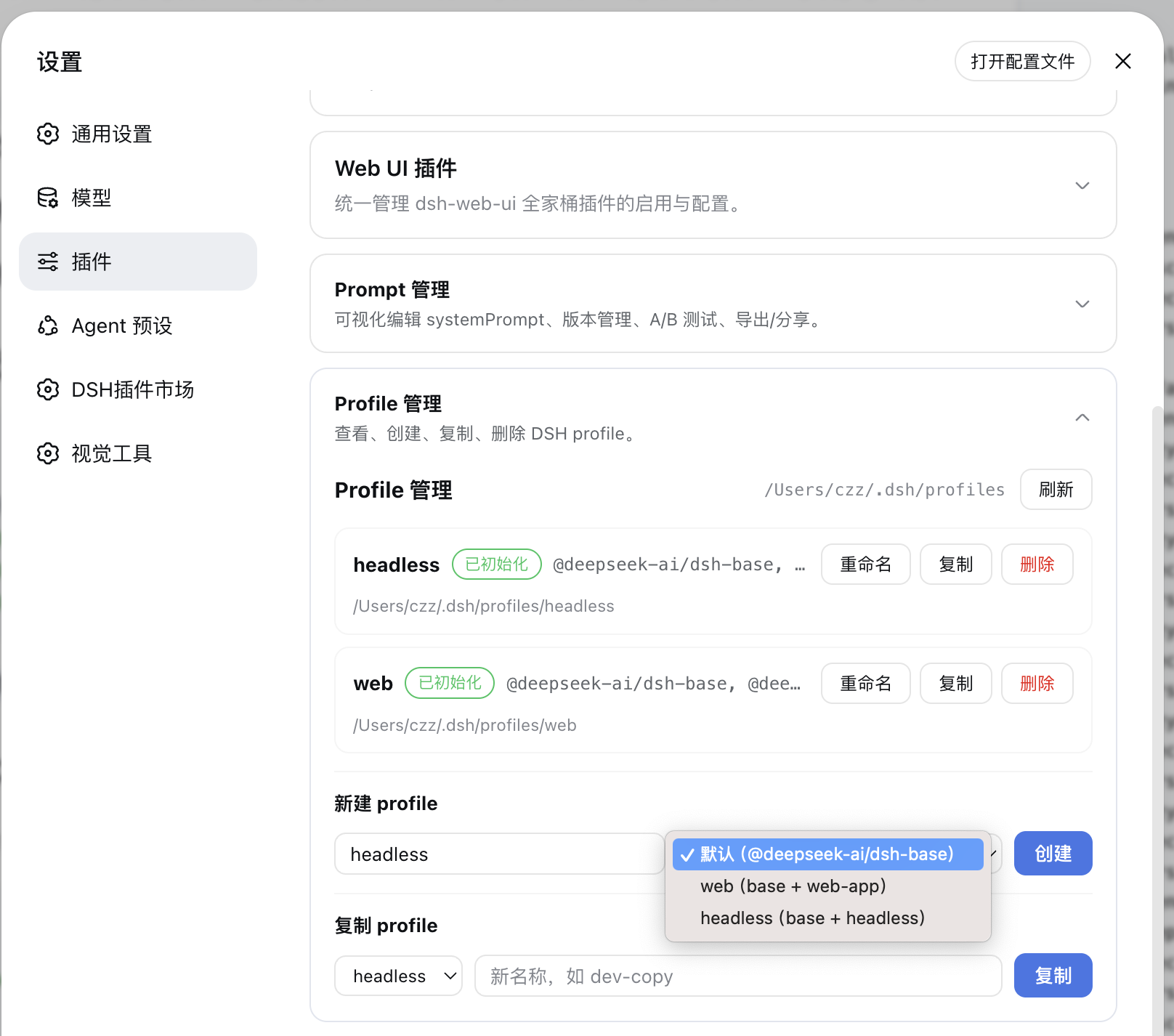
设置面在宿主里的位置随 DSH 版本变,但始终是同一份表单:0.2.0-rc.1 起挂
plugins.bundle.config——插件详情页「说明」正下方内联,不必再点「>」进二级页;旧宿主
(0.1.6 线)自动回退到侧边栏「插件」页里该行的「>」子页,≤0.1.5 用设置页卡片。
用 headless 模板建好 profile 后,命令行可直接以该 profile 启动 headless 会话(一次性回答一个任务、打印结果后退出):
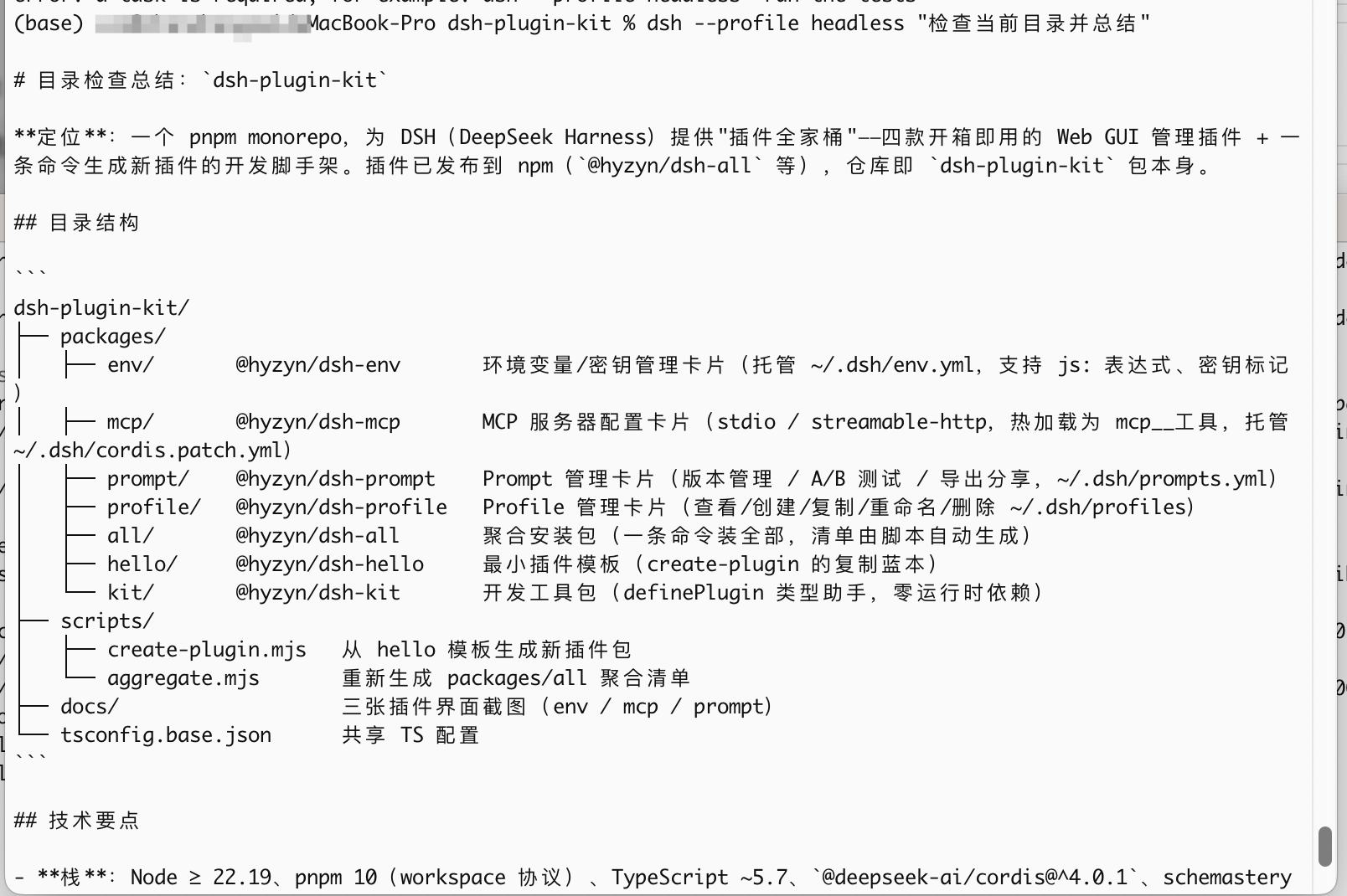
# 以 headless profile 启动:回答一个任务、打印结果后退出
dsh --profile headless "run the tests"
# dsh web 即 --profile web 的别名
说明
- 创建逻辑与
dsh-app-boot的initProfile对齐:生成package.json(dsh.profile.bundles)、空补丁文件cordis.patch.yml([])与pnpm-workspace.yaml - 名称只允许
[A-Za-z0-9][A-Za-z0-9._-]*,且不能是node_modules/./.. - 复制自动跳过
node_modules与pnpm-lock.yaml,不搬运安装产物,但会自动执行pnpm install重建依赖;profile.runtime.json会随目录一起复制。 ⚠️ 复制会把「机器级资源」一起带走,多 profile 同跑前要各自错开: webserver 端口(profile.runtime.json,复制后请到卡片改一个没被占的)、 终端面板的端口转发localPort(存在该 profilecordis.yml的 tty 设置里, 复制后建议先停用或改端口)。隧道撞端口是fatal(不重试),改配置后重建。 另外 tmux 持久会话的 socket 是所有 profile 共用的(-L dsh-tty),kill-server会跨 profile 生效。pnpm经@hyzyn/dsh-kit的spawnPortable启动——Windows 上 pnpm 只有pnpm.CMD,裸 spawn 既解析不到.cmd也会因 Node 的加固报EINVAL(真机实测过spawnSync pnpm ENOENT);装依赖失败会把复制出来的目录回滚,语义是「要么复制成功,要么什么都没发生」 - 端口配置保存在
profile.runtime.json,只影响本插件生成的启动命令,不会写入 DSH 官方package.json/cordis.patch.yml - 删除为递归删除、不可撤销,面板内会二次确认;内置的
web默认 profile 不允许删除,headless可以删除 - 新建的 profile 首次使用前需按需安装依赖:
dsh plugin --profile <name> add <包>(在 profile 目录内跑 pnpm) - 浏览器半体依赖核心
slots服务,只有dsh-web-app的官方设置面板才提供该插槽