
@iflow-mcp/vikas9793-androjack-mcp
v1.6.0
Published
AndroJack: AI that actually knows Android. Real-time dependency tracking, modern architectures, and zero hallucinations.


Readme
🤖 AndroJack — The Jack of All Android Trades
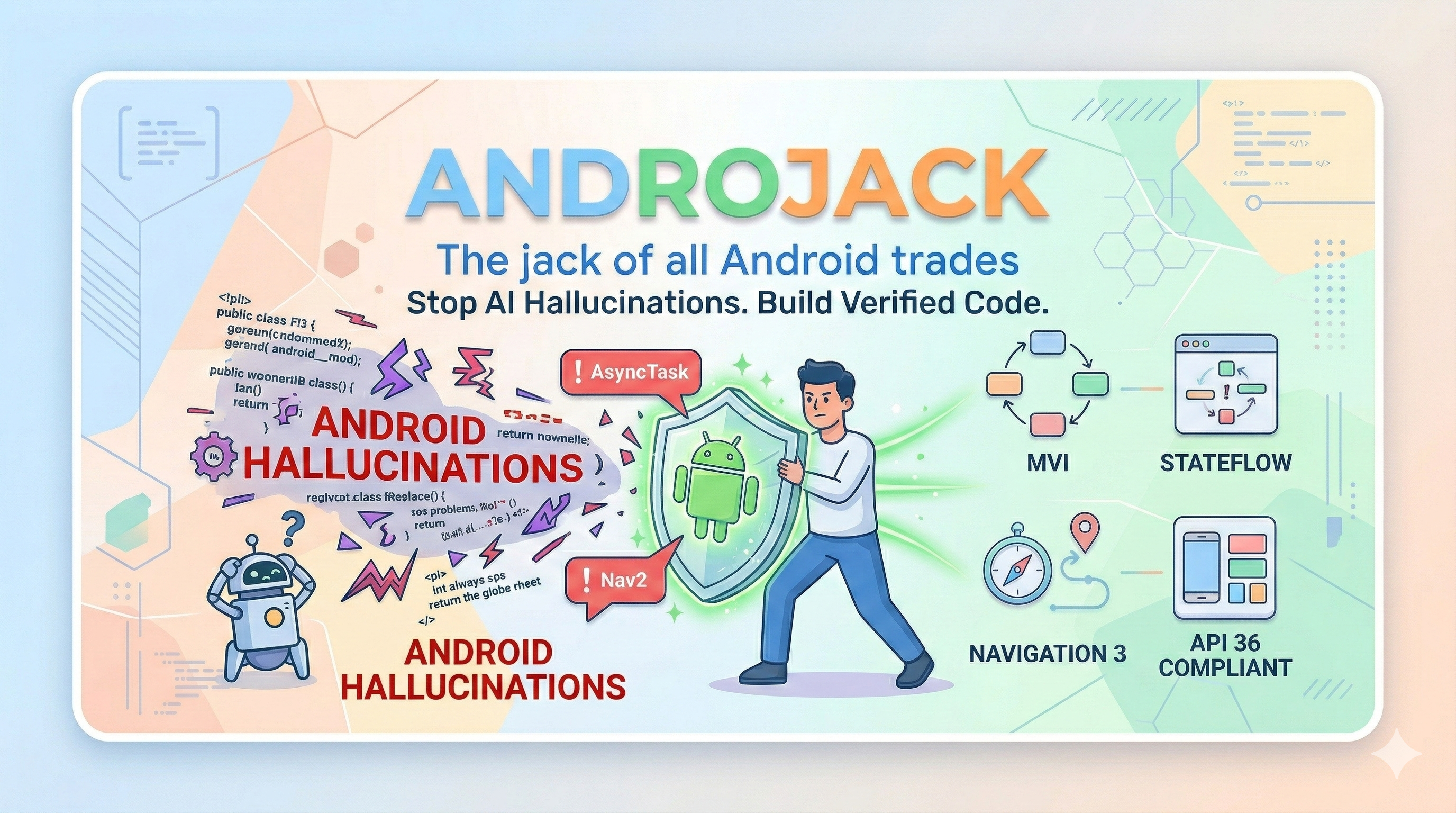
🎬 Discover AndroJack


An MCP server that equips your AI coding assistant with live, verified Android knowledge — so it builds from official sources, not from memory.









🚀 One-Click Install





VS Code distribution: AndroJack MCP is also live on the VS Code Marketplace as AndroJack MCP for VS Code. The VS Code badge above always reflects the currently published Marketplace version.
PM / APM docs: Product strategy, JTBD, personas, roadmap, user stories, competitive analysis, and GTM materials now live under product-management/README.md.
Also works with: Windsurf · VS Code Copilot · Google Antigravity · JetBrains AI — see Manual Config below ↓
🔥 The Crisis That Created This Tool
In 2025, the Stack Overflow Developer Survey asked 49,000 developers about their experience with AI coding tools. The results should alarm every Android engineer:
- 84% of developers now use AI coding tools — up from 76% the year before
- Trust in AI accuracy collapsed from 40% to just 29% in a single year
- 35% of all Stack Overflow visits in 2025 are now triggered by developers debugging and fixing AI-generated code
The gap between usage and trust is not a coincidence. It is the product of a structural problem: AI models predict tokens, not APIs. They were trained on a snapshot of the world and have no mechanism to know what changed at API 30, what shipped at Google I/O 2025, or what Google Play now rejects at review time.
For Android developers, this failure mode is uniquely dangerous. Android has the fastest-moving ecosystem in mobile development — a new Compose BOM every month, Navigation 3 going stable after seven years of Nav2, Android 16 rewriting the rules on screen orientation locking — and most AI tools have training data that is six months to two years stale by the time you use them.
The result is not just bad code. It is confidently bad code.
⚡ What Actually Breaks In Practice — Documented Evidence
These are not hypothetical risks. They are documented failure modes from real developer projects.
The Navigation 3 Hallucination (January 2026)
A published case study from Atomic Robot documented a live Navigation 2 → Navigation 3 migration using both Gemini and Claude — with internet access enabled on both. The conclusion, verbatim:
"LLMs still hallucinate versions. Even with internet access, both agents wanted to use an outdated release candidate instead of the stable 1.0.0 release."
Navigation 3 went stable in November 2025 after seven years of the same library. It is a complete architectural rethink: back stacks are now plain Kotlin lists, the monolithic nav graph is gone, and NavDisplay replaces NavController. Google's own migration guide is so aware that AI tools get this wrong that it now contains special "AI Agent:" annotations — instructions embedded directly in the official docs for AI tools to follow. An AI tool that generates Nav2 code for a new Compose project in 2026 is not making a small mistake. It is creating an architectural incoherence that requires a full rewrite to fix.
The Compose Deprecation Treadmill
Jetpack Compose ships a new BOM every month. Since most models' training cutoffs, these APIs changed:
| API | Status | What goes wrong |
|-----|--------|----------------|
| ContextualFlowRow / ContextualFlowColumn | Deprecated in Compose 1.8 | AI still generates them — compile warning today, removal tomorrow |
| TestCoroutineDispatcher | Removed from coroutines-test 1.8+ | AI still generates it — causes non-deterministic test failures in CI |
| FlowRow overflow parameter | Deprecated in 1.8 | Subtle behavioral regression at runtime, silent in most linting setups |
| AnchoredDraggableState.confirmValueChange | Deprecated | Incorrect drag behavior at anchor boundaries |
| Navigation 2 in new projects | Superseded by Nav3 stable Nov 2025 | Architectural dead-end that requires a rewrite to fix |
Every one of these compiles. Most run without errors. The bugs surface later in CI flakiness, UI regressions, or Play Store review failures — and the developer has no idea the AI was confidently wrong.
The Android 16 / API 36 Mandate (August 2026 deadline)
Android 16 made a platform-level change affecting every published app: on devices ≥600dp — tablets, foldables, ChromeOS — apps can no longer lock screen orientation or restrict resizability. Google Play requires API 36 targeting by August 2026.
An AI tool generating android:screenOrientation="portrait" or android:resizeableActivity="false" today is generating code that will trigger App Compatibility warnings in Play Console, fail large-screen quality checks, and get apps demoted in Play Store search results.
The business impact is not theoretical:
Foldable users spend 14× more on apps than phone-only users. Tablet + phone users spend 9× more. FlipaClip saw 54% growth in tablet users within four months of going adaptive.
The KMP Silent Failure
Kotlin Multiplatform went mainstream in 2025 — over 900 new KMP libraries published, Room added KMP support, companies now hire specifically for KMP skills. When a developer on a KMP project asks an AI tool to add database support, the AI generates Android-only Room code. It compiles. It runs perfectly on Android. The iOS build fails. The developer spends hours debugging before realizing the root cause: their AI tool does not know KMP exists.
🧩 What AndroJack Does
AndroJack is a documentation-grounded Android engineering MCP server. It gives your AI coding assistant 21 specialized tools that fetch live, verified answers from official Android and Kotlin sources — instead of predicting from stale training data.
It does not make the AI smarter. It makes the AI accountable to evidence.
Think of it as a pre-build linter for LLMs. While other tools retrieve documentation, AndroJack acts as a strict architectural gatekeeper.
Without AndroJack:   You ask → AI predicts from stale weights → Code (possibly wrong)

With AndroJack:      You ask → AI calls tool → Tool fetches official source live
                              → AI reads verified answer → Code (grounded)
⚠️ Honest Activation Model — Two Levels
This is the most important thing to understand before you install AndroJack:
| Level | What's Active | What the AI Does |
|---|---|---|
| Level 1 — Tools only installed | 21 tools registered in IDE | AI may call the right tool. Depends on the IDE and the AI's judgment. |
| Level 2 — Tools + Grounding Gate prompt loaded | 21 tools + mandatory pre-generation rulebook | AI must call the correct tool for every decision before writing code. |
| Level 3 — Level 2 + android_code_validator | Full loop: fetch → generate → validate → fix | AI validates every code block against 24 rules. Errors must be fixed before the user sees the code. |
Level 1 is passive. The tools are available but the AI decides when to use them. An AI building a Compose screen may call architecture_reference but skip material3_expressive — and ship M3E violations silently.
Level 2 is active. The androjack_grounding_gate system prompt maps every task type to the correct tool. Building Compose UI? The AI is mandated to call material3_expressive first. Adding a dependency? It must call gradle_dependency_checker. No exceptions.
Level 3 is the loop-back. android_code_validator runs on every code block the AI generates before returning it to the user. 24 rules covering removed APIs, deprecated patterns, and Android 16 compliance. Verdict FAIL means the AI must fix and re-validate — the user never sees the broken code.
→ For full grounding, always activate Level 2 + Level 3. See Getting the Full Guarantee below.
🪲 What Can Still Break — Even at Level 3
[!IMPORTANT] AndroJack is a documentation-grounding and API-validation tool. It is not a Compose layout engine, a design system enforcer, or a runtime renderer. Level 3 catches removed APIs and deprecated patterns. It cannot catch every class of Android bug. This is not a limitation of AndroJack — it is a fundamental property of static text analysis applied to a visual, runtime-rendered UI framework.
The following bugs were encountered in a real Android app built with AndroJack at Level 2 (v1.4.0). They are documented here honestly so you know exactly what to watch for — and where to reach for different tools.
✅ What Level 3 Catches
These are the bugs AndroJack was designed to prevent. The rule engine fires on these:
// ❌ REMOVED — android_code_validator fires: REMOVED_ASYNCTASK
class MyTask : AsyncTask<Void, Void, String>()

// ❌ REMOVED — fires: REMOVED_TEST_COROUTINE_DISPATCHER
val dispatcher = TestCoroutineDispatcher()

// ❌ DEPRECATED — fires: DEPRECATED_CONTEXTUAL_FLOW_ROW
ContextualFlowRow { Text("hello") }

// ❌ LEAK — fires: GLOBALSCOPE_LAUNCH
GlobalScope.launch { fetchData() }

// ❌ ANDROID 16 — fires: XML_SCREEN_ORIENTATION_LOCK
// android:screenOrientation="portrait"
⚠️ What Level 3 Cannot Catch — And Why
[!WARNING] The following bugs were found in a real project. They are valid, API-current Compose code that violates design system constraints, accessibility minimums, or architectural boundaries. Static text scanning cannot detect them. This is not a gap in AndroJack — it requires a different tool class at a different layer of your quality stack.
Bug PH-UI-001 — Segmented button text truncation
// Compiles and runs. Level 3 sees no violation.
// The bug: Text inside MultiChoiceSegmentedButtonRow truncates
// ("Ligh t", "Drai ned") because a fixed height modifier prevents
// the Roboto Flex variable font from expanding the container.

MultiChoiceSegmentedButtonRow {
    SegmentedButton(/* fixed height modifier */) {
        Text("Light")  // truncates at runtime on variable font sizes
    }
}

// Fix: Replace fixed height with Modifier.wrapContentHeight() + heightIn(min = 48.dp)
[!NOTE] This is an absence bug. The correct modifier is missing — no wrong one is present. RegExp pattern matching detects patterns that exist in code. Absence is significantly harder for static analysis to detect and often requires structural rules or runtime validation rather than text-level pattern matching.
Bug PH-UI-003 — Disabled button contrast failure
// Correct Material 3 API. Level 3 sees no violation.
// The bug: disabled state colours fail WCAG AA 4.5:1 contrast ratio
// against the dark theme surface — but only visible when rendered.

Button(enabled = false, onClick = {}) {
    Text("INITIALIZE VAULT")  // illegible dark grey on dark grey surface
}

// Fix: Override ButtonDefaults.buttonColors(
//     disabledContainerColor = ...,
//     disabledContentColor = ...
// ) to achieve minimum 4.5:1 against MaterialTheme.colorScheme.surface
[!NOTE] This is a runtime visual property bug. A 4.5:1 contrast ratio only exists when the theming engine renders against a surface colour. Contrast validation requires rendering or screenshot-based testing rather than source text analysis. Use
paparazziscreenshot tests or Google's Accessibility Scanner.
Bug PH-AR-004 — Raw stack trace rendered to end user
// The AI generated a ViewModel without catching the domain exception.
// Level 3 fires only if a flagged API (e.g. GlobalScope) caused the leak.
// A plain missing try/catch produces no pattern match.

class VaultViewModel : ViewModel() {
    fun initializeVault() {
        viewModelScope.launch {
            val result = repository.initialize()
            // Missing try/catch — LiteRT exception propagates to UI
            _uiState.value = UiState.Success(result)
        }
    }
}
// What the user saw: "LiteRT initialization failed: ByteBuffer is not a
// valid TensorFlow Lite model flatbuffer" — raw crash text in the UI.

// Fix: Wrap in try/catch, emit UiState.Error with a user-friendly string resource.
[!WARNING] UDF architecture boundary violations require architectural linting, not API pattern matching. A missing
try/catchhas no detectable pattern. Use Detekt with custom architecture rules, or write a ViewModel unit test that verifies exception mapping toUiState.Error.
Bug PH-UX-008 — Consent checkbox tap target too small
// Valid Compose code. Level 3 sees no violation.
// The bug: Modifier.toggleable scoped to the Checkbox icon only —
// tappable area is ~24dp instead of the required 48dp minimum.

Row {
    Checkbox(
        checked = isChecked,
        onCheckedChange = { isChecked = it }  // toggleable on icon only
    )
    Text("I agree to the terms")  // not tappable — users miss the target
}

// Fix: Hoist Modifier.toggleable to the parent Row.
// The entire Row (icon + text) becomes the touch target.
[!NOTE] Structural placement bugs require AST-level analysis. The API is used correctly — in the wrong structural position. Detecting this requires understanding the composable tree, not the line in isolation. This is on the roadmap for a future
android_code_validatorAST extension.
Bug PH-UI-009 — Scaffold inner padding ignored
// Compiles and runs. Bottom content scrolls behind the navigation bar.
// Level 3 sees no violation — all APIs are correct and current.

Scaffold { innerPadding ->
    LazyColumn(
        // Missing: contentPadding = innerPadding
    ) {
        items(data) { ItemRow(it) }  // bottom items cut off by BottomAppBar
    }
}

// Fix: LazyColumn(contentPadding = innerPadding)
[!NOTE] Unused-variable class bugs require data-flow analysis.
innerPaddingis captured but never consumed. Android Lint'sUnusedVariablerule and Android Studio's own live inspector flag this. It is not in scope for MCP-layer validation.
🗂️ Defence-in-Depth: The Right Tool for Each Bug Class
[!IMPORTANT] AndroJack is one layer in a quality stack. Each layer catches what only it can catch. No single tool covers all four.
| Bug Class | Real Example | Right Tool |
|---|---|---|
| Removed / deprecated API | AsyncTask, TestCoroutineDispatcher, ContextualFlowRow | ✅ AndroJack Level 3 |
| Android 16 manifest violations | screenOrientation, resizeableActivity=false | ✅ AndroJack Level 3 |
| Architecture violation (flagged root cause) | GlobalScope leaking to UI | ✅ AndroJack Level 3 |
| Absent modifier / missing constraint | PH-UI-001 (wrapContentHeight), PH-UI-009 (innerPadding) | 🔧 Android Lint / IDE inspector |
| Runtime contrast / colour failures | PH-UI-003 (disabled button WCAG) | 🔧 paparazzi + Accessibility Scanner |
| Touch target violations | PH-UI-002, PH-UX-008 | 🔧 Accessibility Scanner |
| Structural placement (wrong hierarchy) | PH-UX-008 (toggleable on wrong composable) | 🔧 Android Lint / future AST rule |
| Architecture boundary (missing try/catch) | PH-AR-004 (stack trace to UI) | 🔧 Detekt + ViewModel unit tests |
| M3 design system aesthetic | PH-UI-007 (corner radius), PH-UI-006 (casing) | 🔧 Design review / Figma handoff |
Why MCP Is Not at Fault for Any of This
[!NOTE] MCP is a transport protocol. It specifies how an AI client and a tool server exchange structured messages — nothing more. Blaming MCP for not catching a missing
contentPaddinginDropdownMenuItemis equivalent to blaming TCP/IP for a badly designed website. The protocol carried the message correctly.Anthropic donated MCP to the Linux Foundation in December 2025 — co-founded with OpenAI, Block, Google, Microsoft, and AWS — precisely because a neutral protocol does not encode domain-specific rules. HTTP does not enforce WCAG. gRPC does not enforce Material 3. MCP does not enforce Compose modifier semantics. That is what makes it universal. AndroJack exists as a specialised layer on top of MCP — it is not a replacement for runtime testing, accessibility auditing, or design system review.
🎯 The Killer Argument
"Can your agents.md file tell me the Gradle version that shipped last Tuesday?"
No markdown file can. No rules in
.cursorrulescan. NoSKILL.mdcan.
✅ Only a live tool call can.
That's the job AndroJack exists to do — and nothing else in the current ecosystem does it for Android specifically.
| What you need | agents.md / SKILL.md | AndroJack MCP |
|---|:---:|:---:|
| Format output a specific way | ✅ Perfect | Works too |
| Follow team conventions | ✅ Perfect | Works too |
| Latest Gradle version right now | ❌ Guesses from memory | ✅ Fetches live |
| Is AsyncTask removed? | ❌ May be wrong | ✅ Verified against SDK |
| Android 16 Play Store rules | ❌ Post-training — unknown | ✅ Official source |
Prompt engineering controls how the AI responds. MCP controls what the AI knows.
🧠 Why MCP — Not Prompt Engineering, agents.md, or RAG
This is the most important section if you are evaluating whether to use this.
Prompt engineering means writing instructions into a system prompt or a markdown file (agents.md, SKILL.md, CLAUDE.md, .cursorrules, etc.) that tell the AI how to behave.
What it does well:
- Sets tone, persona, output format
- Encodes team conventions ("always use MVVM", "prefer StateFlow over LiveData")
- Cheap and fast to set up — just a text file
Where it breaks for Android engineering:
- The AI still reasons entirely from its training data — it cannot verify that
AsyncTaskis removed, it can only hope its training included that fact - Instructions in a
.mdfile are static — they go stale the moment a new Jetpack release ships - The AI can ignore, misinterpret, or hallucinate around even well-written instructions
- There is no enforcement mechanism — no tool call was required, no source was verified
The fundamental limit: Prompt engineering controls how the AI responds. It cannot control what the AI knows. You are still trusting training-time knowledge.
RAG means building a vector database of documents (official docs, changelogs, internal wikis), embedding them, and injecting the most semantically similar chunks into the AI's context window at query time.
What it does well:
- Great for static or semi-static knowledge bases (policy docs, internal wikis, support tickets)
- Reduces hallucinations by grounding responses in retrieved text
- Works well for "what does this doc say" use cases
Where it breaks for Android engineering:
- Android's official docs, API references, and Gradle versions change constantly — maintaining a fresh, complete vector index is a significant ongoing operational burden
- RAG retrieves by semantic similarity — it can retrieve plausible-sounding wrong chunks if the embedding space is noisy
- RAG does not do anything — it retrieves text. It cannot check live Gradle versions, validate a component against a live deprecation registry, or parse a stacktrace and query the issue tracker
- RAG solves what the AI doesn't know. MCP solves what the AI can't do.
MCP (Model Context Protocol) is a standardized protocol — not a retrieval technique or a prompt strategy — for connecting AI models to live tools and external systems.
| | Prompt Engineering | RAG | MCP (AndroJack) | |---|---|---|---| | Knowledge source | Training weights (static, stale) | Vector index (periodic refresh) | Live official sources (real-time) | | Verification | None — AI asserts from memory | Retrieved text — quality depends on index | Tool call — structured, enforced | | Enforcement | Instructions (can be ignored) | Soft grounding (can be bypassed) | Hard gate — tool must be called first | | Maintenance | Update the .md file | Re-embed docs on each release | Zero maintenance — fetches live | | Actions | None | None | Can check versions, parse stacktraces, query issue tracker | | Stale data risk | High | Medium | Minimal — fetched at query time | | Works across IDEs | Only if supported | Depends on implementation | Universal — any MCP client |
The Grounding Gate is not a clever name. It is a real enforcement mechanism built into how MCP tools are described to the AI client.
Every tool in AndroJack contains explicit language like:
"REQUIRED FIRST STEP. You MUST call this before generating any Android/Kotlin code." "Always call this before adding or updating any dependency in build.gradle." "Only produce Android code after reviewing the above official sources."
Because MCP clients (Claude Desktop, Cursor, Windsurf, etc.) present these tool descriptions to the LLM as part of its context, the model treats them as workflow constraints — not suggestions.
Without AndroJack:   User asks → LLM predicts → Code (possibly wrong)

With AndroJack:      User asks → LLM must call tool → Tool fetches official source
                                → LLM reads verified evidence → Code (grounded)
You are not making the LLM smarter. You are making it accountable to evidence.
✨ What AndroJack Covers — 20 Tools
Each tool lists the specific failure mode it prevents — not just what it does, but what breaks when it is absent.
| # | Tool | What It Does | What Breaks Without It |
|---|------|-------------|----------------------|
| 1 | 🔍 android_official_search | Live search across developer.android.com, kotlinlang.org, source.android.com | AI reasons from training memory — correct 12 months ago, possibly wrong today |
| 2 | ⚠️ android_component_status | Deprecated/removed check on 40+ APIs — AsyncTask, TestCoroutineDispatcher, ContextualFlowRow, onBackPressed(), IntentService and more | Compiles fine, breaks at runtime or fails Play Store review |
| 3 | 📐 architecture_reference | Official guides for 40+ topics — MVVM, MVI, Compose, Hilt, Navigation 3, Paging, offline-first… | AI gives 2022 architecture advice; misses MVI, Nav3, RemoteMediator |
| 4 | 🐛 android_debugger | Parses stacktraces → searches issuetracker.google.com + official docs | AI hallucinates fixes for bugs that have official workarounds already documented |
| 5 | 📦 gradle_dependency_checker | Live version lookup from Google Maven + BOM resolution. Ready-to-paste Kotlin DSL | Wrong Coil group, stale Compose BOM, missing platform() wrapper, KAPT instead of KSP |
| 6 | 📊 android_api_level_check | API 21–36 table, minSdk warnings, Android 16 enforcement rules | API 26+ calls in minSdk 21 apps; orientation locks that violate Android 16 on ≥600dp |
| 7 | 🎯 kotlin_best_practices | 10 patterns — coroutines, StateFlow, MVI state machine, Room, Hilt, Compose state, LaunchedEffect, offline-first | GlobalScope.launch, LiveData in new code, runBlocking in UI, missing MVI |
| 8 | 🎨 material3_expressive | Full M3 Expressive — MaterialExpressiveTheme, MotionScheme, ButtonGroup, FloatingToolbar, MaterialShapes, Wear OS | M2 MaterialTheme in M3E app; BottomAppBar when DockedToolbar is the M3E component |
| 9 | 🔐 android_permission_advisor | 40+ permissions — normal/dangerous/special/removed, Play Store restrictions, ActivityResultContracts | Deprecated requestPermissions(); Play-restricted permissions that trigger review failure |
| 10 | 🧪 android_testing_guide | Unit (MockK, Turbine), Compose UI, Espresso, Hilt, StandardTestDispatcher | Removed TestCoroutineDispatcher; Thread.sleep() in Compose tests; missing HiltTestRunner |
| 11 | 🏗️ android_build_and_publish | R8/ProGuard, libs.versions.toml, KSP migration, signing, AAB, Baseline Profiles | KAPT in new projects; implementation instead of ksp for annotation processors |
| 12 | 📱 android_large_screen_guide | WindowSizeClass, NavigationSuiteScaffold, ListDetailPaneScaffold, foldable hinge, Android 16 compliance | Phone-only layouts; screenOrientation="portrait" that fails Android 16 mandatory resizability |
| 13 | 🚀 android_scalability_guide | Paging 3 + RemoteMediator, offline-first sync, WorkManager, OkHttp cache, Baseline Profiles, modularization | Naive loadAll(); no offline strategy; unstable keys in LazyColumn causing full re-renders |
| 14 | 🧭 android_navigation3_guide | Nav3 (stable Nov 2025) — NavDisplay, NavBackStack, NavKey, Scenes API, migration from Nav2, deep links, testing | AI generates Nav2 code for new projects — an architectural dead-end requiring full rewrite |
| 15 | ✅ android_api36_compliance | Android 16 / API 36 compliance — orientation, resizability, 16 KB page size, Play Store August 2026 mandate | Apps fail Play Console quality checks; search ranking demoted; manifest flags rejected at review |
| 16 | 🌐 android_kmp_guide | Kotlin Multiplatform — KMP setup, Room KMP, Ktor, DataStore KMP, expect/actual, source sets, Compose Multiplatform | Android-only Room code in KMP project — compiles on Android, iOS build fails silently |
| 17 | 🤖 android_ondevice_ai | Android AICore, ML Kit Gen AI API, on-device LLM, MediaPipe, repository pattern for AI, Gemini Nano | Cloud-only AI when on-device AICore is the correct 2025 answer for Pixel; privacy and latency regressions |
| 18 | 📋 android_play_policy_advisor | Play Store policies — age-gating, health apps, loan apps, subscription UI, data safety, Oct 2025 changes | Apps rejected at review for policy violations the developer didn't know existed |
| 19 | 🥽 android_xr_guide | Android XR SDK (DP3), Compose for XR — Subspace, SpatialPanel, UserSubspace, SceneCore, ARCore for XR | Standard 2D Compose in an XR app — works but misses spatial capabilities entirely |
| 20 | ⌚ android_wearos_guide | Wear OS — Tiles, Complications, Health Services, ambient mode, WearApp scaffold, M3 Expressive for Wear | Handheld UI patterns on a 40mm round display; missing Tiles API; battery-draining background patterns |
| 21 | 🛡️ android_code_validator | Level 3 loop-back gate. Validates AI-generated Kotlin, XML, and Gradle against 24 Android rules. Returns PASS/WARN/FAIL verdict, line-level violations with replacements and doc URLs. Called automatically after code generation. | The AI generates code and returns it — no validation pass. Errors only discovered at runtime, in CI, or at Play Store review. |
All 21 tools are read-only. AndroJack fetches and returns information — it never modifies your project files.
🎯 Google's Own Recommendation (March 2026)
"To prevent the model from hallucinating code for niche or brand-new libraries, leverage Android Studio's Agent tools to have access to documentation… install a MCP Server that lets you access documentation like Context7 (or something similar)." — Android Studio Team, Official Android Developer Blog, March 2026
That MCP server is AndroJack — purpose-built for Android, with 21 tools and a mandatory validation loop that no generic doc-retrieval tool provides.
🚀 Quick Start — Zero Install Required
Option 1 — Interactive CLI (v1.6.0) ✨ Recommended
npx [email protected] installLaunches a full animated terminal wizard:
- 🎨 Figlet ASCII-art banner with Android fixes tagline (
Gradle · ViewModel · Room · Compose · Hilt…) - ⏳ Auto-scans your system for installed IDEs
- ⬆️⬇️ Arrow-key menu: Auto / Pick specific IDEs / Show config snippet
- ☑️ Checkbox multiselect for precise IDE targeting
- Y/N confirm before writing — and again if overwriting an existing config
- ✅ Per-IDE spinner with success/fail summary
Works in all integrated terminals (VS Code, Cursor, Android Studio, IntelliJ, Windows Terminal).
Falls back to--automode gracefully in CI or non-TTY environments.
Option 2 — Targeted installs (non-interactive, safe in any environment)
# Auto-detect and install to all found IDEs
npx [email protected] install --auto

# Install to one specific IDE
npx [email protected] install --ide=cursor
npx [email protected] install --ide=claude
npx [email protected] install --ide=vscode
npx [email protected] install --ide=windsurf
npx [email protected] install --ide=jetbrains
npx [email protected] install --ide=antigravity
npx [email protected] install --ide=kiro

# Check what's installed where
npx [email protected] install --list
Option 3 — From your IDE's NPM Scripts panel (one click)
If you have the repo cloned, open the npm scripts panel in VS Code, Cursor, or IntelliJ and click any of:
install-mcp            ← interactive (needs integrated terminal)
install-mcp:auto       ← auto-detect all IDEs
install-mcp:cursor     ← Cursor only
install-mcp:vscode     ← VS Code only
install-mcp:claude     ← Claude Desktop only
install-mcp:windsurf   ← Windsurf only
install-mcp:jetbrains  ← Android Studio / IntelliJ
install-mcp:antigravity← Google Antigravity IDE
install-mcp:kiro       ← AWS Kiro
install-mcp:list       ← see detection status
Option 4 — Test all tools (no IDE needed)
npx @modelcontextprotocol/inspector npx [email protected]Requires: Node.js 18+. Nothing else.
🛠️ IDE Support Matrix
| IDE | Install Command | Config File | Notes |
|-----|----------------|-------------|-------|
| Claude Desktop | --ide claude | ~/Library/Application Support/Claude/claude_desktop_config.json | Restart app; confirm 🔨 in chat |
| Cursor | --ide cursor | .cursor/mcp.json (project-level) | Settings → MCP → green dot |
| Windsurf | --ide windsurf | ~/.codeium/windsurf/mcp_config.json | Cascade panel shows tools |
| VS Code Copilot | --ide vscode | .vscode/mcp.json | VS Code 1.99+ required |
| AWS Kiro | --ide kiro | .kiro/settings/mcp.json | One-click link below ↓ |
| Google Antigravity | --ide antigravity | ~/.gemini/antigravity/mcp_config.json | Local IDE — not Firebase Studio |
| JetBrains AI | --ide jetbrains | ~/.config/JetBrains/<IDE>/mcp.json | Android Studio 2024.3+ |
Note on Google Antigravity: This is Google's standalone agentic IDE (released Nov 2025 with Gemini 3) — not Firebase Studio, not Project IDX. Those are separate Google products.
🔗 One-Click Installs
AWS Kiro

📋 Manual Config — Copy & Paste
{
  "mcpServers": {
    "androjack": {
      "command": "npx",
      "args": ["-y", "[email protected]"],
      "env": {},
      "autoApprove": [],
      "disabled": false
    }
  }
}
{
"servers": {
"androjack": {
"type": "stdio",
"command": "npx",
"args": ["-y", "[email protected]"]
}
}
}{
"mcpServers": {
"androjack": {
"command": "npx",
"args": ["-y", "[email protected]"]
}
}
}UI path: Agent pane → ... → MCP Servers → Manage MCP Servers → View raw config
⚠️ Antigravity is a locally-installed desktop IDE (antigravity.google/download). Do not confuse with Firebase Studio (
.idx/) or Project IDX — those are different products.
{
  "mcpServers": {
    "androjack": {
      "command": "npx",
      "args": ["-y", "[email protected]"],
      "disabled": false,
      "autoApprove": []
    }
  }
}
Place at .kiro/settings/mcp.json (project) or ~/.kiro/settings/mcp.json (global).
Or use the CLI: kiro-cli mcp add --name androjack --command npx --args '-y [email protected]' --scope workspace
🧪 Examples
Example Session
You: Build a login screen with ViewModel and Jetpack Compose

→ android_official_search("Jetpack Compose ViewModel login screen")
→ android_component_status("ViewModel")          ✅ stable
→ android_component_status("AsyncTask")          ❌ removed — use Coroutines
→ android_component_status("LiveData")           ⚠️ legacy — use StateFlow
→ architecture_reference("mvvm")
→ material3_expressive("theme setup")
→ kotlin_best_practices("stateflow-ui")
→ gradle_dependency_checker("compose")           → BOM 2026.02.01 / ui:1.8.0
→ gradle_dependency_checker("lifecycle")         → lifecycle-viewmodel-ktx:2.11.0-alpha01
→ android_api_level_check("26")                  ✅ covers ~90% devices
→ android_permission_advisor("INTERNET")         🟢 normal — no runtime request

AI produces:
  ✅ Non-deprecated component choices
  ✅ Latest pinned Gradle coordinates with BOM
  ✅ Official MVVM + M3 Expressive theming
  ✅ StateFlow instead of LiveData in new code
  ✅ Source URL cited on every code block

→ android_code_validator(generatedCode, "kotlin", 24, 36)
  ✅ PASS — 0 errors, 0 warnings (code is grounded and rule-compliant)
📍 The Ecosystem: AndroJack vs. Other MCPs
1. vs. Device Automation MCPs
Most Android MCP servers in the public registry (minhalvp/android-mcp-server, CursorTouch/Android-MCP) do the same thing: ADB device control. They tap screens and capture screenshots for QA testing. Not one of them knows what a ViewModel is or can distinguish Navigation 3 from Navigation 2. AndroJack owns the engineering and architecture category.
2. vs. Google's Official Developer Knowledge MCP (Public Preview, Feb 2026)
In February 2026, Google launched the Developer Knowledge MCP in public preview — a generalist tool that retrieves Markdown from its documentation corpus covering Firebase, Android, Google Cloud, Maps, and more. You might ask: Does this replace AndroJack?
No. They solve two different halves of the AI coding problem.
| Feature | Google Developer Knowledge MCP | AndroJack MCP |
| :--- | :--- | :--- |
| Identity | The Librarian (Information) | The Gatekeeper (Enforcement) |
| Core Job | Feeds the AI the newest documentation so it knows what exists. | Acts as a strict pre-build linter to enforce modern architectural rules. |
| Mechanism | Context Retrieval | Context Enforcement |
| Scope | Generalist — Firebase, Cloud, Android, Maps, and more | Android specialist — 21 tools, one domain, zero drift |
| Tools | 3 retrieval tools (search_documents, get_document, batch_get_documents) | 21 specialized tools — live version checks, deprecation registry, Gradle lookups, API level validation, loop-back code validator |
| Setup | Google Cloud project + API key + gcloud CLI required | npx [email protected] — zero auth, zero cloud project |
| Enforcement | Passive — AI decides when to retrieve | Active — tool descriptions mandate calls before every task type |
| Status | Public preview (v1alpha / experimental) | Stable (v1.6.0) |
Why you need both in production:
Google's tool cures AI "ignorance" by providing official text. However, AndroJack cures AI "bad habits." If you ask an AI to refactor an app, Google's tool will provide the new docs. But AndroJack is the tool that actively blocks the AI from writing legacy XML, enforces Jetpack Compose, checks Gradle versions against Maven, and ensures your minSdk doesn't violate Android 16's Play Store mandate.
Google tells the AI the rules; AndroJack forces the AI to follow them.
🔒 Security & Privacy
| Property | Detail |
|----------|--------|
| Domain allowlist | All HTTP enforced against: developer.android.com, kotlinlang.org, source.android.com, issuetracker.google.com, Google Maven, Maven Central |
| Rate limiting | 30 requests / domain / minute with exponential backoff on 429/5xx |
| No credentials | Zero API keys, zero auth tokens required |
| No data stored | Nothing persisted beyond process lifetime |
| Transparent agent | User-Agent: AndroJack-MCP/1.6.0 (documentation-grounding bot; not-a-scraper) |
| Read-only | All 21 tools are annotated readOnlyHint: true — no writes, no side effects |
| Input bounds | All inputs length-capped and sanitized before use |
| Body size cap | HTTP responses capped at 4 MB — no OOM risk on large documentation pages |
🛡️ Privacy Policy
- AndroJack runs locally in your MCP client or terminal session.
- It does not require user accounts, API keys, or cloud credentials.
- It does not persist prompts, source code, or tool outputs beyond the current process lifetime.
- It only fetches from allowlisted documentation and artifact domains needed to ground answers.
- If you run the optional HTTP mode yourself, you are responsible for your own network exposure and access controls.
🗺️ Knowledge Sources
| Source | What It Covers |
|--------|---------------|
| developer.android.com | Jetpack, Architecture, Compose, Navigation 3, Testing, M3 Expressive, Android 16 |
| kotlinlang.org | Kotlin language, coroutines, Flow, KMP, stdlib patterns |
| source.android.com | AOSP internals, system API behavior |
| issuetracker.google.com | Known bugs, official workarounds |
| dl.google.com/android/maven2 | Google Maven — live Jetpack versions |
| search.maven.org | Maven Central — community library versions |
| Built-in registries | 40+ component statuses, 40+ arch guide URLs, 40+ permissions, BOM resolution logic |
🏗️ Architecture
┌─────────────────────────────────────────────────────────────┐
│                     Your AI IDE / Client                    │
│  Claude · Cursor · Windsurf · VS Code · Kiro · Antigravity  │
└──────────────────────────┬──────────────────────────────────┘
                           │  MCP stdio transport
                           ▼
┌─────────────────────────────────────────────────────────────┐
│                   AndroJack MCP Server                      │
│                                                             │
│  🔍 search      ⚠️ component    📐 architecture   🐛 debugger│
│  📦 gradle      📊 api-level    🎯 kotlin         🎨 m3e    │
│  🔐 permissions  🧪 testing     🏗️ build-publish           │
│  📱 large-screen  🚀 scalability                            │
│                                                             │
│  ┌─────────────────────────────────────────────────────┐   │
│  │  Secure HTTP layer                                  │   │
│  │  Domain allowlist · Rate limiter · Retry backoff    │   │
│  │  4 MB body cap · Cheerio HTML parsing               │   │
│  └─────────────────────────────────────────────────────┘   │
└──────────────────────────┬──────────────────────────────────┘
                           │  HTTPS (allowlisted only)
          ┌────────────────┼──────────────────────┐
          ▼                ▼                      ▼
  developer.android.com  kotlinlang.org    Google Maven
  issuetracker.google    source.android    Maven Central
🧱 Infrastructure
- Primary transport: stdio via the
androjack-mcpnpm package for local MCP clients. - Optional hosted transport: Streamable HTTP via
node build/index.js --httpfor controlled environments. - Runtime model: stateless tool execution with in-process rate limiting and shared LRU caching.
- Source of truth: official Android/Kotlin docs, Google issue tracker, Google Maven, and Maven Central.
- Release channels: npm for the MCP server, VS Code Marketplace for the thin wrapper that launches the pinned npm package.
🧑💻 Local Development
git clone https://github.com/VIKAS9793/AndroJack-mcp.git
cd androjack-mcp
npm install
npm run build              # compiles TypeScript → build/
npm run inspector          # opens MCP Inspector UI
node build/index.js        # run MCP server directly
npm run install-mcp        # interactive installer (needs real terminal)
npm run install-mcp:auto   # non-interactive auto-install
npm run install-mcp:list   # check IDE detection status
❓ FAQ
Why does the VS Code extension need its own release if the MCP code lives on main?
Because the Marketplace wrapper is a separate package. For v1.6.0, it is pinned to [email protected], so the wrapper must be versioned and uploaded separately.
Why pin npx -y [email protected] instead of using the floating latest package?
Pinning guarantees reproducible installs, clearer support, and predictable Anthropic or Marketplace review behavior. It avoids stale local npx cache surprises.
Does AndroJack send my project files to a hosted backend?
No. It runs locally and only makes outbound requests to allowlisted documentation and artifact sources needed to answer the user’s query.
What should I update first for future releases?
Publish the MCP server to npm first, confirm the pinned version is live, then update and upload the VS Code wrapper to point at that exact version.
📋 Changelog
v1.6.0 — Pinned Distribution, Shared Cache Wiring, and Registry Metadata
- New: Exact
@1.6.0pinning across shipped config examples, installer output, one-click install links, and the VS Code Marketplace wrapper release flow. - New: Shared fetch cache wiring for both
secureFetch()andsecureFetchJson()so repeated documentation and metadata lookups stop consuming rate-limit budget. - New: Official MCP registry metadata with
server.jsonplus package-levelmcpName. - Fix: User-Agent now reports the correct released version:
AndroJack-MCP/1.6.0. - Docs: Added explicit privacy policy, infrastructure, examples, and FAQ sections for release reviewers and end users.
v1.5.1 — Level 3 Loop-Back Validator + Interactive CLI Installer
- New:
android_code_validator(Tool 21) — Level 3 loop-back validation gate. 24 rules across Kotlin, XML, and Gradle. Validates AI-generated code before it reaches the user. Returns PASS/WARN/FAIL verdict with line-level violations, replacements, and official doc URLs. Zero new dependencies — pure TypeScript. - New: Grounding Gate upgraded to Level 3: Step 8 mandates
android_code_validatorafter every code generation. Negative constraints section lists explicit prohibitions by API level (Android 16 targets, new Compose projects, universal rules). - New: Animated
figletASCII-art banner with cyan→purple gradient and Android fixes tagline
(Gradle · ViewModel · Room · Compose · Navigation · Hilt · WorkManager) - New:
@clack/promptsarrow-key select + checkbox multiselect — no more typing numbers - New:
oraper-IDE spinner with ✅/❌ result per IDE - New: Y/N
confirmdialogs before writing configs and when overwriting existing installs - New: TTY guard — graceful
--autofallback in CI / non-TTY environments - New: Per-IDE
npm run install-mcp:*scripts visible in VS Code / IntelliJ npm panels - Fix:
--ideflag now uses--ide=<name>format consistently
v1.3.4 and earlier
See GitHub releases for prior history.
👥 Authorship & Ownership
AndroJack-MCP is a collaborative effort between human product vision and AI engineering excellence.
- Vikas Sahani — Product Lead (
[email protected]) - Claude AI — AI Engineering Lead
� Getting the Full Guarantee
Installing the tools alone gives you Level 1 grounding — the AI can use them but decides when. For Level 2 mandatory, automatic grounding on every Android task, load the androjack_grounding_gate system prompt.
What is the Grounding Gate system prompt?
It is a set of rules registered on the MCP server itself (accessible via the MCP prompts API). It maps every task type to the correct tool:
| When the AI does this... | It is mandated to call this first |
|---|---|
| Write any Compose UI | material3_expressive |
| Add/update any dependency | gradle_dependency_checker |
| Use any Android/Jetpack class | android_component_status |
| Write navigation code | android_navigation3_guide |
| Write tests | android_testing_guide |
| Target tablets/foldables | android_large_screen_guide |
How to activate Level 2
Claude Desktop / Cursor / Windsurf: In your system prompt settings, add:
Use the androjack_grounding_gate MCP prompt before every Android coding task.IDEs that support MCP prompt injection (Kiro, Antigravity, JetBrains AI):
Select the androjack_grounding_gate prompt from the MCP prompts list at session start.
Without this step, tool invocation depends on the AI's judgment. With it, the AI is mandated to consult the correct tool for every decision — architecture, UI, dependencies, and testing.
�💬 Community & Discussions
Join our GitHub Discussions to connect with other developers, ask questions, and share your ideas!
- 🙏 Q&A: Get help with setup and usage.
- 💡 Ideas: Propose new tools and features for the 2026 roadmap.
- 🙋 Polls: Vote on the next Android APIs to support.
- 🎉 Showcase: Share your amazing Android projects built with AndroJack.
🤝 Contributing
We welcome contributions! Please see our Contributing Guidelines for more details.
📄 License
MIT License © 2026 Vikas Sahani | Security Policy
Built because 35% of Stack Overflow visits in 2025 are developers debugging AI-generated code. AndroJack exists so none of those visits are yours.