
@iharkharytanovich/found
v0.1.9
Published
Foundation — AI Domain Knowledge CLI (published bundle).


Readme
Foundation
A workbench for research and cross-disciplinary knowledge work — agents specialized on your curated knowledge domains, not another chatbot.
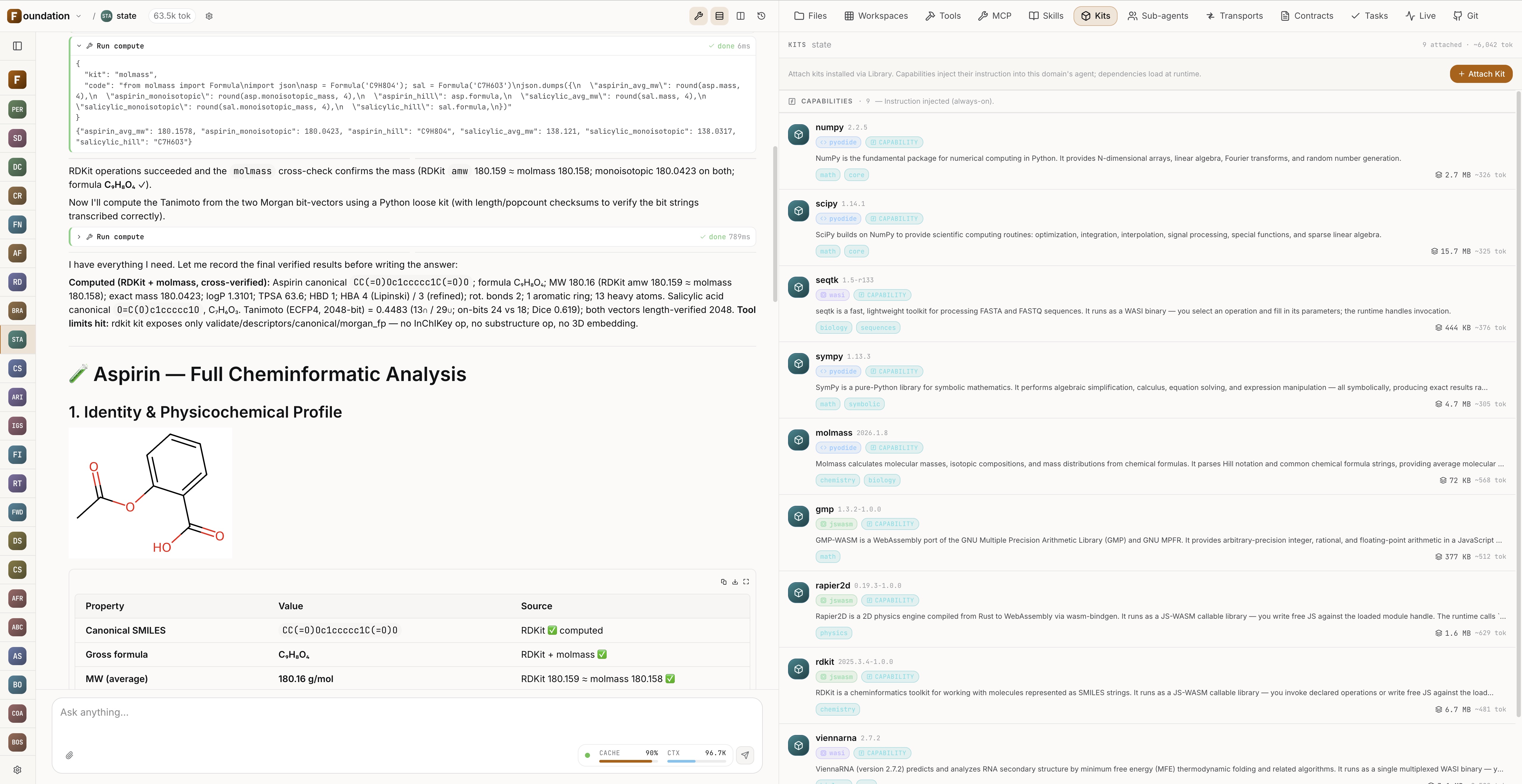
Foundation renders the result, not just text: here a full cheminformatic analysis with a 2D molecule, computed properties, and the domain's offline compute kits — one of 14 built-in scientific renderers.
Most of the leverage an LLM delivers in a discipline comes not from better model weights but from the right context around it. Foundation builds, stores, and connects that context. Three primitives:
- Domain — the crystallized essence of a discipline, structured by a Domain Context Contract (DCC): a frontmatter schema + ranked search + index hierarchy. The agent navigates hundreds of knowledge files as fluently as a coding agent navigates a million lines of code. Domains are grown by the agent and versioned through Git.
- Workspace — the raw material (papers, datasets, notes). One workspace attaches to several domains at once.
- Project — a graph of specialists wired by CCTP contracts (sync / async / fan-out), with transports as the I/O boundary: inbound webhooks and CLI invoke your domains, agents call external APIs and scripts.
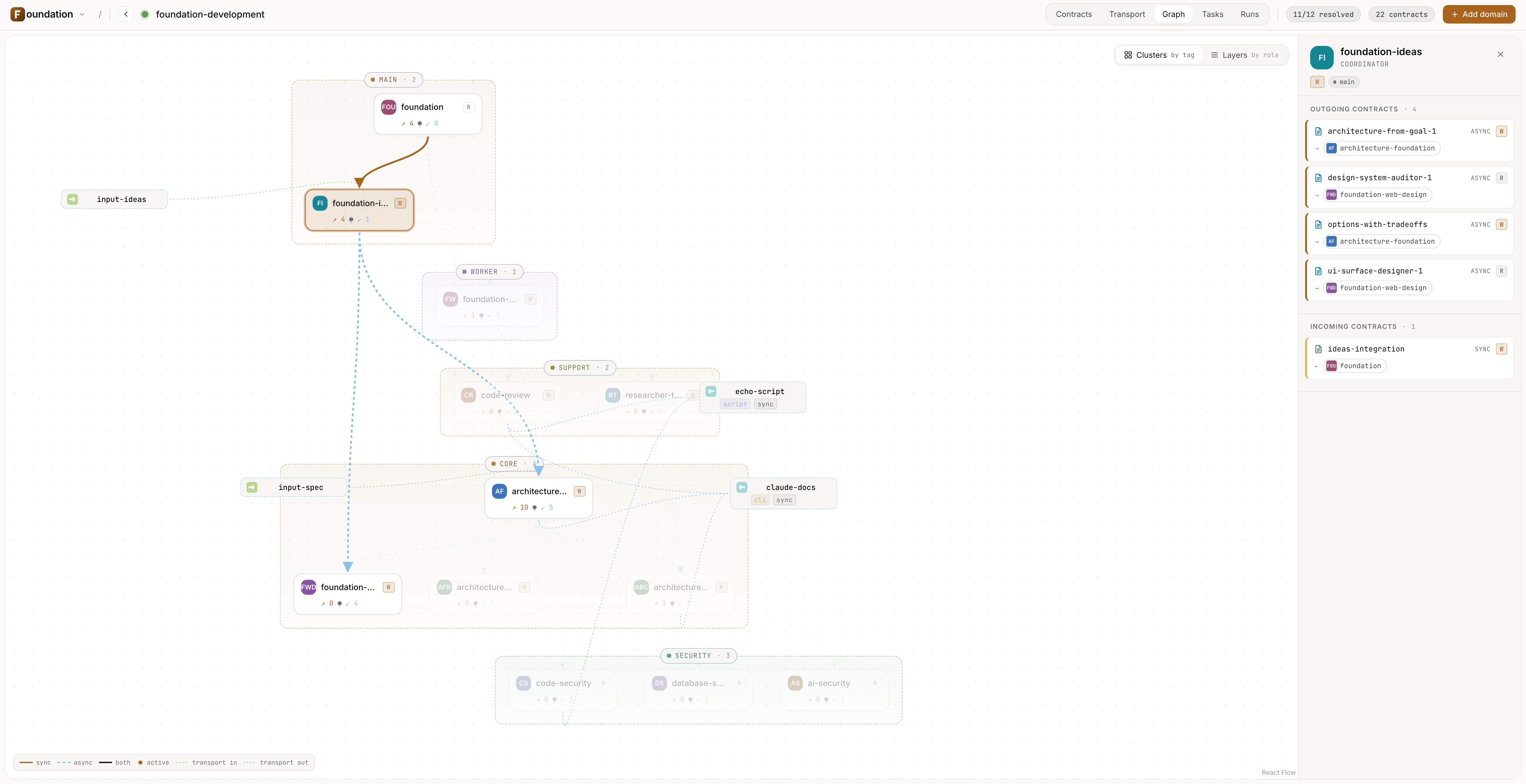
A project is a graph of cooperating domains wired by CCTP contracts, with transports as the I/O boundary.
Try it in a minute
Requires Node.js 22 LTS and npm (not pnpm or Bun — they break native
modules like better-sqlite3).
npm install -g @iharkharytanovich/found
found web                # open the UI at http://127.0.0.1:3737
found web starts a local daemon and opens the UI. Configure your LLM provider
(Anthropic / Google / OpenAI / Ollama / OpenAI-compatible) on the Settings
page — keys land in the OS keychain or a 0600 dotfile, no shell setup. For an
always-on local setup that survives reboots, run found web pin once.
The bundle already ships the aristotle domain (137 structured files) —
open it and ask "what does Aristotle think about friendship and virtue?"; the
agent doesn't hallucinate, it navigates a real knowledge base and quotes
specific passages. Shipping alongside it is the foundation domain — ask it
directly what the app can do, how to set it up, and what's possible.
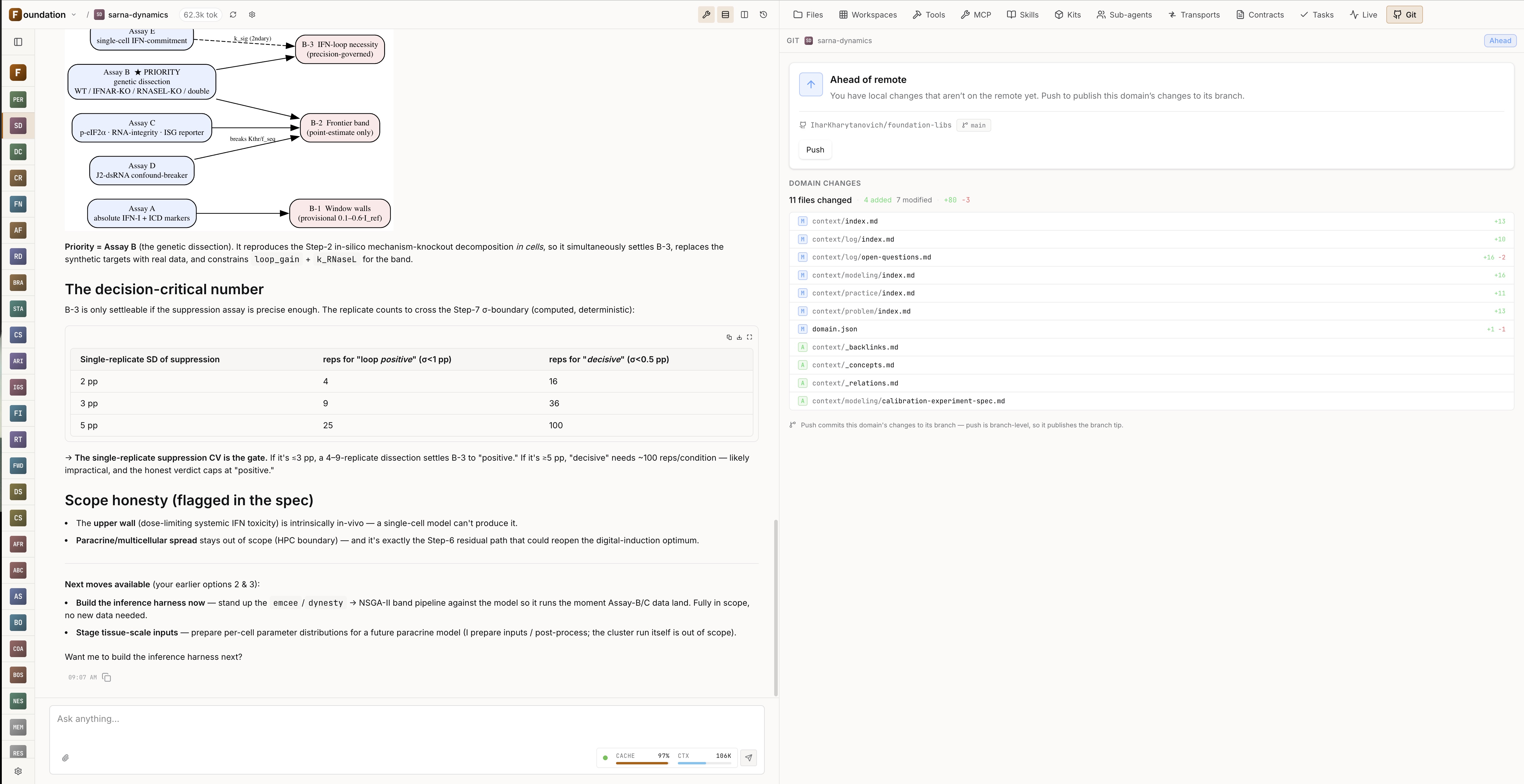
Per-domain Git tab: push your domain edits and pull colleagues' context without leaving the UI — expertise is a portable Git artifact.
Why this isn't "a chatbot wrapper"
- Local-first — your data and domains stay with you (Git artifacts, not our cloud).
- Any provider — Anthropic / Google / OpenAI / Ollama / OpenAI-compatible.
- Offline computation — Python (numpy/scipy/sympy) in a WASM sandbox.
- Cheap long sessions — prompt caching cuts input tokens by up to 70–85% on long sessions.
- Transparency — every run, sub-agent, and CCTP step is visible and reproducible.
Full guide
📘 Full guide & feature walkthrough → — the DCC and knowledge structure, projects/CCTP/transports, Git collaboration, scientific rendering, offline computation, cron tasks, MCP, and self-hosting.
Self-host via Docker
For server / headless deployment, Foundation runs in Docker as a thin
wrapper around this same npm bundle. There is no prebuilt image —
every host builds locally from three small reference files
(Dockerfile, docker-compose.yml, Caddyfile). The Dockerfile does
npm install -g @iharkharytanovich/found@${FOUND_VERSION} at build
time, runs found serve as a non-root user under tini, and Caddy
fronts it on two listeners: :80 for the full UI + API (LAN / VPN
only) and :8080 for the public webhook receiver (/api/in/* paths,
Standard Webhooks 1.0 HMAC-SHA256 authenticated).
The fastest way to obtain the three reference files: install the CLI,
then ask the bundled foundation domain agent for them.
npm install -g @iharkharytanovich/found
found web                        # open the UI, pick the `foundation` domain
                                 # → ask: "give me the reference Dockerfile,
                                 #    docker-compose.yml and Caddyfile"
Save the three files into a fresh directory, then:
docker compose build             # one-time, ~1–3 min (installs from npmjs.com)
docker compose up -d
Open http://foundation.localhost in your browser. *.localhost is
reserved by RFC 6761 for loopback — no /etc/hosts or DNS setup
required.
To pin a specific version instead of latest:
FOUND_VERSION=0.1.1 docker compose build --no-cache
docker compose up -d
State persists in a named Docker volume (found-data → /data). Use a
named volume, not a bind mount — SQLite WAL locking does not work
reliably over Docker Desktop's macOS / Windows file-sharing layer.
To stop: docker compose down. To upgrade:
docker compose build --pull && docker compose up -d.
Update
npm install -g @iharkharytanovich/found@latestThe CLI prints a one-line notification when a newer version is available.
Release Notes
Uninstall
npm uninstall -g @iharkharytanovich/found
rm -rf ~/.found        # Remove local data (conversations, settings, domains)
If you ran found web pin, run found web unpin first to remove the
OS supervisor registration.
License
@iharkharytanovich/found is licensed under the PolyForm Noncommercial
License 1.0.0 — free for personal, academic, research, and educational
use.
Commercial use (SaaS hosting, paid services, embedding into commercial products, or internal use at a for-profit organization) requires a separate commercial license. Contact: [email protected]
See the LICENSE and NOTICE files for the full license text and copyright / trademark information.