
@inlang/cli
v3.4.1
Published
--- title: inlang CLI - Localization Automation for CI/CD description: Automate translation workflows with machine translation, translation checks, and CI/CD integration. Supports JSON, i18next, next-intl, and more. og:image: https://cdn.jsdelivr.net/gh/o


Readme
title: inlang CLI - Localization Automation for CI/CD description: Automate translation workflows with machine translation, translation checks, and CI/CD integration. Supports JSON, i18next, next-intl, and more. og:image: https://cdn.jsdelivr.net/gh/opral/inlang@latest/packages/cli/assets/cli-banner.svg
@inlang/cli
Automate localization tasks in your CI/CD pipeline.
npx @inlang/cli [command]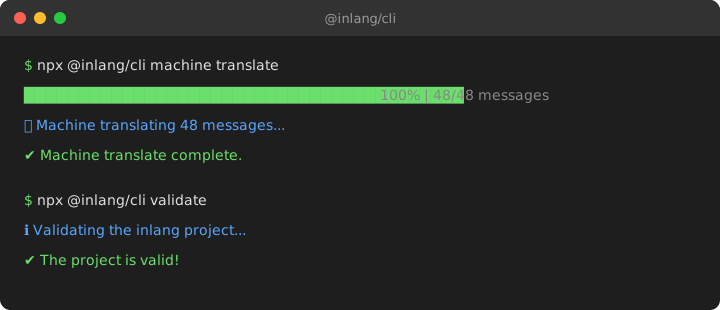
Features
- Machine Translation — Translate missing messages automatically via a free, third-party translation service by default, or with your own Google Cloud Translation or DeepL API key
- Checks — Find missing translations, missing variables and unused messages before they ship
- CI/CD Ready — Run non-interactively with
--forcefor pipelines - Plugin System — Supports JSON, i18next, next-intl, ICU message format, and more
Getting Started
The CLI requires an inlang project — a folder containing a settings.json that defines your locales and translation file paths.
my-app/
├── project.inlang/
│   └── settings.json      # CLI reads this config
├── messages/
│   ├── en.json            # Source language
│   └── de.json            # Translations
└── src/
Setup in 2 minutes
1. Create the project folder and settings file
mkdir project.inlangCreate project.inlang/settings.json:
{
  "$schema": "https://inlang.com/schema/project-settings",
  "baseLocale": "en",
  "locales": ["en", "de", "fr"],
  "modules": [
    "https://cdn.jsdelivr.net/npm/@inlang/plugin-json@latest/dist/index.js"
  ],
  "plugin.inlang.json": {
    "pathPattern": "./messages/{locale}.json"
  }
}
2. Create your base translation file
Create messages/en.json:
{
  "greeting": "Hello {name}!",
  "welcome": "Welcome to our app"
}
3. Machine translate to other languages
By default, the CLI uses a free, third-party translation service (not owned, operated, or maintained by inlang), so you can run it without any setup:
npx @inlang/cli machine translate --project ./project.inlangStability is not guaranteed. Provide your own API key for higher reliability and control. Use Google Translate:
export INLANG_MACHINE_TRANSLATE_PROVIDER="google"
export INLANG_GOOGLE_TRANSLATE_API_KEY="your-google-api-key"
Or use DeepL:
export INLANG_MACHINE_TRANSLATE_PROVIDER="deepl"
export INLANG_DEEPL_API_KEY="your-deepl-api-key"
This creates messages/de.json and messages/fr.json with translations.
4. Check your translations
npx @inlang/cli check --project ./project.inlangInstallation
Install with package manager
You can install the @inlang/cli with this command:
npm install -D @inlang/clior
yarn add --dev @inlang/clibest
npx @inlang/cli [command]Minimum requirements
Minimum node version: v18.0.0
If one of the commands can't be found, you probably use an outdated CLI version. You can always get the latest version by running npx @inlang/cli@latest [command].
Commands
| Name | Command | Description |
| --------------- | --------------------------------------------- | ------------------------------------------------------------------------------------------------------------------------------------------------------------------- |
| CLI Version | npx @inlang/cli@latest [command] | Get the latest version of the inlang CLI. |
| Check | npx @inlang/cli check [options] | Check translations for missing, empty or inconsistent messages, and source code for unused messages. Exits with 1 on findings, for CI. |
| Machine | npx @inlang/cli machine translate [options] | Automate translation processes. Options include -f, --force, --project <path>, --locale <source> and --targetLocales <targets...> |
| Cloud | npx @inlang/cli cloud | See what's coming in inlang Cloud and tell us what your team needs. |
| Plugin | npx @inlang/cli plugin [command] | Interact with Inlang plugins, including initialization and building. build [options] build an inlang module. Options include --type, --entry, and --outdir. |
Usage
We recommend using the CLI with npx to avoid installing the CLI globally. Not installing the CLI globally has the following advantages:
- the installed CLI version is scoped to the project, ensuring it always works.
- the CLI gets installed for team members, avoiding "why is this command not working for me" questions.
npx is auto-installed with Node and NPM.
If one of the commands can't be found, you probably use an outdated CLI version. You can always get the latest version by running npx @inlang/cli@latest [command].
Usage: inlang [options] [command]

CLI for inlang.

Options:
  -V, --version      output the version number
  -h, --help         display help for command

Commands:
  check [options]    Check translations for missing, empty or inconsistent
                     messages, and source code for unused messages.
  machine [command]  Commands for automating translations.
  plugin [command]   Commands for inlang plugins.
  cloud [options]    See what's coming in inlang Cloud and tell us what you
                     need.
  help [command]     display help for command

Coming soon: hosted AI translation and handoff between design, translation and code. Run `inlang cloud`.
The following commands are available with the inlang CLI:
machine
The machine command is used to automate localization processes.
machine translate
The translate command machine translates all resources.
By default, the CLI uses a free, third-party translation service that is not owned, operated, or maintained by inlang. Stability is not guaranteed. For higher reliability and control, set INLANG_MACHINE_TRANSLATE_PROVIDER to google or deepl and bring your own API key. See the BYOK setup guide.
For many projects, coding agents can produce better translation drafts than generic machine translation because they can use surrounding product and code context. Consider using an agent-driven workflow when translation quality matters more than fully automated CI output.
To initiate machine translation, run the following command:
npx @inlang/cli machine translateOptions
The translate command has the following options:
-f, --force: If this option is set, the command will not prompt confirmation. This is useful for CI/CD build pipelines. We advise you to only usemachine translatein build pipelines to avoid out-of-context/wrong translations.--project <path>: Specifies the path to the project root. The default project root is the current working directory.--locale <source>: Specifies the base locale.--targetLocales <targets...>: Specifies the target locales as comma seperated list (e.g. sk,zh,pt-BR).
The translations are performed with the configured provider (INLANG_MACHINE_TRANSLATE_PROVIDER). The community-operated translation service at translate.demosjarco.dev (not affiliated with inlang) is used by default; set INLANG_GOOGLE_TRANSLATE_API_KEY or INLANG_DEEPL_API_KEY to use your own provider, and optionally DEMOSJARCO_TRANSLATE_MODEL to pin a model for the community-operated service (and DEMOSJARCO_TRANSLATE_ZDR=true to request Zero Data Retention from it). If that service is unavailable, throttled, or returns an unparseable response, the command fails with a non-zero exit code instead of reporting success. The translated messages are added to the respective language resources. Finally, the updated resources are written back to the file system.
check
Checks the project's translations and, for Paraglide projects, finds messages the source code no longer uses.
npx @inlang/cli check --project ./project.inlangChecked project.inlang · 7 messages · locales en-US, pt-BR · 2 source files in ./
missing-translation (1)
welcome_back pt-BR no translation
missing-variable (2)
cart_items pt-BR missing {count} (countPlural=other)
greeting pt-BR missing {name}
unused-message incomplete: unused messages can't be determined because:
src/Field.tsx:14:8 m[`${fieldName}_label`] Dynamic message access cannot be resolved.
Unused messages are only reported when every usage can be resolved, e.g. m.some_key().
3 findings
missing-translation 1
missing-variable 2Checks
All checks run by default. Pass one or more check flags to run only those:
| Flag | Reports |
| ------------------------ | --------------------------------------------------------------------- |
| --missing-translations | messages without a translation for a locale |
| --empty-translations | translations whose every form is empty |
| --empty-variants | empty forms in an otherwise non-empty translation |
| --missing-variables | variables of the base locale a translation lacks |
| --unknown-variables | variables the base locale doesn't use, e.g. typos |
| --missing-markup | markup of the base locale a translation lacks |
| --missing-variants | plural or select forms a locale needs but lacks |
| --missing-selectors | translations that can't choose by an input the base locale chooses by |
| --unused-messages | messages the source code doesn't use (needs a usage-analysis plugin) |
The project's settings and plugin errors are always reported.
Check options
--project <path>: Path to the inlang project.--locales <locales...>: Only report findings for these locales, comma or space separated, e.g.--locales de,fr. Findings that don't belong to a locale, such as unused messages, are always reported.--source <paths...>: Files or directories to search for message usages. Defaults to the project's parent directory. In a git repository, directories are read without git-ignored files; outside of one, without dot directories and a top-leveldist,buildandcoverage.node_modules,*.inlangprojects, Paraglide's compiled output, dotfiles and known build tool configs (vite.config.ts,tailwind.config.cjs, …) are always skipped; symlinked directories are followed. Files passed explicitly are always read.--format <text|json>:jsonprints the full report for CI and editors: every finding, the status of each check and the location of each usage that couldn't be analyzed (1-based lines, 0-based columns). The report has aversion; findings are identified bybundleId,localeand, for a form,matches.--no-fail: Exit with 0 even if there are findings.
Check examples
Fail CI on findings in the locales you ship:
npx @inlang/cli check --project ./project.inlang --locales de,fr# .github/workflows/i18n.yml
name: i18n
on: pull_request
jobs:
check:
runs-on: ubuntu-latest
steps:
- uses: actions/checkout@v4
- uses: actions/setup-node@v4
with:
node-version: 22
- run: npx @inlang/cli check --project ./project.inlang --locales de,frFind unused messages in src only:
npx @inlang/cli check --project ./project.inlang --unused-messages --source ./srcChecked project.inlang · 7 messages · locales en-US, pt-BR · 12 source files in src
unused-message (2)
legacy_banner
password_label
2 findings
unused-message 2Run only some checks without failing, for a report:
npx @inlang/cli check --project ./project.inlang --missing-translations --missing-variables --no-failWrite a JSON report for other tools, e.g. the number of missing translations per locale with jq:
npx @inlang/cli check --project ./project.inlang --format json > inlang-check.json
jq '[.diagnostics[] | select(.checkId == "missing-translation") | .locale] | group_by(.) | map({(.[0]): length}) | add' inlang-check.json
Exit codes
| Exit code | When |
| --------- | ----------------------------------------------------------------------------------------------------- |
| 0 | No findings and no project errors, or --no-fail was passed. |
| 1 | Findings or project errors; an invalid option such as an unknown locale; the project can't be opened. |
check exits with 1 when it reports findings or project errors, and with 0 otherwise. A check that couldn't run or couldn't complete, such as unused messages with dynamic keys, is reported but doesn't fail the command.
Unused messages
Unused messages need the source code and a plugin that analyzes message usages: @inlang/plugin-m-function-matcher 2.3.0 or later for Paraglide's m.message_key(). With an older version, check asks you to update the module URL in settings.json.
A message is only reported as unused when every usage in the analyzed source could be resolved. Dynamic keys such as m[`${fieldName}_label`](), m[key]() or keyof typeof m make the analysis incomplete; check then lists where they are instead of reporting unused messages. "Unused" means not used in the analyzed source: messages used by other repositories or code outside --source can still be reported.
JSON output
--format json prints only the report on stdout:
{
  "version": 1,
  "project": "project.inlang",
  "locales": ["pt-BR"],
  "baseLocale": "en-US",
  "messages": 7,
  "source": { "roots": ["./"], "files": 1 },
  "errors": [],
  "checks": [
    { "id": "missing-variable", "status": "complete" },
    { "id": "unused-message", "status": "complete" }
  ],
  "diagnostics": [
    {
      "checkId": "missing-variable",
      "bundleId": "cart_items",
      "locale": "pt-BR",
      "name": "count",
      "matches": [
        { "key": "countPlural", "type": "literal-match", "value": "other" }
      ],
      "message": "Message \"cart_items\" is missing {count} in \"pt-BR\"."
    },
    {
      "checkId": "unused-message",
      "bundleId": "legacy_banner",
      "message": "Message \"legacy_banner\" has no detected usage in the supplied source snapshot."
    }
  ],
  "summary": {
    "findings": 2,
    "errors": 0,
    "byCheck": { "missing-variable": 1, "unused-message": 1 }
  }
}version: the version of the report's shape.errors: the project's settings and plugin errors (name,message).checks: the status of each check that ran:complete,incompleteorunavailable, with areason. An incompleteunused-messagecheck listsissueswithpath,start,endand thecodethere (1-based lines, 0-based columns).diagnostics: findings, identified bycheckId,bundleId,localeand, for a form,matches; the other fields depend on the check (nameof a variable or markup,suggestion,values).summary: the number of findings, project errors and findings per check.
cloud
inlang Cloud is coming: hosted services on top of your inlang project, as Parrot and Fink show them.
- Automatic handoff between designers, developers, and translators through a CLI, REST API, or your CI.
- AI translation that fills in every missing language at once.
- Your terminology and tone: product names stay as they are and your style guide is followed.
- Translations that fit the design: knows buttons from headings and keeps text within its space.
- Smart message keys like
checkout.continue_button, generated for you.
npx @inlang/cli cloudcloud lists these features and opens a short form where you can tell us what your team needs. For Paraglide JS projects, the form has Paraglide JS pre-selected.
Cloud options
--project <path>: Path to the inlang project, used to tell which product you use (default./project.inlang).--no-open: Print the form's URL instead of opening the browser. The browser is never opened in CI, when the output is piped, or on Linux without a display.--json: Print the features and the form's URL as JSON.
Deprecated commands
validate
inlang validate --project ./project.inlang is deprecated: use inlang check. It still works, is hidden from --help, prints a deprecation warning and, as before, only reports the project's settings and plugin errors, exiting with 1 if there are any.
lint
inlang lint is deprecated: use inlang check. It is hidden from --help, prints a deprecation warning and does nothing else; it exits with 0.
plugin
The plugin command is used to interact with the Inlang module. It allows to initialize a new module or run the modules build commands.
plugin build
If you are developing an inlang module, the plugin build command builds your Inlang module for development & in production.
To build a plugin, run the following command:
npx @inlang/cli plugin build --entry ./path/to/index.ts --outdir ./path/to/distOptions
--entry <entry>: Specifies the path to the module's entry point, typically src/index.js or src/index.ts.
--outdir <path>: Specifies the output directory for the build files. The default output directory is "./dist."
--watch: An optional flag that, when provided, enables a watch mode to monitor for changes and automatically rebuild the module when changes are detected.
See how there is also a --watch flag, which enables a watch mode to monitor for changes and automatically rebuild the module when changes are detected. This command runs with esbuild under the hood. -->
Telemetry
The CLI collects no telemetry or error reports.
Troubleshoot
If something isn't working as expected or you are getting errors, make sure to run on the latest version of the CLI.
You can always get the latest version by executing npx @inlang/cli@latest.
If the error persists, please create an issue – we're happy to help.