
@integratex/whatsappman
v0.4.3
Published
MCP server + CLI to send WhatsApp messages (text, image, document, location, contact) from any Claude CLI session, via a Baileys-backed always-on local daemon — multi-number, draft/confirm, no third-party API, no server, no database. macOS, Linux, Windows


Readme
@integratex/whatsappman





WhatsAppMan CLI — send WhatsApp just by asking your AI assistant, built for IndiaNIC infrastructure.
🌐 Live tour & docs: whatsappman.indianic.dev 📦 Package:
@integratex/whatsappman—npm i -g @integratex/whatsappman
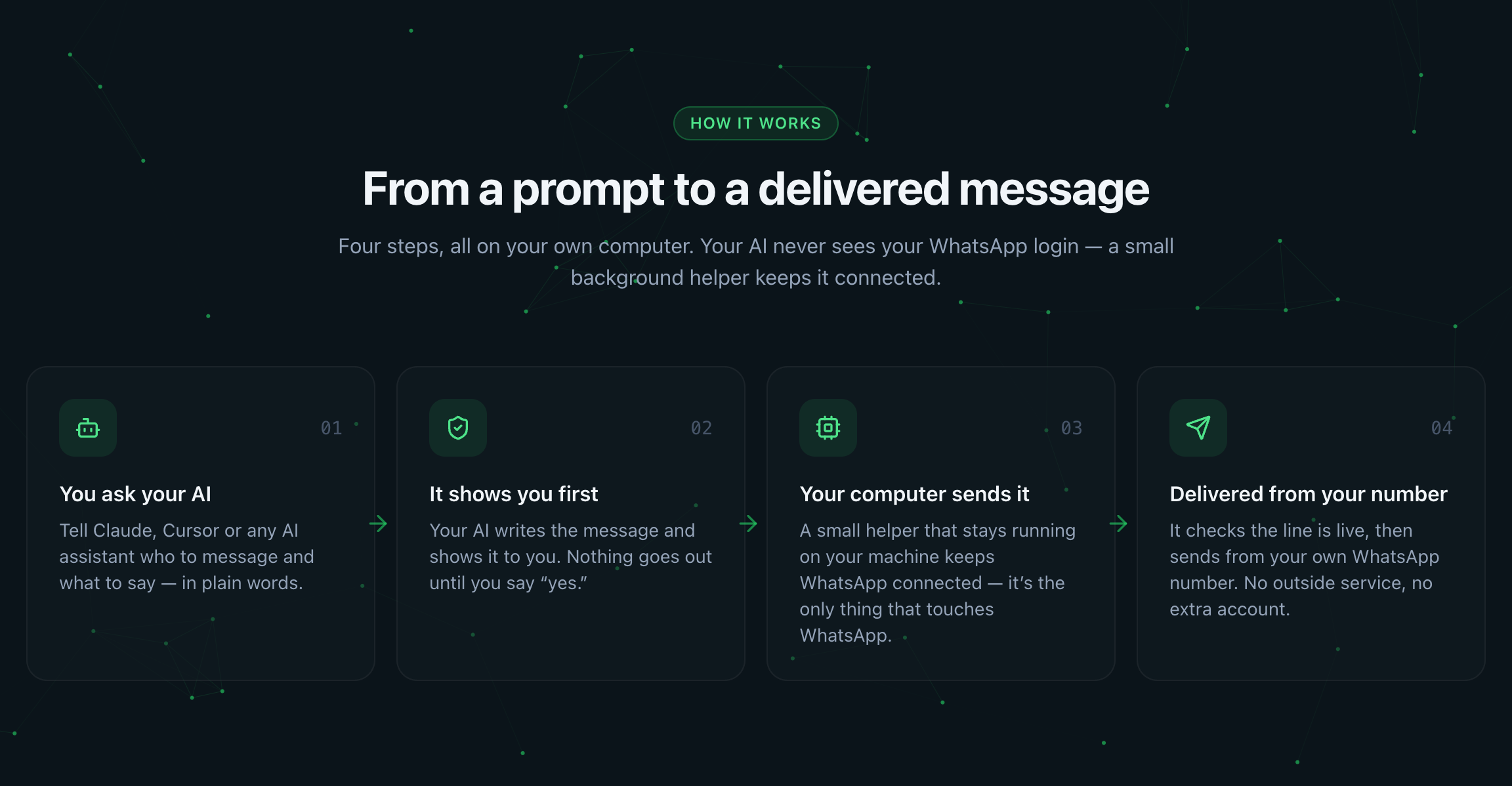
See it in action
Ask your AI in plain English. WhatsAppMan drafts, previews, and only sends on your OK — never the moment you ask.
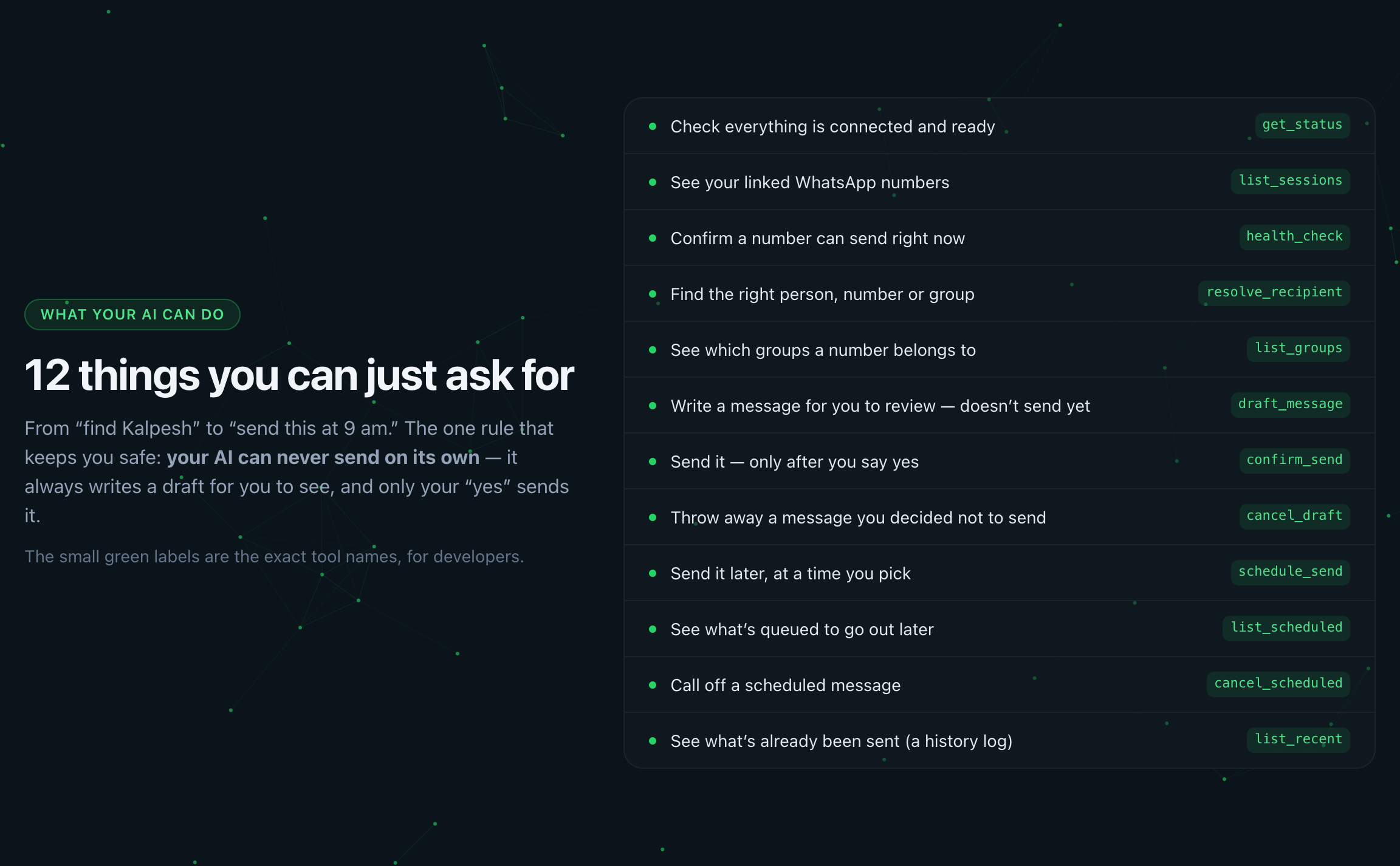
Twelve plain-English tools your AI can call — no raw "send", so nothing goes out unpreviewed:
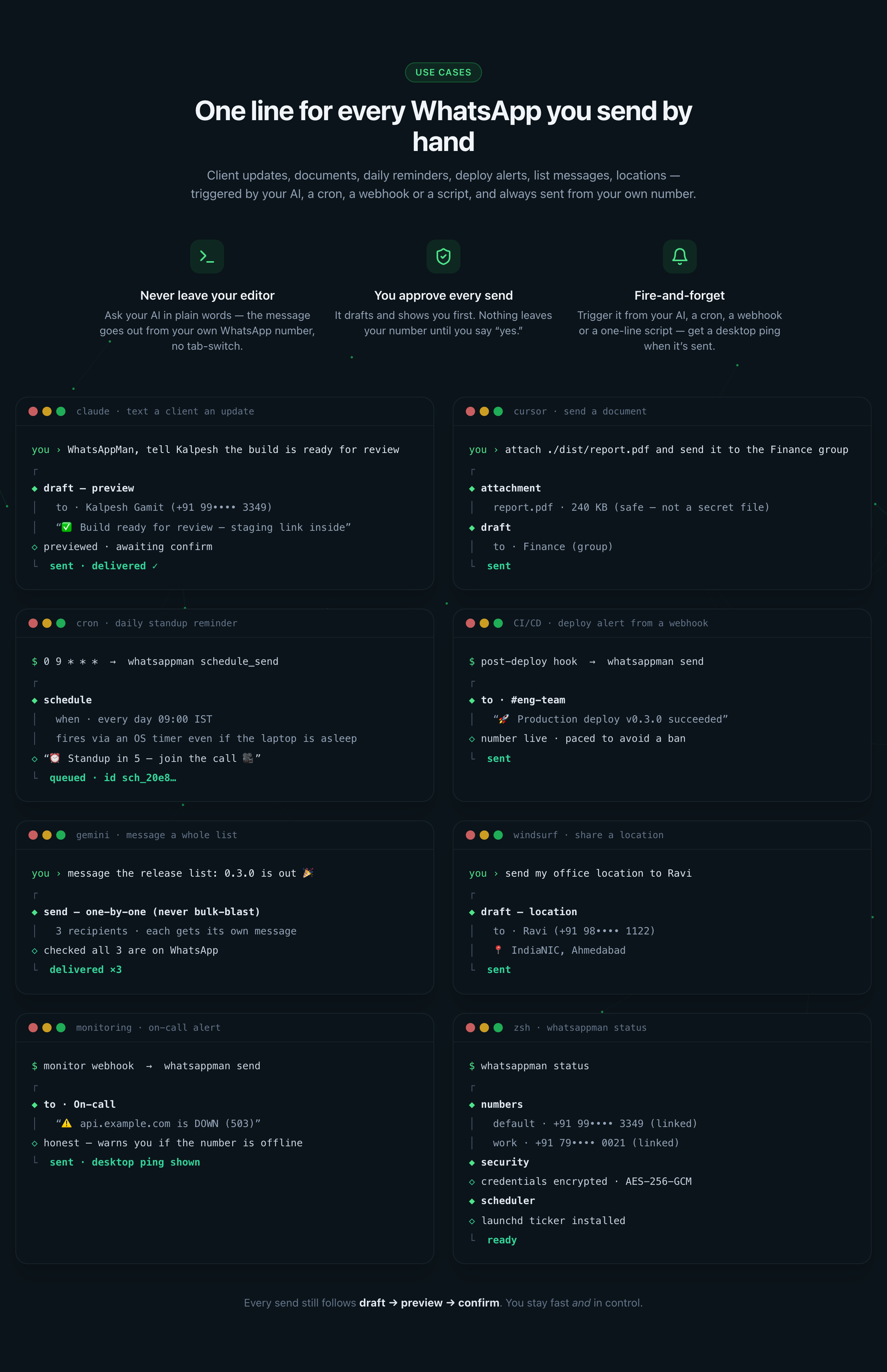
Real scenarios, triggered by your AI, a cron, a webhook or a script — always sent from your own number:
Features
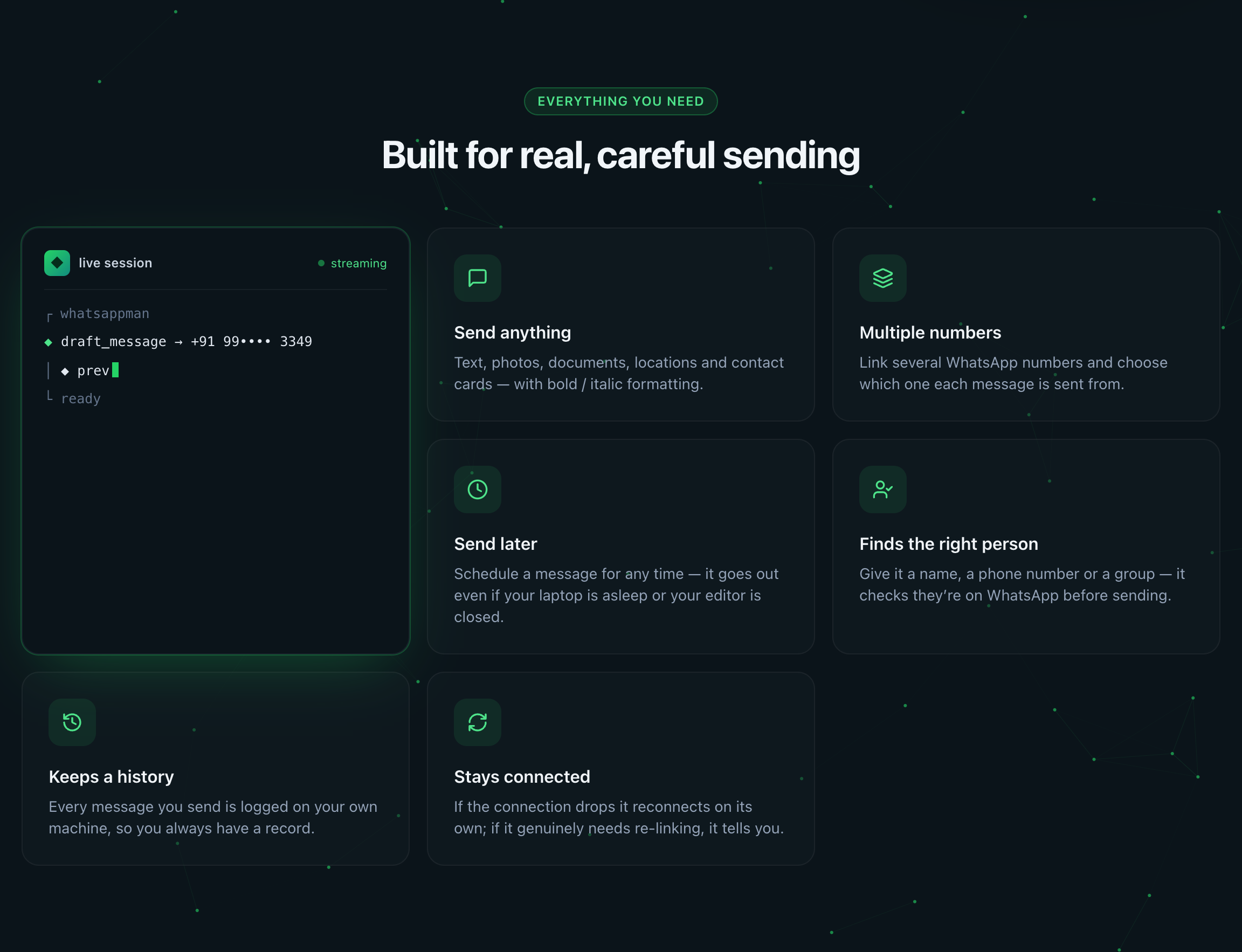
- Send text, images, documents, locations & contact cards from your AI in plain English — "send 'running late' to Kalpesh"
- Draft → preview → confirm safety — nothing sends until you approve (
confirm_sendwon't dispatch without an explicit confirmation); there's no raw "send" tool, so an AI can never send an unpreviewed message - Multiple linked numbers, each paired by QR, with per-send
--fromrouting - Scheduled sends held by an always-on local daemon — they fire even if your editor is closed and survive restarts
- Markdown → WhatsApp formatting, smart recipient resolution (name / phone / group, validated against WhatsApp), local send log
- Bulk send with four anti-ban guards — a 100-recipient cap, a jittered delay between sends, a per-number rate limit, and a circuit breaker that stops the batch after 3 consecutive failures (a run of failures is what throttling looks like from inside; pushing on is what turns a warning into a ban)
whatsappman run -- <command>— run anything, then get told on WhatsApp how it went: ✅/❌, duration, exit code, and on failure the tail of the output. The command's exit code is passed through, so it drops into an existing script or CI stepwhatsappman summary— a digest of your AI coding sessions: what you worked on, for how long, across which projects. Built from local transcripts with no model call, carrying titles, counts and durations only — never message content- No third-party API, no server, no database — your machine becomes a WhatsApp "linked device" via Baileys
- Machine-bound credentials, desktop notifications, pre-send health check (never a false "sent")
- Installs into Claude Code, Cursor, Gemini CLI, Windsurf, Codex (
whatsappman register) - macOS · Windows · Linux — each proven on every release by a CI matrix that installs the real published tarball and drives the CLI, not just claimed
- Every command asks. Run
default,delete,rename,relink,scheduled cancel,settings setorpresencewithout a value and you get an ↑/↓ menu instead of ausage:line. Esc always cancels, and on destructive prompts a cancel counts as no - 12 MCP tools, exposed to your AI over MCP
Installation
npm install -g @integratex/whatsappmanRequires Node.js 18+ and git on your PATH. Installs the whatsappman
CLI globally.
Why git? Baileys (the WhatsApp library) depends on
libsignalvia a git URL, so npm shells out to git during install. Most machines already have it; on a lean one (slim container, bare VPS, minimal CI image) the install fails withnpm error syscall spawn git … ENOENT. Install git and re-run. No GitHub account or SSH key is needed — it is fetched over HTTPS.
Usage
# First-run setup — installs the always-on daemon, links your first number
# by QR, and registers your AI tools (Claude Code, Cursor, Gemini CLI, Windsurf, Codex)
whatsappman init

# Register with AI editors later
whatsappman register --write --tools claude,cursor,gemini,windsurf,codex

# Link & manage numbers  (omit the label on any of these and it lists your
# numbers so you can pick — no remembering exact names)
whatsappman link --label work        # add another number (scan a QR)
whatsappman numbers                  # list linked numbers + status
whatsappman default                  # ↑/↓ pick the default number
whatsappman rename work office       # keeps creds + history
whatsappman relink work              # re-pair an expired number

# Diagnostics & current state
whatsappman doctor                   # Node, git, daemon, perms, connections
whatsappman doctor --fix             # print how to install anything missing
whatsappman status

# Send from the terminal (the AI path is draft → confirm)
whatsappman send "+91 99•••• 3349" "Build passed ✅"
whatsappman me "review the PR"       # message yourself

# Run a job and get told how it went (✅/❌, duration, exit code, error tail)
whatsappman run --to "Me" -- npm test
whatsappman run --on-fail --to "DevOps" -- ./deploy.sh

# A digest of your AI coding sessions — no model call, no message content
whatsappman summary                          # this project
whatsappman summary --all --days 1 --to "Me" # today, every project

# Scheduled sends & history
whatsappman scheduled
whatsappman scheduled cancel         # pick from what is pending
whatsappman recent

# Settings & self-update
whatsappman settings set alwaysConfirm false
whatsappman update

# Help & version
whatsappman help
whatsappman --version
Once installed and registered, you talk to your AI — not the CLI — for everyday sending:
You: whatsappman, send "running 10 min late" to Kalpesh
AI:  [resolves the contact, drafts the message] Ready to send — confirm?
You: yes
AI:  Sent. ✓ delivered

You: whatsappman, send plan.pdf to the "Project Falcon" group
You: which numbers are connected?
You: schedule "standup in 5" for 9am tomorrow   # fires even if the tool is closed
Package vs. command names. The npm package is
@integratex/whatsappman; it installs a CLI you run aswhatsappman. A second alias,mcp-whatsappman, points at the same binary — use it only on a host that also has anotherwhatsappmanonPATH.
How it works
WhatsApp needs a persistent connection — Baileys holds a live WebSocket, and that connection is the login. So whatsappman splits into two pieces:
whatsappmand— the daemon. Always running (installed as alaunchd/systemd/ Task-Scheduler job bywhatsappman init). Holds the Baileys socket(s) + credentials, auto-reconnects, and is the only piece that talks to WhatsApp. One per machine; it can hold several numbers at once.- The MCP server + CLI — thin clients. Ephemeral. Your AI spawns the MCP server per session; you run the CLI in a terminal. Both just talk to the daemon over a local Unix domain socket (
~/.whatsappman/daemon.sock,0600) — no network, no port, no IP.
You scan a QR once per number; credentials persist to disk and survive reboots, so you never re-pair unless WhatsApp itself expires the link. Daemon crash → KeepAlive/Restart brings it back; reboot → RunAtLoad auto-starts it; sleep/wake → Baileys reconnects. If WhatsApp invalidates a pairing, the number flips to needs_relink and every send returns a clear, actionable error — never a false "sent."
Desktop notifications
Default-on, best-effort OS notifications for events a background daemon would otherwise hide — a number dropping to needs_relink, and scheduled sends firing (✓/✗). macOS osascript, Linux notify-send, Windows PowerShell toast; a missing/denied mechanism silently no-ops. Disable with whatsappman settings set notifications false.
macOS caveat: notifications are attributed to Script Editor. If they don't appear, enable System Settings → Notifications → Script Editor → Allow Notifications.
A word of caution
Baileys is an unofficial reverse-engineering of WhatsApp Web — great for personal / low-volume use; automated bulk blasting risks a ban. The defaultDelayMs / maxBulkRecipients throttles exist for that reason.
Keep ~/.whatsappman out of cloud sync and backups — it holds your live linked-device credentials; a synced copy is a portable clone of your WhatsApp connection. Exclude it from iCloud Drive, Time Machine, Dropbox, OneDrive.
Docs
- docs/FEATURES.md — features, flow & how it works (non-technical + technical)
- docs/CLI.md — every CLI command · docs/SKILLS.md — the 12 MCP tools your AI can call
- docs/USE-CASES.md — 250+ documented use cases, honestly labelled by what ships today
- docs/SECURITY.md — threat model & hardening · docs/CROSS-OS.md — platform matrix
- eval/README.md — the three verification tiers and the 88 rubrics keeping the send gate, the privacy promise and the CLI contract honest
- CHANGELOG.md — releases
Acknowledgements
whatsappman stands on Baileys — the WebSocket WhatsApp Web library that does the genuinely hard part: the protocol, the pairing, the encryption, the reconnects. Everything here is a daemon, an MCP server, and a CLI wrapped around it. Thank you to Adhiraj Singh, who wrote the original, and to Rajeh Taher and the WhiskeySockets maintainers who carry it forward. MIT-licensed, and used as such.
Thanks also to:
- @modelcontextprotocol/sdk — Anthropic's TypeScript SDK for the Model Context Protocol, which is what lets your AI talk to this thing at all.
- @clack/prompts — the arrow-key menus, text inputs and confirmations behind every interactive command.
- pino, qrcode, zod, open, picocolors, and mime-types — small, sharp dependencies that each do one job well.
Not affiliated with, endorsed by, or connected to WhatsApp or Meta.
License
MIT