
@ivandigitalsolutions/react-native-camerax
v1.7.0
Published
High-performance React Native camera component powered by Android Jetpack CameraX. Lightweight, reliable, and consistent across Android devices.

Maintainers
 ivandigitalsolutions
Keywords
Readme
@ivandigitalsolutions/react-native-camerax
The Most Advanced Enterprise React Native Camera, Gallery, and Real-Time Image Processing SDK for Android & iOS







Built on Android CameraX & iOS AVFoundation with zero-crash lifecycle coroutines, edge-to-edge adaptive glassmorphic UI, automatic smart KB size threshold compression, and integrated Gallery selection.
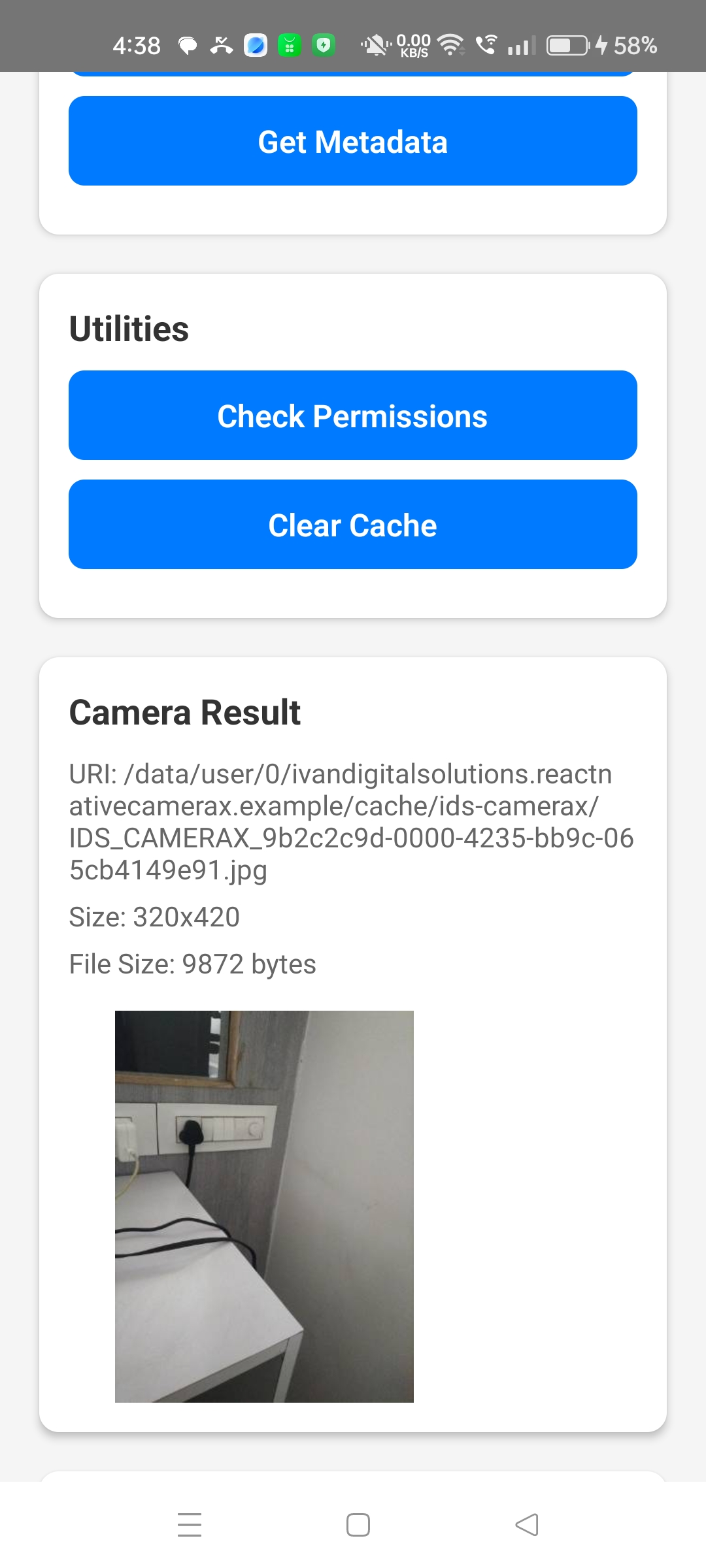
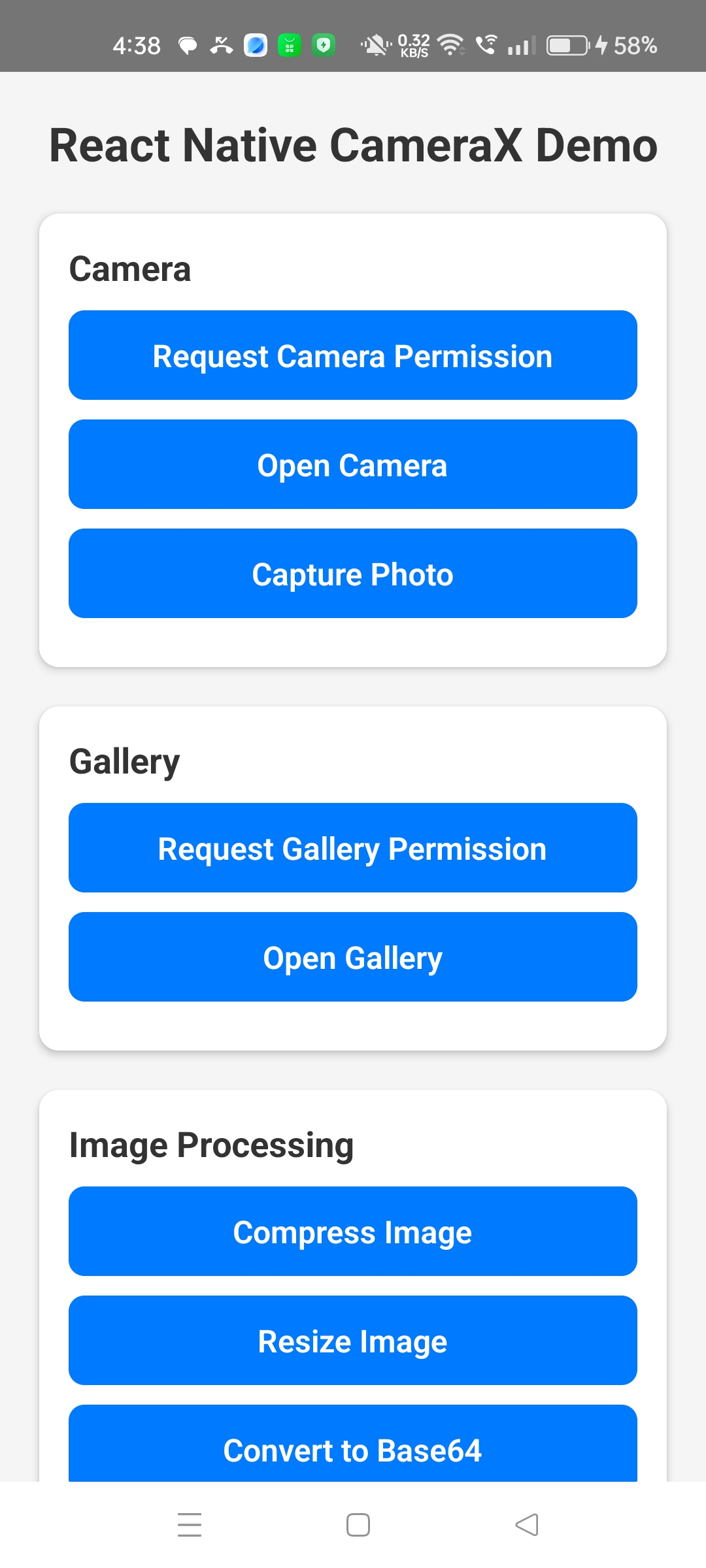
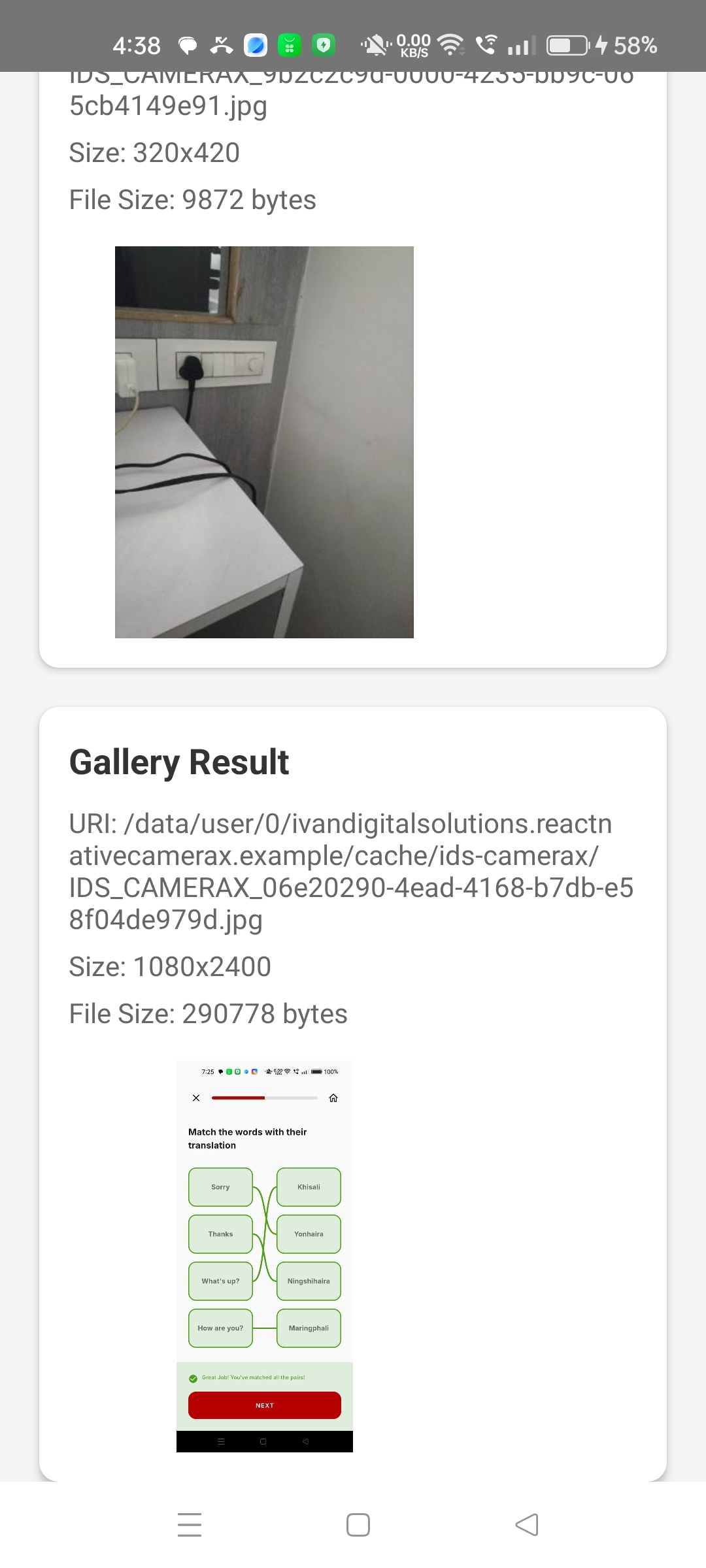
📱 Visual Showcase & UI Previews
Our pre-built native interface scales cleanly across Android and iOS devices, intelligently avoiding screen notches and swipe gesture bars using native system insets (WindowInsetsCompat).
| Edge-to-Edge Camera & Focus | Top Control Console | Bottom Shutter & Controls |
| :---: | :---: | :---: |
|  |
|  |
|  |
|
🏆 Why @ivandigitalsolutions/react-native-camerax? (Competitive Analysis)
When searching for the best React Native camera library, enterprise engineering teams compare this SDK against traditional alternatives. Here is why this SDK is the modern standard (designed for zero-scroll scanning on desktop displays):
| Feature & Capability | This Library (CameraX) | vision-camera | image-picker | expo-camera |
| :--- | :---: | :---: | :---: | :---: |
| Camera + Gallery + Compression | ✅ All-in-One SDK | ❌ No Gallery | ✅ Basic Picker | ❌ Separate modules |
| Smart KB Target Compression | ✅ Target KB scaling | ❌ Needs plugins | ❌ Static quality | ❌ No size targets |
| Edge-to-Edge Adaptive UI | ✅ Built-in UI | ❌ Manual layout | ❌ OS modals only | ❌ Manual layout |
| Zero-Crash Lifecycle Safety | ✅ Non-blocking coroutines | ⚠️ Worklet hooks | ⚠️ Bitmap OOM risk| ⚠️ Thread blocks |
| EXIF & Base64 Pipeline | ✅ Integrated | ❌ External plugin | ⚠️ Limited EXIF | ⚠️ External plugin |
| New Architecture / TurboModules | ✅ Yes (100%) | ✅ Yes | ✅ Yes | ✅ Yes |
Installation
npm install @ivandigitalsolutions/react-native-camerax
# or
yarn add @ivandigitalsolutions/react-native-camerax
Platform Permissions & Setup
Android (android/app/src/main/AndroidManifest.xml)
<!-- Camera Hardware -->
<uses-permission android:name="android.permission.CAMERA" />
<uses-feature android:name="android.hardware.camera" android:required="false" />
<uses-feature android:name="android.hardware.camera.autofocus" android:required="false" />

<!-- Gallery & Media Access (Android 13+ Photo Picker friendly) -->
<uses-permission android:name="android.permission.READ_MEDIA_IMAGES" />
<uses-permission android:name="android.permission.READ_MEDIA_VIDEO" />
<uses-permission android:name="android.permission.READ_EXTERNAL_STORAGE" android:maxSdkVersion="32" />

<!-- Save Directly to Device Photo Album -->
<uses-permission android:name="android.permission.WRITE_EXTERNAL_STORAGE" android:maxSdkVersion="29" />
iOS (ios/YourProject/Info.plist)
<key>NSCameraUsageDescription</key>
<string>This app requires camera access to capture photos</string>
<key>NSPhotoLibraryUsageDescription</key>
<string>This app requires photo library access to select images</string>
<key>NSPhotoLibraryAddUsageDescription</key>
<string>This app requires permission to save photos to your photo album</string>
Install native iOS dependencies:
cd ios && pod install🚀 Quick Start (Single-Step Recommended Pattern)
For typical user interactions where you display the camera UI to the user, use our openCameraAndCapture(options) helper. It launches the native camera interface and directly returns the finished, compressed photo when the user taps the shutter button.
import React, { useState } from 'react';
import { View, Button, Image, Alert } from 'react-native';
import CameraX, { CameraResult, CameraXError } from '@ivandigitalsolutions/react-native-camerax';

export default function CameraScreen() {
  const [photo, setPhoto] = useState<CameraResult | null>(null);

  const takePhoto = async () => {
    try {
      // 1. Verify Camera Permissions
      const granted = await CameraX.requestCameraPermission();
      if (!granted) {
        Alert.alert('Permission Denied', 'Camera permission is required.');
        return;
      }

      // 2. Open interface and automatically receive compressed result
      const result = await CameraX.openCameraAndCapture({
        cameraId: 'back',
        flashMode: 'auto',
        autoFocus: true,
        quality: 0.85,
        width: 1080,
        height: 1440,
        maxFileSizeKB: 400, // Enforce smart compression target < 400 KB
        autoCompress: true,
      });

      const sizeInKB = Math.round(result.fileSize / 1024);
      console.log(`Captured photo URI: ${result.uri}, Size: ${sizeInKB} KB (${result.width}x${result.height})`);
      setPhoto(result);
    } catch (err: any) {
      if (err instanceof CameraXError) {
        // Display clear, helpful message to the customer without silent failures
        Alert.alert('Camera Error', err.message);
      } else {
        console.log('Capture cancelled or error occurred:', err?.message);
      }
    }
  };

  return (
    <View style={{ flex: 1, justifyContent: 'center', alignItems: 'center' }}>
      <Button title="Launch Camera UI" onPress={takePhoto} />
      {photo && (
        <Image
          source={{ uri: `file://${photo.path}` }}
          style={{ width: 300, height: 400, marginTop: 20, borderRadius: 12 }}
        />
      )}
    </View>
  );
}
🧠 Smart KB Compression & Gallery Threshold Protection (NEW in v1.3.0)
A major engineering benefit of @ivandigitalsolutions/react-native-camerax is our Intelligent Threshold Compression Engine:
- Full Gallery Parity: As of Version 1.3.0, images selected from the device gallery can be compressed and resized using the exact same pipeline as live camera capture! Simply pass
GalleryOptionsdirectly intoopenGallery(). - Zero Useless Compression: When you pass a target file limit in kilobytes (
maxFileSizeKB), the native engine immediately inspects the actual image byte weight before starting compression. If an image is ALREADY below your specified KB threshold, progressive compression is completely skipped! This preserves sharpness and saves battery. - Progressive Reduction Loop: If an image exceeds your KB threshold and
autoCompress: trueis enabled, our algorithms iteratively scale dimensions and adjust encoding tables until the file fits within your size limit. - Original File Retrieval: Need to bypass all modifications? Set
returnOriginal: trueinGalleryOptionsto receive the uncompressed source file directly from storage.
Gallery Image Compression with KB Verification Recipe:
import React, { useState } from 'react';
import { View, Button, Image, Alert } from 'react-native';
import CameraX, { GalleryResult, CameraXError } from '@ivandigitalsolutions/react-native-camerax';

export default function GalleryPickerScreen() {
  const [galleryPhoto, setGalleryPhoto] = useState<GalleryResult | null>(null);

  const handleSelectGalleryImage = async (targetKB: number = 300) => {
    try {
      // 1. Verify Gallery Permissions (Required ONLY ONCE per app install!)
      // If already granted in a prior session, resolves immediately without popups.
      const granted = await CameraX.requestGalleryPermission();
      if (!granted) {
        Alert.alert('Permission Denied', 'Gallery access is required to select photos.');
        return;
      }

      // 2. Open native photo picker with automatic KB target compression!
      const result = await CameraX.openGallery({
        mediaType: 'photo',
        quality: 0.8,
        width: 1080,
        height: 1920,
        maxFileSizeKB: targetKB,
        autoCompress: true,
        returnOriginal: false, // Set to true to receive unmodified source file directly
      });

      const currentKB = Math.round(result.fileSize / 1024);
      console.log(`Optimized Gallery photo ready: ${currentKB} KB (${result.width}x${result.height})`);
      setGalleryPhoto(result);
    } catch (err: any) {
      if (err instanceof CameraXError) {
        Alert.alert('Gallery Error', err.message);
      } else {
        console.log('Gallery selection cancelled by user.');
      }
    }
  };

  return (
    <View style={{ flex: 1, justifyContent: 'center', alignItems: 'center' }}>
      <Button title="Select Photo from Gallery" onPress={() => handleSelectGalleryImage(300)} />
      {galleryPhoto && (
        <Image
          source={{ uri: `file://${galleryPhoto.uri}` }}
          style={{ width: 300, height: 400, marginTop: 20, borderRadius: 12 }}
        />
      )}
    </View>
  );
}
🛡️ Structured Error Handling & Customer Notifications (NEW in v1.3.0)
To ensure errors never silently fail and apps can present clear feedback to end users, all asynchronous methods now throw structured CameraXError instances:
try {
  await CameraX.openCameraAndCapture();
} catch (error) {
  if (error instanceof CameraXError) {
    console.log('Error Category:', error.category); // 'PERMISSION' | 'DEVICE' | 'PROCESSING' | 'UNKNOWN'
    console.log('Error Code:', error.code);         // e.g. 'CAMERA_PERMISSION_DENIED'
    console.log('Customer Message:', error.message);// e.g. 'Camera access is required. Please check your system permission settings.'

    // Easily notify customers!
    Alert.alert('Unable to proceed', error.message);
  }
}
🏗️ Enterprise Implementation Guide & Use Cases
Use Case 1: User Profile Avatar Capture
Goal: Take a square-aspect self-portrait that transfers instantly across low-bandwidth cellular connections.
- Strategy: Launch directly into the selfie (
front) lens, downscale dimensions to600x600, and enforce a maximum file weight of< 150 KB.
const takeProfileAvatar = async () => {
  return await CameraX.openCameraAndCapture({
    cameraId: 'front',
    flashMode: 'off',
    width: 600,
    height: 600,
    maxFileSizeKB: 150,
    autoCompress: true,
  });
};
Use Case 2: Legal Document, KYC & ID Card Scanning
Goal: Capture readable photographs of passports, national ID cards, or financial invoices where small print and barcodes require clarity.
- Strategy: Force rear lens, disable lossy downscaling, preserve original sensor clarity (
quality: 1.0), and rely on continuous autofocus.
const scanIdentityDocument = async () => {
  const docPhoto = await CameraX.openCameraAndCapture({
    cameraId: 'back',
    flashMode: 'auto',
    autoFocus: true,
    quality: 1.0,        // Zero quality reduction
    aspectRatio: '4:3',  // Optimal proportion for physical documents & ID cards
    autoCompress: false, // Maintain full resolution sharpness
  });

  // Extract deep EXIF optical tags for audit verification
  const exifData = await CameraX.getMetadata(docPhoto.uri);
  console.log('Capture Timestamp & Exposure Details:', exifData);
  return docPhoto;
};
Use Case 3: High-Volume Logistics & Expense Receipt Auditing
Goal: Allow delivery drivers or warehouse personnel to snap dozens of daily package manifests or fuel receipts without overloading phone storage.
- Strategy: Enforce automatic compression targeting
< 250 KB, resize to standard HD bounds, and prevent storing internal business snapshots in personal galleries.
const scanReceiptManifest = async () => {
  return await CameraX.openCameraAndCapture({
    cameraId: 'back',
    flashMode: 'auto',
    width: 1080,
    height: 1920,
    quality: 0.75,
    maxFileSizeKB: 250,
    autoCompress: true,
    saveToGallery: false, // Avoid clogging personal device photo rolls
  });
};
Use Case 4: Enterprise Base64 Conversion & Salesforce / CRM Cloud Upload
Goal: Convert photos to lightweight Base64 payloads for seamless ingestion into Salesforce (ContentVersion, Attachment), SAP, AWS S3, or REST APIs without triggering 413 Payload Too Large HTTP rejections or JavaScript memory crashes.
- Why CameraX excels here: When binary images are converted to Base64, their byte string size increases by ~33%. Uploading an uncompressed 6 MB smartphone camera snapshot generates an 8 MB Base64 string that freezes mobile JavaScript threads and frequently breaks Salesforce REST API payload constraints. By combining
@ivandigitalsolutions/react-native-cameraxsmart KB compression with our non-blocking native background Base64 encoder (convertToBase64), a crisp 250 KB photo turns into a lightweight ~330 KB string that transmits across mobile networks instantly!
import CameraX from '@ivandigitalsolutions/react-native-camerax';

const uploadPhotoToSalesforce = async (accessToken: string, salesforceInstanceUrl: string) => {
  try {
    // 1. Capture photo with hard KB boundary so Base64 never bloats!
    const photo = await CameraX.openCameraAndCapture({
      quality: 0.8,
      width: 1080,
      height: 1440,
      maxFileSizeKB: 250,
      autoCompress: true,
    });

    // 2. Convert file to clean UTF-8 Base64 on native background thread (Zero UI lag)
    const base64String = await CameraX.convertToBase64(photo.uri);

    console.log(`Base64 encoded string generated (${base64String.length} characters)`);

    // 3. Construct Salesforce CRM ContentVersion payload
    const payload = {
      Title: photo.fileName,
      PathOnClient: photo.fileName,
      VersionData: base64String, // Salesforce REST API accepts raw Base64 strings here
      Description: `Captured via react-native-camerax (${photo.width}x${photo.height})`,
    };

    // 4. Submit POST request to Salesforce REST API endpoint
    const response = await fetch(`${salesforceInstanceUrl}/services/data/v59.0/sobjects/ContentVersion`, {
      method: 'POST',
      headers: {
        'Authorization': `Bearer ${accessToken}`,
        'Content-Type': 'application/json',
      },
      body: JSON.stringify(payload),
    });

    const data = await response.json();
    if (response.ok) {
      console.log('Successfully uploaded ContentVersion to Salesforce! ID:', data.id);
      return data.id;
    } else {
      console.error('Salesforce API Error:', data);
    }
  } catch (err: any) {
    console.error('Capture or Upload failed:', err.message);
  }
};
📚 Complete API Reference
Permission & Authorization Methods
[!TIP] Native Permission Persistence: Permissions are required ONLY ONCE per app installation. When
requestCameraPermission()orrequestGalleryPermission()is invoked, our native Android and iOS modules check if the OS has already granted authorization. If previously granted, the method instantly resolves totruecompletely in the background without prompting the user or presenting repetitive dialogs.
CameraX.requestCameraPermission(): Promise<boolean>
Requests operating system camera hardware access. Returns true immediately if permission was previously granted in any prior session.
CameraX.requestGalleryPermission(): Promise<boolean>
Requests operating system photo library and media access. Automatically negotiates modern Android 13+ Photo Picker friendly permissions (READ_MEDIA_IMAGES) and Apple PHPhotoLibrary authorization. Returns true immediately without showing UI if already granted.
CameraX.checkCameraPermission(): boolean
Synchronously queries whether camera hardware permissions are currently granted by the operating system without triggering a system dialog.
CameraX.checkGalleryPermission(): boolean
Synchronously queries whether photo library permissions are currently active without triggering a system dialog.
Primary Camera Methods
CameraX.openCameraAndCapture(options?: CameraOptions): Promise<CameraResult>
Recommended Single-Step Pattern: Launches the native edge-to-edge camera viewfinder and resolves with the finished photo when the user taps capture. Applies compression and resizing rules asynchronously.
CameraX.openCamera(options?: CameraOptions): Promise<boolean>
Pre-warming & Headless Pattern: Launches the native camera activity or pre-warms sensor bindings without immediately awaiting a user photo capture. Ideal for zero-shutter-lag initialization or custom background shooting.
CameraX.capturePhoto(): Promise<CameraResult>
Triggers an immediate photo capture inside an active camera session previously opened with openCamera(). Supports consecutive burst photo capture without relaunching the interface.
CameraOptions Configuration Table
| Parameter | Type | Default | Platform | Description |
|---|---|---|---|---|
| cameraId | 'back' \| 'front' | 'back' | Both | Initial camera optical orientation. |
| flashMode | 'off' \| 'on' \| 'auto' \| 'torch' | 'auto' | Both | Flash LED strobe behaviour. |
| autoFocus | boolean | true | Android | Enable continuous optical auto-focus algorithms. |
| zoom | number | 1.0 | Android | Initial optical zoom coefficient (1.0 = unzoomed, clamped to hardware limits). |
| quality | number (0.0 to 1.0) | 1.0 | Both | JPEG encode quality coefficient & hardware capture mode selector. |
| width | number | undefined | Both | Target width in pixels for post-capture downscaling. |
| height | number | undefined | Both | Target height in pixels (must be set alongside width). |
| aspectRatio | '4:3' \| '16:9' \| '1:1' | '4:3' | Android | Aspect ratio hint for sensor hardware resolution selection. |
| maxFileSizeKB | number | undefined | Both | Target size threshold in KB. Bypasses compression if already smaller! |
| autoCompress | boolean | false | Both | Automatically iterate scaling and quality until file meets maxFileSizeKB. |
| saveToGallery | boolean | false | Both | Automatically copy successful captures directly into the public camera roll. |
| outputFormat | 'jpeg' \| 'native' | 'jpeg' | Both | Output file format (JPEG vs iOS native HEIC). |
GalleryOptions Configuration Table (NEW in v1.3.0)
| Parameter | Type | Default | Platform | Description |
|---|---|---|---|---|
| mediaType | 'photo' \| 'video' \| 'all' | 'photo' | Both | Type of media items displayed in the picker gallery. |
| returnOriginal | boolean | false | Both | When true, returns the unmodified source file directly without compression. |
| quality | number (0.0 to 1.0) | 1.0 | Both | JPEG encode quality coefficient for gallery images. |
| width | number | undefined | Both | Target width in pixels for gallery photo downscaling. |
| height | number | undefined | Both | Target height in pixels (must be set alongside width). |
| maxFileSizeKB | number | undefined | Both | Target size threshold in KB for gallery item selection. |
| autoCompress | boolean | false | Both | Automatically iterate scaling and quality until file meets maxFileSizeKB. |
Gallery & Image Processing Methods
CameraX.openGallery(options?: GalleryOptions): Promise<GalleryResult>
Opens the native OS media selector without requiring legacy storage permissions on modern operating systems (using Android 13+ Photo Picker & iOS PHPickerViewController). Now supports optional compression and dimension resizing.
CameraX.compress(filePath: string, options?: CompressionOptions): Promise<ProcessedImageResult>
Compresses an existing local file URI on disk and generates an optimized artifact while respecting target size thresholds.
CameraX.resize(filePath: string, options: ResizeOptions): Promise<ProcessedImageResult>
Resizes an existing local file URI to specified bounding dimensions using native graphics filtering.
CameraX.convertToBase64(filePath: string): Promise<string>
Reads an existing binary image from disk and encodes it into a clean Base64 UTF-8 payload string.
CameraX.getMetadata(filePath: string): Promise<ImageMetadata>
Extracts EXIF properties from image files, returning dimensions, orientation, camera hardware make/model, timestamps, exposure settings, and GPS coordinates if available.
CameraX.clearCache(): Promise<boolean>
Purges temporary scratch files and downscaled intermediate artifacts from app disk cache.
📦 Unified Result Object (CameraResult)
All successful photo captures and gallery selections return a uniform JSON representation:
export interface CameraResult {
  uri: string;            // Standard accessible file:// scheme URI
  originalUri: string;    // Original pre-processed image URI
  path?: string;          // Direct absolute file system path without file:// prefix
  width: number;          // Output image width in pixels
  height: number;         // Output image height in pixels
  fileName: string;       // Extracted file name including extension
  mimeType: string;       // MIME classification (image/jpeg, image/png, image/heic)
  extension: string;      // Extension string (jpg, png, heic)
  fileSize: number;       // Exact file weight in bytes (Divide by 1024 for KB)
  base64?: string;        // Base64 encoded string payload (if explicitly requested)
  exif?: ImageMetadata;   // Extracted optical EXIF metadata dictionary
}
❓ Frequently Asked Questions (FAQ)
1. Why does @ivandigitalsolutions/react-native-camerax perform better than traditional camera libraries on Android?
Under the hood, @ivandigitalsolutions/react-native-camerax uses Android Jetpack CameraX 1.3+, leveraging modern ResolutionSelector APIs and Kotlin lifecycleScope bindings. Unlike legacy camera libraries that freeze the UI thread during bitmap compression or crash with Out-Of-Memory (OOM) exceptions when activities are backgrounded, our library schedules all heavy file operations on non-blocking native background workers.
2. Does this library support React Native New Architecture (TurboModules)?
Yes, @ivandigitalsolutions/react-native-camerax is engineered for high performance on both modern React Native versions (0.79+) running the New Architecture (TurboModules/Fabric) and legacy bridge architectures.
3. How does the library handle Android notch screens and navigation bars without cutting off UI buttons?
Our native Android activities bind directly into Android WindowInsetsCompat. When opened on any smartphone, fold, or tablet, the viewfinder expands edge-to-edge behind system status bars, while control toolbars dynamically adapt their internal padding to avoid overlap with notches or navigation bar buttons.
🏢 Showcase & Apps Trusted By CameraX
Are you using @ivandigitalsolutions/react-native-camerax in your startup, enterprise solution, or mobile app? We would love to feature your application brand and logo in our documentation!
How to showcase your app and get free backlink traffic:
- Open a New Issue or submit a Pull Request adding your application details.
- Include your App Name, Company/Team Link, and Apple App Store / Google Play links.
- Once verified, your app logo will be proudly displayed here in our main GitHub repository and npm showcase gallery!
- Discover adoption metrics: Check out public open-source repositories dependent on this package directly on the GitHub Dependents Network.
💖 Sponsor & Donate to Open Source
Maintaining high-performance native bridge bindings across constantly advancing Android Jetpack and Apple iOS architecture releases requires dedicated engineering hours and specialized hardware testing. If this library has saved your engineering team time, prevented memory crashes, or accelerated your Salesforce / cloud integrations, please consider supporting continued maintenance:
- ⭐ Star this Repository: The simplest way to boost algorithmic SEO discoverability across GitHub and Google Search is to tap the
Starbutton! - ❤️ GitHub Sponsors: Sponsor our lead maintainer directly via GitHub Sponsors.
- 💼 Enterprise Support & Custom Consulting: Need custom computer vision features, OCR integration, or dedicated corporate SLAs? Reach out to Ivan Digital Solutions.
📖 Migration & Contributing Guidelines
- Migrating from existing libraries: Switching from older packages like
react-native-image-pickerorreact-native-camera? See our detailed Migration Guide. - Contributing: Interested in improving the codebase, adding OCR support, or debugging? Check out our Contributing Guide and Code of Conduct.
💬 Support & Bug Reporting
We actively support enterprise implementations and welcome community contributions! For feature requests, architectural inquiries, or bug reports, please get in touch with our engineering team:
- Email: [email protected]
- Website: https://ivandigitalsolutions.com
📄 License
MIT © Ivan Digital Solutions