
@jaeungkim/gantt-chart
v1.5.1
Published
An open-source React Gantt chart for interactive project planning. Drag tasks, connect dependencies, and organize nested timelines with working calendars, keyboard editing, virtualization, and light and dark themes.

Maintainers
 jaeungkim
Readme
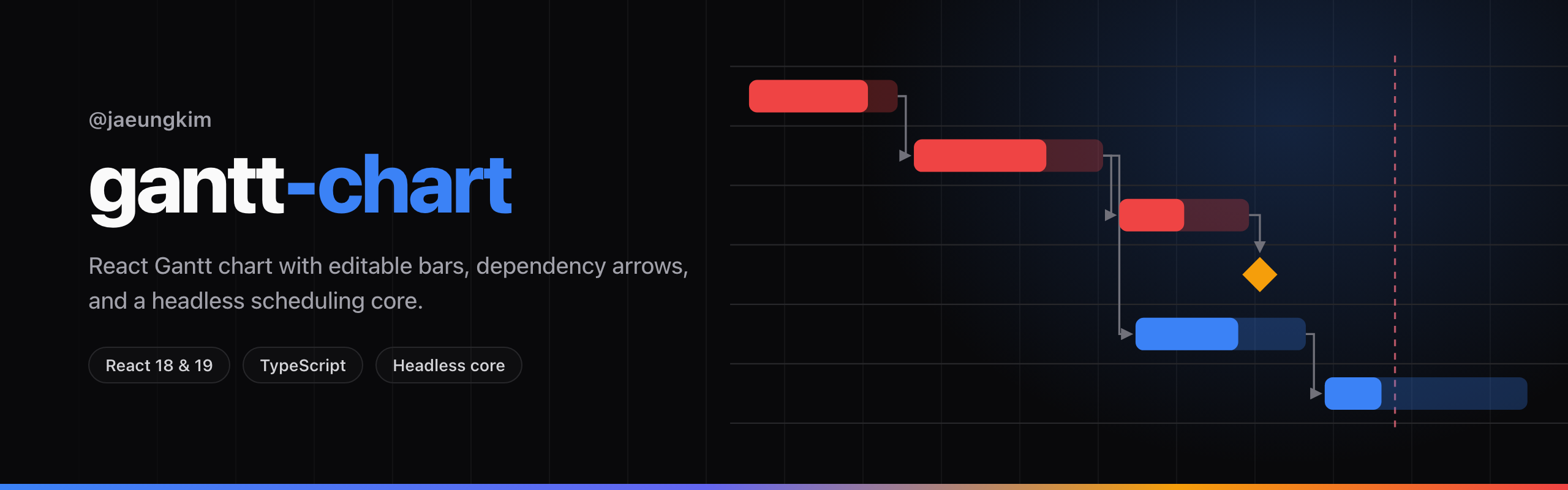
@jaeungkim/gantt-chart


Bring interactive project planning to your React app.
Drag tasks, connect dependencies, and organize projects into nested timelines. Working calendars, keyboard editing, and light and dark themes come built in.
Open source, MIT licensed, React 18 and 19, TypeScript types
Quick start | Playground | Documentation | 한국어 문서
Features
- Edit the plan directly. Move and resize tasks, adjust progress, and draw dependency arrows.
- Move a whole project phase. Organize tasks into a collapsible hierarchy and move a summary row together with its children.
- Connect the work. Draw finish-to-start, start-to-start, finish-to-finish and start-to-finish dependencies.
- Plan around working days. Define workweeks and holidays, with optional snapping to the next working day.
- Render large plans. Rows and time cells are virtualized, with five scales from day to year.
- Use the keyboard. Navigate, move, resize and reorder tasks with edit announcements. See the accessibility guide for supported actions and remaining gaps.
- Match your app. Light and dark themes, CSS custom properties, localized dates and custom detail panels.
- Save through your app. Every committed edit arrives as one
onTasksChangecall with the complete next array. Storage, validation and undo stay in your app.
Install
pnpm add @jaeungkim/gantt-chart
# npm install @jaeungkim/gantt-chart
# yarn add @jaeungkim/gantt-chart
react and react-dom (^18 or ^19) are peer dependencies, and React is the only module the
built bundle imports. The ESM build is under 40 kB gzipped and the stylesheet is 4.1 kB. dayjs is a
declared dependency because Dayjs is in the public types.
Connect it to your app
import { useState } from 'react';
import { ReactGanttChart, type Task } from '@jaeungkim/gantt-chart';
import '@jaeungkim/gantt-chart/style.css';

const initialTasks: Task[] = [
  {
    id: 'design',
    name: 'Design',
    startDate: '2026-03-02',
    endDate: '2026-03-06',
    parentId: null,
    sequence: '1',
    progress: 100,
  },
  {
    id: 'build',
    name: 'Build',
    startDate: '2026-03-09',
    endDate: '2026-03-20',
    parentId: null,
    sequence: '2',
    progress: 40,
    dependencies: [{ targetId: 'design', type: 'FS' }],
  },
  {
    id: 'ship',
    name: 'Ship',
    startDate: '2026-03-23',
    endDate: '2026-03-23',
    parentId: null,
    sequence: '3',
    dependencies: [{ targetId: 'build', type: 'FS' }],
  },
];

export default function ProjectChart() {
  const [tasks, setTasks] = useState(initialTasks);

  return (
    <ReactGanttChart
      tasks={tasks}
      onTasksChange={setTasks}
      height={420}
      showTaskList
      defaultScale="month"
    />
  );
}
Your app holds the tasks array. Every committed gesture ends in one onTasksChange call with the
complete next array, and the chart persists nothing, including the scale.
Documentation
Quick start goes from install to a chart your app
can edit. GanttProps lists every prop, callback and
default. The chart renders no toolbar, so your app renders the scale control and drives it
through the ref in Imperative API.
Release notes are on GitHub Releases.
Contributing
Setup, the checks CI runs, and the branch and PR conventions are in CONTRIBUTING.md. Questions and ideas go in Discussions. Issues are for bugs and concrete feature requests.