
@jake-gao/delta-updater
v1.1.27
Published
True delta updater for windows

Maintainers
 fuck-baby
Readme
@jake-gao/delta-updater
基于 electron-updater 的增量更新模块 — 下载 .delta 补丁文件替代全量安装包,大幅节省带宽。

特性
- 启动时展示 splash 窗口,实时显示更新进度
- 自动下载增量补丁(.delta 文件),节省 70%+ 下载流量
- SHA256 校验确保补丁完整性
- 支持自定义 splash 窗口 logo
- 增量下载失败时自动 fallback 到全量安装包
- 支持通用 S3/GitHub/Generic 等多种更新源
安装
npm install @jake-gao/delta-updater使用
const DeltaUpdater = require("@jake-gao/delta-updater");
const { app } = require("electron");
const path = require("path");

app.whenReady().then(async () => {
  const deltaUpdater = new DeltaUpdater({
    // 更新源地址
    hostURL: "https://example.com/updates/windows/",
    // 可选:日志实例
    logger: require("electron-log"),
    // 可选:splash 窗口自定义 logo(支持本地图片路径或 data URI)
    logo: path.join(app.getAppPath(), "public/images/logo.png"),
    // 可选:自定义更新缓存根目录。
    // 不传时 Windows 默认 %ProgramData%、macOS 默认 ~/Library/Application Support。
    // electron-updater 会自动在该目录下再拼一层 app-update.yml 中的 updaterCacheDirName。
    cacheRoot: "D:\\my-app-updater",
  });

  try {
    await deltaUpdater.boot();
  } catch (error) {
    // 更新失败不阻塞应用启动
    logger.error(error);
  }

  createMainWindow();
});
API
new DeltaUpdater(options)
| 参数 | 类型 | 必填 | 说明 |
| ------------- | -------- | ---- | ---------------------------------------------------------------------- |
| hostURL | string | 是 | 更新服务器根地址 |
| logger | object | 否 | 日志实例,默认 console |
| autoUpdater | object | 否 | electron-updater 实例,默认自动获取 |
| logo | string | 否 | splash 窗口 logo,支持本地文件路径或 data URI。未传时显示默认更新 icon |
| keepDeltaCount| number | 否 | 增量更新文件保留数量,默认 3。清理时会保留最新 N 个文件 |
| cacheRoot | string | 否 | 自定义更新缓存根目录。不传时 Windows 默认 %ProgramData%、macOS 默认 ~/Library/Application Support(这些位置都是系统/杀软白名单路径,可避免 360/Defender 启发式扫描告警)。传入后跳过平台默认逻辑。|
deltaUpdater.boot({ splashScreen })
| 参数 | 类型 | 默认值 | 说明 |
| -------------- | --------- | ------ | -------------------- |
| splashScreen | boolean | true | 是否显示启动闪屏窗口 |
deltaUpdater.setFeedURL(url)
手动设置更新 feed URL(覆盖 hostURL 自动拼接的路径)。
工作原理
启动 → 显示 splash → 检查更新 → 发现新版本
  → 拉取 delta-win.json
  → 下载 .delta 补丁文件(SHA256 校验)
  → 应用补丁 → 重启
Splash 窗口
不传 logo 时,splash 默认显示更新下载图标:
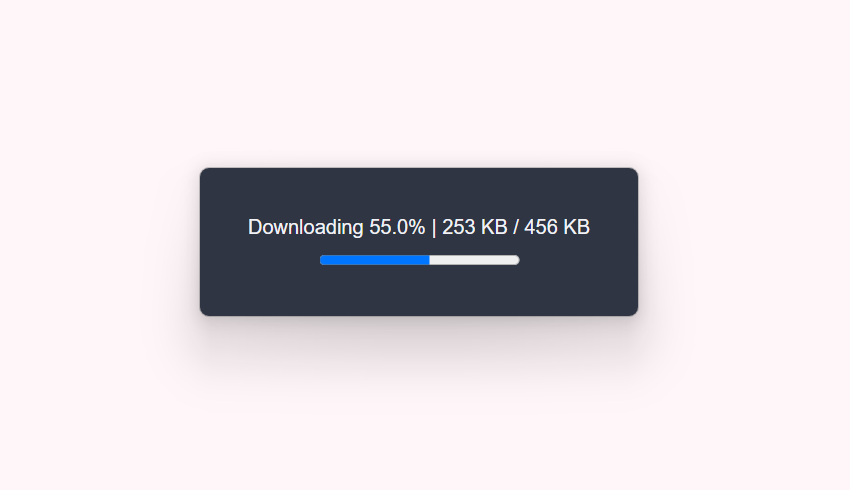
传入自定义 logo 后,splash 窗口 header 将显示你的应用图标。
许可证
MIT © Jake Gao