
@jancellor/ask
v1.3.0
Published
A minimal coding agent CLI.

Maintainers
 jancellor
Readme
Ask
A minimal AI agent.
Introduction
Ask is a minimal but fully functional AI agent for coding and general tasks. It has just one tool, the shell execution tool.
- Code editing is via shell execution and tools like
cat,sd,rgandfd. - Supports
AGENTS.mdand agent skills in.agentsdirectories. - Batch mode is first class, eg
cat code.js | ask "explain this". - Saves sessions to
~/.ask/sessionsand supports resuming/forking. - The agent knows where sessions are stored and what the format is.
- Background tasks just use
&and system prompt guidance (.pidfiles, output redirection). - Subagent patterns are therefore just self-invocation, using background processes and reflective session inspection where appropriate.
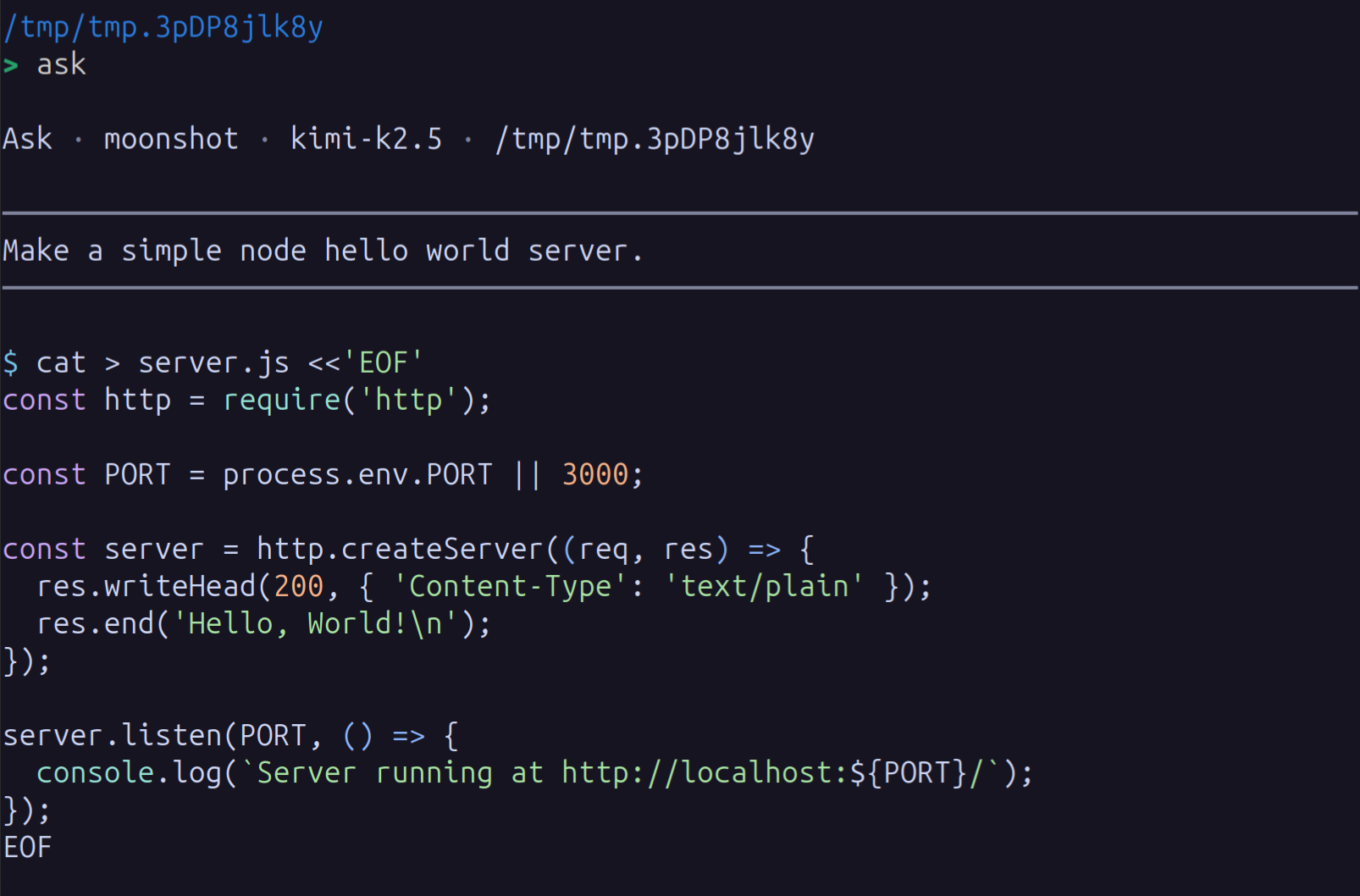
- Interactive mode (TUI) is basic but pretty-prints markdown and code.
- Config system supports providers, models, and variants and passes merged JSON options directly to AI SDK.
- Runs with full access – needs an external sandbox.
Setup
Install from npm:
npm install -g @jancellor/askOr build from source:
git clone https://github.com/jancellor/ask.git
cd ask
npm install
npm run build
npm link
Configure a provider:
ask --config --provider anthropic --model claude-opus-4-6That saves the current config and creates ~/.config/ask/config.json, eg:
{
  "currentProvider": "anthropic",
  "providers": {
    "anthropic": {
      "currentModel": "claude-opus-4-6"
    }
  }
}
Store secrets separately in ~/.config/ask/config.secrets.json:
{
  "anthropic": {
    "apiKey": "your-api-key"
  }
}
For OpenAI-compatible endpoints, configure the provider explicitly:
{
  "currentProvider": "openrouter",
  "providers": {
    "openrouter": {
      "sdkProvider": "openai-compatible",
      "providerOptions": {
        "name": "openrouter",
        "baseURL": "https://openrouter.ai/api/v1"
      },
      "currentModel": "anthropic/claude-sonnet-4.6"
    }
  }
}
Ask uses the AI SDK, and this
config is designed to map directly onto that runtime model. You select a
configured provider, then a model within that provider, and optionally a
variant within that model. A configured provider can also override
sdkProvider so one named config entry can
target a different SDK provider family, such as openai-compatible.
providerOptions live on the provider and are passed to the SDK provider
factory, while auth stays separate in config.secrets.json. generateOptions
can be set globally and at the provider, model, and variant levels; at runtime
they are merged in that order and passed through as the options object for
generateText.
For example, you can add a Claude reasoning-effort variant with per-variant Anthropic options:
{
  "currentProvider": "anthropic",
  "providers": {
    "anthropic": {
      "currentModel": "claude-opus-4-6",
      "models": {
        "claude-opus-4-6": {
          "currentVariant": "balanced",
          "variants": {
            "balanced": {
              "generateOptions": {
                "providerOptions": {
                  "anthropic": {
                    "effort": "medium"
                  }
                }
              }
            }
          }
        }
      }
    }
  }
}
Then use ask -v balanced to select that variant for a run.
Use ask -c to print the resolved config. If you pass -p, -m, or -v
with -c, those values are saved as the new current selection. Without -c,
they apply only to the current run.
Run:
ask -c                       # Show current resolved config
ask -c -p openai -m gpt-5    # Update saved provider/model
ask -c -v                    # Clear the saved variant
ask                          # Interactive mode
ask "refactor"               # Batch mode (single positional arg)
cat file.ts | ask "explain"  # Pipe context, ask a question
ask --resume                 # Resume most recent session (interactive)
ask --resume <uuid>          # Resume a specific session
ask --resume -- "refactor"   # Resume most recent session in batch mode
ask --fork                   # Fork most recent session into a new session (interactive)
ask --fork -- "try this"     # Fork most recent session in batch mode
ask --resume <uuid> --fork   # Fork a specific session into a new session
ask --help                   # More options
Library use:
import { ask, Agent } from '@jancellor/ask';

const text = await ask('Refactor this function');

const agent = await Agent.create({});
await agent.ask('message');
console.log(agent.messages);
Architecture
User input
  → generateText() via Vercel AI SDK
    → Model returns text + tool calls
      → execute({ command }) — bash -c with timeout
      → stdout/stderr/exit code returned to model
    → Loop until no more tool calls
  → Append messages to session JSONL