
@janwirth/b2b
v0.0.17
Published
✨ Write tests in human language (Gherkin) and verify program behavior with headless browser automation (Puppeteer).


Readme
B2B 🎛️🎚️🎛️
✨ Write tests in human language (Gherkin) and verify program behavior with headless browser automation (Puppeteer).
🚀 Easy setup. No test-ids needed in your html - it reads the page like a human.

Quick Start
🌐 Start a server on localhost:3000
⚡ Run
bun x @janwirth/b2b initThis will create an example feature file:Feature: Example Scenario: Example When I open localhost:3000 Then I see "Hello, World!"👀 Run
bun x @janwirth/b2b watchto start interactive mode✅ Run
bun x @janwirth/b2b runto run all features
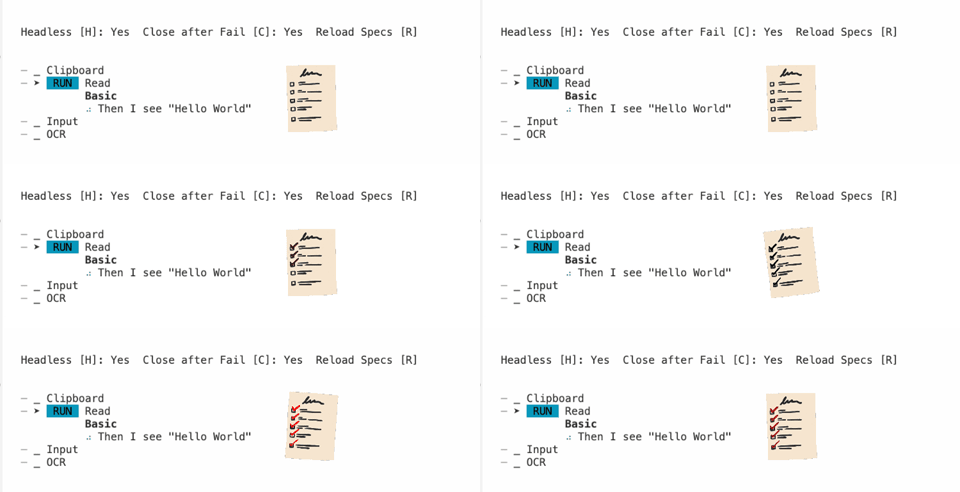
Use Cases
🛡️ Quality Assurance: Prevent regression bugs. Avoid the "two steps forward, one step back" problem.
🗺️ Design Handoff via (Happy) Path Mapping: Map user journeys through UI designs. Gherkin files mirror design complexity and reveal user effort required.
🤝 Client Handoff: Demonstrate functionality with executable specifications. Clients see exactly how features work; requirement changes reflect immediately in test scenarios.
🤖 AI-Assisted Engineering: Natural language test scenarios work well with AI tools like Cursor. Unit tests fall short for long-running processes and UI testing. The structured Gherkin format helps AI understand requirements and suggest improvements.
Features
- 📝 Feature parser
- 🏷️ Annotations
@skipand@focus - 📹 Screen recordings and failure screenshots
- 👀 Watch mode
- 🎯 Content-based element finding
- 👁️ OCR image processing
Perspectives
- 🎬 Effortlessly record product demos for marketing purposes using the latest UI
Creating new Features
I used this prompt to generate the mock reset step:
Let's use @tdd.mdc to create a new feature.

We need to have a step that pings an endpoint to reset the application for a testable state (clearing test-created data etc.)

The @mock-server.ts  should have some isCleared variable that is visible in an endpoint so that the test runner can verify it with I see

When I open localhost:3000/reset-status
Then I see "stale data"
When I ping localhost:3000/reset
And I reload
Then I see "cleared"